If you drive a Jeep Cherokee, you likely appreciate how the backup camera helps with parking and reversing safely. But what if you want to turn off your backup camera? Maybe you find the display distracting, have privacy concerns, or your camera malfunctions and you want to stop the feed. Jeep does not make disabling the backup camera obvious, and the process can vary between Cherokee models and years. This guide explains how to turn off the backup camera on a Jeep Cherokee, step by step, and covers important details you should know before making changes to your vehicle’s safety systems. Whether you drive a newer 2023 model or an older Cherokee, you’ll learn the right steps and pitfalls to avoid.
Why Someone Might Want To Turn Off The Backup Camera
Backup cameras are now standard in most vehicles sold in the US, including the Jeep Cherokee, due to federal regulations. But there are several reasons why someone might want to disable this feature:
- Malfunctioning Camera: A faulty camera may display a blank or distorted image, making reversing more confusing or unsafe.
- Personal Preference: Some drivers find the camera distracting, especially if they prefer traditional mirrors.
- Privacy Concerns: Owners may be worried about potential hacking or unwanted recording, even if this is rare.
- Aftermarket Upgrades: Installing a custom camera or infotainment system may require turning off the factory backup camera.
- Temporary Needs: Occasionally, you may need to turn off the camera for testing, maintenance, or demonstration purposes.
It’s important to note that disabling the backup camera may reduce rear visibility and affect safety. In some cases, you might also violate local laws if you tamper with federally required safety features.
Understanding Your Jeep Cherokee’s Backup Camera System
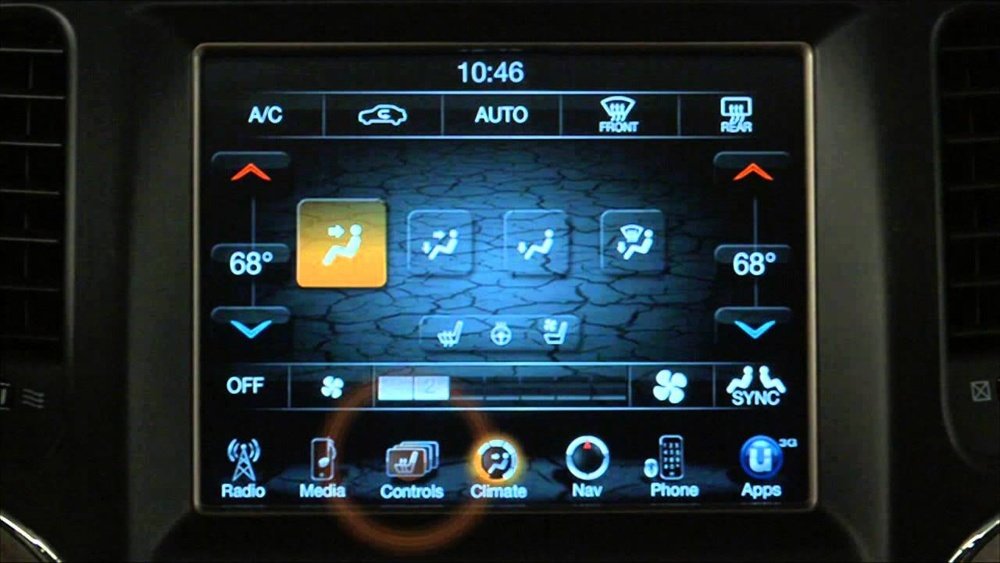
Jeep Cherokees use a rear-mounted camera connected to the Uconnect infotainment system. When you put the car in reverse, the system activates the camera and displays the live feed on your central screen. Some higher trims offer extra features like dynamic guidelines, parking sensors, and even automatic braking.
Here’s a quick comparison of backup camera features in different Jeep Cherokee years:
| Model Year | Standard Camera | Dynamic Guidelines | Parking Sensors | Screen Size |
|---|---|---|---|---|
| 2014-2017 | Yes | No | Optional | 5-8.4 in |
| 2018-2020 | Yes | Yes | Yes | 7-8.4 in |
| 2021-2023 | Yes | Yes | Yes | 8.4 in |
The exact steps to turn off the camera may vary based on your model year and the version of Uconnect installed.
Methods To Turn Off The Backup Camera In Jeep Cherokee
There is no single “off” button for the backup camera in most Jeep Cherokees. Instead, you need to use one of several methods, depending on your car’s year and features.
1. Disabling Via Uconnect Settings (newer Models)
For many 2018 and newer Jeep Cherokees, you can adjust settings through the Uconnect system:
- Start the engine and ensure your vehicle is in Park.
- On the Uconnect home screen, tap “Settings.”
- Look for “Safety & Driving Assistance” or a similar menu.
- Find the “Rear Camera Delay” option. Turn this off if you don’t want the camera image to stay after you shift out of reverse.
- Some models offer a “Camera” menu. If you see an option to disable or hide the camera, select it.
Most Cherokees do not let you fully turn off the camera from the screen, but you can reduce its impact by disabling delay and notifications.
2. Mute Or Black Out The Display
If you cannot turn off the camera from the menu, you can:
- Press the screen’s power button or use the “screen off” option while in reverse. This will blank the display, though the camera is still technically working.
- Lower the display brightness during reverse, though this may affect overall usability.
- For systems with a physical “Screen Off” button, press it right after shifting to reverse.
This method is not a true disable, but it reduces distractions.
3. Disconnecting The Camera Hardware
If you want to fully stop the camera feed, you can disconnect the camera’s wiring. This is a more advanced step and is usually only done if you are replacing the camera or have a malfunction.
Steps:
- Open the rear hatch and locate the camera near the license plate.
- Remove any trim or covers to access the camera wiring harness.
- Carefully unplug the harness. Make sure the vehicle is off and the keys are removed.
- Test your system: The camera feed should now be gone when reversing.
Risks: This may trigger a dashboard warning or error. Some Cherokees will show a “Camera Unavailable” message. Also, your rear visibility is now reduced.
4. Removing The Fuse (advanced)
Another hardware method is pulling the fuse that powers the backup camera.
- Locate your Jeep Cherokee’s fuse box (usually under the hood or near the glove box).
- Find the fuse for the “Backup Camera” or “Rear View Camera.” This is detailed in your owner’s manual.
- Use a fuse puller or tweezers to remove the fuse.
- Start the car and check if the camera is disabled.
Note: This may also disable other features that share the fuse, like parking sensors or tail lights. Always check your owner’s manual for specifics.
5. Covering The Camera Lens
As a last resort, you can temporarily block the camera by covering the lens with tape or a cover. This will cause the screen to show a black or blurry image, but the system is still active.
Downsides: The system may display a warning or error. This is a temporary, not a permanent, solution.
Which Method Should You Use?
Your choice depends on your needs and comfort with car electronics. Here’s a quick comparison to help decide:
| Method | Difficulty | Reversible? | Affects Warranty? | Common for |
|---|---|---|---|---|
| Uconnect Settings | Easy | Yes | No | Newer Models |
| Display Off/Dim | Very Easy | Yes | No | All Models |
| Disconnect Camera | Moderate | Yes | Possible | Aftermarket Upgrades |
| Remove Fuse | Moderate | Yes | Possible | Advanced Users |
| Cover Lens | Very Easy | Yes | No | Temporary Needs |
If you just want less distraction, the screen “off” method is best. For total disable, unplugging the camera or removing the fuse works, but these are more involved.
Important Considerations Before Disabling Your Backup Camera
Turning off a backup camera is not just a technical step it has safety and legal impacts.
- Legal Requirements: Since May 2018, US law requires most new vehicles to have a working backup camera. Tampering with this may be illegal in some states or void your warranty.
- Safety Concerns: Backup cameras prevent accidents and make reversing safer, especially in tight spots or near children. Disabling it removes this protection.
- Resale Value: A non-working backup camera can lower your car’s value or make it harder to sell.
- Warranty Issues: Modifying factory wiring or removing fuses could affect your vehicle’s warranty. Always check with your dealer before making changes.
Many owners do not realize that disabling the camera may cause other features, like cross-path detection or parking sensors, to stop working. If your Cherokee has these, double-check what else may be lost.
What To Do If Your Backup Camera Is Not Working Properly
Sometimes, people want to turn off the camera because it’s not working. But many issues can be fixed without disabling the system.
Common backup camera problems include:
- Blurry or foggy image: Clean the lens with a soft, damp cloth.
- No image or black screen: Check the wiring for damage or loose connections.
- Flickering or static: Inspect the camera’s cable and connectors.
- Intermittent operation: This often relates to faulty wiring or a weak connection near the hatch.
If your camera is still under warranty, your dealer may fix it for free. For persistent problems, consider professional help before disabling the system.

Restoring The Backup Camera
If you changed your mind or need to pass a safety inspection, you can usually restore your backup camera to factory operation:
- Reconnect the wiring harness if you unplugged it.
- Replace the fuse if you removed it.
- Remove any tape or lens covers.
- Reset your Uconnect settings if you changed options.
Always test the system in a safe area before regular use.
Non-obvious Tips For Jeep Cherokee Owners
- Software Updates Matter: Jeep often issues software updates for Uconnect. Sometimes, a glitchy backup camera can be fixed by updating the infotainment system. Check with your dealer or on the Uconnect website.
- Hidden Menus: Some Jeep models have hidden diagnostic menus that let you test or reset the backup camera. These are often accessed by pressing certain buttons in sequence. Search for your specific model and year to see if this is possible.
- Aftermarket Options: If you want more control, some aftermarket infotainment units allow full enable/disable of the backup camera. These require expert installation but offer more flexibility.
Many owners miss these options and struggle with annoying camera issues for years.

Frequently Asked Questions
Can I Legally Turn Off The Backup Camera In My Jeep Cherokee?
In the US, most new vehicles must have a working backup camera by law. Disabling yours may violate federal safety standards or state laws, especially if your car was built after May 2018. Always check local regulations before making changes.
Will Turning Off The Backup Camera Void My Warranty?
Modifying your vehicle, such as unplugging the camera or removing fuses, can affect your warranty. If you only change Uconnect settings or use “screen off,” your warranty is usually safe. Ask your dealer before making hardware changes.
My Camera Shows A Black Screen But Is Not Disabled. What Should I Do?
This often means a wiring issue or a dirty lens, not a disabled camera. Clean the lens first.
If the problem continues, check the wiring or visit a qualified mechanic.
Can I Install A Switch To Turn The Camera On And Off?
It is technically possible to add a switch to the camera’s power wire, but this requires electrical skills and could cause warning lights or errors. Professional installation is recommended if you go this route.
Where Can I Find More Information About Jeep Cherokee Electronics?
For the most detailed and up-to-date information, visit the official Jeep Owners Site. You’ll find manuals, wiring diagrams, and support resources.
Turning off the backup camera on your Jeep Cherokee is possible but requires careful thought. Consider safety, legal, and warranty issues before making changes.
When in doubt, consult a professional or your Jeep dealer to ensure the best outcome for your vehicle and your peace of mind.


















