If your Jeep key fob stops working, needs a battery change, or you simply want to inspect its internals, knowing how to take it apart is essential. Many Jeep owners feel intimidated by this process, worrying about damaging their key fob or making mistakes. But with the right guidance, you can safely open your key fob and handle basic maintenance at home. This article breaks down every step, explains common types of Jeep key fobs, and shares tips to avoid costly errors. Whether you own a classic Jeep or a modern model, you’ll find practical advice here to help you confidently take apart your key fob.
Understanding Jeep Key Fob Types
Jeep has used several key fob designs over the years. Each has a slightly different way of coming apart.
Recognizing your type is the first step to a successful process.
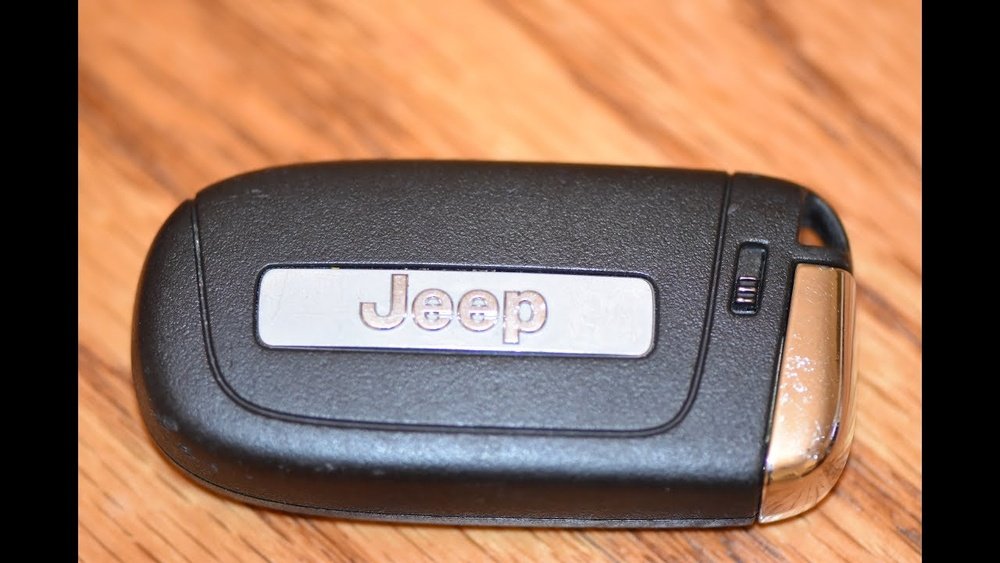
Classic Key Fobs (pre-2014)
Older Jeeps, such as the Jeep Wrangler or Jeep Grand Cherokee (pre-2014), often use a simple fob with physical keys. These fobs are usually made of durable plastic and have a removable back cover for battery access.
Modern Keyless Entry Fobs
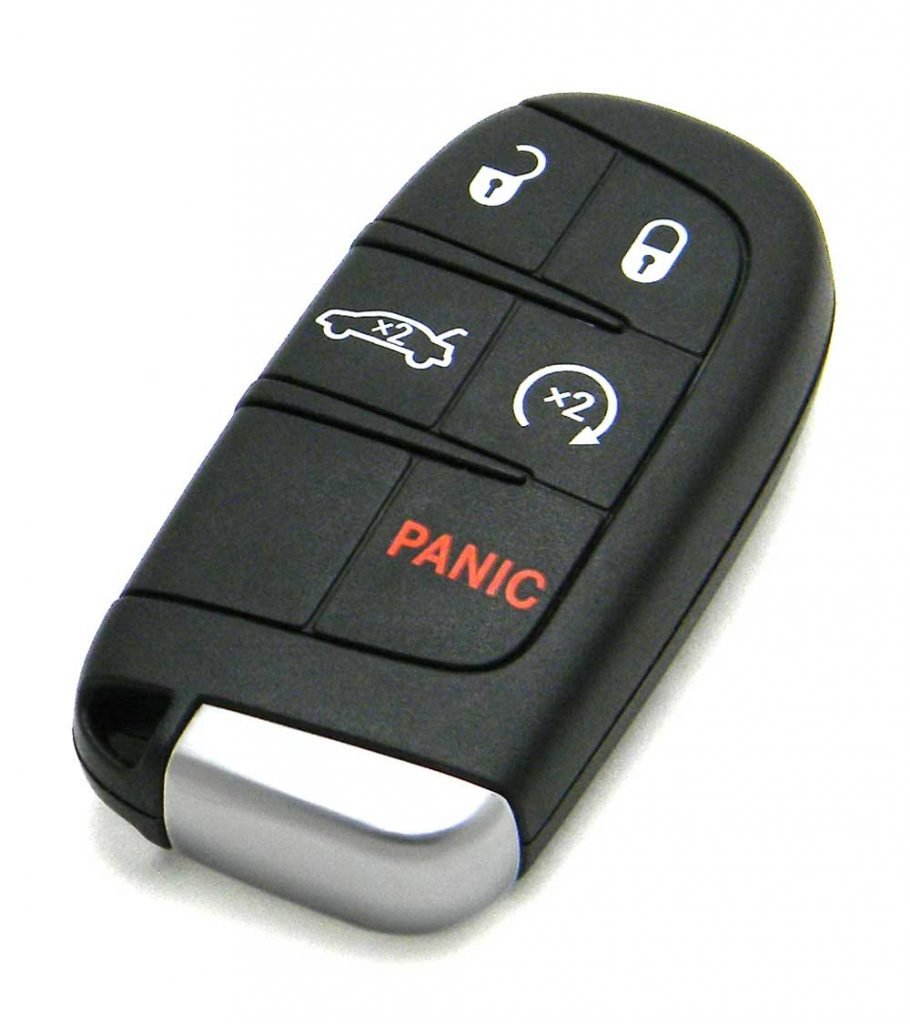
Most 2014 and newer models, including the Jeep Renegade, Cherokee, and Compass, use a modern fob. These are slimmer, have more buttons, and sometimes include proximity sensors for push-to-start systems.
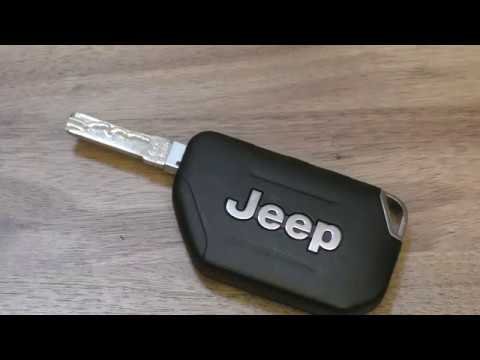
Smart Fobs With Emergency Key
Some advanced models feature a smart fob that contains a hidden emergency key. This type is more complex and usually has a sliding or button mechanism to release the metal key.
Here’s a quick comparison to help you identify your fob:
| Fob Type | Year Range | Key Feature | Battery Access |
|---|---|---|---|
| Classic Fob | 2000-2013 | Physical key | Snap-on back |
| Modern Fob | 2014-2020 | Keyless entry, more buttons | Split shell, screws |
| Smart Fob | 2021-present | Proximity sensor, emergency key | Hidden latch, slides open |
Knowing your fob type saves time and prevents mistakes. If you’re unsure, check your owner’s manual or search for your model online.
Tools You Need Before Starting
Taking apart a Jeep key fob doesn’t require special equipment. Most people already have the needed tools at home.
Having the right items ready will make the process smoother and safer.
- Small flathead screwdriver: Ideal for prying open the shell.
- Plastic pry tool: Prevents scratches on the plastic surface.
- Tweezers: Useful for handling small batteries or parts.
- Soft cloth: To protect your work surface and prevent losing small pieces.
- Replacement battery: Usually CR2032 or CR2025 for most Jeep fobs.
Avoid using sharp knives or metal tools that could damage the fob’s housing. A plastic pry tool is especially helpful for modern and smart fobs.
Step-by-step Guide: How To Take Apart Jeep Key Fob
Follow these steps carefully. The process varies slightly depending on your fob type, but the basics remain consistent.
1. Remove The Physical Key (if Present)
For most smart fobs, start by finding the small release button or slider. Press or move it to release the emergency key. Set this key aside.
2. Locate The Seam Or Back Cover
Classic fobs have a visible seam or a snap-on back cover. Modern fobs may have a small slot or screws at the edge.
- For classic fobs: Look for a small notch where you can insert your tool.
- For modern fobs: Examine the edges for a seam or screw.
3. Pry Open The Fob Shell
Use your flathead screwdriver or plastic pry tool. Gently insert it into the notch or seam. Twist or pry slowly until the shell begins to open. Never force it—if you feel resistance, check for hidden screws or latches.
For fobs with screws, remove them first using a small Phillips screwdriver.
4. Separate The Two Halves
Once the shell loosens, carefully pull the halves apart. Lay them on your soft cloth to keep parts safe. Inside, you’ll see the battery and circuit board.
5. Remove The Battery
Use tweezers or your fingers to lift the battery out. Note the orientation—most Jeep fobs use a CR2032 coin cell, but check your old battery to confirm.
6. Inspect The Internals
Look for signs of corrosion, dust, or moisture. If you see corrosion, gently clean the contacts with a cotton swab and a little rubbing alcohol.
Avoid touching the circuit board with wet hands.
7. Reassemble The Fob
Place the new battery in the same orientation. Align the two halves and press them together until they snap shut. If you removed screws, replace them.
If your fob has an emergency key, slide it back in until it clicks.
Here’s a summary of the steps for quick reference:
| Step | Action | Tip |
|---|---|---|
| 1 | Remove emergency key | Use the release button |
| 2 | Locate seam or screws | Check edges and corners |
| 3 | Pry open shell | Use plastic tool |
| 4 | Separate halves | Work over a cloth |
| 5 | Remove battery | Check orientation |
| 6 | Inspect internals | Clean contacts if needed |
| 7 | Reassemble | Snap shut, insert key |
Common Mistakes To Avoid
Many Jeep owners make simple errors that lead to broken fobs or expensive repairs. Here are some mistakes you can easily avoid:
- Using too much force: The plastic shell can crack if you pry too hard.
- Misplacing small parts: Springs or buttons may fall out—work over a soft cloth.
- Wrong battery orientation: Installing the battery upside-down prevents the fob from working.
- Touching the circuit board: Oils from your fingers can damage electronics.
- Skipping screws: If your fob has screws, don’t try to pry it apart without removing them.
If you lose a part or your fob won’t work after reassembly, try resetting the fob by holding down the lock and unlock buttons for 10 seconds. If that fails, you may need professional help.
Tips For A Smooth Process
Even if you’re careful, small things can make the process easier and safer.
- Take photos as you go: This helps you remember how parts fit together.
- Work in a well-lit area: You’ll spot tiny screws and avoid losing them.
- Keep replacement batteries ready: It’s frustrating to open the fob and find you don’t have the right battery.
- Check compatibility: Not all CR2032 batteries are equal—use a brand recommended by Jeep if possible.
- Test before full reassembly: After inserting the new battery, press the buttons to see if the LED lights up before snapping everything shut.
Jeep Key Fob Battery Statistics
The most common Jeep key fob battery is the CR2032. Here’s a quick look at battery lifespan and replacement frequency:
| Fob Model | Battery Type | Average Lifespan | Replacement Frequency |
|---|---|---|---|
| Classic | CR2032 | 2-3 years | Every 24-36 months |
| Modern | CR2025 | 1-2 years | Every 12-24 months |
| Smart | CR2032 | 1-2 years | Every 12-18 months |
Replacing your battery regularly prevents sudden lockouts and keeps your fob reliable. Some drivers wait until the fob fails, but this can leave you stranded.
What To Do If You Damage Your Key Fob
If your key fob doesn’t work after reassembly, or you break a part, don’t panic. Most parts are replaceable, and Jeep dealers can help. Here’s what to do:
- Check the battery orientation again.
- Look for loose buttons or springs—reinsert them if possible.
- Test your fob using your Jeep’s backup slot (usually found under the steering column).
- If your fob still fails, visit a Jeep dealership or a certified locksmith. They can repair or replace the fob, and sometimes reprogram it.
Some repairs, like replacing circuit boards, are best left to professionals. Attempting advanced repairs may void your warranty.
Non-obvious Insights Most Beginners Miss
Many beginners overlook a few key points:
- Moisture is a hidden enemy: Even a tiny drop can corrode the circuit board, causing your fob to fail weeks later. Always inspect for moisture, even if you don’t see obvious signs.
- Fob shells are model-specific: Buying generic replacement shells online often leads to poor fits or missing features. Always check the part number on your fob and buy Jeep-approved replacements.
These details can save you money and headaches down the road.
When To Seek Professional Help
If your key fob is badly damaged, or you’re unsure about the process, professional help is wise. Jeep dealerships and automotive locksmiths have the tools and experience to safely repair or replace your fob.
They can also reprogram new fobs if needed.
A professional can also help if your fob is part of a push-to-start system, which often requires specialized programming. For more details about key fob programming, visit the official Jeep website: Jeep Official Site.
Frequently Asked Questions
How Do I Know Which Battery My Jeep Key Fob Uses?
Most Jeep key fobs use a CR2032 or CR2025 coin cell battery. Check your owner’s manual, or open the fob and look at the old battery for the model number.
Can I Take Apart My Jeep Key Fob Without Voiding The Warranty?
Replacing the battery or cleaning contacts does not void most warranties. However, breaking the circuit board or attempting advanced repairs might.
If your fob is still under warranty, consider visiting a dealer.
What If My Key Fob Doesn’t Work After Reassembly?
Double-check the battery orientation and make sure all internal parts are aligned. If it still doesn’t work, try resetting the fob by pressing the lock and unlock buttons together for 10 seconds. If problems continue, seek professional help.
Is It Safe To Use Generic Replacement Batteries?
Yes, but quality matters. Cheap batteries may leak or fail quickly.
Use reputable brands recommended by Jeep. Avoid old or expired batteries.
Where Can I Buy A Replacement Key Fob Shell?
Replacement shells are available online and at Jeep dealerships. Always match your fob’s part number to ensure a perfect fit.
Some online sellers offer low-quality shells that may not work well.
Taking apart your Jeep key fob is a simple process when you follow the right steps. With a few basic tools, patience, and attention to detail, you can maintain your fob and avoid costly trips to the dealer.
Remember to check for moisture, use the correct battery, and never force the fob open.
By following this guide, you’ll keep your Jeep’s key fob working smoothly and reliably for years to come.



















