Connecting your smartphone to your Jeep’s Bluetooth can make driving safer and more enjoyable. With Bluetooth, you can take calls hands-free, stream music, and use navigation apps without touching your phone. Many Jeep owners struggle with setup, but the process is easier than you might think. In this guide, you’ll learn step-by-step how to set up Jeep Bluetooth for different models, plus tips to avoid common mistakes and solve problems.
Understanding Jeep Bluetooth Compatibility
Before you start, check if your Jeep has Bluetooth capability. Most models from 2011 onward include Bluetooth in the Uconnect system. Older Jeeps may require an aftermarket kit. Look for the Bluetooth logo on your dashboard screen or in the owner’s manual. If your Jeep has Uconnect, you’re ready to pair your phone.
Here’s a quick comparison of Bluetooth features in recent Jeep models:
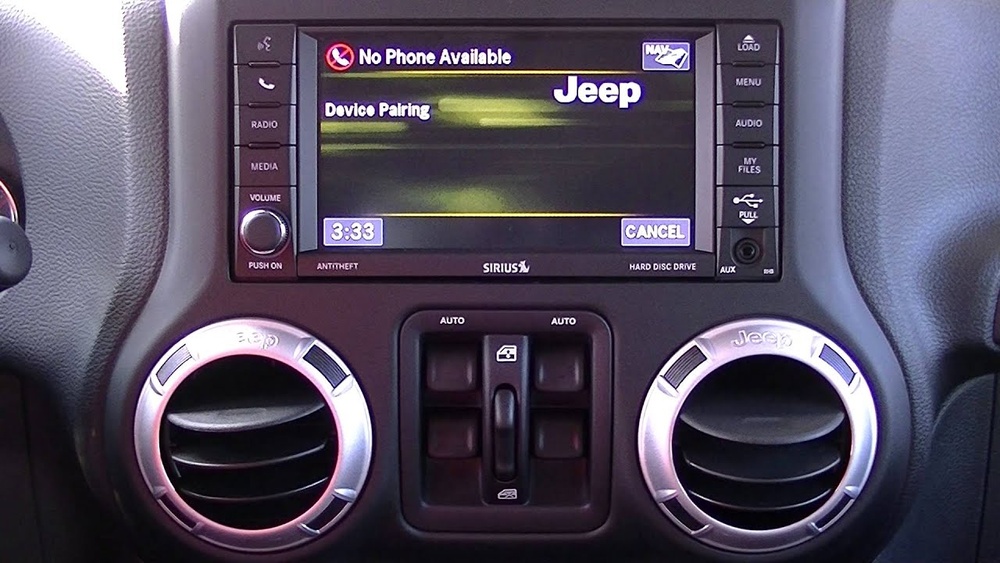
| Model Year | Bluetooth Support | Hands-Free Calling | Audio Streaming |
|---|---|---|---|
| 2018–2024 | Standard | Yes | Yes |
| 2015–2017 | Standard/Optional | Yes | Yes |
| 2011–2014 | Optional | Yes | Limited |
| 2010 and earlier | No | No | No |
If you drive an older Jeep without Bluetooth, consider an external adapter or upgrading your stereo.
Step-by-step Guide To Pairing Your Phone
Setting up Jeep Bluetooth takes only a few minutes. Follow these steps for most Jeep models with Uconnect:
- Turn on your Jeep and ensure the Uconnect system is active.
- Enable Bluetooth on your smartphone. On iPhone: Settings > Bluetooth > toggle ON. On Android: Settings > Connections > Bluetooth > turn ON.
- On the Uconnect touchscreen, tap the Phone or Settings icon.
- Select Add Device or Pair New Device.
- Your Jeep will display a PIN code. On your phone, select your Jeep from available devices and enter the PIN if prompted.
- Wait for the pairing confirmation on both the screen and your phone.
- Choose to allow access to contacts and messages for hands-free features.
Here’s a table comparing pairing steps for different Uconnect versions:
| Uconnect Version | Pairing Method | PIN Required | Max Devices |
|---|---|---|---|
| Uconnect 5 | Touchscreen menu | Yes | 2 |
| Uconnect 4 | Touchscreen menu | Yes | 1 |
| Uconnect 3 | Physical buttons | Yes | 1 |
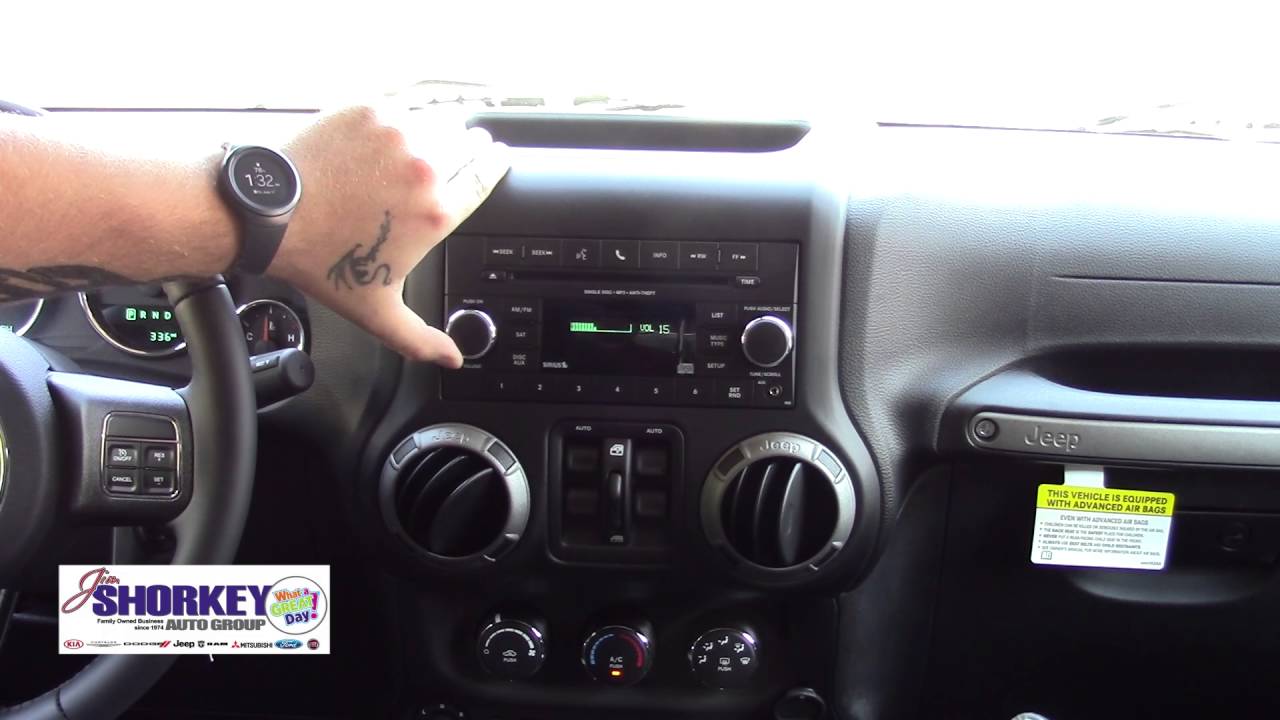
Remember, some older Uconnect systems use physical buttons instead of a touchscreen.
Tips For Smooth Bluetooth Setup
Pairing often works on the first try, but issues can happen. Here’s how to avoid common problems:
- Update your phone’s software before pairing.
- Clear old paired devices from Uconnect if you’ve had connection issues.
- Keep your phone close to the dashboard during setup.
- Make sure Bluetooth is visible on your phone (not hidden).
- If the PIN doesn’t match, restart both your Jeep and phone.
- After pairing, check audio settings to ensure music and calls go through the Jeep speakers.
A surprising insight: Many users forget to grant contacts permission during setup, which stops hands-free calls from working. Always confirm this step.
Troubleshooting Common Bluetooth Problems
Even with careful setup, Bluetooth can fail. Here are frequent issues and solutions:
- Phone won’t pair: Remove old Bluetooth devices from both Jeep and phone, restart both, and try again.
- Calls don’t sound clear: Move your phone closer to the dashboard, or check for interference from other electronics.
- Music doesn’t play: Check your phone’s audio output settings. Sometimes, music apps need special permission.
- Connection drops: Update Uconnect and your phone software. If issues continue, try pairing with a different phone to isolate the problem.
A non-obvious tip: If you switch phones often, Uconnect may keep pairing slots full. Delete unused devices for smoother connections.
Making The Most Of Jeep Bluetooth
Once Bluetooth is set up, you can do more than just make calls. Here are extra features many drivers miss:
- Voice commands: Use phrases like “Call John” or “Play radio” for hands-free control.
- Message notifications: Some Jeeps read texts aloud if you allow permission.
- Navigation integration: Stream directions from apps like Google Maps through your Jeep speakers.
- Multiple devices: Some Uconnect versions let you pair two phones, ideal for families.
Here’s a quick comparison of Bluetooth media features in popular Jeep models:
| Model | Music Streaming | Text Readout | Voice Navigation |
|---|---|---|---|
| Jeep Grand Cherokee | Yes | Yes | Yes |
| Jeep Wrangler | Yes | No | Yes |
| Jeep Renegade | Yes | No | Yes |
If you want to learn more about Uconnect and Jeep Bluetooth, check the official Jeep Uconnect page.
Frequently Asked Questions
How Do I Reset Jeep Bluetooth?
To reset, go to the Uconnect Bluetooth settings and delete all paired devices. Restart your Jeep, then start pairing again as if it’s new.
Can I Pair More Than One Phone To My Jeep?
Yes, newer Uconnect systems (version 5 and above) let you pair two phones. You can switch between devices for calls and music.
Why Is My Jeep Bluetooth Not Connecting?
This often happens due to software glitches or too many paired devices. Update your phone, clear old devices from Uconnect, and restart both systems.
Is Jeep Bluetooth Compatible With All Phones?
Most smartphones with Bluetooth work with Uconnect, including iPhones and Androids. Some older phones may not support all features, like text readout.
Do I Need To Pay For Jeep Bluetooth Features?
No, basic Bluetooth pairing and hands-free calling are free. Advanced features like navigation integration may require a subscription or app.
Setting up Jeep Bluetooth is simple with the right steps. Take a few minutes to connect your phone and unlock hands-free calling, music, and navigation. With Bluetooth, your Jeep becomes smarter, safer, and more fun to drive. Remember to check your model’s compatibility and keep software updated. Enjoy your journey with confidence and convenience.



















