Setting up Bluetooth in your Jeep can make every drive more enjoyable and convenient. With Bluetooth, you can play your favorite music, make hands-free calls, and use voice commands safely. While the process is straightforward, each Jeep model can have small differences.
This guide will help you connect your phone to your Jeep’s Bluetooth system quickly, even if you’re not a tech expert.
Understanding Jeep Bluetooth Systems
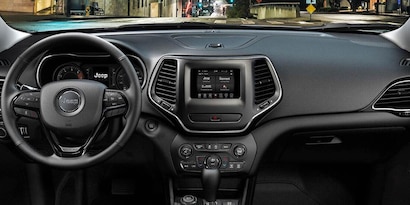
Jeep vehicles, especially those made in the last decade, usually come with a Uconnect infotainment system. Uconnect is the main interface for connecting your phone via Bluetooth. Depending on your Jeep’s year and trim, you might have Uconnect 3, 4, 5, or an older version. Each system looks a bit different, but the basic steps are similar.

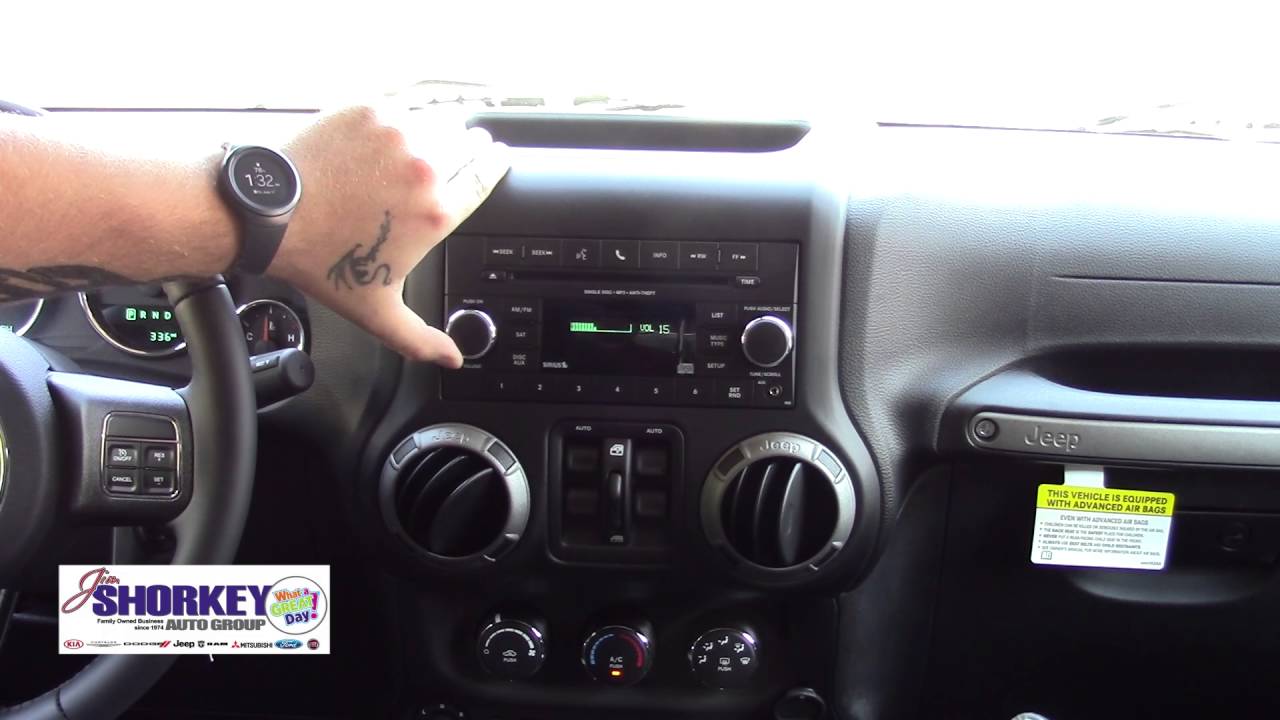
If your Jeep is an older model (pre-2010), it may not have built-in Bluetooth. In that case, you can use aftermarket adapters or head units. Newer models almost always include this feature as standard.
Here’s a quick comparison of common Jeep Bluetooth systems:
| Uconnect Version | Screen Size | Voice Control | Wireless Android Auto/Apple CarPlay |
|---|---|---|---|
| Uconnect 3 | 5″ | Limited | No |
| Uconnect 4 | 7″-8.4″ | Yes | No |
| Uconnect 5 | 7″-10.1″ | Yes | Yes |
Before you start, make sure:
- Your Jeep is in park with the engine on
- Your phone’s Bluetooth is turned on
- You know where the Uconnect menu is on your screen
Step-by-step: Pairing Your Phone
- Access the Uconnect system: On your Jeep’s touch screen, tap the Phone or Media button. If your Jeep doesn’t have a touch screen, look for a “Phone” button on the dash.
- Start the pairing process: When no phone is connected, the system will usually prompt you to add a device. If not, go to “Settings” > “Bluetooth” or “Phone” > “Add Device.”
- Enable Bluetooth on your phone: On your smartphone, go to Settings > Bluetooth, and make sure it’s switched on. Your phone should start searching for nearby devices.
- Select your Jeep: On your phone’s Bluetooth menu, look for your Jeep’s name (like “Uconnect” or “Jeep”). Tap to connect.
- Confirm the pairing code: A code will appear on both your Jeep screen and your phone. Confirm that the numbers match, then press Pair on your phone and Yes on the Jeep screen.
- Allow access: Your phone may ask for permissions to sync contacts and messages. Allow these for full hands-free functionality.
- Check connection status: Once paired, your Jeep’s screen will show your phone as connected. You’ll see icons for battery level, signal strength, and media.
Here’s a comparison of steps for two popular models:
| Jeep Wrangler (2018+) | Jeep Grand Cherokee (2014+) |
|---|---|
| Uconnect 4/5 | Uconnect 4 |
| Tap Phone > Add Device | Press Phone button > Settings > Add Device |
| Pair via phone’s Bluetooth menu | Pair via phone’s Bluetooth menu |
| Confirm code & allow permissions | Confirm code & allow permissions |

Troubleshooting Common Problems
Sometimes, Bluetooth pairing doesn’t work right away. Here are quick solutions to common issues:
- Phone not found: Make sure Bluetooth is on and visible on your phone.
- Pairing failed: Restart both your phone and the Jeep system. Delete old devices from the Uconnect list.
- Audio not playing: Set your Jeep as the main audio output device in your phone’s Bluetooth settings.
- Calls not working: Allow your Jeep to access contacts and call history when pairing.
Many users forget to give permission for contacts and messages, which can block hands-free calling. If you see your phone is connected but can’t make calls, check your phone’s Bluetooth settings for permissions.
Optimizing Your Bluetooth Experience
After connecting, you can make the most of Bluetooth in your Jeep with these tips:
- Voice commands: Use the steering wheel voice button to call contacts or play music without taking your hands off the wheel.
- Automatic connection: Most phones reconnect automatically when you start your Jeep. If not, check your phone’s settings for “auto-connect.”
- Multiple devices: Uconnect systems often let you save several devices. You can switch between a personal and a work phone, but only one can be the main audio device at a time.
- Software updates: Keeping your Uconnect system updated fixes bugs and improves Bluetooth reliability. Check your owner’s manual or visit your dealer for updates.
Here’s a look at how many devices you can connect, by system:
| Uconnect Version | Max Devices Paired | Simultaneous Audio Devices |
|---|---|---|
| Uconnect 3 | 7 | 1 |
| Uconnect 4 | 10 | 1 |
| Uconnect 5 | 10 | 2 |
Aftermarket Bluetooth Options For Older Jeeps
If your Jeep does not have built-in Bluetooth, there are still ways to add it:
- Bluetooth adapters: These plug into your Jeep’s AUX input and cost around $15–$40. They let you play music wirelessly but may not support calls.
- Aftermarket head units: Replacing your Jeep’s radio with a modern head unit gives you full Bluetooth calling and streaming. Prices start at $100, but installation can be tricky.
- FM transmitters: These send Bluetooth audio to your Jeep’s radio using a special FM frequency. They’re affordable but the sound quality is sometimes lower.
Before buying, check compatibility with your Jeep’s year and model. Not every adapter works with older wiring, so look for products with good reviews.
For more details on Jeep’s Uconnect system, see the official Jeep Uconnect page.
Frequently Asked Questions
How Many Phones Can I Pair With My Jeep’s Bluetooth?
Most recent Jeep Uconnect systems allow you to pair up to 10 devices, but only one can be connected for calls and music at a time.
Why Won’t My Phone Connect To Jeep Bluetooth?
Common reasons include Bluetooth being off on your phone, too many devices saved in Uconnect, or outdated software. Try deleting old devices and rebooting both your phone and the Jeep system.
Can I Use Bluetooth For Music And Calls?
Yes, Jeep Bluetooth supports both hands-free calling and audio streaming. Just make sure to allow access to contacts and media when pairing your phone.
How Do I Update My Jeep’s Uconnect System?
Visit your local Jeep dealer or use a USB stick to install updates. Instructions are on the official Jeep Uconnect website. Regular updates help fix bugs and add features.
Is Bluetooth Available In All Jeep Models?
Bluetooth is standard in most Jeep models from 2011 onward. Older models may need an adapter or aftermarket radio to use Bluetooth features.
With Bluetooth set up, your Jeep drives become safer and more enjoyable. Take a few minutes to connect, and you’ll have hands-free calls and music at your fingertips every time you hit the road.