Setting up your garage door opener in your Jeep is a simple task, but many drivers feel confused by the steps. Modern Jeeps often have a built-in system called HomeLink. This feature lets you control garage doors, gates, and even home lighting from your vehicle. If you’re tired of keeping a bulky remote or struggling to open your garage in the rain, learning how to program your Jeep’s opener can make life easier. This guide will walk you through every step, clear up common mistakes, and offer tips that beginners often miss. By the end, you’ll know exactly how to set your garage door opener in your Jeep—no guesswork needed.
Understanding Homelink In Your Jeep
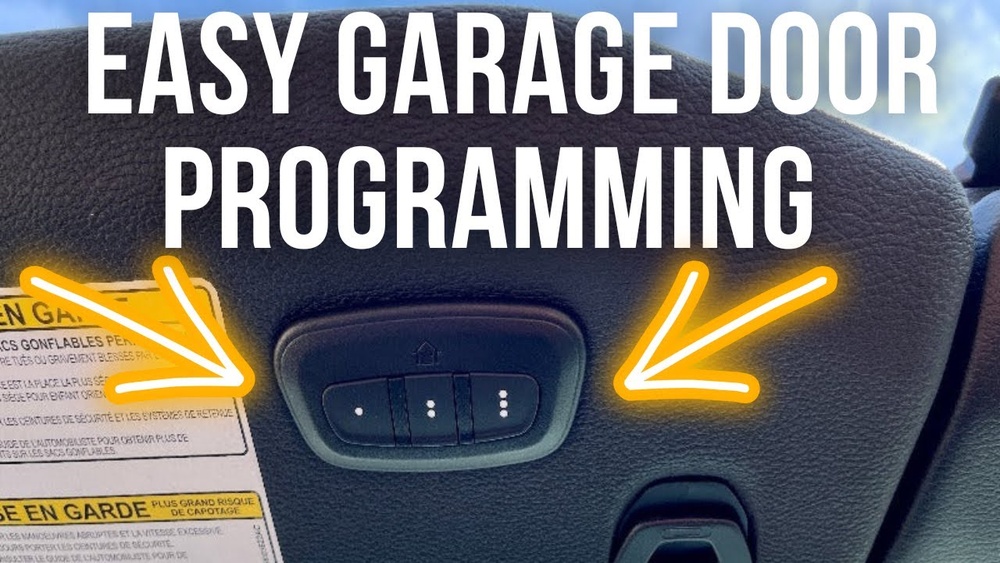
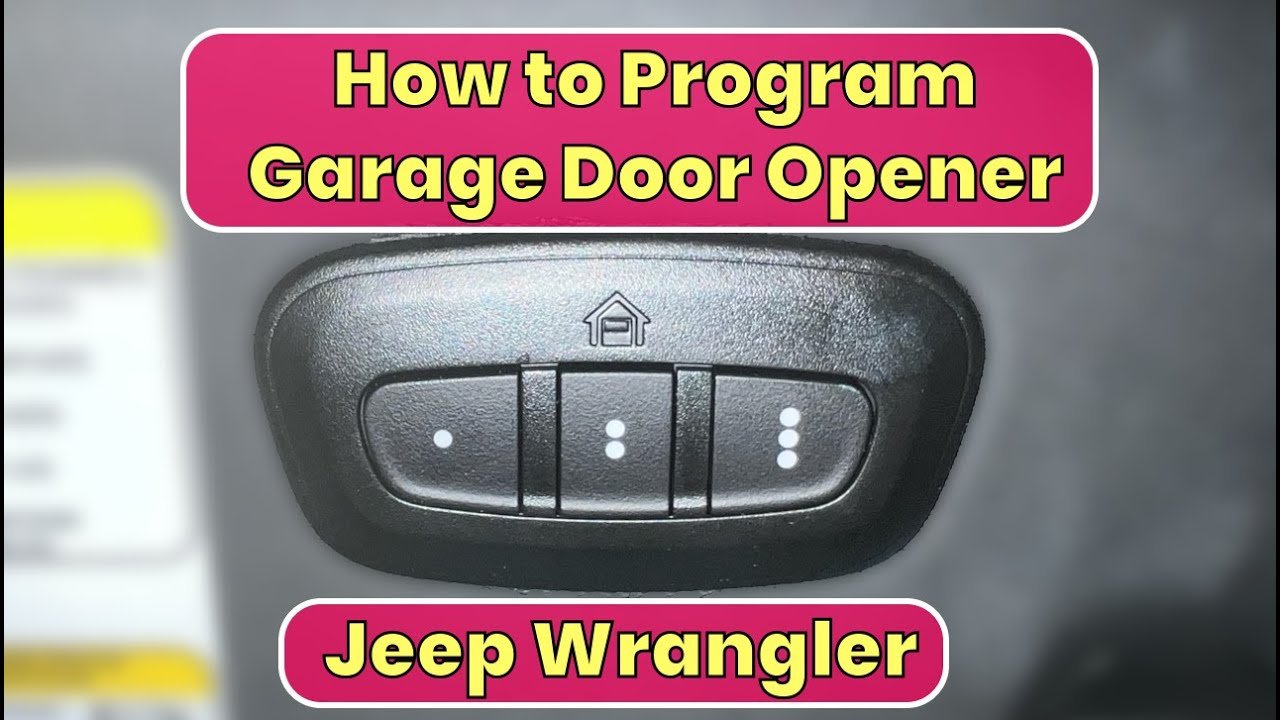
Most new Jeeps (like Grand Cherokee, Wrangler, and Compass) come with HomeLink. You’ll find the HomeLink buttons usually on the ceiling, near the sunroof controls, or above the rearview mirror. Older Jeeps may not have this feature, so check your owner’s manual if you’re unsure.
HomeLink works with most garage door openers made after 1993, especially those using rolling code technology. This is important for security, as rolling codes change every time you use the opener. If your garage opener is much older, HomeLink may not work; in this case, you may need an external remote.
Here’s a quick comparison of HomeLink compatibility:
| Garage Opener Model Year | HomeLink Compatibility |
|---|---|
| 1993–Present (Rolling Code) | Usually Compatible |
| Before 1993 (Fixed Code) | May Not Work |
| Smart Openers (WiFi enabled) | Check Manufacturer |
Step-by-step: Setting Garage Door Opener In Jeep
Follow these steps carefully. Most mistakes happen from rushing or skipping a step.
1. Prepare Your Remote And Jeep
Before you start, gather your garage remote and park your Jeep outside (not in the garage). This prevents accidents if the door moves suddenly. Turn the ignition to “ON” but don’t start the engine.
2. Clear Previous Homelink Settings
If your Jeep is new to you, or you’re unsure what’s programmed, clear the HomeLink memory:
- Press and hold the two outer HomeLink buttons at the same time.
- Wait until the indicator light flashes quickly (about 20 seconds).
- Release the buttons.
Your HomeLink is now ready for new programming.
- Choose which HomeLink button you want to use (there are usually three).
- Hold your garage remote about 2 inches from the HomeLink buttons.
- Press and hold both the remote button and the chosen HomeLink button.
- Watch for the HomeLink indicator light:
- If it blinks slowly, then quickly, programming is successful.
- If it stays solid or doesn’t change, move the remote closer or farther away and try again.
This step programs the signal from your remote to your Jeep.
4. Sync With Garage Door Opener (rolling Code Models)
Many garage doors use rolling codes. You’ll need to sync HomeLink with the opener itself:
- Go to your garage opener unit (mounted on the ceiling).
- Find the “Learn” or “Smart” button on the unit.
- Press and release this button. You now have about 30 seconds to finish the process.
- Return to your Jeep and press the programmed HomeLink button three times, holding it for a second each time.
The garage door should move. If not, repeat this step.
Timing matters don’t wait too long after pressing the Learn button.
5. Test The System
Press the HomeLink button in your Jeep. The garage door should open or close.
If it doesn’t, check all steps, especially the rolling code sync. Try moving the remote closer or resetting HomeLink again.

Practical Tips Most People Miss
Many beginners forget these important details:
- Battery strength matters: If your garage remote has a weak battery, HomeLink may not capture the signal properly. Replace old batteries before programming.
- Don’t rush the Learn button: After pressing the Learn button on the opener, you must program HomeLink within 30 seconds. Waiting too long means you’ll need to start over.
- Multiple doors: If you have more than one garage door, you can program each to a different HomeLink button.
- Check for interference: Electronic devices or metal objects near the Jeep or remote can cause signal problems. Move away from clutter if you have trouble.
Here’s how HomeLink compares to carrying a separate remote:
| Feature | HomeLink | Remote Control |
|---|---|---|
| Convenience | Built-in | Portable, easy to lose |
| Security | Rolling code, less theft risk | Depends on model |
| Battery | Uses car power | Needs regular battery replacement |
| Multi-door support | Yes (3 doors) | One per remote |
Troubleshooting Common Problems
Even with careful setup, problems can happen. Here’s what to try:
- Indicator light won’t blink: Move the remote closer or farther from the HomeLink buttons. Try a new battery.
- Door doesn’t respond: Make sure you synced with the Learn button. Check if your opener uses rolling codes.
- Programming fails repeatedly: Some newer garage openers need a special accessory called a “HomeLink bridge.” Check your opener manual or visit HomeLink Official Site for compatibility info.
- HomeLink programmed but door moves only a little: Some openers have “partial open” modes. Try reprogramming or consult your opener’s manual.
Safety Reminders
Always keep safety in mind:
- Park outside before programming.
- Never let children play with HomeLink buttons.
- Test the system when nobody is in the garage.
Many people overlook these points, leading to accidents or frustration.
Frequently Asked Questions
How Many Garage Doors Can I Set In My Jeep?
You can program up to three garage doors or gates with HomeLink. Each button handles one device.
What If My Garage Opener Is Very Old?
Older openers (before 1993) may not work with HomeLink. You might need to use a separate remote or upgrade your opener for compatibility.
Is Homelink Safe From Hackers?
HomeLink uses rolling codes for security. This makes it much harder for hackers to copy the signal compared to older, fixed-code remotes.
Can I Use Homelink For Gates Or Home Lights?
Yes, HomeLink can control gates, home lighting, and security systems if they are compatible. Check with the device manufacturer.
Do I Need A Homelink Bridge?
Some newer or “smart” garage openers need a HomeLink bridge for compatibility. Check your opener’s manual or the HomeLink website for details.
Setting your garage door opener in your Jeep is a quick job once you know the steps. With the right preparation, strong remote batteries, and careful attention to syncing, you’ll enjoy the comfort and security of HomeLink every time you drive home. If you run into trouble, review the steps, check compatibility, and use the tips above. For more details, see the HomeLink Official Site. Your Jeep and garage will work together perfectly—no more fumbling for remotes or worrying about lost devices.