If your Jeep Renegade’s Uconnect system starts acting strange maybe the touchscreen freezes, navigation lags, or Bluetooth won’t pair you’re not alone. Uconnect is a powerful infotainment system, but like any software, it sometimes needs a fresh start.
Knowing how to reset Uconnect in a Jeep Renegade can save you a trip to the dealer and get you back on the road with music, maps, and hands-free calls working properly.
This guide explains the main reset methods for Uconnect, when and why you should use them, and how to avoid common mistakes that can make problems worse.
You’ll also learn how Uconnect works, what issues a reset can actually fix, and what to do if a reset doesn’t solve your problem.
Whether you’re a new Jeep owner or just trying to troubleshoot a glitch, you’ll find practical, step-by-step advice here.
Why Resetting Uconnect Matters
Many drivers rely on Uconnect for navigation, entertainment, and even vehicle settings. When it stops working, it can be more than just annoying. For example, if the system crashes while driving, you might lose navigation or hands-free calling. Sometimes, small bugs build up over time and slow down the interface.
Resetting Uconnect is like restarting your smartphone or computer it clears temporary glitches, refreshes the system, and can often fix minor software bugs. However, not every issue needs a full reset.
For example, a missing radio station or a single Bluetooth pairing problem might just need a quick setting change.
Common Issues Fixed By A Uconnect Reset
Before jumping into the reset process, it helps to know what kinds of problems a reset can actually solve. Here are some of the most common:
- Touchscreen freezing or not responding
- Bluetooth problems (won’t connect, random disconnects)
- Navigation system glitches
- Audio issues (no sound, stuck on one station)
- Apps not loading
- Random reboots
A reset will not fix hardware problems, like a broken screen or speaker. It also won’t restore lost map data or fix a damaged USB port.
How Uconnect Works In The Jeep Renegade
Uconnect is more than just a radio. In the Jeep Renegade, it’s a central hub that controls:
- Touchscreen display (usually 5, 7, or 8.4 inches)
- Bluetooth connectivity
- Navigation
- Voice commands
- Climate control (in some trims)
- Apps (like Apple CarPlay, Android Auto)
Different Renegade model years and trims have different Uconnect versions. For example, a 2015 Renegade might have a simpler system than a 2022 Trailhawk.
Most reset steps are similar, but always check your owner’s manual for details.
Here’s a quick comparison of common Uconnect versions in the Jeep Renegade:
| Model Year | Uconnect Version | Screen Size | Main Features |
|---|---|---|---|
| 2015-2017 | Uconnect 5.0/6.5 | 5″ or 6.5″ | Radio, Bluetooth, basic navigation |
| 2018-2021 | Uconnect 4 | 7″ or 8.4″ | Apple CarPlay, Android Auto, advanced navigation |
| 2022+ | Uconnect 5 | 7″ or 8.4″ | Faster processor, more apps, better voice control |
Types Of Uconnect Resets
There are three main ways to reset Uconnect in a Jeep Renegade. Each has its own purpose and level of impact.
- Soft Reset – This is a simple restart, like turning your phone off and on. It fixes most minor bugs without erasing settings.
- Factory Reset (Hard Reset) – This returns Uconnect to original settings, erasing personal data, paired phones, and customizations.
- Battery Disconnect Reset – This is a last resort and involves disconnecting the car battery to force a full system reboot.
Let’s break down when and how to use each method.
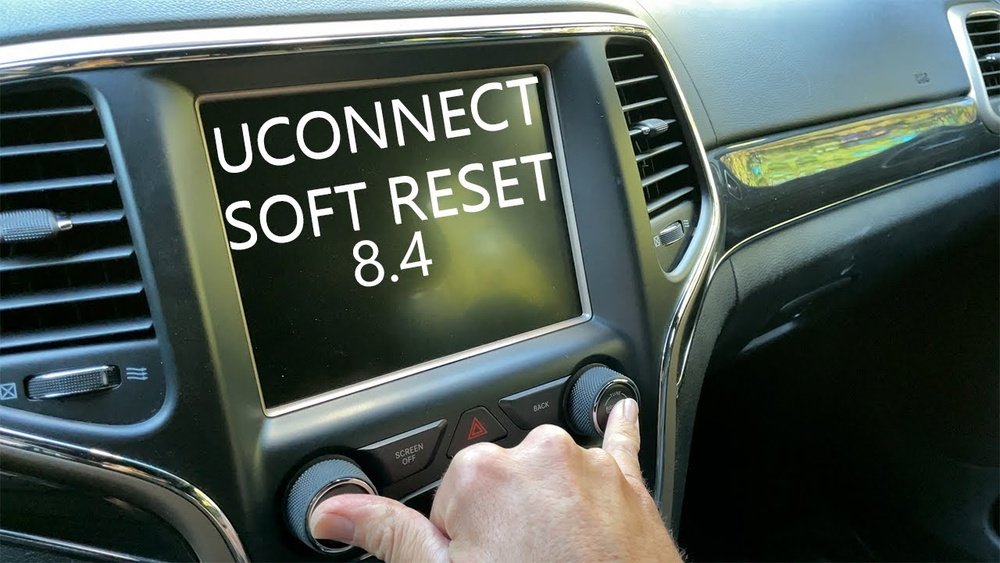
How To Perform A Soft Reset
For most glitches, a soft reset is all you need. It’s safe, quick, and won’t delete your personal data.
Soft Reset Steps For Uconnect 4 And 5 (2018+ Models)
- Turn on the ignition but leave the engine off (accessory mode).
- Press and hold the volume and tuner knobs together.
- After about 10 seconds, the screen will go black, then display the Jeep logo as it restarts.
- Release the knobs and wait for the system to fully reboot (about 60 seconds).
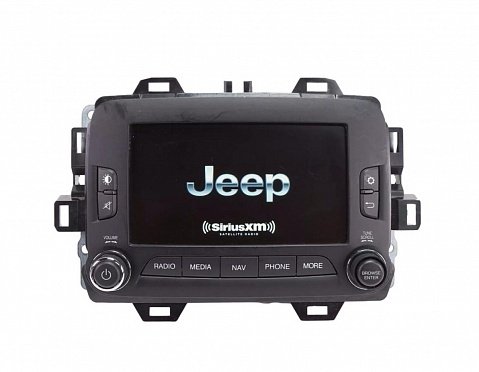
For Uconnect 5.0/6.5 (older Models)
Some older Renegades don’t have both knobs. Instead:
- Press and hold the ‘mute’ and ‘browse/enter’ buttons together for 10–15 seconds.
- The screen should turn off and restart.
Tip: Don’t remove the key or turn off the ignition during the process.
What Gets Reset?
- Temporary software glitches
- Frozen screens
- Minor Bluetooth issues
Your radio presets, navigation favorites, and paired phones will NOT be deleted.
How To Perform A Factory Reset (hard Reset)
A factory reset is more powerful and should only be used when a soft reset doesn’t solve the problem. It erases all user data like starting with a brand-new Uconnect system.
Factory Reset Steps (uconnect 4/5)
- Go to the main Uconnect menu (touchscreen home screen).
- Tap Settings.
- Scroll to System Information or Reset (label varies by version).
- Tap Restore Factory Defaults or Reset to Default.
- Confirm your choice when prompted.
Uconnect will restart and return to its original settings.
What Gets Deleted?
- Bluetooth pairings
- Radio presets
- Navigation favorites
- Personalized settings
Important: You’ll need to set up your phone, preferences, and apps again after a factory reset.
Battery Disconnect Reset (full Power Cycle)
If your Uconnect is completely unresponsive or won’t reboot using buttons, you can try disconnecting the battery. This forces the entire electrical system to restart.
Steps
- Turn off the vehicle and open the hood.
- Using a wrench, disconnect the negative battery cable (black, with a minus sign).
- Wait 5–10 minutes.
- Reconnect the cable and tighten it securely.
- Start the vehicle and let Uconnect reboot.
Warning: This method resets other systems too (like the clock and some electronic controls). Only use it if other resets fail.
What To Do After Resetting Uconnect
Once you’ve reset Uconnect, check if your issue is fixed. Test the touchscreen, Bluetooth, navigation, and any other feature that was acting up. If you did a factory reset, you’ll need to:
- Pair your phone again using Bluetooth
- Re-enter radio presets
- Set up favorite destinations in navigation
- Adjust audio and display settings
Take a few extra minutes to check all features sometimes a reset can cause unexpected changes, like language settings switching back to default.
When A Reset Won’t Fix The Problem
Not every issue is software related. Here are signs your problem might need professional help:
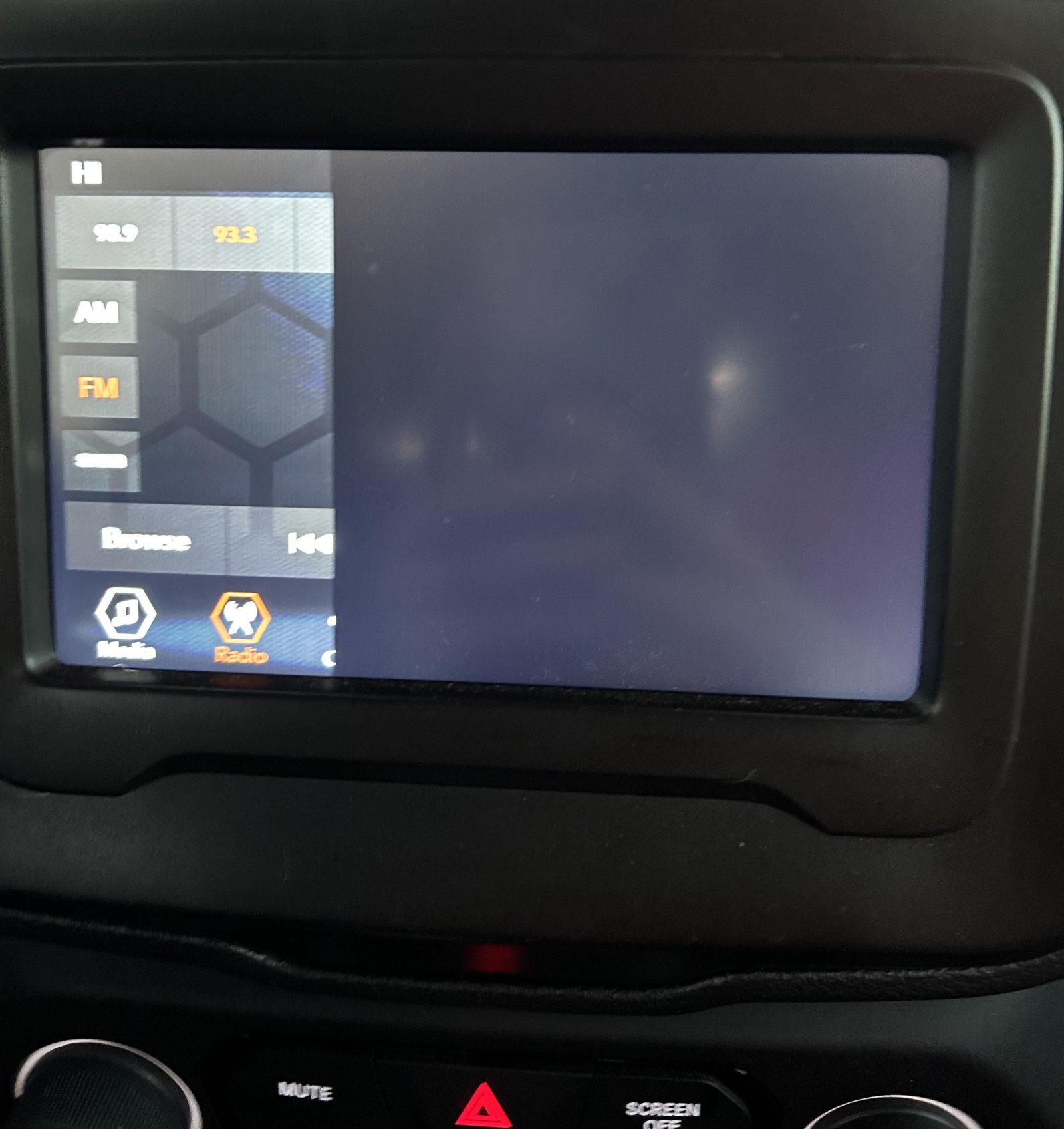
- Screen stays black after reset
- Sound is missing even when the radio “looks” on
- Navigation maps are missing
- Uconnect keeps restarting repeatedly
These might indicate hardware failure, a blown fuse, or a corrupted system update. In these cases, a dealership or certified mechanic is your best option.
Common Mistakes To Avoid
Resetting Uconnect is usually safe, but some mistakes can make things worse. Here’s what not to do:
- Disconnecting the battery while the engine is running – This can damage electrical systems.
- Pressing random buttons during a reset – Wait for the system to reboot fully.
- Not backing up favorites or settings – Factory reset erases everything.
- Trying to update Uconnect with a bad USB drive – Corrupted files can “brick” the system.
If you’re unsure, check your owner’s manual or ask for help before resetting.
Real-world Example
Maria owns a 2020 Jeep Renegade. One morning, her Uconnect 4 system freezes on the Jeep logo and won’t load the home screen. She tries turning the car off and on, but nothing changes. Following the soft reset steps, she presses and holds the volume and tuner knobs for 10 seconds. The screen goes black, the logo reappears, and within a minute the system is working again. She didn’t lose her radio presets or Bluetooth settings. If she had done a factory reset, she would have needed to re-pair her phone and reset her preferences.
Uconnect Software Updates
Sometimes, glitches are caused by outdated software. Jeep releases updates to fix bugs and add features. You can check for updates by:
- Going to the Uconnect website and entering your vehicle’s VIN.
- Downloading the update to a USB drive and following on-screen instructions.
Always use a clean, properly formatted USB drive. For more details on Uconnect updates, visit the official Mopar Connected Vehicle page.
Data Privacy And Factory Reset
A factory reset wipes your personal data important if you’re selling your Jeep or returning a lease. This protects your contacts, addresses, and Bluetooth history from the next owner. Always reset Uconnect before transferring ownership.
Comparing Uconnect Reset Methods
To help you decide which reset is right for your situation, here’s a quick comparison:
| Reset Type | What It Does | When to Use | Data Lost? |
|---|---|---|---|
| Soft Reset | Restarts Uconnect, clears minor bugs | Touchscreen freeze, slow response, Bluetooth glitch | No |
| Factory Reset | Restores all settings to factory defaults | Major glitches, selling the vehicle | Yes |
| Battery Disconnect | Forces full system reboot | Complete system freeze, screen black | Possible (clock, trip info) |
Non-obvious Tips Most Owners Miss
- Wait after a reset. Don’t rush—sometimes Uconnect takes a few minutes to fully reload after a restart. Turning the car off too soon can interrupt the process.
- Check for TSBs (Technical Service Bulletins). Sometimes, Jeep issues official fixes for known Uconnect problems. You can search your VIN online or ask a dealer if a software update or hardware fix is recommended for your Renegade.
Frequently Asked Questions
How Often Should I Reset Uconnect In My Jeep Renegade?
You don’t need to reset Uconnect regularly. Only do it when there’s a real problem like freezing or glitches.
Resetting too often can erase settings and cause inconvenience.
A soft or factory reset will not delete factory-installed maps, but it will erase saved destinations and preferences. Only a system update or hardware failure can remove the actual maps.
My Uconnect Is Stuck On The Jeep Logo—what Should I Do?
Start with a soft reset by holding the volume and tuner knobs together for 10 seconds. If that doesn’t work, try a battery disconnect reset.
If the problem remains, visit a dealer it could be a hardware issue.
Do I Need Any Tools To Reset Uconnect?
For a soft or factory reset, you don’t need any tools just your hands and the touchscreen or control knobs. For a battery disconnect, you’ll need a basic wrench to loosen the battery cable.
Is It Safe To Update Uconnect Myself?
Yes, if you follow official instructions and use a clean USB drive. Never interrupt the update or remove the drive early. For official guidance, check the Mopar Connected Vehicle website.
Getting your Jeep Renegade’s Uconnect system back to normal doesn’t have to be stressful. With the right reset method and a little patience, you can solve most issues yourself and enjoy all the features Uconnect has to offer.
If all else fails, don’t hesitate to ask a professional sometimes a deeper fix is what your Jeep really needs.



















