If your Uconnect system in a Jeep 2020 is acting up, you’re not alone. Many drivers experience problems like a frozen screen, Bluetooth issues, or laggy navigation. Resetting the Uconnect can solve these headaches and get your infotainment running smoothly again. This guide breaks down simple steps, practical tips, and common mistakes, so you can confidently reset your Uconnect without stress.
What Is Uconnect And Why Reset It?
Uconnect is the digital command center in many Jeep vehicles. It controls navigation, audio, Bluetooth, and more. When it glitches, your daily driving can become frustrating. Resetting it clears temporary bugs, restores default settings, and often fixes problems like:
- Unresponsive touchscreen
- Bluetooth not connecting
- Audio cutting out
- Navigation errors
You don’t need technical skills to reset Uconnect. Most fixes only take a few minutes, but understanding the options helps avoid bigger issues.
Types Of Uconnect Reset For Jeep 2020
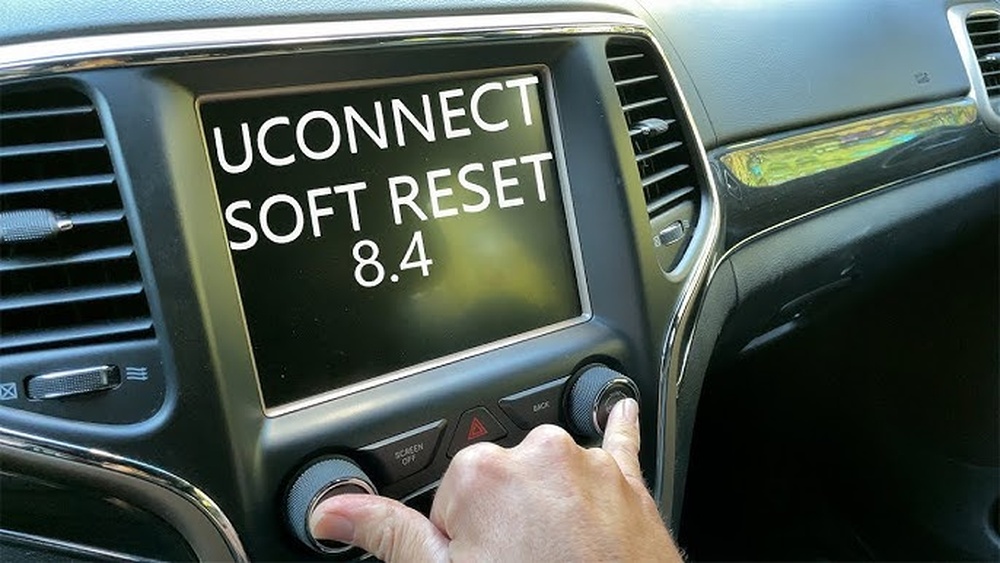
There are two main ways to reset Uconnect:
- Soft Reset: This is quick and safe. It won’t erase your saved settings or paired devices.
- Factory Reset: This wipes all custom settings and restores the system to original condition.
Let’s compare the two:
| Reset Type | What It Does | When To Use | Time Needed |
|---|---|---|---|
| Soft Reset | Restarts system, keeps settings | Minor glitches | 2-3 minutes |
| Factory Reset | Deletes all custom data, restores default | Major bugs or after soft reset fails | 5-10 minutes |
Step-by-step: Soft Reset For Uconnect Jeep 2020
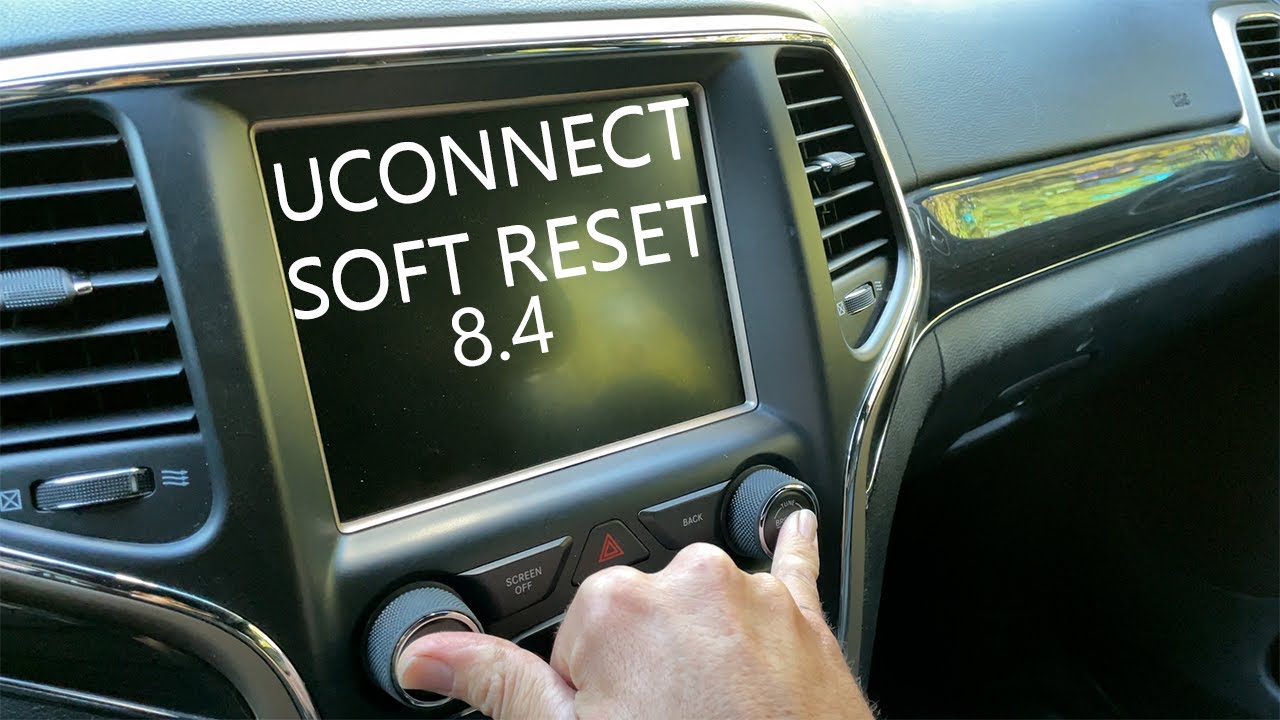
A soft reset is safe for beginners. You won’t lose radio presets or paired phones. Here’s how to do it:
- Turn your Jeep on. The engine should be running or in accessory mode.
- Press and hold the volume and tuner knobs at the same time. Hold for about 10 seconds.
- The screen will go black, then reboot. Wait for the Jeep logo to appear.
- Release the knobs and check if your system works normally.
Pro tip: If your Uconnect screen freezes, don’t panic. Wait until the reboot is complete before pressing any buttons.
Factory Reset: When And How
If soft reset doesn’t work, a factory reset is your next step. Be aware: this deletes all custom data, including Bluetooth connections, radio presets, and navigation favorites.
Here’s the process:
- Go to the Settings menu on your Uconnect screen.
- Select System Information or Restore Settings.
- Choose Reset or Factory Reset.
- Confirm your choice. The system will reboot and return to factory settings.
| What Gets Erased | What Stays |
|---|---|
| Bluetooth pairings | System software |
| Radio stations | VIN and vehicle settings |
| Navigation favorites | Basic app structure |
Important: Always write down your favorite radio stations or navigation addresses before a factory reset. Many users forget this step and regret it later.

Common Issues That Require A Reset
Resetting Uconnect is not just for rare bugs. Here are real-life examples:
- Bluetooth won’t connect: After pairing a new phone, the system sometimes needs a reset to recognize it.
- Frozen navigation: When the map stops updating, a soft reset usually fixes it.
- Audio glitches: If your music skips or is silent, a reset clears temporary errors.
Some users notice Uconnect slows down over time. Resetting every few months can keep it responsive.
Key Mistakes To Avoid
Many Jeep owners make simple errors when resetting Uconnect. Avoid these:
- Don’t reset while driving. Always park before starting.
- Avoid multiple resets quickly. Give the system time to reboot.
- Don’t disconnect the battery unless advised. This can cause bigger problems.
If you’re unsure, ask your dealer or check the official Jeep guide. For more technical details, visit Jeep Uconnect Official Site.
Extra Tips For A Smooth Reset
A few tricks can make your reset easier:
- Remove any USB drives or SD cards before resetting.
- Make sure your phone’s Bluetooth is off during the reset.
- After a factory reset, update your Uconnect to the latest software if possible.
Some Uconnect versions have hidden diagnostic menus. These are not for beginners, so stick to the steps above unless you have experience.
Uconnect Reset: Data And Trends
Resetting Uconnect is a common fix. According to Jeep forums, over 50% of Uconnect owners have reset their system at least once in the first year.
Most problems are minor and solved with a soft reset.
Here’s a summary of user experiences:
| Issue | % Solved by Soft Reset | % Needed Factory Reset |
|---|---|---|
| Bluetooth glitches | 75% | 25% |
| Frozen screen | 60% | 40% |
| Audio problems | 80% | 20% |

Frequently Asked Questions
How Often Should I Reset My Uconnect?
You should reset Uconnect only when problems appear. Most users do it once or twice a year, but frequent resets are not needed unless you have recurring issues.
Will A Reset Erase My Phone Contacts Or Apps?
No. A soft reset keeps your contacts and apps safe.
A factory reset removes Bluetooth pairings and radio presets, but not phone data.
Is There A Way To Update Uconnect After Resetting?
Yes. After a factory reset, check for software updates in the Settings menu. Updates fix bugs and improve features.
Can A Reset Fix Gps Errors?
Often, yes. GPS problems like stuck navigation or missing routes are usually solved with a soft or factory reset.
What If My Uconnect Doesn’t Reboot After A Reset?
If your system doesn’t restart, check your battery and try again. If the problem continues, contact your dealer or visit the Jeep Uconnect support page.
Resetting your Uconnect in a Jeep 2020 is a simple fix for common tech issues. With the right steps and smart tips, your infotainment can feel brand new.
Remember to choose the reset type wisely, avoid mistakes, and keep your favorite settings backed up.
If you run into trouble, official support and forums are there to help.