Owning a Jeep Gladiator is about adventure and reliability. But when the oil light comes on, it’s easy to worry.
This warning light tells you it’s time for maintenance. After changing the oil, though, the light may still stay on.
That can be confusing. Resetting the oil light is simple once you know the steps.
If you ignore it, you might miss important reminders or risk engine problems. This guide helps you reset the oil light on your Jeep Gladiator, avoid mistakes, and keep your vehicle running smoothly.
What Does The Oil Light Mean?
The oil light signals that your Gladiator needs an oil change. When oil breaks down, it loses its ability to protect the engine. New oil helps prevent wear, overheating, and damage. The light doesn’t mean the oil is low; it’s a reminder based on mileage or time.
Many drivers think the light turns off automatically after an oil change. In fact, you must reset it manually.
Failing to reset can confuse the maintenance system and affect future alerts.
Resetting The Oil Light: Step-by-step
You don’t need special tools or technical skills. Follow these steps carefully:
1. Start The Ignition
Insert the key and turn it to the ON position (do not start the engine). For push-button start, press the button twice without pressing the brake.
2. Access The Instrument Panel
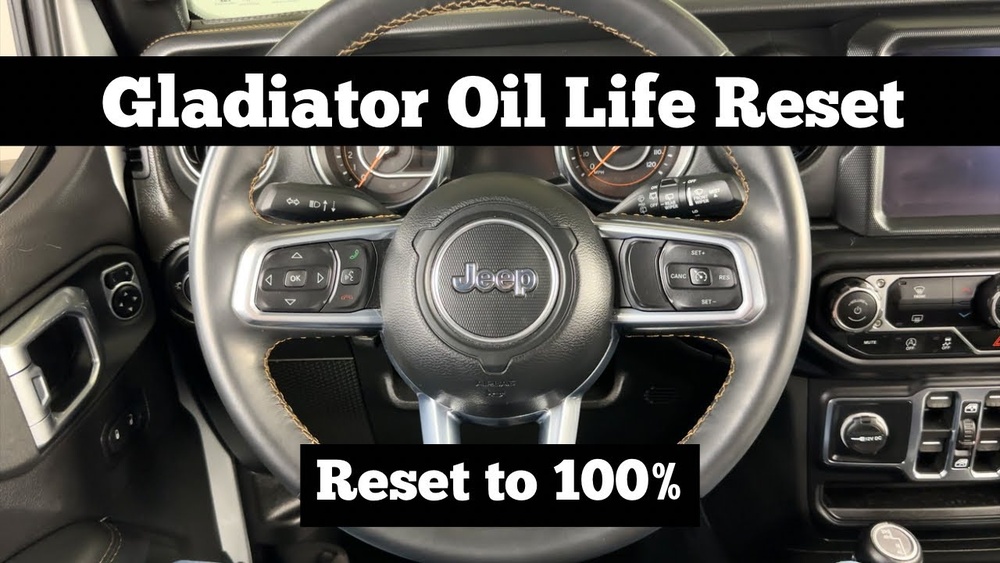
Look for the vehicle information display on your dashboard. Use the steering wheel buttons (usually on the left side) to navigate.
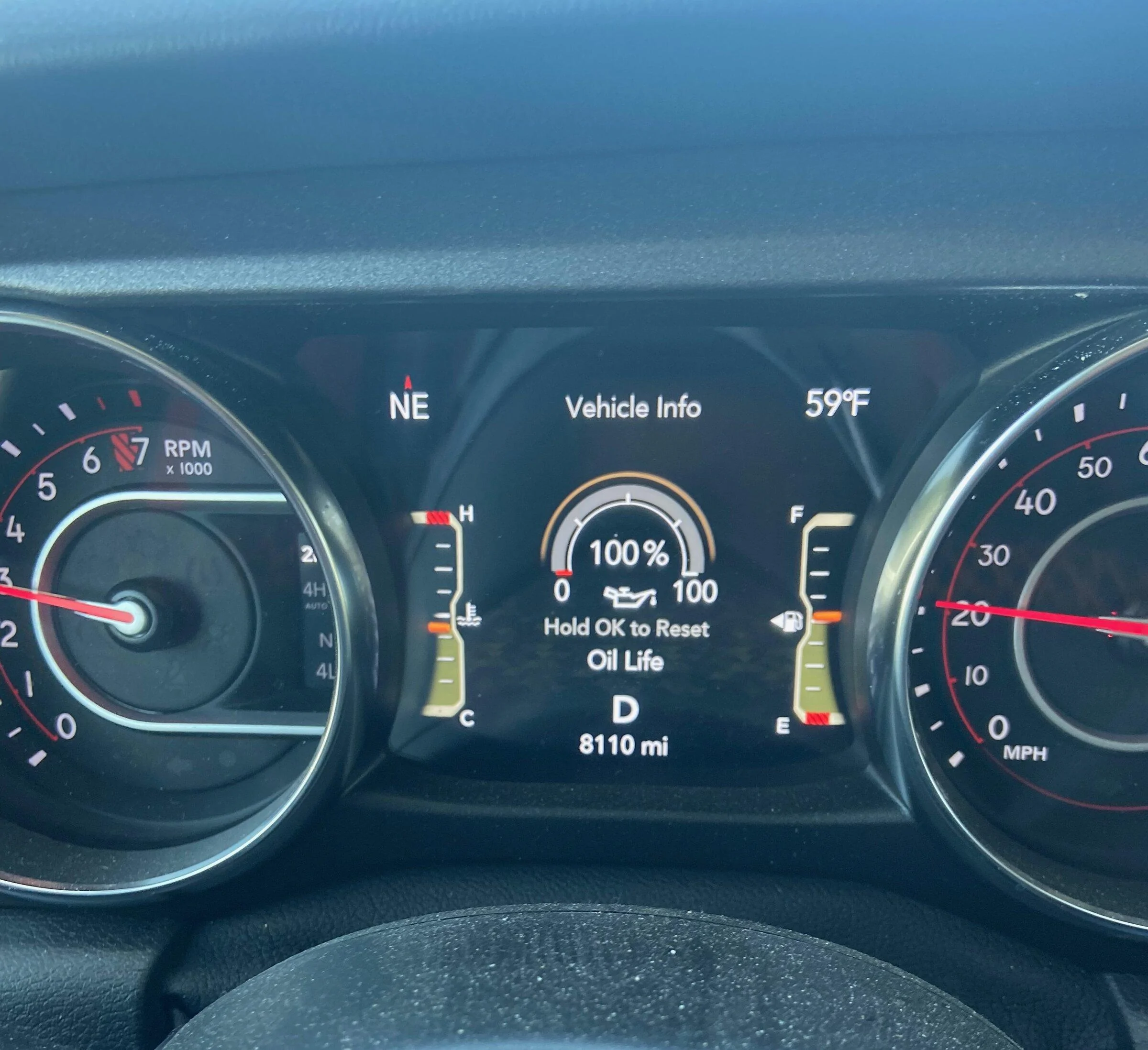
Press the arrow buttons to scroll through options. Stop when you see “Oil Life” or “Oil Life Remaining. ”
4. Reset The Oil Life
Press and hold the OK or Reset button for several seconds. The display should show “100%” or “Oil Life Reset. ”
5. Turn Off The Ignition
Switch the ignition off. Start the engine to check if the oil light is gone.
Common Mistakes
- Not turning the ignition to the correct position
- Releasing the reset button too soon
- Skipping the oil change and only resetting the light
Avoid these, and you’ll reset the light easily.
Why Resetting Matters
Resetting the oil light helps your Jeep Gladiator track maintenance correctly. It’s not just about turning off a warning.
The system uses mileage and time to estimate when oil needs changing. If you don’t reset, the computer can’t alert you at the right time.
Here’s a quick comparison of outcomes:
| Action | Result | Long-Term Impact |
|---|---|---|
| Reset after oil change | Light turns off | Accurate reminders |
| Ignore reset | Light stays on | Missed alerts, possible engine risk |
| Reset without changing oil | Light turns off | Engine damage over time |
Quick Data On Oil Changes
Jeep Gladiator owners often ask how often to change oil. The answer depends on driving conditions:
| Driving Type | Recommended Interval | Oil Type |
|---|---|---|
| Normal | 7,500 miles | Synthetic |
| Severe (off-road, towing) | 5,000 miles | Synthetic or Blend |
| Short Trips | 5,000 miles | Synthetic |
Check your owner’s manual for exact numbers. Using the right oil and changing it at the right time keeps your Jeep running strong.

Tips For A Smooth Reset
- Read the manual: Every Gladiator model may have slight differences.
- Wait for confirmation: The display should clearly show “Oil Life Reset.”
- Don’t rush: Hold the reset button firmly and wait for the change.
- Check engine health: If the light returns soon, check for leaks or sensor problems.
These steps help avoid frustration and keep your maintenance system accurate.
Extra Insight: What If The Light Stays On?
Sometimes, the oil light won’t go away even after a reset. This can mean:
- The sensor is faulty
- There’s an issue with the wiring
- The oil level is too low or too high
If this happens, double-check your oil change and try resetting again. If the light remains, visit a qualified mechanic.
Ignoring persistent warnings can lead to costly repairs.
Should You Diy Or Visit A Dealer?
Resetting the oil light is safe and easy for most owners. However, some prefer a dealer for peace of mind, especially if the Jeep is under warranty.
Dealers often check for other issues during maintenance.
Here’s a quick comparison:
| Option | Cost | Benefits |
|---|---|---|
| DIY Reset | Free | Quick, saves money |
| Dealer Reset | $50–$150 (with service) | Expert check, warranty support |
Most drivers can reset the light themselves if they follow instructions carefully.
Frequently Asked Questions
How Often Should I Reset The Oil Light?
Reset the oil light every time you change the oil. This keeps the maintenance system accurate.
Can I Reset The Oil Light Without Changing The Oil?
Technically, yes. But this is not safe. It hides needed maintenance and can cause engine problems.
What If The Oil Light Comes Back After Resetting?
If the light returns, check oil level and quality. You may have a sensor issue or need professional help.
Is The Oil Light The Same As The Check Engine Light?
No. The oil light is for maintenance; the check engine light signals more serious engine issues.
Where Can I Find Official Instructions?
You can find step-by-step guides at the official Jeep website. For more details, visit Jeep Owners.
Resetting your Jeep Gladiator’s oil light is a simple task but an important one. It keeps your maintenance schedule on track and protects your engine. With these steps and tips, you can do it quickly and confidently. Don’t ignore warning lights—your Jeep depends on your care for lasting performance.