Every new Jeep comes loaded with modern technology, but many owners miss out on its full potential. Uconnect is Jeep’s main infotainment and vehicle management system. It lets you use navigation, stream music, control climate, and even access roadside assistance—all through your dashboard or phone. But to unlock these features, you need to register your Uconnect account. This process is not always obvious, especially if you’re a first-time Jeep owner. Let’s walk through every step, highlight common mistakes, and share some tips you won’t find in the manual.
What Is Jeep Uconnect?
Uconnect connects your Jeep to the digital world. Once registered, you can:
- Start your car remotely
- Use real-time navigation and traffic
- Get automatic vehicle health reports
- Control locks and find your Jeep in a parking lot
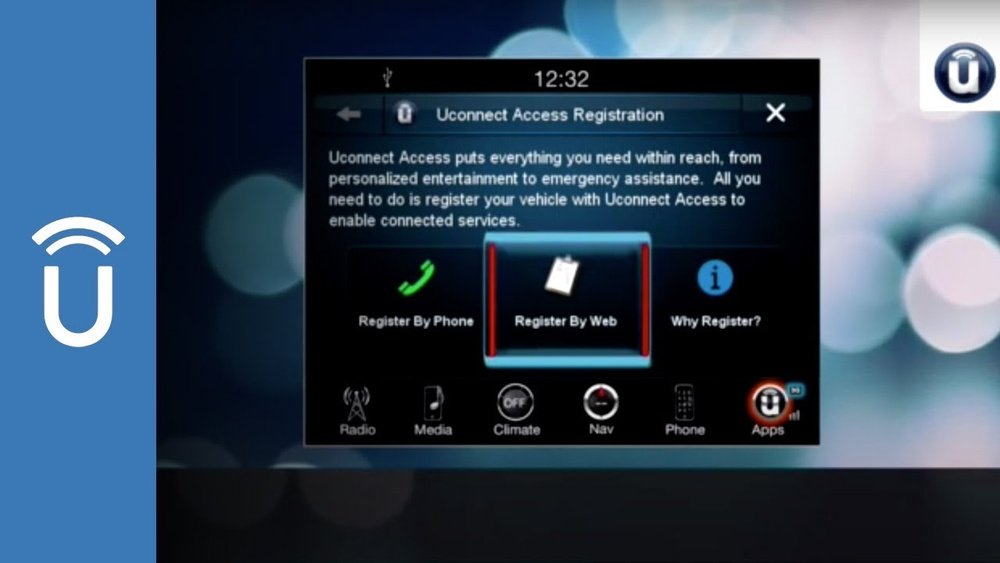
Uconnect has both free and paid features. Registering is always free and required to access even basic functions.
What You Need Before You Start
Before you register, gather these items:
- Jeep VIN number (found on your dashboard or registration card)
- A valid email address
- Smartphone or computer with internet access
- Jeep owner’s manual (optional but helpful)
Some Uconnect features need a SiriusXM Guardian or Uconnect Access subscription. But you can register without buying these extras.
Step-by-step: How To Register Jeep Uconnect
1. Prepare Your Jeep
Make sure your Jeep is parked outside with a clear view of the sky. The system sometimes needs GPS and cellular signal for activation.
2. Turn On The Uconnect System
Start your vehicle or switch to accessory mode. The Uconnect screen will light up in the center of your dashboard.
3. Find The Apps Or Uconnect Store
On the touchscreen, tap Apps or Uconnect Store. Depending on your Jeep’s year and model, the menu names may vary. Look for “Activate Services” or “Register” button.
4. Enter Your Email
The system will ask for your email address. Enter it carefully this is how you’ll get the activation code. Typos here are a common mistake.
5. Receive And Enter Your Activation Code
Within a few minutes, you should get an email from Uconnect. Open it on your phone or computer.
Enter the code on your Jeep’s screen to confirm your account.
6. Create Or Link Your Mopar/uconnect Account
If you already have a Mopar or Uconnect account, log in. Otherwise, create a new one. Use the same email you entered on the Jeep screen for best results.
7. Complete Registration Online (if Required)
Some models ask you to finish setup online. Visit the link in your activation email, log in, and follow the steps.
8. Test Your Uconnect Features
After registration, test a few features:
- Send a navigation address to your Jeep from your phone
- Try remote start via the Uconnect app
- Check for vehicle health report in your email
If something doesn’t work, try restarting your Jeep or checking your email for missed steps.
Comparing Uconnect Account Types
Not all Uconnect systems offer the same features. This comparison helps clarify what you get after registering:
| Feature | Basic Uconnect | Uconnect Access/Guardian |
|---|---|---|
| Navigation | Depends on model | Advanced, real-time updates |
| Remote Start | Not included | Available via app |
| Vehicle Health Report | Email only | Email + app access |
| Roadside Assistance | No | Yes |
Common Problems During Registration
Many Jeep owners face these issues when registering:
- No activation email received: Check your spam folder or re-enter your email on the Jeep screen.
- Code expired: Activation codes are time-limited. If you wait too long, restart the process.
- Weak cellular/GPS signal: Uconnect needs a strong signal. Move your Jeep outside if needed.
- Account mismatch: Using a different email for the Jeep and Mopar/Uconnect site can cause login errors.
If you’re stuck, the official Jeep support page or your dealership can help.
Example: Registering Uconnect For A 2022 Jeep Grand Cherokee
Let’s say you own a 2022 Jeep Grand Cherokee. Here’s how the process usually goes:
- Turn on your Jeep and tap “Apps.”
- Choose “Activate Services.”
- Enter your email.
- Open the activation email on your phone.
- Enter the code on the Jeep screen.
- Create a Mopar account online if you don’t have one.
- Test remote start and navigation features.
This process takes about 10 minutes if you have all information ready.
Extra Tips Most Owners Miss
- Use a personal email, not a work address. If you sell your Jeep, you’ll need to transfer the account, so avoid using a company email.
- Update your Uconnect software before registering. Outdated software can block some features.
- Save your activation email—it contains links for password reset or feature updates.
- Check for free trial offers on services like SiriusXM Guardian. Some Jeeps come with a free trial you must activate during registration.
Security And Privacy With Uconnect
Jeep protects your data with encryption and secure servers. But you control what information is shared. In your Uconnect or Mopar account settings, you can:
- Limit location access
- Turn off remote services if you sell your vehicle
- Change notification preferences
For more on privacy and data use, visit the official Jeep Uconnect page.
Uconnect App: Linking Your Phone
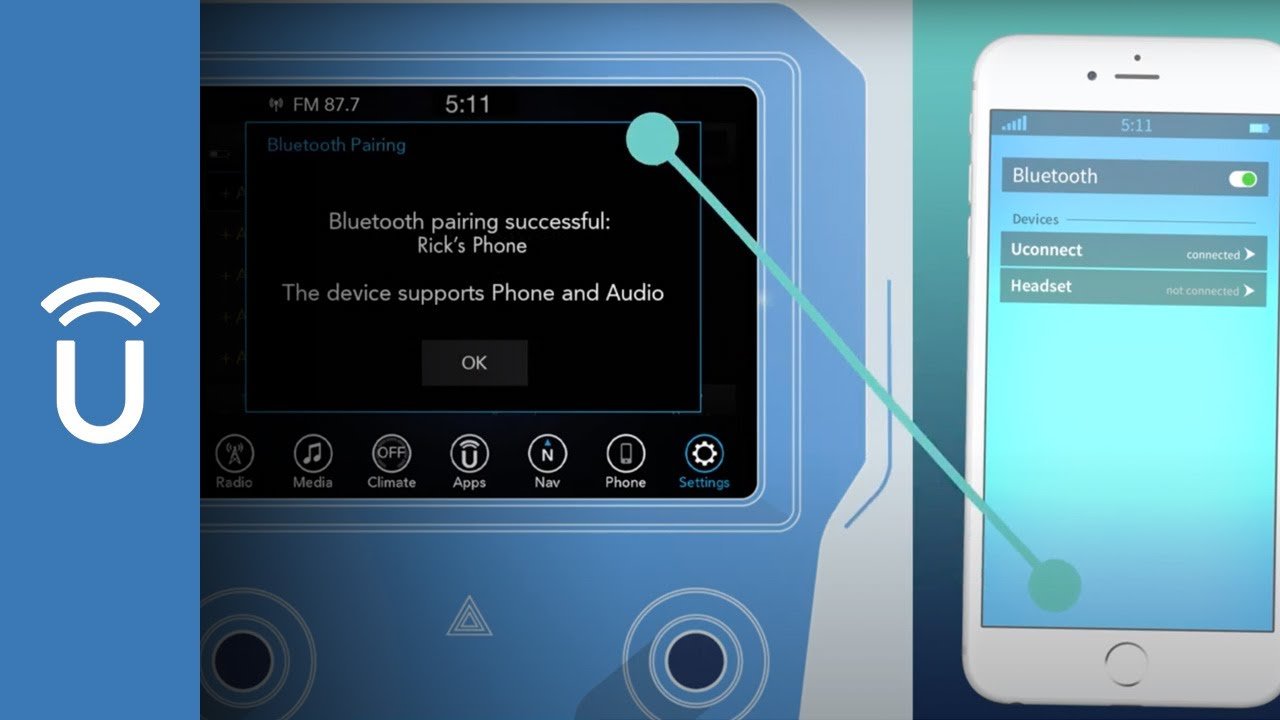
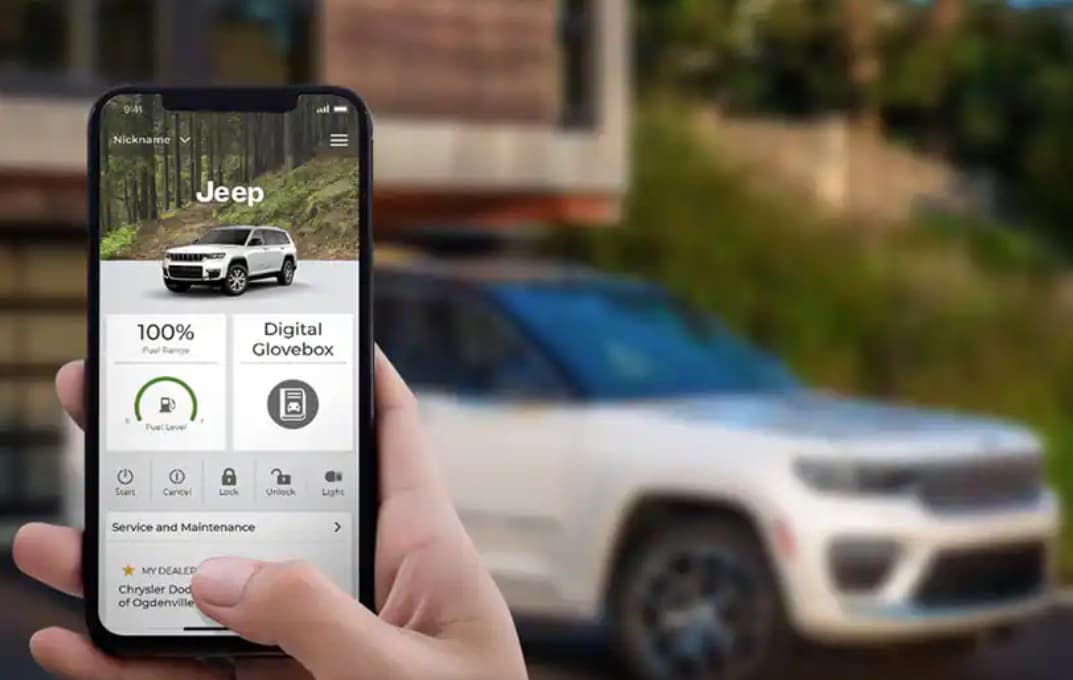
After registering in your Jeep, download the Uconnect app from the Apple App Store or Google Play. Log in using your registered email. The app lets you control many features remotely, like:
- Starting the engine
- Locking/unlocking doors
- Locating your vehicle in a parking lot
Some advanced features require a paid subscription, but basic functions are free after registration.
Quick Feature Comparison: Uconnect Vs. Other Brands
How does Uconnect stack up against other car systems? Here’s a quick look:
| System | Remote Start | Navigation | Vehicle Health |
|---|---|---|---|
| Uconnect | With subscription | Built-in or app | Email/app |
| Ford Sync | With subscription | App-based | App only |
| GM OnStar | With subscription | Built-in | Email/app |
Frequently Asked Questions
How Long Does It Take To Register Uconnect?
Most owners finish registration in 10 15 minutes if they have all information ready. Delays often happen due to missed activation emails.
Can I Register Uconnect Without A Subscription?
Yes, basic registration is free. You only need a subscription for advanced features like remote start or roadside assistance.
What If I Sell My Jeep?
Log in to your Uconnect or Mopar account and remove your vehicle. This protects your privacy and lets the new owner register.
Do I Need To Visit A Dealership To Register?
No, you can register from home. But if you face problems, dealerships can help with activation.
Is My Data Safe With Uconnect?
Jeep uses strong security for your data. You can adjust privacy settings and control what information is shared.
Getting the most out of your Jeep starts with connecting your vehicle to the digital world. Registering Uconnect opens up a range of features, from remote control to real-time updates.
Take a few minutes to set up your account, and you’ll enjoy a safer, more connected drive every day.


















