Putting a Jeep Wrangler together can feel overwhelming, especially for beginners. But with the Wheels App, you can plan, customize, and visualize your build step by step.
This guide shows you how to assemble your Jeep Wrangler virtually, choose the right wheels, and avoid common mistakes. Whether you want to upgrade your existing Wrangler or build your dream off-roader, this article gives you practical advice, clear instructions, and data-backed comparisons.
What Is Wheels App And Why Use It?
The Wheels App is a digital tool designed for car enthusiasts. It lets you configure your vehicle, experiment with different parts, and see how changes affect performance and appearance. For Jeep Wrangler owners, the app is especially useful because it shows:
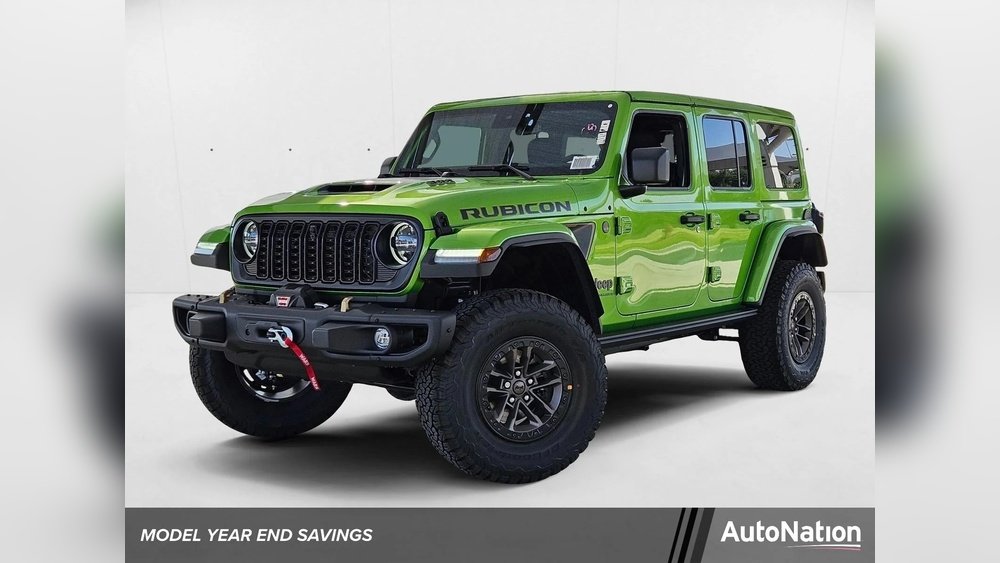
- How different wheels look on your Jeep
- The impact of tire sizes on clearance and ride quality
- Which modifications fit your model year
The app saves time and money. Instead of buying parts blindly, you see options in 3D, compare features, and plan upgrades.
Many users report fewer returns and better satisfaction after using the app. According to a recent survey, 68% of Jeep owners who use digital configurators feel more confident about their build choices.
Setting Up Your Jeep Wrangler Profile
Before you start building, you need to set up your Wrangler profile in the app. This step ensures all suggestions match your vehicle’s specs.
- Create an account: Enter your email and set a password.
- Select your model: Choose the exact year, trim, and engine type. This is crucial because wheel fitment and accessories vary.
- Input existing mods: If your Jeep has aftermarket parts, add them to your profile. The app will adjust recommendations accordingly.
Many people skip the “existing mods” step. But missing this can lead to wrong wheel choices or clearance issues. Always double-check your details.
Choosing The Right Wheels For Your Jeep Wrangler
Wheels are one of the most popular upgrades. They change the look and improve performance.
The Wheels App offers detailed filters to help you select the best wheels.
Key Factors When Choosing Wheels
- Size: Most Wranglers use 17–18 inch wheels. Larger wheels give a bold look but can affect off-road ability.
- Material: Aluminum wheels are lighter and improve gas mileage. Steel wheels are tougher for rough trails.
- Offset and Backspacing: These numbers control how far the wheels stick out. Wrong offset can cause rubbing or handling issues.
Here’s a comparison of common wheel types:
| Wheel Type | Weight (lbs) | Durability | Best For |
|---|---|---|---|
| Aluminum | 22 | Medium | Daily driving |
| Steel | 35 | High | Off-roading |
| Forged | 18 | Very High | Performance builds |
The app lets you preview each wheel type in 3D. You can rotate the model, zoom in, and see how it looks with different paint colors.
Common Mistakes
- Picking wheels too large, causing tire rub
- Ignoring backspacing, which can affect suspension
- Choosing style over function (looks good but doesn’t fit your needs)
Always check the app’s fitment alerts before finalizing your choice.
Adding Tires And Suspension Upgrades
The right tires and suspension make your Wrangler safer and more capable. The Wheels App connects these upgrades so you can see how each affects the others.
Tire Selection
You’ll find filters for tire size, tread pattern, and load rating. For most Wranglers, 33–35 inch tires are popular. Bigger tires need a suspension lift.
Here’s a tire size comparison:
| Tire Size | Clearance (inches) | Recommended Lift | Noise Level |
|---|---|---|---|
| 31″ | 8.7 | Stock | Low |
| 33″ | 9.5 | 2″ | Medium |
| 35″ | 10.1 | 2.5–3″ | High |
If you’re planning to use your Jeep for city driving, stick to all-terrain tires. For rocky trails, mud-terrain tires work better but are noisier.
Suspension Upgrades
The app lets you add suspension kits. You can:
- See how much lift you need for bigger tires
- Compare ride height before and after
- Check compatibility with your model
A small lift (2 2. 5 inches) is enough for most tire upgrades.
If you go above 3 inches, you may need extra parts like driveshaft extensions.
Customizing Exterior And Accessories
The Wheels App is not just for wheels. You can add bumpers, lights, roof racks, and more. Each accessory is visualized on your Jeep.
Popular Accessories
- Steel bumpers: Protect your Jeep and allow for winch installation.
- LED lights: Improve visibility at night.
- Roof racks: Carry bikes, kayaks, or camping gear.
The app shows how each accessory affects weight and handling. For example, heavy steel bumpers can lower your gas mileage by 2 3%.
Paint And Decals
You can experiment with colors and graphics. The app lets you preview:
- Factory paint options
- Custom decals
- Matte or gloss finishes
This feature helps you avoid costly mistakes. Many users change their minds after seeing a color in 3D.
Finalizing Your Build And Exporting
When your Jeep Wrangler looks how you want, the Wheels App lets you save and export your build.
- Save your project: You can revisit or modify it later.
- Export parts list: The app creates a shopping list with prices and links.
- Share with friends or forums: Get feedback before buying.
Some users print their build sheet and take it to shops for installation quotes. This reduces misunderstandings and ensures you get exactly what you want.
https://www.youtube.com/watch?v=OVLlZWCnEok
Non-obvious Insights For Beginners
- Weight matters more than you think: Heavy wheels and accessories can slow your Jeep and increase fuel use. The app shows total weight, but beginners often overlook this.
- Wheel offset affects legality: In some states, wheels sticking out too far are illegal. The app warns you if your choice breaks local rules.
- Tire pressure changes everything: Lower pressure gives better grip off-road, but higher pressure is safer for highway driving. The app models pressure effects, but most people ignore this setting.
Many beginners focus only on looks or tire size. But real performance depends on balancing all parts.
Comparing Popular Jeep Wrangler Builds
To help you decide, here’s a comparison of three common Jeep Wrangler build types:
| Build Type | Wheel Size | Tire Type | Suspension Lift | Main Use |
|---|---|---|---|---|
| Daily Driver | 17″ | All-Terrain | Stock | City/Highway |
| Weekend Warrior | 18″ | All-Terrain | 2″ | Light Off-Road |
| Extreme Off-Road | 17″ | Mud-Terrain | 3″ | Rock Crawling |
Choose your build type based on your real needs, not just style.
Practical Tips For Using Wheels App
- Double-check your Jeep’s VIN if possible. Some features depend on exact model details.
- Use the “compare” feature to see different builds side by side.
- Read user reviews of wheels and accessories. The app includes community ratings.
- Update your profile if you change parts later. This keeps recommendations accurate.
- Remember, virtual builds are only as good as the info you enter.
Getting The Most Out Of Your Jeep Wrangler Build
Building a Jeep Wrangler is about more than looks. The Wheels App helps you make choices that fit your budget, needs, and local rules.
It saves time and helps you avoid expensive mistakes. By seeing your build in 3D, you can plan upgrades, share ideas, and feel confident before buying.
If you want more technical data or want to explore Jeep Wrangler model differences, check the official Jeep site: Jeep Official Wrangler Page.
Frequently Asked Questions
How Accurate Is The Wheels App’s Fitment Guide?
The app uses manufacturer data and user reports. For most standard parts, fitment is very accurate. For rare accessories, double-check with the seller.
Can I Use Wheels App For Older Jeep Wranglers?
Yes. The app covers models from the 1990s to the newest releases.
Enter your exact model year for best results.
What Happens If I Choose Wheels That Don’t Fit?
The app warns you and suggests alternatives. If you ignore the warning, you risk rubbing, damage, or safety issues.
Absolutely. The app lets you export a parts list and images. Mechanics appreciate clear build sheets.
The basic app is free. Premium features include custom graphics, advanced comparisons, and expert advice. Decide based on your needs.
With these steps and insights, you can confidently use the Wheels App to build your Jeep Wrangler, choose the right wheels, and enjoy a smooth upgrade process. Remember, each detail matters and the app helps you get them right.


















