Pairing your phone or device with your Jeep Wrangler’s Bluetooth system is essential for hands-free calling, music streaming, and using navigation safely.
Many Wrangler owners find the process confusing, especially if they’re new to the Uconnect system or have recently updated their phones.
This guide will show you, step by step, how to pair Bluetooth with your Jeep Wrangler. You’ll also find tips for solving common problems, plus practical advice for keeping your connection strong and secure.
Understanding Jeep Wrangler’s Bluetooth System
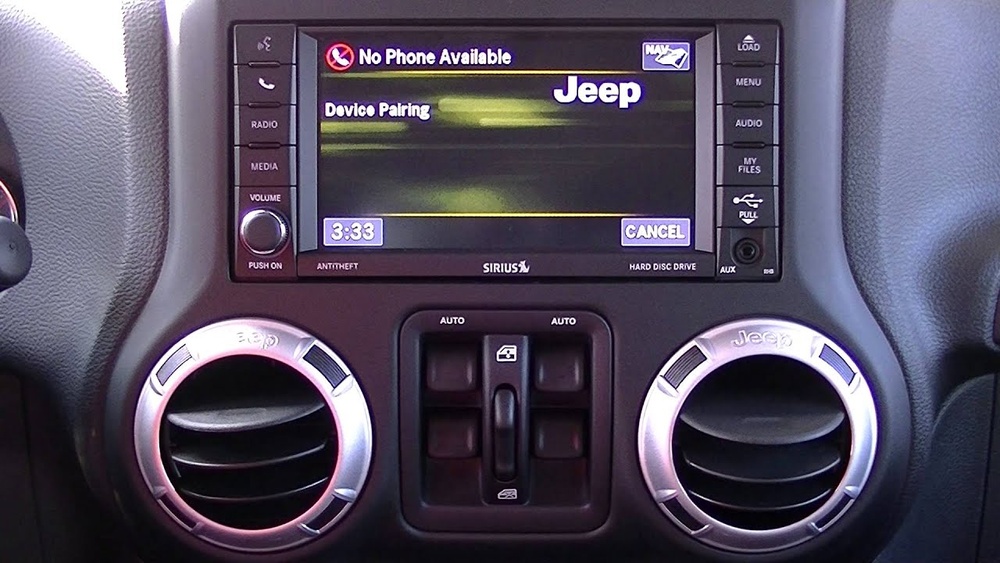
Most modern Jeep Wranglers come with the Uconnect infotainment system, which controls Bluetooth. The pairing process can vary slightly by model year and trim, but the basics stay the same. Uconnect lets you connect your smartphone for hands-free calling, audio streaming, and access to certain apps. Older Wranglers (before 2012) may need an upgrade or a different approach.
Here’s a quick overview of Wrangler generations and Bluetooth compatibility:
| Model Year | Uconnect System | Bluetooth Support |
|---|---|---|
| 2007-2010 | MyGIG (Optional) | Limited/Optional |
| 2011-2017 (JK) | Uconnect 130/430/730 | Yes |
| 2018-Present (JL) | Uconnect 3/4/4C | Yes |
If you’re not sure which system your Wrangler has, check the screen design or look in your owner’s manual.
Step-by-step: How To Pair Bluetooth Jeep Wrangler
Follow these steps to connect your smartphone to your Wrangler’s Bluetooth system. The instructions below focus on 2011 and newer Wranglers with Uconnect.
1. Start Your Jeep
Turn the ignition to “On” or start the engine. The Uconnect system must be running.
2. Activate Bluetooth On Your Phone
Open the Bluetooth settings on your smartphone and make sure Bluetooth is switched on. Set your phone to “discoverable” mode.
3. Access Uconnect’s Phone Settings
On the Uconnect touchscreen, tap the Phone icon. If this is your first time, the system may prompt you to add a device.
4. Begin Pairing Process
Select “Add Device” or “Pair a Device. ” Uconnect will begin searching for nearby Bluetooth devices.
5. Select Your Jeep On Your Phone
Your phone will display a list of available Bluetooth connections. Choose the one named “Uconnect” or “Jeep. ”
6. Confirm The Passkey
Both your phone and the Uconnect screen will show a 6-digit PIN or passkey. Make sure these numbers match, then tap “Pair” on your phone and “Yes” on the Uconnect screen.
7. Allow Contacts And Messages
Your phone may ask if Uconnect can access contacts and messages. Allow these for hands-free calling and text features.
8. Finish And Test
Wait for confirmation. Uconnect should display a message that pairing is successful.
Test by making a call or playing music.
Common Pairing Problems (and Fixes)
- If your phone doesn’t show up, make sure it’s not already connected to another car or device.
- If Uconnect doesn’t detect your phone, restart both the phone and your Wrangler’s system.
- For older Uconnect systems, sometimes a software update is needed. Visit your Jeep dealer if issues persist.
Features You Unlock With Bluetooth
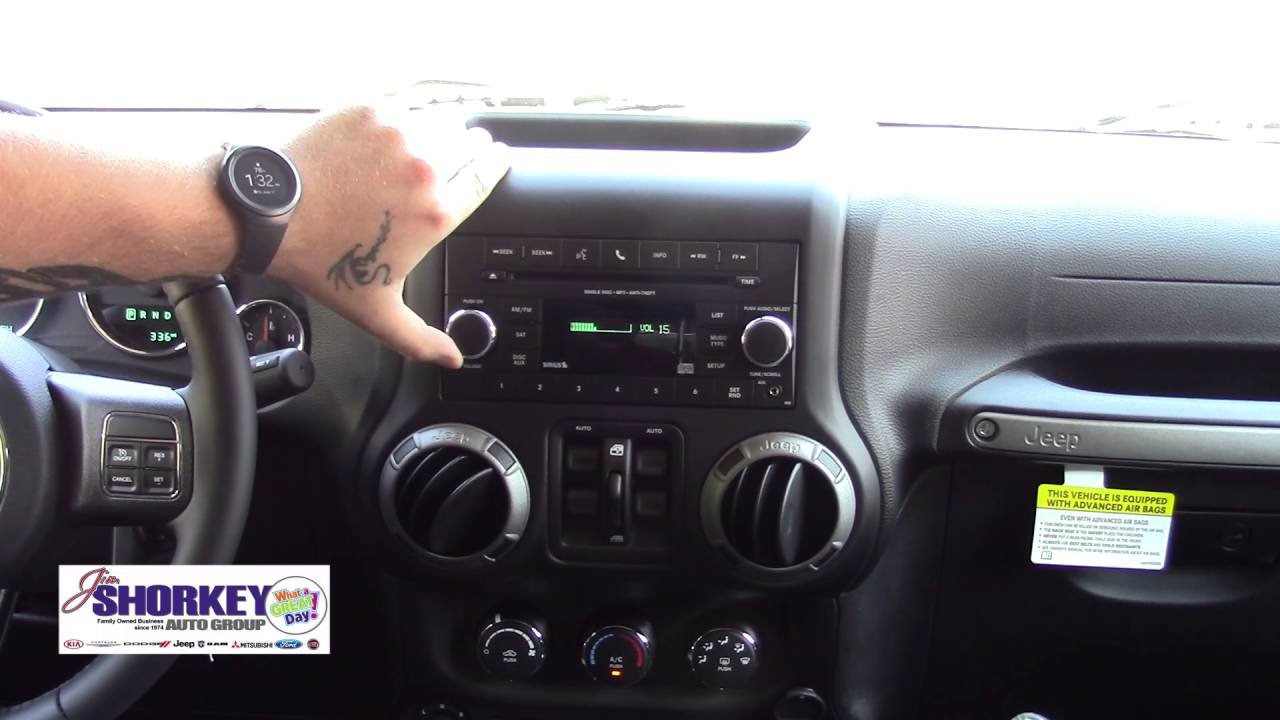
Once paired, Bluetooth opens up several features in your Wrangler:
- Hands-free calling: Safely make and receive calls without touching your phone.
- Music streaming: Listen to Spotify, Apple Music, or your phone’s audio.
- Text messaging: Some Uconnect versions can read texts aloud and let you reply with voice.
- Navigation: Use your favorite navigation app and hear directions through the car’s speakers.
Here’s a quick comparison of what you get with Bluetooth versus a traditional AUX cable:
| Feature | Bluetooth | AUX Cable |
|---|---|---|
| Hands-Free Calling | Yes | No |
| Music Streaming | Yes | Yes |
| Steering Wheel Controls | Yes | Limited |
| Text Messaging | Yes | No |
Keeping Your Bluetooth Connection Strong
Even after you pair your phone, connections can sometimes fail. Here are some tips to keep your Bluetooth working smoothly:
- Keep software up-to-date: Update your phone and Uconnect system regularly.
- Delete old devices: If you’ve paired many phones before, clear out unused connections from Uconnect.
- Avoid interference: Other Bluetooth devices in the car (like smartwatches or other passengers’ phones) can cause issues.
- Restart when in doubt: If things stop working, turn your Jeep off, wait a minute, and restart.
Troubleshooting: When Bluetooth Won’t Pair
Bluetooth issues are common, but most can be solved quickly:
1. Check Compatibility
Not every phone works perfectly with every Uconnect system. Check Jeep’s official list or your manual for compatible devices.
2. Reset Bluetooth Settings
On your phone, “forget” the Jeep/Uconnect device and try pairing again from scratch.
3. Update Software
Outdated Uconnect or phone software is a top cause of problems. Update both if possible.
4. Hard Reset Uconnect
If all else fails, perform a Uconnect reset. This usually involves holding the power and voice command buttons together for 10-15 seconds.
5. Visit A Dealer
For stubborn problems, your Jeep dealer can check for Bluetooth hardware or software faults.
Here’s a summary of common symptoms and solutions:
| Problem | Possible Cause | Solution |
|---|---|---|
| No device found | Phone not discoverable | Set phone to discoverable, restart Uconnect |
| No sound in car | Audio output not set to Uconnect | Switch audio output on phone |
| Calls drop/disconnect | Signal interference | Move other devices away, update software |
Safety And Security With Bluetooth
Using Bluetooth in your Jeep Wrangler is about more than convenience—it’s also about safety. Hands-free calling means you can keep your eyes on the road. However, always set up your Bluetooth before driving. Avoid handling your phone while the car is moving. Some Uconnect versions also allow you to set a Do Not Disturb mode for extra focus.
For more on the Uconnect system and official compatibility, see the Jeep Uconnect website.

Frequently Asked Questions
How Many Devices Can I Pair With My Jeep Wrangler?
Most Uconnect systems let you pair up to seven devices, but only one can be active at a time for calls and music.
Can I Pair An Iphone And Android At The Same Time?
You can pair both types, but only one device can connect for audio and calls at any moment. Switch between them in Uconnect settings.
My Wrangler Is Older (pre-2011). Can I Still Use Bluetooth?
Some older models may not have built-in Bluetooth. You can often add it with aftermarket kits or adapters designed for Jeep Wranglers.
Why Does My Bluetooth Keep Disconnecting?
This usually happens due to software bugs, interference from other devices, or a weak phone battery. Try updating your software and keeping other devices disconnected.
Is Bluetooth Music Quality As Good As Wired?
Bluetooth music quality is very close to wired for most people. However, audiophiles may notice a small drop in quality compared to an AUX cable.
Pairing your phone with your Jeep Wrangler’s Bluetooth system can make driving safer and more enjoyable. With these steps, tips, and troubleshooting advice, you’ll be connected and ready for the road ahead.


















