Pairing your phone with your Jeep brings convenience to your drive. You can make hands-free calls, use navigation, and stream music, all while staying focused on the road.
Many Jeep owners find the process confusing, especially with different models and technology.
This guide will help you connect your phone to your Jeep quickly and avoid common mistakes, whether you have the latest Uconnect system or an older Jeep.
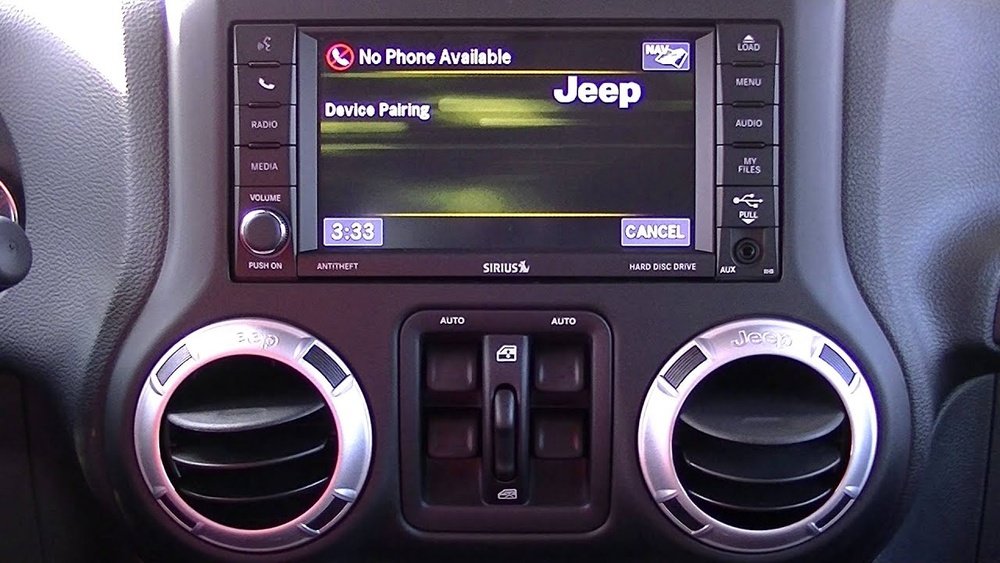
Understanding Jeep’s Bluetooth Systems
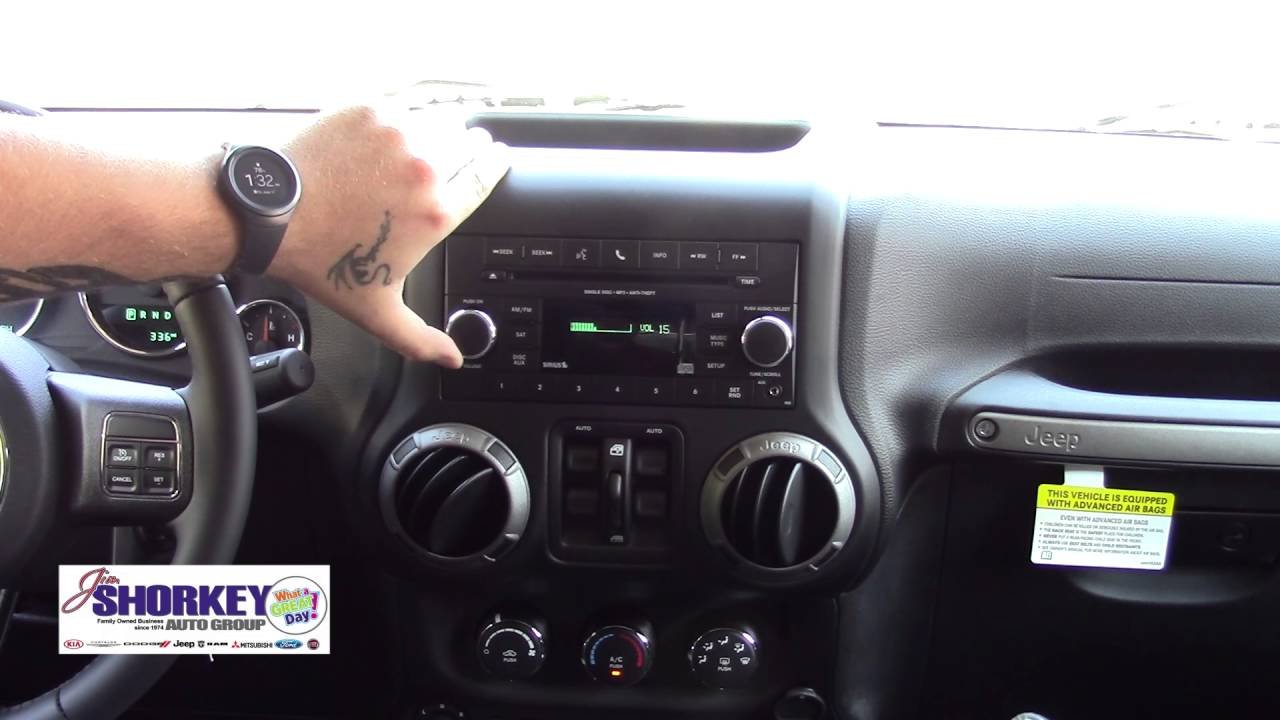
Jeep vehicles use Uconnect, a multimedia system that controls radio, navigation, and phone connections. Different Jeep models and years may use various versions of Uconnect, but the pairing process is similar. Some older Jeeps may use a basic Bluetooth system without a touchscreen.
The most common Uconnect versions are:
- Uconnect 3: Basic system, smaller screen, often found in Jeep Wrangler and Cherokee models from 2014–2018.
- Uconnect 4: More advanced, touchscreen interface, supports Apple CarPlay and Android Auto.
- Uconnect 5: Latest version, larger screens, faster response, available on 2021 and newer models.
Before pairing, check your Jeep’s owner manual for your system version. Knowing this helps you follow the right steps and troubleshoot if needed.
Steps To Pair Your Phone To A Jeep
Connecting your phone is usually a quick process, but each Uconnect version has a few differences. Here’s a step-by-step method that works for most Jeep models:
- Start your Jeep: Turn the ignition to the “On” or “Run” position. The system needs power for pairing.
- Enable Bluetooth on your phone: Go to Settings > Bluetooth and make sure it is turned on. Your phone should be “discoverable.”
- Open the Uconnect or Bluetooth menu: On your Jeep’s touchscreen, tap the “Phone” or “Settings” button. Some older models may use physical buttons.
- Select ‘Pair a Device’: Choose “Add Device,” “Pair New Device,” or similar. The system will now search for Bluetooth devices.
- Choose your Jeep on your phone: Look for your Jeep’s name (such as “Uconnect” or “Jeep”) in your phone’s Bluetooth list. Tap it.
- Confirm the PIN: A code (usually 4-6 digits) appears on both your Jeep’s screen and your phone. Make sure they match, then confirm on both.
- Allow contacts and messages: When prompted, allow access to contacts and messages for full hands-free features.
- Finish setup: Your phone should now show as “Connected” on the Jeep’s screen. Test by making a call or playing music.
Example: Pairing With Uconnect 4
If you have a 2020 Jeep Grand Cherokee with Uconnect 4, follow these steps:
- Tap the “Phone” icon on the touchscreen.
- Select “Add Device.”
- On your phone, select “Uconnect” from the Bluetooth list.
- Confirm the matching PIN.
- Approve any prompts for contacts.
- You’re connected!
Key Differences By Jeep Model And Year
Not all Jeeps use the same system. Here’s a quick comparison to help you identify yours:
| Model | Year Range | Bluetooth System |
|---|---|---|
| Jeep Wrangler | 2012–2018 | Uconnect 3 |
| Jeep Grand Cherokee | 2018–2021 | Uconnect 4 |
| Jeep Compass | 2021–Present | Uconnect 5 |
Older Jeeps may need a Bluetooth adapter if they don’t have built-in Bluetooth. Always check the manual if you’re unsure.
Troubleshooting Common Issues
Pairing sometimes fails. Here’s how to solve the most frequent problems:
- Phone not found: Turn Bluetooth off and on, restart your phone, and make sure your Jeep is in pairing mode.
- Wrong PIN: If the code doesn’t match, cancel and try again. Do not accept a mismatched code.
- Connection drops: Update your phone’s software and Uconnect firmware. Some devices need both updates to work smoothly.
- Audio issues: If music won’t play, make sure your phone’s media audio is enabled in Bluetooth settings.
A less-known trick: If you pair multiple phones, Uconnect might prioritize the first one. To change the main phone, go to the “Paired Devices” menu and select your preferred device.
Tips For A Smooth Pairing Experience
To avoid frustration, try these practical tips:
- Delete old devices: Too many paired devices can cause problems. Remove unused phones in your Uconnect settings.
- Keep your phone’s software updated: Outdated operating systems can cause connection errors.
- Pair when parked: For safety, always set up your phone before driving.
- Know your limits: Most Uconnect systems support up to seven devices, but only one can connect at a time for calls.
Here’s a quick look at Uconnect’s device limits:
| Uconnect Version | Max Devices | Active Call Devices |
|---|---|---|
| Uconnect 3 | 7 | 1 |
| Uconnect 4 | 10 | 1 |
| Uconnect 5 | 10 | 2 |
An insight many users miss: Uconnect 5 can handle two active call devices at once. This is useful for families who share the car.
What To Do If Your Jeep Doesn’t Have Bluetooth
Some older Jeep models (before 2012) don’t have Bluetooth built in. You can still add wireless features:
- Install a Bluetooth adapter: Plugs into the AUX port or cigarette lighter. Costs around $20–$50.
- Upgrade the stereo: Many aftermarket stereos are compatible with Jeeps and offer Bluetooth, Apple CarPlay, and Android Auto.
- Use a portable Bluetooth speaker: Not as seamless, but good for calls and music.
Check compatibility and wiring before buying an adapter or stereo. Some units need professional installation for best results. For more on Bluetooth technology, see Wikipedia.

Frequently Asked Questions
How Many Phones Can I Connect To My Jeep’s Uconnect?
You can pair up to seven or ten devices, depending on your Uconnect version. Only one (sometimes two, on Uconnect 5) can make or receive calls at a time.
Why Won’t My Phone Stay Connected To My Jeep?
This often happens due to outdated software, interference, or too many paired devices. Try deleting unused devices, updating your phone, and reconnecting.
Can I Use Apple Carplay Or Android Auto In My Jeep?
Yes, most Uconnect 4 and 5 systems support Apple CarPlay and Android Auto. Connect your phone with a USB cable, and follow the on-screen instructions.
Do I Need To Pair My Phone Every Time I Drive?
No. Once your phone is paired, it should auto-connect when you start your Jeep, as long as Bluetooth is enabled.
What If My Jeep Bluetooth Won’t Turn On?
Try restarting the Uconnect system by turning the car off and on. If it still fails, check for a system update or consult your Jeep dealer.
Pairing your phone to your Jeep brings comfort and safety to every drive. With the right steps and a few tips, you’ll have hands-free access to calls, music, and more.
Take a few minutes to set it up, and your next trip will be easier and more enjoyable.


















