Many Jeep Compass owners enjoy the tech features of their vehicles, especially the touchscreen display. This screen controls navigation, music, climate settings, and more. But what happens when your Jeep Compass screen stops working or acts strangely? A frozen, black, or unresponsive display can quickly turn a drive into a headache. Luckily, most Jeep Compass screen problems can be solved without a trip to the dealership. In this guide, you’ll learn simple steps to diagnose and fix common screen issues, plus when it’s best to get professional help. This advice uses clear language, real-world examples, and practical solutions to help you restore your Compass’s screen functionality.
Common Jeep Compass Screen Problems
Understanding what can go wrong is the first step. Here are the most frequent issues Jeep Compass owners report:
- Black screen: The display stays off even when the car is on.
- Frozen screen: The touch feature stops responding, or the screen gets stuck on one image.
- Random restarts: The screen turns on and off by itself.
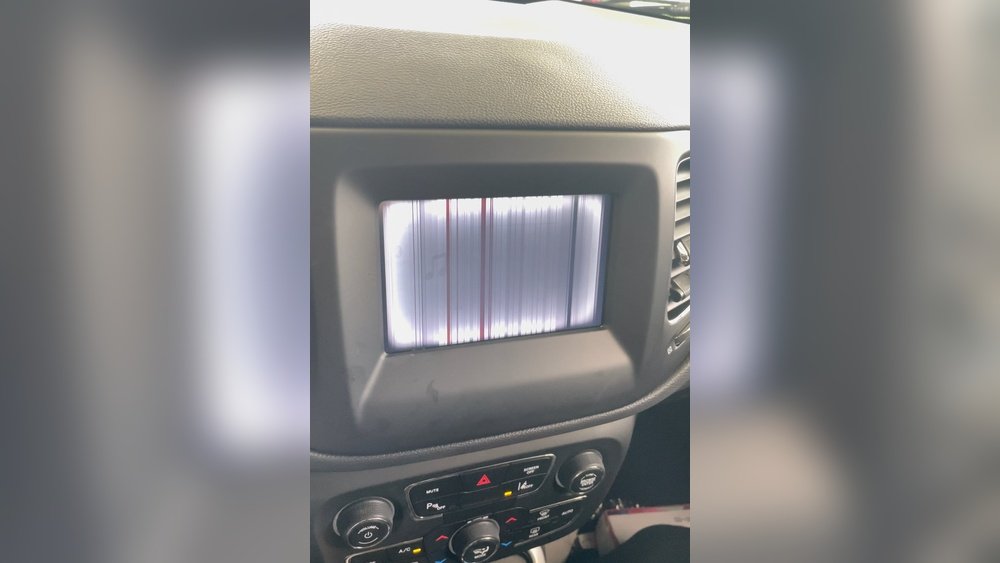
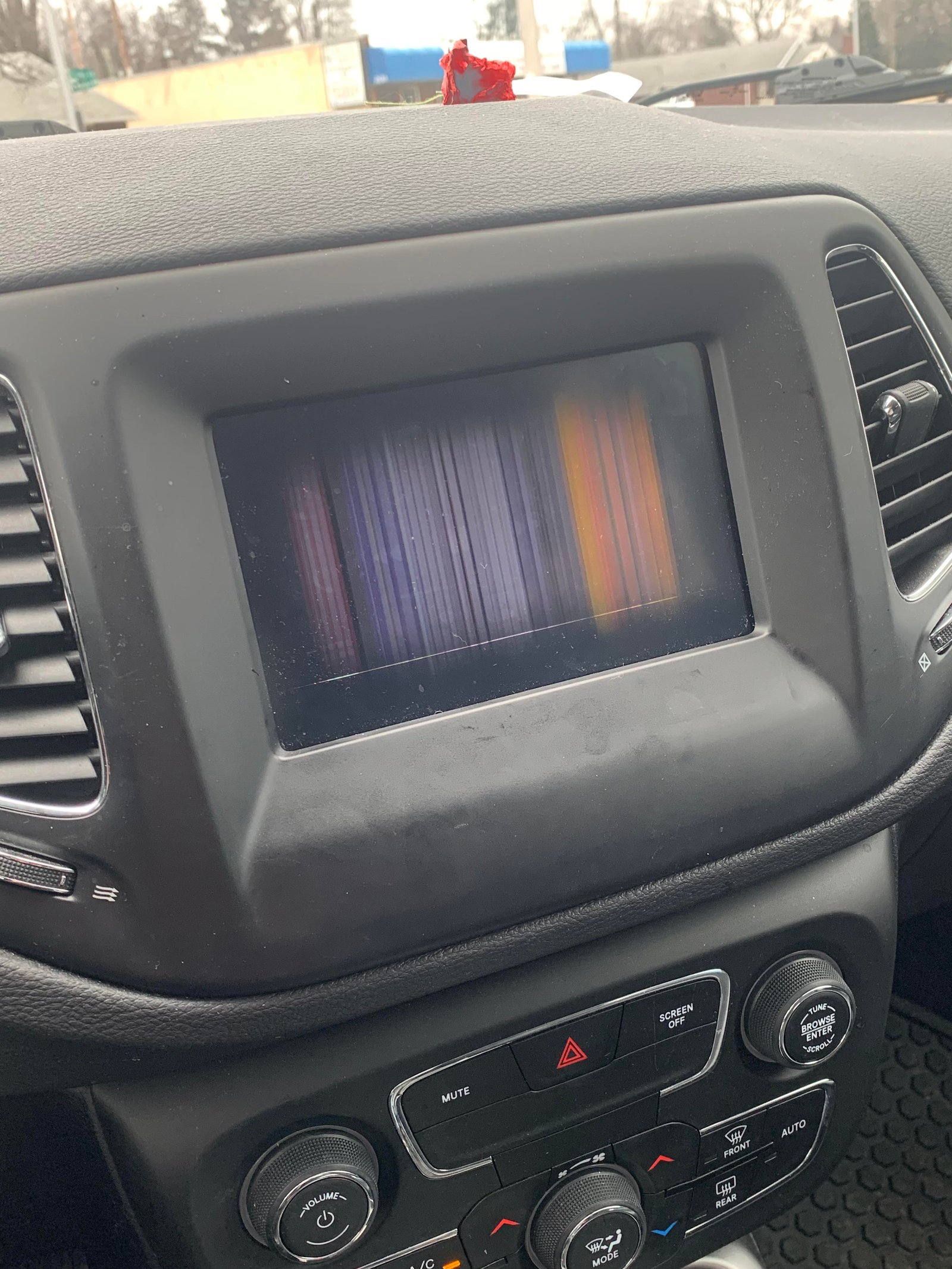
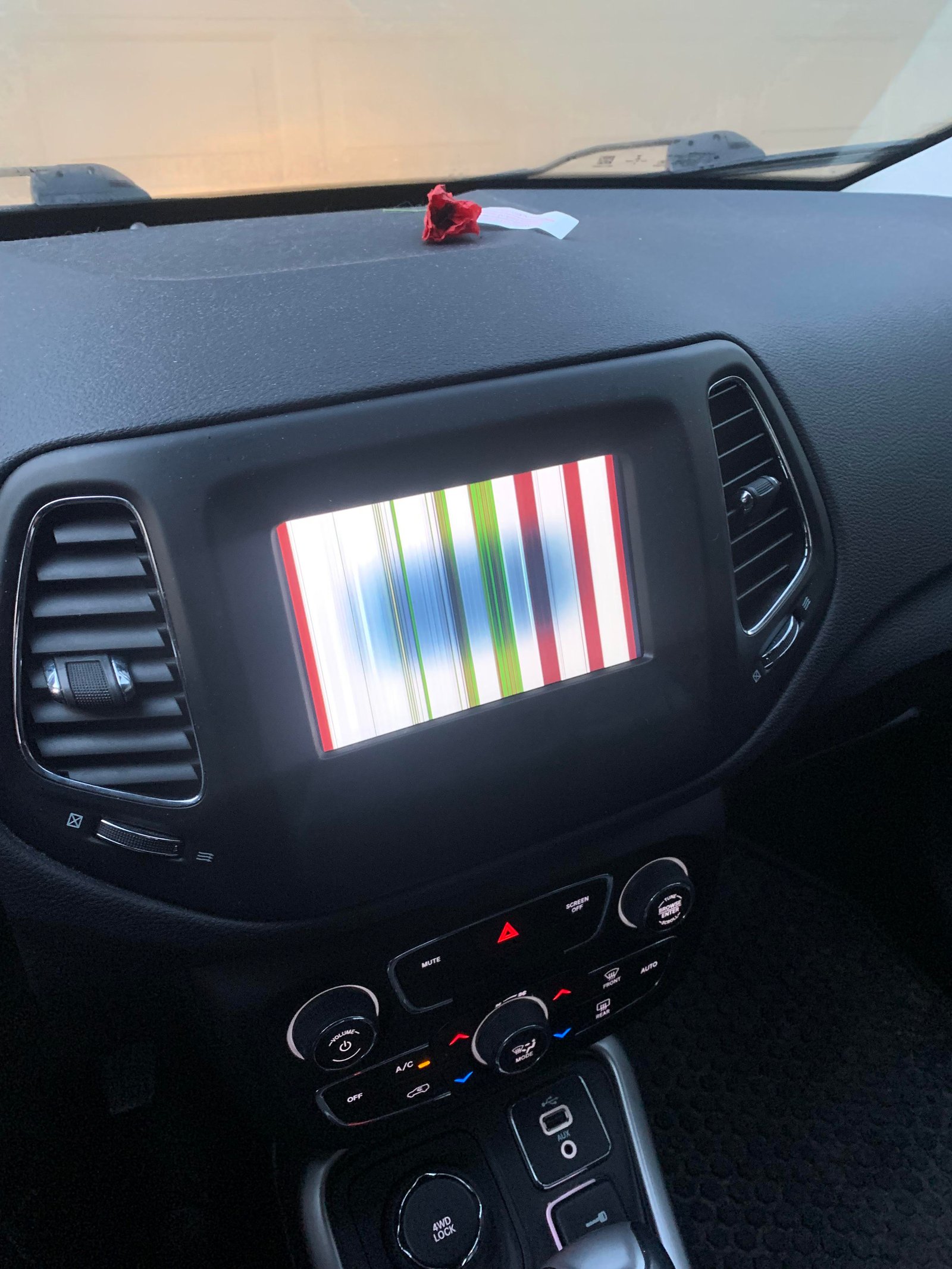
- Glitchy graphics: Lines, flickering, or distorted images appear.
- No sound: Music or navigation works, but there’s no audio output.
These problems can have different causes, from software bugs to loose wiring. Let’s look at how to fix them, starting with the simplest solutions.
Basic Troubleshooting Steps
Before you get into complex repairs, try these easy checks. Many screen problems are temporary and can be fixed in minutes.
1. Restart The Infotainment System
Just like a computer, the Jeep Compass’s system can freeze and need a reboot.
- Turn off your Jeep.
- Open the driver’s door and leave it open for at least 60 seconds.
- Close the door and restart your Jeep.
This method helps reset the system by cutting power completely.
2. Check For Software Updates
Jeep releases software updates to fix bugs and add features. An outdated system can cause glitches.
- Go to “Settings” on your screen.
- Look for “System Information” or “Software Update.”
- If an update is available, follow the prompts to install it.
If your screen is totally unresponsive, you may need to update at a dealership.
3. Inspect Fuses
A blown fuse may cause the screen to lose power.
- Find the fuse box (usually under the dashboard or in the engine bay).
- Check your owner’s manual for the infotainment system fuse location.
- Remove the fuse and inspect it. If the metal strip inside is broken, replace the fuse with one of the same rating.
4. Clean The Screen
Sometimes, dust or fingerprints can make the touchscreen act up.
- Turn off the display.
- Wipe gently with a microfiber cloth (no harsh chemicals).
- Test the screen again.
5. Disconnect And Reconnect The Battery
Resetting the car’s power can solve deeper electronic glitches.
- Turn off the Jeep.
- Open the hood.
- Use a wrench to disconnect the negative battery terminal (marked “-”).
- Wait 10 minutes, then reconnect the cable.
- Start the Jeep and check the screen.
Be aware: disconnecting the battery can reset radio presets and clock.
When The Screen Is Black
A blank screen is one of the most frustrating problems. Here’s how to tackle it.
Causes
- Power loss (blown fuse, loose wire)
- Software crash
- Faulty screen or hardware
Solutions
- Check if the radio or backup camera still works. If yes, the screen may be the only problem.
- Try the battery reset method.
- If nothing works, the screen itself or the wiring may need inspection. This is best handled by a professional.
Fixing A Frozen Or Unresponsive Screen
If your screen is stuck and won’t react to touch, try these steps:
- Soft reset: Hold the power button and the volume knob together for 10 seconds (most models).
- If the screen restarts, see if it works now.
- If still frozen, disconnect and reconnect the battery.
Some Jeep Compass screens freeze due to Bluetooth issues. Try disconnecting your phone from Bluetooth and see if the screen responds.
Dealing With Glitches And Random Restarts
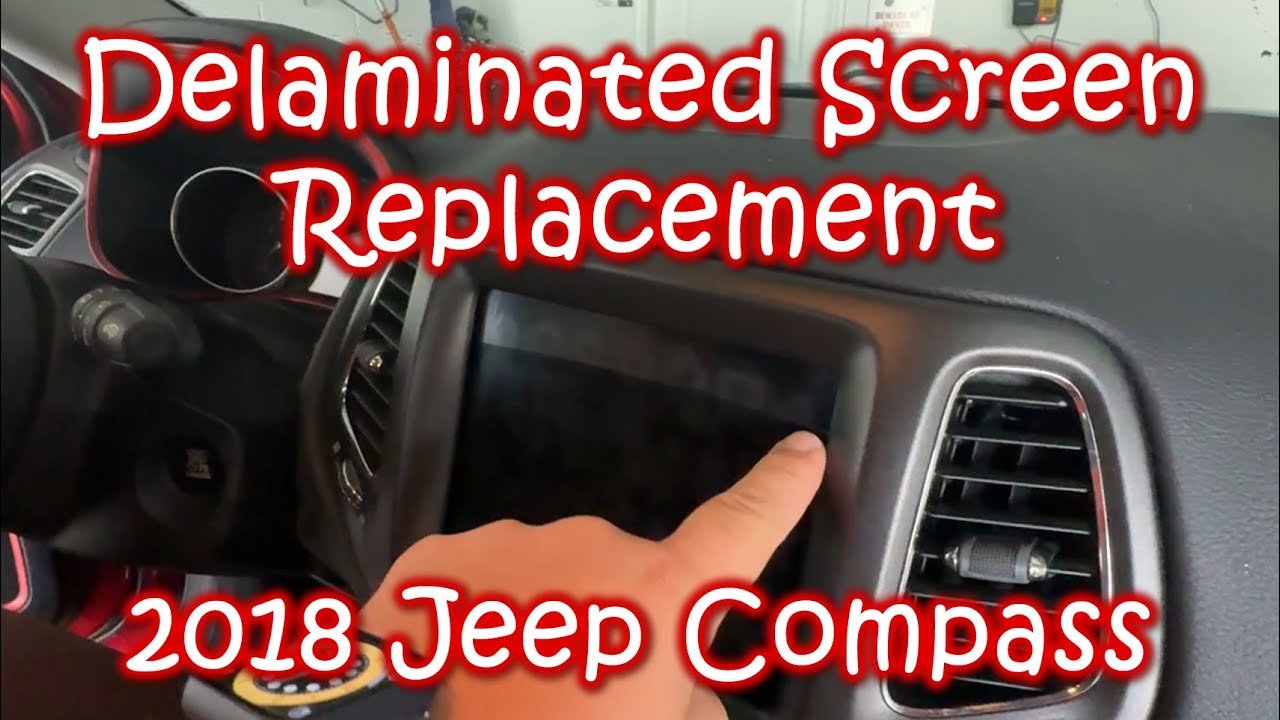
Screens that flicker, show lines, or restart randomly often have a software bug or loose connection.
- Update the infotainment software.
- Remove any USB drives or SD cards to rule out device conflicts.
- If you recently installed new apps or accessories, try removing them.
If the problem started after a recent update, a factory reset (found in settings) may help. Be sure to back up your settings first.
When There’s No Sound
If you can see the screen but can’t hear music or directions:
- Make sure the volume isn’t muted.
- Check if all speakers are silent or just one.
- Test with radio, Bluetooth, and USB to see if any source works.
- Check the audio settings for balance/fader options.
If the issue is with all sources, it could be a loose wire, blown speaker fuse, or faulty amplifier.
Advanced Fixes: Wiring And Hardware
If basic steps fail, the issue may be with the hardware. This requires some technical skill.
Steps To Check Wiring
- Disconnect the car battery for safety.
- Remove the dashboard trim around the screen (use a plastic trim tool).
- Check that all cables are tightly connected to the back of the display.
- Look for damaged or bent pins.
If you see burn marks or corrosion, the screen or wiring harness may need replacement.
When To Replace The Screen
If the display is cracked, has dead zones, or doesn’t power on even after all resets:
- Order a replacement from a reliable source.
- Make sure the new screen matches your Compass model year.
- Installation may require removing dashboard panels. If you’re not experienced, a professional should do this.
Comparing Solutions: Diy Vs. Professional Repair
Here’s a quick comparison to help you decide whether to fix it yourself or call a pro.
| Solution Type | Skill Needed | Cost | Time | Risk |
|---|---|---|---|---|
| Basic reset/updates | Low | Free | 5-20 min | Very Low |
| Fuse check | Low | Free-$5 | 10-20 min | Low |
| Battery reset | Low | Free | 15-30 min | Low |
| Wiring check/screen replacement | High | $50-$800+ | 1-3 hours | Medium/High |
| Professional repair | None | $100-$1000+ | 1 day or more | Very Low |
Real-world Examples
- A 2020 Jeep Compass owner reported the screen went black after a thunderstorm. A battery reset fixed the issue.
- Another driver found the display froze every time their phone connected via Bluetooth. Turning off Bluetooth auto-connect solved the problem.
- After a jump start, one Compass’s screen glitched and lost sound. A software update at the dealership restored everything.
Insight: Many problems are temporary and caused by electrical “hiccups.” A simple reset often works, but persistent issues may mean hardware needs attention.
What If The Screen Problem Returns?
If you fix the screen but the issue comes back, consider these less obvious causes:
- Weak battery: A failing car battery can cause electronics to act up, especially in cold weather.
- Aftermarket accessories: Devices like dash cams or chargers plugged into USB ports can interfere.
- Moisture: If water gets behind the dash (after washing the car or in humid climates), it can cause temporary failures.
Try removing extra devices and check if the problem goes away. If your Jeep Compass is still under warranty, document the issue and ask your dealer for a permanent fix.
Software And Hardware: What’s The Difference?
Understanding whether your issue is software or hardware helps you know what to try.
| Symptom | Likely Cause | DIY Possibility |
|---|---|---|
| Screen frozen/black, but lights and radio work | Software glitch | High |
| Screen flickers, lines, or dead spots | Hardware issue | Medium |
| Screen restarts randomly | Software or loose wire | Medium |
| No sound from any source | Amplifier or wire problem | Low |
If you’re unsure, start with software resets and updates they’re quick, free, and safe.
Preventing Screen Problems
You can’t control everything, but these habits help avoid future issues:
- Keep your system updated.
- Don’t overload USB ports with many devices.
- Avoid using wet hands on the touchscreen.
- If you wash your car, make sure water doesn’t get inside the dash.
- Use only accessories designed for the Compass.
Extra tip: If you plan to jump-start your car or replace the battery, always follow the manual to avoid voltage spikes that can harm sensitive electronics.
When To Seek Professional Help
Some problems need expert tools or knowledge. Visit a dealer or certified mechanic if:
- The screen is cracked or physically damaged.
- All basic resets fail.
- The issue started after an accident or water exposure.
- The screen shows an error message you can’t clear.
Dealers can run diagnostic tools to find hidden faults and update the system using factory software.
Frequently Asked Questions
Why Does My Jeep Compass Screen Freeze Randomly?
This usually happens due to software bugs, memory overload, or Bluetooth/device conflicts. Try restarting the system, updating the software, and disconnecting paired devices.
How Much Does It Cost To Replace A Jeep Compass Screen?
A new screen can cost $300 to $800 or more, depending on the year and screen type. Labor adds extra cost. Used screens are cheaper but may not have a warranty.
Will Resetting The Battery Erase My Saved Radio Stations?
Yes, disconnecting the battery can reset radio presets, clock, and sometimes climate settings. Write down your preferences before doing a reset.
Can I Update The Screen Software Myself?
Some updates can be done at home through the settings menu. For major updates or if the screen won’t respond, a dealer can do it with special tools. Check your warranty status before visiting.
Is There A Recall For Jeep Compass Screen Problems?
Some model years have had recalls for infotainment issues. Check the official NHTSA website with your VIN to see if your vehicle is affected.
Solving a Jeep Compass screen issue can be straightforward if you know where to start. Begin with simple resets, software updates, and fuse checks.
For stubborn problems, understanding the difference between software and hardware faults helps you decide on the next step.
Sometimes, a professional touch is best, especially for hardware repairs. Taking care of your system with regular updates and proper accessory use reduces future trouble.
With these tips, you can keep your Jeep Compass screen working smoothly and enjoy every drive.


















