If you drive a Jeep, you may have heard about Uconnect—the infotainment system that makes your journeys smarter and more enjoyable. But what exactly is Uconnect, and how do you set it up and use it in your Jeep? Many new owners feel confused by the options and screens, but with a little guidance, Uconnect can become one of your favorite features. This guide will walk you through everything you need to know to get started, connect your devices, and use Uconnect’s most useful functions.
What Is Uconnect In Jeep?
Uconnect is Jeep’s official infotainment system. It controls music, navigation, phone calls, climate, and even some vehicle settings through a touchscreen display in your dashboard. Uconnect works with both Android and Apple devices, making it flexible for most users. Over the years, Jeep has released several versions of Uconnect, from basic radios to advanced touchscreens with voice recognition and built-in navigation.
Uconnect is available in most new Jeep models, including the Jeep Wrangler, Grand Cherokee, Compass, Cherokee, and Gladiator. Depending on your Jeep’s year and trim, you may have Uconnect 3, 4, 4C, or the newer Uconnect 5 system. The basic steps for connecting and using Uconnect are similar for all versions, but some features are only available on the latest models.
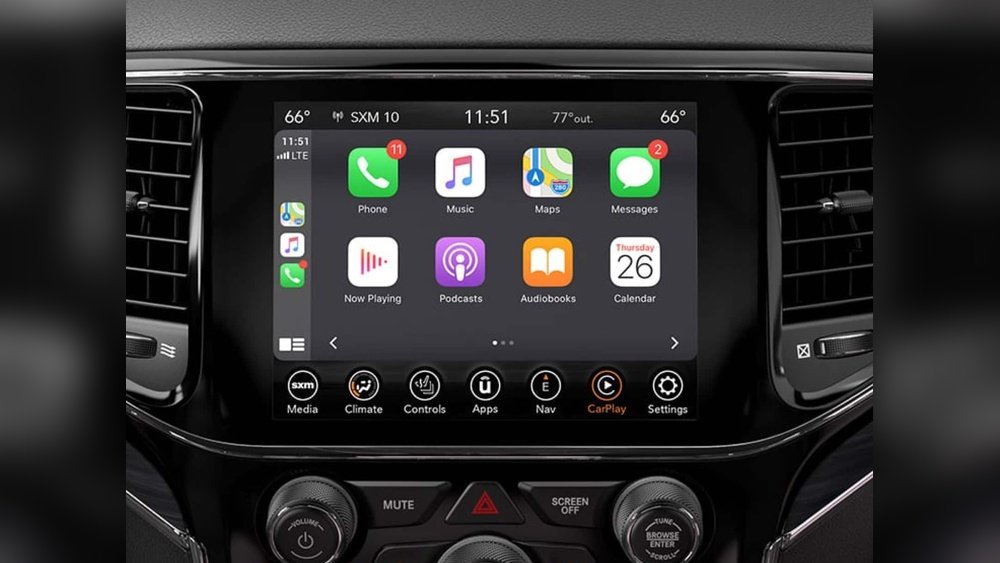
Setting Up Uconnect For The First Time
Getting started with Uconnect is easy, but it’s important to follow the right steps. The process may feel overwhelming at first, especially if you’re not used to digital dashboards. Here’s how to set up your Uconnect system:
- Turn On Your Jeep: Start the engine or switch to accessory mode. The Uconnect screen should power on automatically.
- Choose Your Language: The system will prompt you to select a language. Most Uconnect models support English, Spanish, and French.
- Connect Your Phone via Bluetooth:
- Tap the ‘Phone’ or ‘Media’ icon on your Uconnect screen.
- Select ‘Add Device’ or ‘Pair New Device.’
- On your smartphone, enable Bluetooth. Look for your Jeep’s Uconnect in the list of available devices.
- Confirm the PIN shown on your Uconnect screen matches the one on your phone, then select ‘Pair’ on both.
- Your phone should now be connected. You may be asked to allow contacts and messages access.
- Set Up Wi-Fi and Apps (If Available): Some versions of Uconnect offer a Wi-Fi hotspot and app connections. Follow on-screen instructions to enter your details.
- Update System Software: Check for updates to ensure the latest features and security. Some updates happen automatically, others require a USB drive or visit to the dealer.
Common Mistakes To Avoid
- Trying to pair your phone while driving. Always set up when parked for safety and to avoid distractions.
- Forgetting to allow contact and message access, which can stop hands-free calls and texts.
- Not checking for system updates, which can leave you without the latest functions.
Key Features Of Uconnect
Uconnect is more than just a radio. It’s a central hub for entertainment, navigation, communication, and even some vehicle controls. Here are the most popular features you can use in your Jeep:
Hands-free Calling And Texting
With your phone connected, you can make calls and send texts by voice or touch. Uconnect uses your phone’s contact list, so you don’t need to add numbers manually.
For example, just say, “Call Mike” or tap his name on the screen.
Higher-end Uconnect systems include built-in GPS navigation. You can search for addresses, points of interest, or use voice commands like “Navigate to the nearest gas station.
” Some versions offer live traffic updates and lane guidance.
Apple Carplay And Android Auto
Most Uconnect systems from 2017 onward support Apple CarPlay and Android Auto. These let you mirror your smartphone’s apps directly on the Uconnect screen. You can use Google Maps, Waze, Spotify, and more, with touch or voice control.
Media And Entertainment
Uconnect allows you to play music from many sources:
- FM/AM radio
- SiriusXM satellite radio (with subscription)
- Bluetooth audio from your phone
- USB or AUX input
You can browse playlists, change stations, or adjust audio settings easily.
Vehicle Controls And Settings
Some Jeep models allow you to control climate, heated seats, and even open windows through the Uconnect touchscreen. You can also set preferences like display brightness, language, and safety features.
Wi-fi Hotspot
Select Uconnect models provide a Wi-Fi hotspot, letting passengers connect their devices to the internet. This is useful for road trips or working on the go. A data plan is required, and speeds may vary by location.
How To Connect Your Phone To Uconnect
Pairing your smartphone is the first step to unlocking hands-free features and streaming music. Here’s a step-by-step guide for both iPhone and Android users:
For Iphone Users
- On your Uconnect screen, tap ‘Phone’ > ‘Add Device.’
- On your iPhone, go to Settings > Bluetooth and turn it on.
- Select your Jeep’s Uconnect from the list.
- Confirm the pairing code matches on both devices.
- Accept the prompts to allow contacts and messages.
For Android Users
- On your Uconnect, tap ‘Phone’ > ‘Pair New Device.’
- On your Android phone, go to Settings > Connections > Bluetooth and enable it.
- Find ‘Uconnect’ in available devices and tap to pair.
- Match the PIN and accept permissions.
After pairing, your phone will usually connect automatically whenever you enter the Jeep with Bluetooth enabled. If you change phones or have trouble reconnecting, delete the device from the Uconnect menu and repeat the steps.
Troubleshooting Connection Problems
- Make sure Bluetooth is enabled on both the Uconnect system and your phone.
- Delete old devices if the system has reached its maximum number of paired devices (usually 5–7).
- Restart both your phone and your Jeep.
- Check for software updates on your Uconnect system.
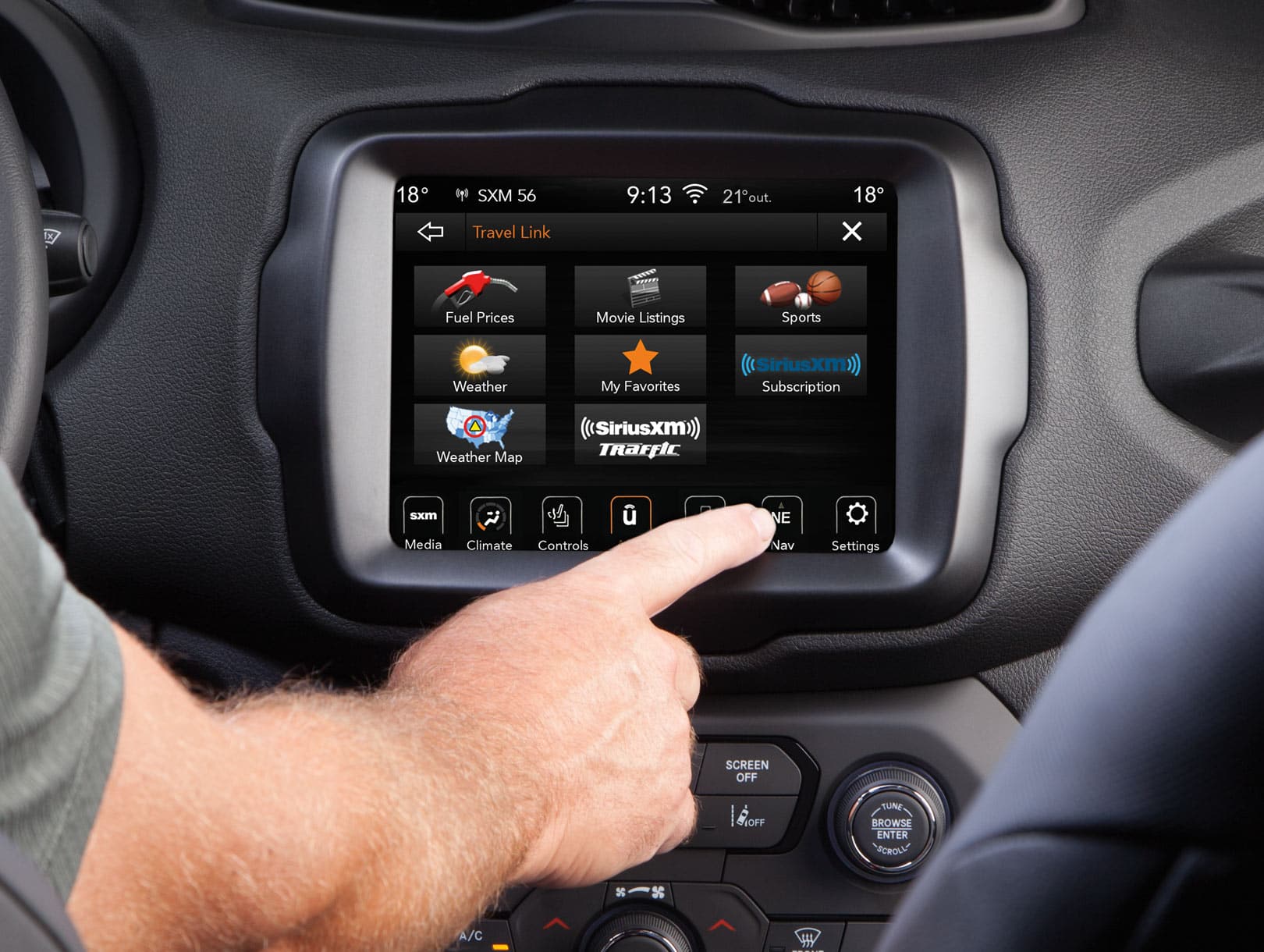
Using Apple Carplay And Android Auto
Apple CarPlay and Android Auto make using your favorite apps safer while driving. Here’s how to set them up and use them:
Apple Carplay
- Plug your iPhone into the Jeep’s USB port using a certified cable.
- On your Uconnect, select ‘CarPlay’ when prompted.
- Accept the prompt on your iPhone.
- CarPlay will launch on the Uconnect screen, showing your iPhone apps.
Android Auto
- Connect your Android phone to the Jeep’s USB port.
- If you haven’t already, download the Android Auto app from Google Play.
- Accept all permissions and prompts.
- Android Auto will now display on your Uconnect screen.
Pro Tip: Some newer Jeeps support wireless CarPlay and Android Auto, so you don’t need to plug in every time. Check your model’s manual or Uconnect settings to see if this feature is available.
Voice Commands: Hands-free Control
One of Uconnect’s strongest features is voice recognition. By pressing the steering wheel’s voice button, you can control many functions without taking your hands off the wheel.
Examples of voice commands:
- “Call John Smith”
- “Play 80s Hits on SiriusXM”
- “Navigate to 123 Main Street”
- “Read my last text message”
Voice commands work best when you speak clearly and naturally. If the system misunderstands you often, try updating your phone’s contact names or adjusting the Uconnect’s language settings.
Updating Uconnect Software
Keeping your Uconnect system updated is important for security, bug fixes, and new features. Here’s how to check for updates:
- Go to the ‘Settings’ or ‘System’ menu on your Uconnect screen.
- Look for ‘Software Update’ or ‘System Information.’
- If your Jeep is connected to Wi-Fi, some updates can be downloaded directly.
- For major updates, Jeep may require you to download software from their official website onto a USB drive, then insert it into your vehicle.
Tip: Always keep your engine running during updates to prevent battery drain. If you’re unsure, your local Jeep dealer can help install updates.
Comparing Uconnect Versions
Jeep’s Uconnect has evolved over the years. Here’s a comparison of the main versions found in Jeep vehicles:
| Uconnect Version | Screen Size | Key Features | Available In |
|---|---|---|---|
| Uconnect 3 | 5-inch | Basic radio, Bluetooth, voice | 2014–2020 models |
| Uconnect 4/4C | 7-8.4 inch | Apple CarPlay, Android Auto, navigation | 2017–2021 models |
| Uconnect 5 | 8.4–10.1 inch | Faster processor, wireless CarPlay/Android Auto, profiles | 2021–present |
If you’re shopping for a used Jeep, knowing which Uconnect version you have can help you decide what features to expect.
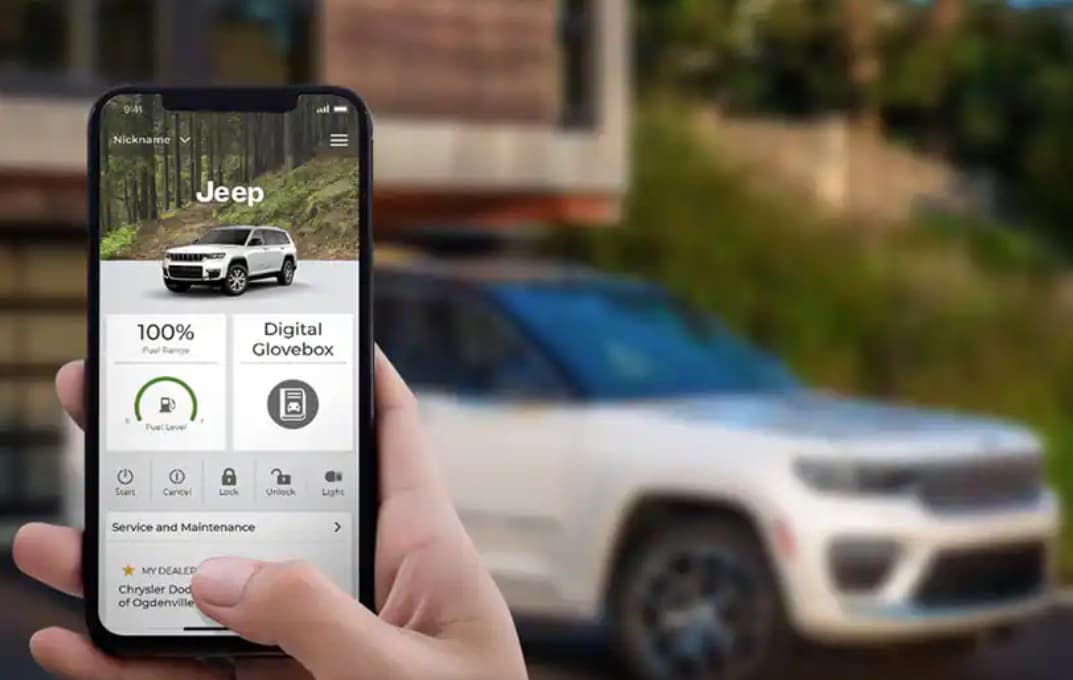
Uconnect Remote Services
Some Jeep models come with Uconnect Access or Uconnect Services, which let you control your Jeep remotely from your smartphone. Features can include:
- Remote start and stop
- Lock and unlock doors
- Locate your vehicle
- Send destinations to your navigation
You can access these features by downloading the Jeep app and linking it to your Uconnect account. Some services require a subscription after a trial period.
Data And Privacy In Uconnect
Uconnect systems collect and use some data to work properly. For example, your contacts, call history, location (for navigation), and even driving patterns can be saved.
Jeep uses this data to improve features and provide emergency help if needed.
If you’re concerned about privacy:
- Only connect devices you trust
- Regularly delete old paired devices
- Check privacy settings in the Uconnect menu
Jeep’s privacy policy explains how your data is used. You can find more details on their official Uconnect website.
Quick Reference: Uconnect Feature Comparison
To help you understand which features are available on different Jeep models, see the comparison below:
| Feature | Uconnect 3 | Uconnect 4/4C | Uconnect 5 |
|---|---|---|---|
| Bluetooth | ✔ | ✔ | ✔ |
| Apple CarPlay/Android Auto | ✘ | ✔ | ✔ (wireless) |
| Built-in Navigation | Optional | Optional | ✔ |
| Wi-Fi Hotspot | ✘ | ✔ | ✔ |
| Voice Recognition | Basic | Advanced | Improved AI |
Common Issues And Solutions
Even a smart system like Uconnect can sometimes have problems. Here are some common issues Jeep owners face, and how to fix them:
- Bluetooth connection drops: Delete the device from Uconnect and your phone, then pair again.
- Screen freezing or lag: Try a soft reset by holding the power and volume buttons together for 10–20 seconds.
- Navigation not working: Make sure your system is updated and your GPS antenna is not blocked.
- No sound: Check the volume, mute settings, and try switching to another media source.
- App not launching: Unplug and reconnect your phone, or restart both devices.
If problems continue, visit a Jeep dealer or contact Uconnect support for expert help.
Many users miss out on hidden features that make Uconnect even more useful:
- Custom Shortcuts: On newer Uconnect systems, you can save favorite apps, contacts, or settings to the home screen for one-touch access.
- Valet Mode: Some Jeeps have a security mode that locks personal info and limits system controls when you hand over your keys.
- Do Not Disturb: Block incoming calls and texts with a single button for focused driving.
- Automatic System Updates: If your Jeep connects to Wi-Fi at home, it can download updates overnight without your help.
- Multiple User Profiles: Uconnect 5 lets you set up different profiles for drivers, so each person’s preferences load automatically.
Frequently Asked Questions
How Do I Reset Uconnect If It Stops Working?
Hold the power and volume buttons together for 10–20 seconds until the screen turns off, then release. The system will reboot and often fix minor problems.
Can I Add Uconnect To An Older Jeep?
You may be able to upgrade to a newer Uconnect system, but it often requires new hardware and professional installation. Talk to a Jeep dealer about options for your model.
Does Uconnect Require A Monthly Fee?
Most Uconnect features are free, but some services like Wi-Fi hotspot and remote controls need a subscription after a trial period.
Is Uconnect Safe To Use While Driving?
Yes, Uconnect is designed for safe, hands-free use. Always set up devices and enter addresses while parked. Use voice commands whenever possible.
Where Can I Find More Help With Uconnect?
Visit the official Jeep Uconnect page for manuals, support, and updates: Jeep Uconnect.
Whether you’re a daily commuter or love weekend adventures, Uconnect makes your Jeep smarter and more connected. With the right setup and a little practice, you’ll soon enjoy safe hands-free calls, easy navigation, and your favorite music all from your dashboard.
Explore the advanced features, keep your system updated, and you’ll get the most from your Uconnect experience every time you drive.


















