Disconnecting the battery in your Jeep Grand Cherokee is a simple but important task. Whether you’re changing the battery, working on electrical parts, or preparing your vehicle for long-term storage, knowing how to do this safely can save you time and trouble. Many beginners worry about damaging their car or forgetting a step. With the right guidance, you can handle this without stress.
Why Disconnect The Battery?
Your Jeep Grand Cherokee’s battery powers everything electrical, including the engine’s computer, lights, and radio. If you plan to do any work under the hood, disconnecting the battery is one of the best ways to prevent accidental shocks or short circuits.
It also protects sensitive electronics from sudden power surges.
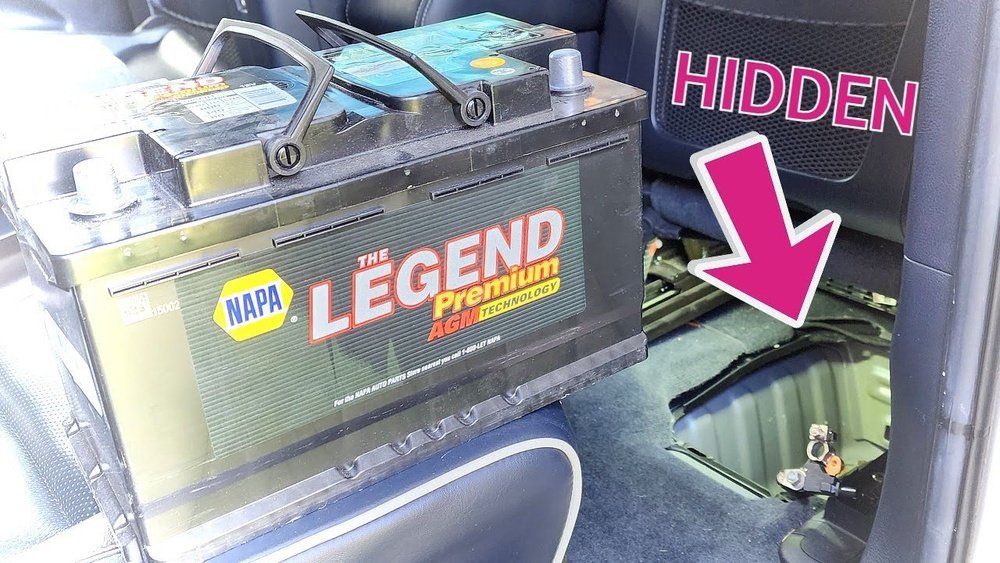
Some people forget that even simple jobs like changing headlights or sensors can cause sparks if the battery is connected. For longer storage periods, disconnecting the battery stops it from draining due to small draws from clocks or alarms.
Tools And Safety Tips
Before you start, gather the right tools:
- Socket wrench (usually 10mm for most Jeep models)
- Protective gloves
- Safety glasses
Never use metal tools near the battery terminals without caution. The battery holds enough power to cause burns or sparks.
Also, make sure you’re working in a dry area.
Here’s a quick comparison of tools you might use:
| Tool | Purpose | Safety Level |
|---|---|---|
| Socket wrench | Loosens battery terminal nuts | High |
| Gloves | Protects hands from acid | Medium |
| Safety glasses | Shields eyes from splashes | High |
Step-by-step Guide To Disconnect The Battery
Follow these steps carefully to avoid mistakes:
1. Turn Off The Engine
Make sure your Jeep is parked with the ignition off. Remove the key.
Let the vehicle sit for a minute so all electrical systems shut down.
2. Open The Hood
Pull the hood release inside your Jeep. Find the latch under the hood and lift it fully.
3. Locate The Battery
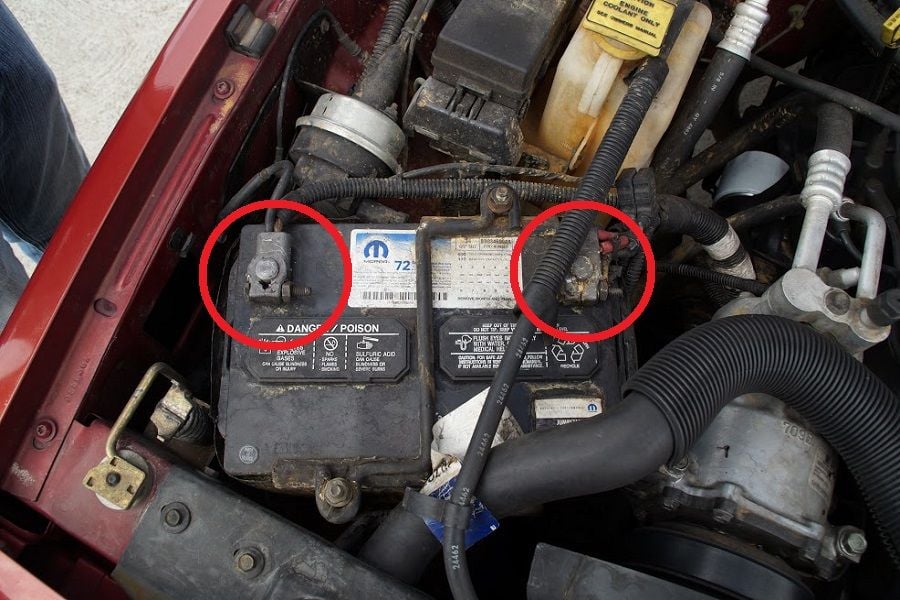
The battery is usually at the front right (passenger side) of the engine bay. It’s a rectangular box with two cables attached.
4. Identify Positive And Negative Terminals
The negative terminal is marked with a minus (-) sign and often has a black cable. The positive terminal shows a plus (+) sign with a red cable.
5. Loosen The Negative Cable First
Use your socket wrench to loosen the nut on the negative terminal. Never remove the positive cable first this is a common mistake.
It can cause sparks or short circuits. Always start with the negative cable.
6. Remove The Negative Cable
Once the nut is loose, gently lift the cable away from the terminal. Set it aside so it doesn’t touch the battery or any metal parts.
7. Loosen And Remove The Positive Cable (if Needed)
If you’re fully removing the battery, repeat the process for the positive terminal. If you’re just disconnecting for safety, leaving the positive cable in place is fine.
8. Secure The Cables
Make sure both cables are positioned away from the battery and any metal. Some people use zip ties or rubber covers.
Here’s a table showing the order of terminal removal for safety:
| Step | Terminal | Reason |
|---|---|---|
| 1 | Negative (-) | Prevents electrical shorts |
| 2 | Positive (+) | Only if battery removal needed |
Real-world Tips For Disconnecting Safely
- Always wear gloves and glasses; battery acid can burn skin and eyes.
- Don’t touch both terminals at the same time with your tool. This can create a spark.
- Never rush. Take a photo before you remove anything, so you remember cable placement.
- If your Jeep has a security system, disconnecting the battery may reset it. Make sure you have your radio code or security info handy.
- After disconnecting, wait at least 10 minutes before working on any electronics. Some systems keep charge for a few minutes.
What Happens After Battery Disconnection?
When you disconnect the battery, some settings in your Jeep will reset. This includes:
- Radio presets
- Clock time
- Trip data
The engine computer (ECU) will also reset. Some drivers notice the car runs differently for the first few miles after reconnecting.
This is normal the ECU is relearning your driving habits.
Here’s a quick comparison of what resets and what stays the same:
| Item | Resets? | Notes |
|---|---|---|
| Radio presets | Yes | Must reprogram |
| Clock | Yes | Set manually |
| Security system | Sometimes | Check owner’s manual |
| ECU memory | Yes | Car may idle differently |
| Odometer | No | Stays the same |
Common Mistakes And How To Avoid Them
Many beginners forget to remove the negative terminal first. This is risky.
The negative cable connects directly to the car’s metal frame. If you remove the positive cable first and your tool touches metal, it can cause a short.
Another mistake is not securing the cables after removal. Loose cables can touch the battery and reconnect power by accident.
Some Jeep owners leave the hood open overnight with the battery disconnected. This can let moisture in and cause corrosion.
Always close the hood or cover the battery area.

Frequently Asked Questions
How Long Can I Leave My Jeep Grand Cherokee’s Battery Disconnected?
You can leave it disconnected for weeks or months, as long as cables are secured and the battery is stored safely. For storage longer than 30 days, consider removing the battery and storing it in a cool, dry place.
Will Disconnecting The Battery Erase My Jeep’s Settings?
Yes, most radio presets, clock settings, and some trip data will reset. You’ll need to reprogram these after reconnecting.
Is It Safe To Disconnect The Battery If I Have A Remote Start Or Alarm?
Usually, yes. But some alarm systems may need resetting. Always check your owner’s manual or ask your dealer for advice.
Can Disconnecting The Battery Fix Electrical Problems?
Sometimes. It can reset the computer and clear minor errors, but it won’t fix wiring or component issues. If problems persist, consult a mechanic.
What Should I Do If My Jeep Doesn’t Start After Reconnecting The Battery?
Double-check that both cables are tight and clean. Make sure the battery is fully charged.
If you still have issues, the battery may be faulty or you may have blown a fuse.
Disconnecting your Jeep Grand Cherokee’s battery is a straightforward task, but doing it carefully can prevent damage and keep your vehicle safe. With these steps and tips, you can handle the process confidently. For more detailed technical info, visit the Automotive Battery Wikipedia page. Always follow safety guidelines and check your Jeep’s manual for model-specific advice.


















