Disconnecting electrical connectors in your Jeep can seem tricky, especially if you’re new to car maintenance. These connectors link many parts of your Jeep’s electrical system headlights, sensors, fuel injectors, and more.
If you want to change parts, fix wiring, or troubleshoot electrical issues, knowing how to safely disconnect these connectors is essential.
Doing it the wrong way can cause damage or create new problems, so let’s explore how to do it right.
Understanding Jeep Electrical Connectors
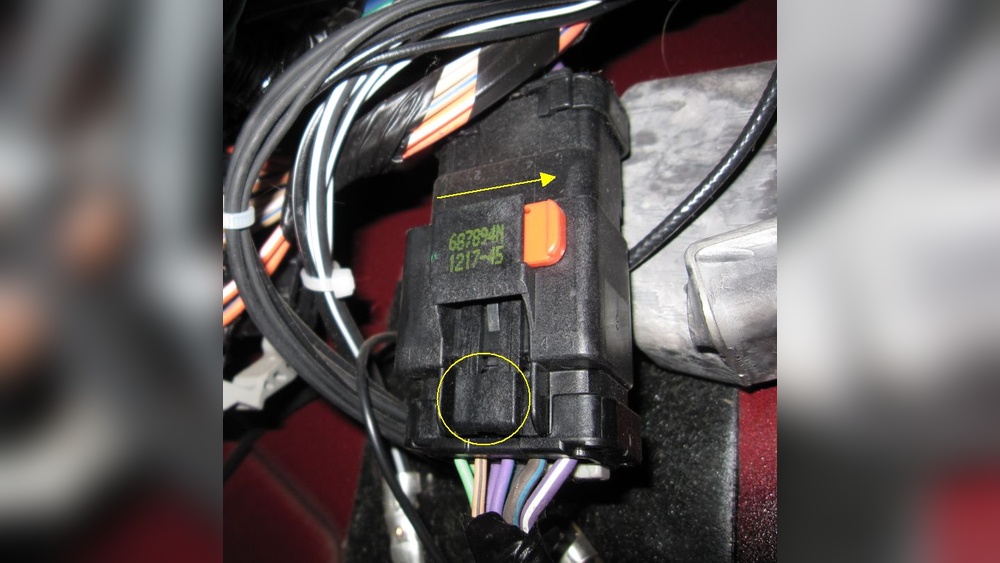
Jeep uses several types of electrical connectors. Most are plastic clips that hold wires together. You’ll often see these connectors near the engine, under the dashboard, or behind lights. The most common types include:
- Push-tab connectors
- Slide-lock connectors
- Weatherproof connectors
Each connector has its own release mechanism. If you force the connector without releasing the lock, you might break it or damage the wires.
Jeep connectors are built for tough conditions, but their plastic housings can weaken over time due to heat and vibration.
Below is a comparison of the three main connector types:
| Connector Type | Release Mechanism | Common Use |
|---|---|---|
| Push-tab | Push down tab | Engine sensors |
| Slide-lock | Slide latch sideways | Headlights |
| Weatherproof | Squeeze or twist | Exterior lights |
Steps To Disconnect Jeep Electrical Connectors Safely
Disconnecting connectors is not just about pulling them apart. You must follow careful steps to avoid damage.
1. Turn Off Power
Always turn off your Jeep and remove the key. For extra safety, disconnect the battery’s negative terminal. This prevents short circuits and accidental shocks.
2. Locate The Connector
Find the connector you want to disconnect. Use a flashlight if needed.
Look for signs of dirt, corrosion, or broken parts.
3. Inspect The Locking Mechanism
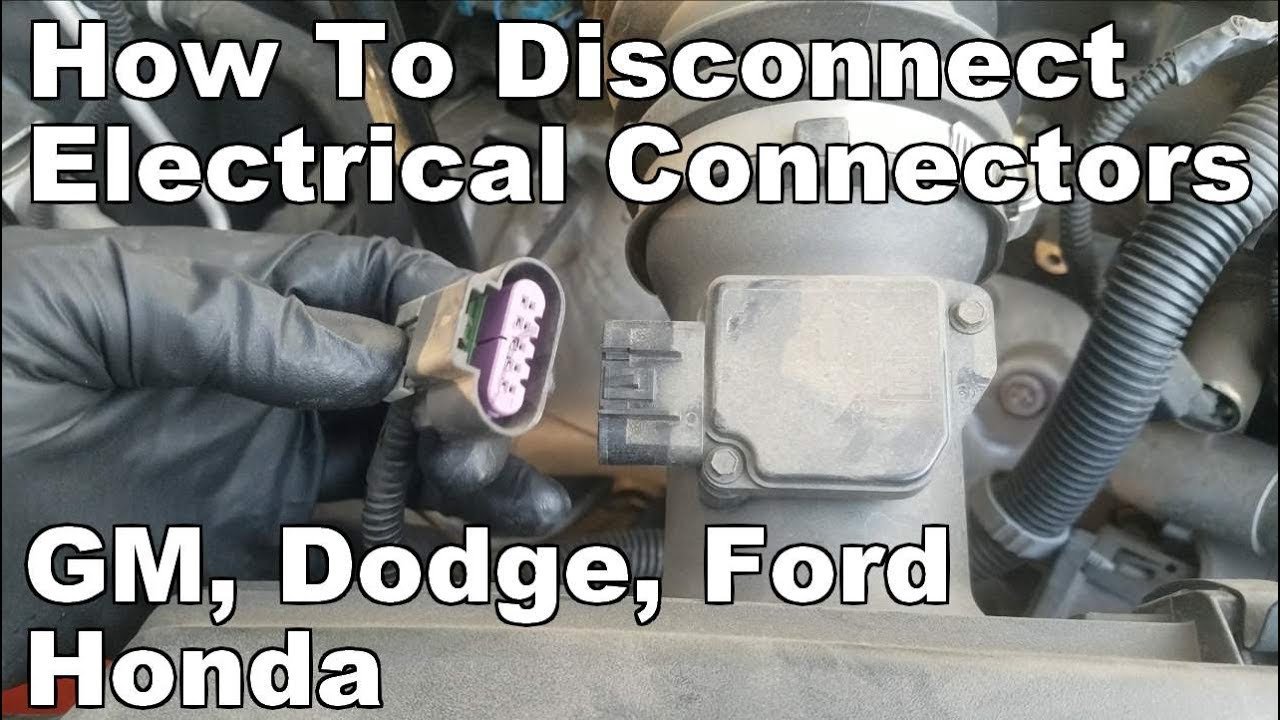
Check the type of lock push-tab, slide-lock, or weatherproof. Identify how the connector releases.
Some connectors have a small tab you must press, others need you to slide a latch.
4. Release The Lock
Use your fingers or a small plastic tool. Avoid metal tools, as they can damage the connector or cause a short.
Gently press or slide the release. If it’s stuck, wiggle the connector slightly don’t force it.
5. Pull Apart Carefully
Hold both sides of the connector. Pull straight without twisting.
If you twist, the pins inside might bend. If it doesn’t come apart, double-check the lock.
6. Inspect The Connector
After disconnecting, look at the pins and housing. If you see bent pins, corrosion, or broken plastic, repair or replace before reconnecting.
Practical Example: Disconnecting A Headlight Connector
Headlight connectors on most Jeeps use slide-lock mechanisms. Locate the slide latch, push or pull it sideways, then gently pull the connector away from the headlight housing.
If you see resistance, check for extra clips or tabs.
Common Mistakes To Avoid
Many beginners damage connectors by making these mistakes:
- Forcing the connector: Never pull hard. There’s usually a release mechanism.
- Using metal tools: Metal can scratch or short the pins.
- Twisting or bending: This can break the connector or wires inside.
- Disconnecting with power on: Always turn off the Jeep first.
Below is a summary of mistakes and their consequences:
| Mistake | Potential Damage |
|---|---|
| Forcing connector | Broken housing |
| Using metal tools | Short circuit |
| Twisting connector | Bent pins |
| Power on during disconnect | Electrical shock |
Tips For Easier Connector Removal
Here are some tips that can help, especially if connectors are old or stuck:
- Apply silicone spray: A small amount can loosen stuck connectors.
- Use plastic pry tools: These are less likely to cause damage.
- Clean connectors: Dirt and corrosion can make removal harder.
- Work in a well-lit area: You’ll see tabs and locks more clearly.
- Label connectors: If you disconnect many at once, label them so you remember where each goes.
It’s wise to keep spare connectors and terminal pins. Jeep parts stores offer kits for common models.
What To Do After Disconnecting
Once you disconnect, inspect both sides. Look for:
- Corrosion: Green or white powder means corrosion. Clean with electrical contact cleaner.
- Bent pins: Straighten gently with needle-nose pliers.
- Broken plastic: Replace if needed.
If the connector is damaged, you can buy replacements from Jeep dealers or auto parts stores. Always match the connector type and pin layout.
Below is a quick comparison of cleaning methods:
| Cleaning Method | Effectiveness | Best For |
|---|---|---|
| Electrical contact cleaner | High | Corrosion |
| Compressed air | Medium | Dirt/dust |
| Small brush | Low | Loose debris |
Real-world Data: Connector Reliability
According to a report by the Society of Automotive Engineers, connectors are one of the top causes of electrical problems in vehicles. Nearly 30% of electrical failures in cars are due to bad connectors—loose, corroded, or broken. Regular inspection and careful handling can prevent most of these issues.
For detailed guides and official specs, you can check out the Jeep Official Site.

Frequently Asked Questions
How Do I Know Which Connector Type My Jeep Uses?
Look at the connector shape and locking mechanism. Most Jeeps use push-tab and slide-lock types for interior and engine parts. Weatherproof connectors are often found outside the vehicle.
Can I Use Wd-40 To Loosen Stuck Connectors?
No. WD-40 is not safe for electrical contacts. Use electrical contact cleaner or silicone spray designed for electronics.
What If A Connector Breaks During Removal?
If the connector breaks, replace it with the same type. Temporary fixes like tape are unsafe.
You can find replacement connectors at auto parts stores or Jeep dealers.
How Often Should I Check My Electrical Connectors?
Inspect connectors every 12 months, especially after off-road driving or exposure to water and mud. Early checks help prevent bigger electrical problems.
Is It Safe To Disconnect Connectors With The Battery Connected?
It’s best to disconnect the battery first. This avoids accidental shorts and makes the process safer for you and your Jeep.
Taking time to disconnect Jeep electrical connectors properly helps keep your vehicle reliable and safe. The steps are simple, but attention to detail is key.
If you’re careful and follow these tips, you’ll avoid common mistakes and keep your Jeep’s electrical system running smoothly.


















