Connecting your phone to a Jeep Wrangler is more than just a cool feature—it’s a practical way to stay safe, entertained, and connected while driving.
Whether you want to stream music, make hands-free calls, or use navigation apps, pairing your phone with your Jeep’s system unlocks a lot of convenience. Many drivers feel unsure about the process, especially if it’s their first time using Bluetooth or Android Auto/Apple CarPlay.
This guide will walk you through every step, highlight common mistakes, and share tips many beginners miss, so you can get connected quickly and confidently.
Bluetooth Connection: Step-by-step
Most modern Jeep Wranglers (especially models from 2018 onward) have Bluetooth built-in. Connecting your phone is usually simple, but a few details can trip up new users.
1. Enable Bluetooth On Your Phone:
Go to your phone’s settings and turn on Bluetooth. Make sure your device is visible to other devices.
2. Start Your Jeep Wrangler:
Switch on the ignition, but you don’t need to start the engine. The infotainment system should power up.
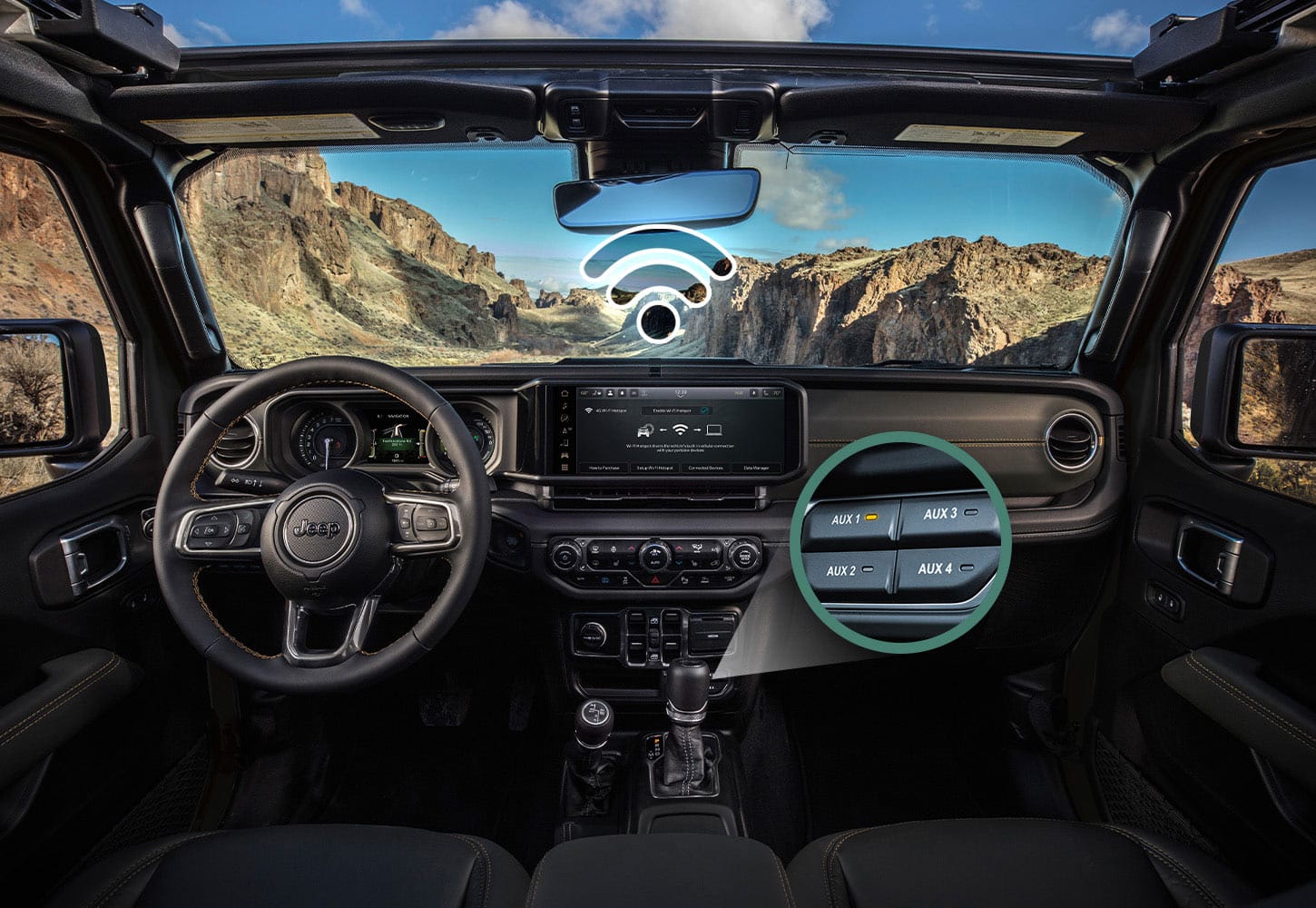
3. Access The Uconnect System:
On the Jeep’s touchscreen, tap “Phone” or “Settings,” then “Bluetooth. ” Select “Add Device” or “Pair New Device. ”
4. Find Your Jeep On Your Phone:
Your phone will scan for nearby devices. Look for the Uconnect name (usually “Uconnect” or “Jeep Wrangler”) and select it.
5. Confirm The Passkey:
A code will appear on both your phone and the Jeep screen. Make sure they match, then tap “Pair” on your phone and confirm on the Jeep.
6. Allow Permissions:
Your phone may ask for access to contacts and messages. Approve these if you want hands-free calling and text notifications.
If everything goes smoothly, your phone should connect automatically next time you enter your Jeep.
Common Bluetooth Issues
- Connection Failed: Try restarting both the phone and the Uconnect system.
- Audio Drops: Move your phone closer to the infotainment unit, or check for other connected devices.
- Contacts Not Syncing: Make sure you allowed access during pairing. If not, you can adjust permissions in your phone’s Bluetooth settings.
Using Android Auto And Apple Carplay
Many Wrangler models from 2018 and up support Android Auto and Apple CarPlay. These systems let you use apps like Google Maps, Spotify, and Messages right on the Jeep’s screen.
How To Set Up
1. Check Compatibility:
Your Jeep must have a compatible Uconnect system (usually Uconnect 4 or newer).
2. Connect Via Usb:
Plug your phone into the Jeep’s USB port using a high-quality cable. Wireless CarPlay/Android Auto is available in some newer models.
3. Follow On-screen Prompts:
Your phone may ask for permission to connect. Confirm, and the Jeep screen will show the CarPlay or Android Auto interface.
4. Access Apps:
You can now use supported apps safely while driving.
Wrangler Model Compatibility
Here’s a quick comparison of Wrangler models and their phone connection features:
| Model Year | Bluetooth | Apple CarPlay | Android Auto |
|---|---|---|---|
| 2015–2017 | Yes | No | No |
| 2018–2019 | Yes | Yes | Yes |
| 2020–2024 | Yes | Yes | Yes |
If your Jeep is older than 2018, you may need to upgrade the stereo or use Bluetooth only.

Comparing Connection Methods
Each method has its own strengths, depending on your needs. Here’s a side-by-side look:
| Connection Type | Main Uses | Setup Ease | Audio Quality |
|---|---|---|---|
| Bluetooth | Calls, Music | Easy | Good |
| Apple CarPlay | Apps, Navigation | Easy (USB) | Excellent |
| Android Auto | Apps, Navigation | Easy (USB) | Excellent |
Bluetooth is best for simple tasks. CarPlay and Android Auto are ideal if you want full app access and better audio.
Practical Tips For Smooth Connection
- Use Official Cables: Cheap USB cables can cause errors with CarPlay/Android Auto. Always use original or certified cables.
- Update Software: Keep your phone and Uconnect system updated. Software bugs are a common cause of connection problems.
- Disconnect Old Devices: If your Jeep is paired with several phones, remove unused devices to avoid confusion.
- Turn Off Wi-Fi: Some phones struggle with CarPlay/Android Auto when Wi-Fi is on. Try disabling Wi-Fi if you run into trouble.
- Restart After Pairing: If you have issues, restart both the Jeep system and your phone.
Non-obvious insight: Many drivers forget that the Uconnect system can only pair with a limited number of devices (usually five). If pairing fails, try deleting old devices from your Jeep’s Bluetooth list. Also, some Jeep Wranglers have multiple USB ports, but only one supports CarPlay/Android Auto.
Troubleshooting Guide
Even with the right steps, problems can happen. Here are quick fixes:
- Can’t Find Uconnect:
Make sure your phone’s Bluetooth is visible and not already connected to another device.
- Music Won’t Play:
Check audio source settings on the Jeep screen. Sometimes, it defaults to radio.
- Navigation Not Showing:
If CarPlay/Android Auto isn’t displaying navigation apps, check that your phone is unlocked and apps are updated.
- Calls Not Coming Through:
Make sure your phone is set to allow contact access and notifications.
For more advanced help, visit the official Jeep Uconnect support.
Frequently Asked Questions
How Many Phones Can I Connect To My Jeep Wrangler?
You can usually connect up to five devices, but only one phone can be active for calls and media at a time.
Is Wireless Carplay Available In Jeep Wrangler?
Some newer models (2021+) offer wireless CarPlay. If your Wrangler doesn’t support it, you’ll need to use a USB cable.
Why Does My Music Stop Playing When I Receive A Call?
The Jeep’s system pauses music automatically during calls. It should resume when the call ends.
You can use your phone’s navigation apps, but the directions won’t appear on the Jeep screen. Only audio instructions will play through Bluetooth.
What Should I Do If My Phone Won’t Connect?
Restart your phone and the Jeep’s infotainment system. Delete old Bluetooth pairings and try again. If problems continue, check for software updates.
Connecting your phone to your Jeep Wrangler is easy once you know the steps. Take a few minutes to set things up right, and you’ll enjoy safe, hands-free driving with all your favorite apps and music. Small details—like using official cables and keeping software updated—can make a big difference. If you run into trouble, don’t give up. A quick reset or update often solves most issues. Enjoy the freedom and convenience your Wrangler offers, and drive connected!