Getting your Jeep’s Uconnect system connected can unlock a world of features. From streaming music to navigation and hands-free calling, it’s a big upgrade for daily driving.
But, for many Jeep owners, setting up Uconnect can feel confusing. If you want clear steps and expert advice on how to connect Uconnect Jeep, you’re in the right place.
This guide gives you everything you need from pairing your phone to troubleshooting common issues. Whether you just drove your new Jeep off the lot or want to get more from your current ride, you’ll find practical solutions here.
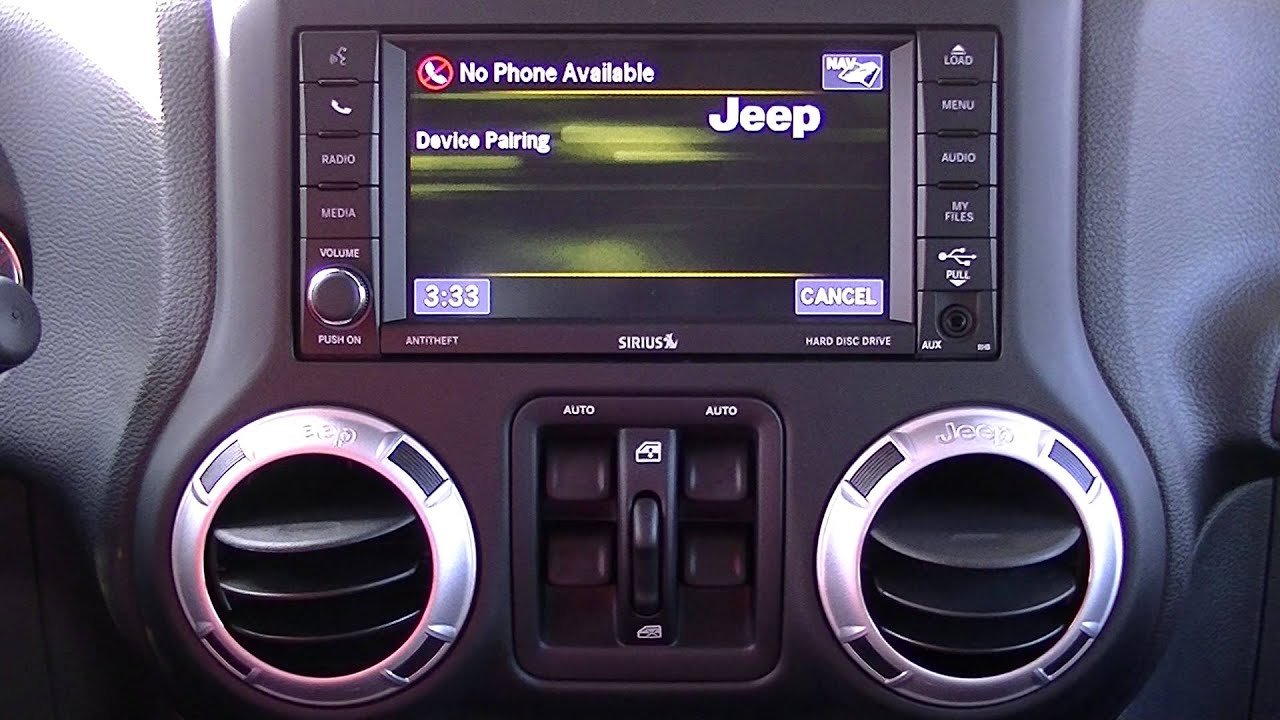
Let’s make Uconnect work smoothly for you.
What Is Uconnect?
Uconnect is Jeep’s infotainment system. It controls entertainment, navigation, and connectivity features through a central touchscreen in your dashboard. Uconnect comes in different versions, but all let you connect your smartphone and use apps, calls, and media safely while driving.
Some key features:
- Bluetooth hands-free calling
- Navigation and real-time traffic
- Apple CarPlay and Android Auto support
- Voice commands
- Vehicle settings and diagnostics
Uconnect is built into most recent Jeep models, including Wrangler, Grand Cherokee, Compass, Cherokee, and Gladiator.
Preparing To Connect: What You Need
Before you start, gather these:
- A compatible smartphone (iPhone or Android)
- Your Jeep with Uconnect (car must be in ‘Park’)
- Access to your phone’s Bluetooth settings
- Your Uconnect PIN (often shown on the car’s screen during setup)
- A good mobile data connection (for using apps and features)
Pro Tip: Update your phone’s operating system and Uconnect software to the latest version before connecting. This prevents many glitches.
Step-by-step: How To Connect Uconnect Jeep
1. Turn On Your Jeep And Uconnect System
Start your Jeep and let the Uconnect touchscreen fully load. Make sure the car is in Park for safety and to unlock all features.
2. Enable Bluetooth On Your Phone
- For iPhone: Go to Settings > Bluetooth and turn it on.
- For Android: Go to Settings > Connections > Bluetooth and enable it.
Keep the phone’s screen on and unlocked.
3. Pair Your Phone With Uconnect
- On the Uconnect touchscreen, tap Phone or Apps, then choose Pair a Device or Add Device.
- Uconnect will start searching for nearby devices.
- On your phone, select Uconnect from the list of available Bluetooth devices.
4. Confirm The Pin
A PIN code will appear on your Jeep’s screen and your phone. Make sure the numbers match. Tap Pair or Yes on both devices.
5. Grant Permissions
Your phone may ask to allow access to contacts and messages. Tap Allow for the best Uconnect experience. This lets you use hands-free texting and see your contacts on the car’s screen.
6. Test Connection
Once paired, try making a call or playing music from your phone. The sound should play through your Jeep’s speakers.
You can also access contacts, recent calls, and text messages using voice commands or the touchscreen.
Non-Obvious Insight: Some older Uconnect models only support certain phone operating systems or versions. If you have trouble, check your Jeep’s manual for compatibility.
Connecting Apple Carplay And Android Auto
Uconnect supports Apple CarPlay and Android Auto for many Jeep models (especially 2017 and newer). These let you use your phone’s apps directly on the Uconnect screen.
Apple Carplay
- Plug your iPhone into the Jeep’s USB port using a genuine cable.
- On the Uconnect screen, tap the CarPlay icon.
- Approve any prompts on your phone.
You’ll see the familiar iOS interface on your Jeep’s screen. Use Maps, Music, Messages, and more.
Android Auto
- Use a good quality USB cable to connect your Android phone.
- Tap the Android Auto icon on Uconnect.
- Accept permissions on your phone.
Now you can use Google Maps, music, and other apps through Uconnect.
Insider Tip: Wireless CarPlay and Android Auto are only available on some newer Jeep models. If it doesn’t work wirelessly, try a USB cable.
Uconnect App: Remote Control And More
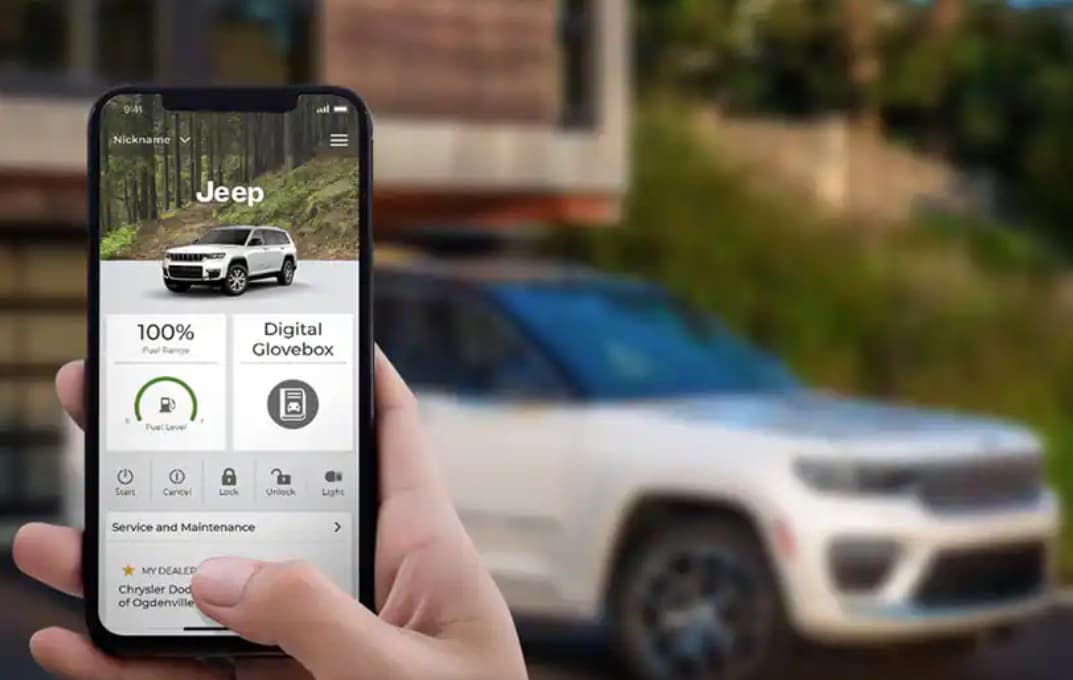
The Uconnect app (sometimes called “Jeep” app) lets you control your vehicle from your phone. Features include:
- Remote start and stop
- Lock and unlock doors
- Check vehicle health
- Send addresses to your Jeep’s navigation
How To Set Up The App
- Download the Uconnect or Jeep app from the App Store or Google Play.
- Register using your vehicle’s VIN (found on your dashboard or insurance).
- Link your account with your Jeep by following on-screen instructions.
Now you can use your phone to control many car features even from far away.
Beginner’s Mistake: Forgetting to activate the Uconnect app service with your dealer. Some remote features require a subscription or dealer activation.
Uconnect System Versions And Compatibility
Jeep Uconnect comes in several versions, such as Uconnect 3, 4, 5, and Uconnect 8. 4. Each offers slightly different features and compatibility.
Here’s a quick comparison of major versions:
| Uconnect Version | Screen Size | CarPlay/Android Auto | Voice Control |
|---|---|---|---|
| Uconnect 3 | 5-7 inch | No | Limited |
| Uconnect 4 | 7-8.4 inch | Yes | Yes |
| Uconnect 5 | 7-10.1 inch | Yes (Wireless) | Advanced |
Fact: Uconnect 5 is much faster and adds wireless connectivity, but only comes on the latest Jeep models.
Troubleshooting Common Connection Problems
Sometimes, Uconnect doesn’t connect or drops the connection. Here are solutions to the most common problems.
Bluetooth Won’t Pair
- Restart both your phone and the Uconnect system (turn car off/on).
- Delete old devices: On Uconnect, remove unused phones from the paired list.
- Forget the connection: On your phone, forget the Jeep/Uconnect Bluetooth device and try pairing again.
- Make sure your phone’s software is up-to-date.
Carplay Or Android Auto Not Working
- Use the original USB cable or a high-quality replacement. Cheap cables often fail.
- Enable CarPlay/Android Auto in your phone’s settings.
- For Android Auto, check that the app is installed and updated.
- Try a different USB port if your Jeep has more than one.
Uconnect App Not Responding
- Check your phone’s mobile data connection.
- Make sure your Uconnect subscription is active.
- Try logging out and back in, or reinstalling the app.
Expert Insight: Uconnect may act up in extreme heat or cold. If the screen freezes or lags, let the car run for a few minutes to stabilize the system.
Data And Privacy: What Does Uconnect Collect?
Uconnect collects some data to provide services. This includes location, diagnostics, and usage data. Jeep uses this information to improve features and send alerts.
If you’re concerned about privacy:
- Turn off location sharing in your Uconnect settings.
- Review the Jeep privacy policy in the app or owner’s manual.
- You can delete your Uconnect account through customer support if you sell your vehicle.
Note: Some services (like navigation and remote control) need data to work properly.
Maximizing Uconnect Features
Once connected, you can use Uconnect for much more than calls and music.
Many Jeep models with Uconnect 4 or 5 include built-in navigation. You get:
- Live traffic updates
- Points of interest search
- Route optimization
You can also send addresses from your phone app directly to your Jeep’s navigation system.
Voice Commands
Uconnect’s voice control lets you:
- Call contacts hands-free
- Send texts by speaking
- Change radio stations or playlists
- Set navigation destinations
Just press the voice button on your steering wheel and say a command.
Over-the-air Updates
Newer Uconnect systems can update themselves over Wi-Fi. This keeps your system secure and adds new features.
How to update:
- Connect your Jeep to a secure Wi-Fi network.
- Go to Settings > System Information > Software Updates.
- Follow on-screen prompts.
Hidden Gem: Enabling auto-updates means you rarely have to visit the dealer for software fixes.
Uconnect Vs. Other Infotainment Systems
How does Uconnect compare with other car infotainment systems? Here’s a quick look:
| System | Main Features | Ease of Use | Wireless CarPlay/Android Auto |
|---|---|---|---|
| Uconnect 5 | Navigation, apps, remote start | Very User-Friendly | Yes |
| Ford SYNC 4 | Navigation, Alexa, apps | Moderate | Yes |
| Chevrolet MyLink | Navigation, OnStar, apps | Easy | No |
| Toyota Entune | Navigation, apps | Moderate | No |
Unique Strength: Uconnect stands out for its simple interface and fast response, especially in Jeep vehicles built after 2020.
Safety Tips When Using Uconnect
Using Uconnect safely is just as important as connecting it.
- Set up your phone and preferences while parked, not driving.
- Use voice commands to keep your hands on the wheel and eyes on the road.
- Limit texting and app use when driving.
- Teach other drivers in your household how to use Uconnect features responsibly.
When To Visit The Dealer
Most Uconnect issues can be fixed at home. But visit a Jeep dealer if:
- The screen is cracked or unresponsive
- Software updates won’t install
- You need to reset the Uconnect system fully
- You want to add new features (like navigation or SiriusXM)
Dealers can also check for recalls or technical bulletins related to Uconnect.
Frequently Asked Questions
How Do I Reset My Uconnect System?
Hold the volume and tuner knob (or power and mute buttons) for about 10 seconds. The screen will go black and reboot. If problems continue, visit your Jeep dealer for a full reset.
Can I Connect More Than One Phone To Uconnect?
Yes, most Uconnect versions let you pair multiple devices, but only one can be active at a time. You can switch between phones in the Bluetooth settings.
Why Doesn’t My Uconnect Connect Automatically?
Sometimes, your phone’s Bluetooth may turn off to save battery, or Uconnect’s memory is full. Make sure Bluetooth is always on, and remove old devices from the car’s paired list.
Is There A Monthly Fee For Uconnect?
Basic functions (calls, music) are free. Advanced features like remote start, vehicle tracking, and Wi-Fi hotspot may need a subscription.
Check with your dealer or the Uconnect app for current pricing.
Where Can I Find More Help With Uconnect?
The official Jeep website has guides and support for Uconnect. Visit Jeep Uconnect Support for more information.
Connecting Uconnect in your Jeep brings technology, safety, and convenience to your drive. With the right setup, you’ll enjoy hands-free control, smart navigation, and a better driving experience every day.
Take a few minutes to get connected your Jeep will feel smarter and more fun to drive.


















