Changing the display from kilometers to miles on your Jeep Compass 2018 might seem like a small adjustment, but it can make a big difference, especially for drivers who travel between countries or buy used cars from overseas. Whether you just bought a Jeep Compass imported from Canada or you want to better understand your vehicle’s settings, knowing how to switch between km and miles is a useful skill. Many owners find themselves confused by this process, as the answer is often buried deep in the owner’s manual, or the menus are not as straightforward as you might expect. In this guide, you’ll find step-by-step instructions, practical troubleshooting tips, and insights that most new Jeep Compass owners miss.
Why Change Km To Miles On Jeep Compass 2018?
People change the distance units on their Jeep Compass for several reasons. Some move to a new country with different measurement systems, while others buy a used car that’s already set up differently. Sometimes, it’s just a matter of personal preference. Whatever the reason, using the correct unit makes navigation, speed monitoring, and trip planning much easier. It also ensures you don’t accidentally drive too fast or slow, which can happen if you’re not used to the displayed units.
Understanding The Jeep Compass 2018 Dashboard
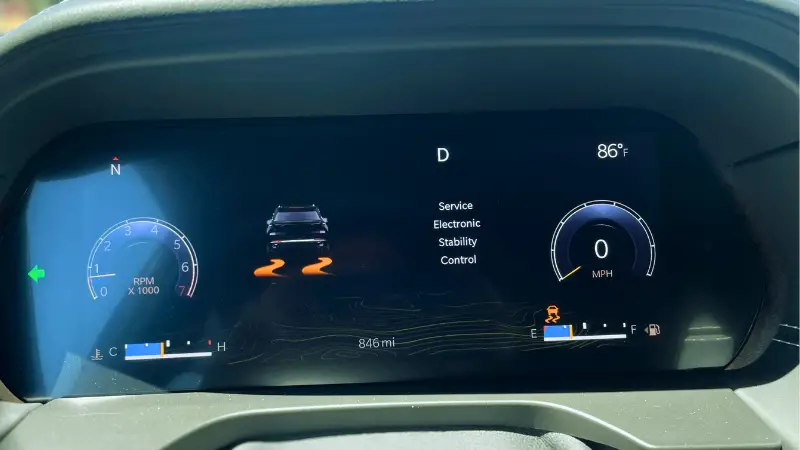
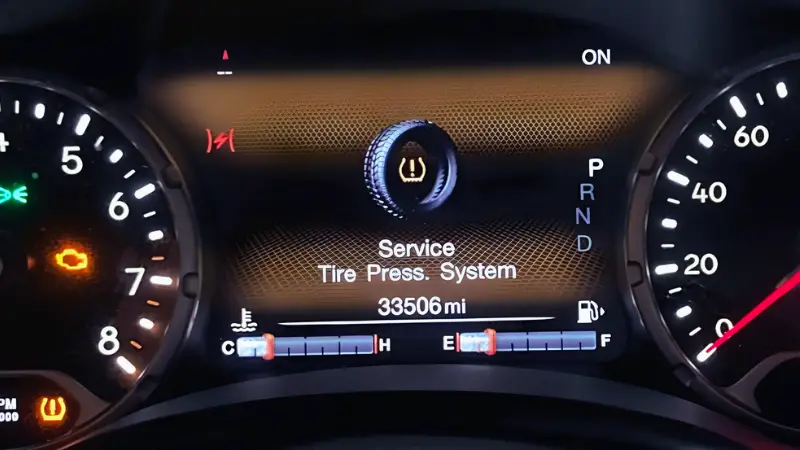
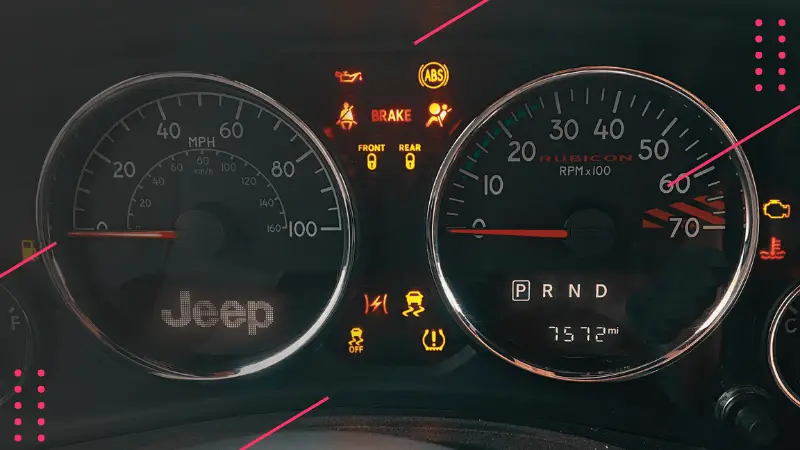
Before making any changes, it’s important to understand where and how the km/miles display appears. The 2018 Jeep Compass uses a digital instrument cluster behind the steering wheel. This display shows your speed, trip information, and other vehicle data. Depending on your trim level, the controls to change settings may be on the dashboard or the steering wheel.

Here’s a quick comparison of two main dashboard display types you may find in a 2018 Jeep Compass:
| Display Type | Location | Control Method | Common in Trims |
|---|---|---|---|
| Standard Digital | Instrument Cluster | Steering Wheel Buttons | Sport, Latitude |
| Advanced Digital | Instrument Cluster + Center Console | Touchscreen & Buttons | Limited, Trailhawk |
Tip: If your Jeep Compass has a large touchscreen, some settings might also appear in the Uconnect system, but the main unit setting is always in the instrument cluster.

Step-by-step Guide: How To Change Km To Miles
Switching units is simple once you know where to look. Follow these steps to change from kilometers to miles (or vice versa) on your Jeep Compass 2018.
1. Turn On The Ignition
Start by sitting in the driver’s seat and either turn the key to “On” or press the “Start” button without starting the engine. This will activate the instrument cluster.
2. Locate The Steering Wheel Controls
Find the arrow buttons (up, down, left, right) on the left side of your steering wheel. These buttons let you navigate the digital dashboard menus.
Press the left or right arrow until you see the main menu. Look for a menu called “Settings” or a gear icon.
Once you’re on the “Settings” screen, press the “OK” or center button to enter.
5. Find The Units Section
Use the up or down arrow to scroll through the settings. Look for a section called Units, “Display Units,” or “Display” depending on your model. It may be labeled simply as “Units.”
6. Select The Desired Unit
Highlight “Units” and press “OK.” Here, you’ll see options for km/h (kilometers per hour) and mph (miles per hour). Select “mph” to change to miles.
7. Confirm Your Selection
Press “OK” to confirm. The display should now show your speed and distance in miles.
8. Check All Displays
Most Jeep Compass 2018 models will switch all displays to miles, including the odometer, trip meter, and speedometer. However, some trip computers might need to be changed separately.
Press the “Back” button to exit the menus and return to the main dashboard screen.
Here’s a simple summary for quick reference:
| Step | Action | What to Look For |
|---|---|---|
| 1 | Turn on ignition | Dashboard lights up |
| 2 | Use steering buttons | Left-side arrows |
| 3 | Find “Settings” | Gear icon or menu |
| 4 | Go to “Units” | Units, Display Units |
| 5 | Select “mph” | Change to miles |
| 6 | Confirm and exit | Dashboard shows miles |
Non-obvious Insight: On some Jeep Compass trims, the display language and units are combined in one menu. If you change the language, the units may change automatically. Always double-check units after changing the language.
Troubleshooting: When The Units Don’t Change
Sometimes, following the steps above doesn’t work as expected. Here’s what to check if you can’t change the units:
- Vehicle in Motion: You can only change units when the vehicle is stopped. Some settings are locked while driving.
- Menu Locked: If your menu is not responding, try restarting the car.
- Software Glitch: Sometimes, a software update or reset is needed. Visit your Jeep dealer if you suspect a glitch.
- Multiple Users: If your Jeep Compass has saved profiles, make sure you’re editing your own user profile, not a guest or secondary driver.
- Uconnect System: Some information may still show in kilometers if the Uconnect system is set differently. Check both the instrument cluster and Uconnect.
Pro Tip: If your units menu is missing, it’s possible the vehicle was imported and the software is region-locked. In rare cases, a dealer must reprogram the display.

If you can’t locate the units menu, try these steps before seeking help:
- Check your owner’s manual for the latest instructions.
- Try both the instrument cluster and the Uconnect touchscreen.
- Ask your local Jeep dealer about region-specific settings. Some vehicles from Canada or Mexico may have hidden menus.
- Look for an over-the-air software update if your Jeep Compass supports it.
How Accurate Are The Unit Conversions?
The Jeep Compass does not just change the displayed numbers—it recalculates all distances, speeds, and even fuel economy. For example, 100 km/h becomes 62 mph, and 10 km/l converts to 23.5 mpg. Here’s a quick comparison:
| Kilometers (km/h) | Miles (mph) | Example Reading |
|---|---|---|
| 100 | 62 | Highway Speed |
| 50 | 31 | City Speed |
| 120 | 75 | Fast Lane |
Non-obvious Insight: The odometer will continue from the current reading but will now show miles going forward. It does not recalculate past mileage, so if you bought a used Jeep, ask if the odometer was switched—this helps avoid confusion during service appointments or resale.
Common Mistakes When Changing Units
Many Jeep Compass owners make simple errors that can cause frustration. Here’s what to avoid:
- Ignoring the Owner’s Manual: Skipping the manual can lead to missed steps or misunderstanding menu names.
- Trying While Driving: The system locks settings while in motion.
- Forgetting About Uconnect: Some trip and fuel readings might remain in the old unit until changed in both displays.
- Not Checking All Screens: The main speedometer might change, but other screens (like trip summary or fuel economy) may need separate adjustment.
- Assuming It’s Permanent: You can switch back and forth as often as needed.
Practical Advice: Take a photo of your odometer and trip readings before you change the units. This gives you a record in case you need to explain mileage to a mechanic or during a sale.
How Does Changing Units Affect Other Functions?
Switching from kilometers to miles adjusts:
- Speedometer: Shows speed in mph.
- Odometer: Tracks distance in miles from now on.
- Trip Computer: All trip data uses miles.
- Fuel Economy: Converts from liters/100km to miles per gallon (mpg), if supported.
- Navigation: Directions and distances update automatically.
Important: Some apps or phone connections (like Apple CarPlay or Android Auto) might use the phone’s settings, so check your phone as well if navigation distances look off.
When To Visit A Dealer Or Mechanic
Most unit changes can be done at home, but in rare cases, you may need professional help. Visit a Jeep dealer if:
- The units menu is missing or grayed out.
- The display won’t save changes after restarting.
- The car shows incorrect or mixed units on different screens.
- You suspect a software bug or recent update caused problems.
A dealer can perform a system reset or software update if needed. For more information on your vehicle’s system, you can refer to the official Jeep Owners Site.
Tips For Drivers Switching Between Countries
If you often drive across the US-Canada border, you may need to switch units regularly. Here’s how to keep things simple:
- Memorize key conversion numbers (e.g., 1 mile ≈ 1.6 km).
- Keep the owner’s manual in the glove box for quick reference.
- Double-check road signs, as speed limits may be posted in both units in some areas.
- Use a GPS app with automatic unit adjustment for extra accuracy.

Frequently Asked Questions
How Do I Change From Km To Miles On A Jeep Compass 2018 Without A Touchscreen?
Use the steering wheel arrow buttons to access the instrument cluster menu. Navigate to “Settings,” then “Units,” and select “mph.” This works even if your Jeep does not have a Uconnect touchscreen.
Does Changing Km To Miles Affect The Odometer Reading?
No, the odometer keeps counting from where it left off but will display miles from the moment you switch. It does not recalculate past distance.
Can I Change The Units While Driving?
No, for safety reasons, the vehicle locks settings like unit changes while in motion. Stop the car and put it in “Park” before adjusting.
Why Are Some Screens Still Showing Kilometers After I Switched To Miles?
Some trip or fuel screens on the Uconnect system may need to be changed separately. Check both the instrument cluster and Uconnect menus to ensure all displays match your preference.
Is It Possible To Permanently Set The Units To Miles?
Yes, but you can switch back and forth as needed. There is no permanent lock, so you can adjust units any time through the settings menu.
Switching from kilometers to miles on your Jeep Compass 2018 is a straightforward process once you know the menus and options. With these tips and insights, you’ll avoid common mistakes and keep your driving experience smooth, whether you’re traveling locally or crossing borders.