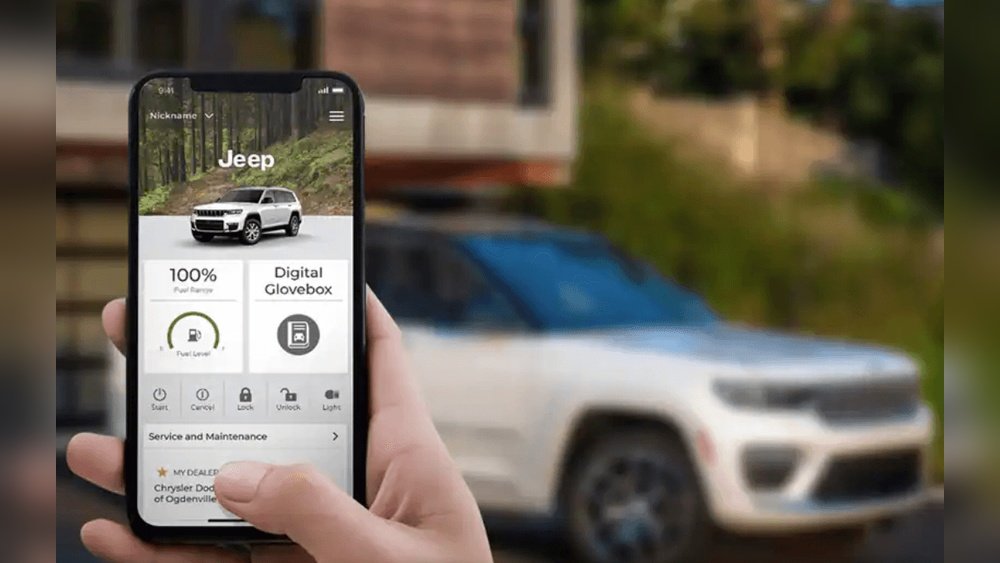
If you drive a Jeep Grand Cherokee, you know the feeling of stepping inside and seeing the soft glow from the cabin’s ambient lights. This gentle lighting can turn a night drive into something special, making the interior feel modern and cozy. But what if you want to change the color, brightness, or style? Many Jeep owners don’t realize how customizable their ambient lighting is—or how easy it can be to adjust. Let’s walk through the options, the steps, and a few tips to help you make your Grand Cherokee’s interior truly your own.
Understanding Ambient Lighting In Jeep Grand Cherokee
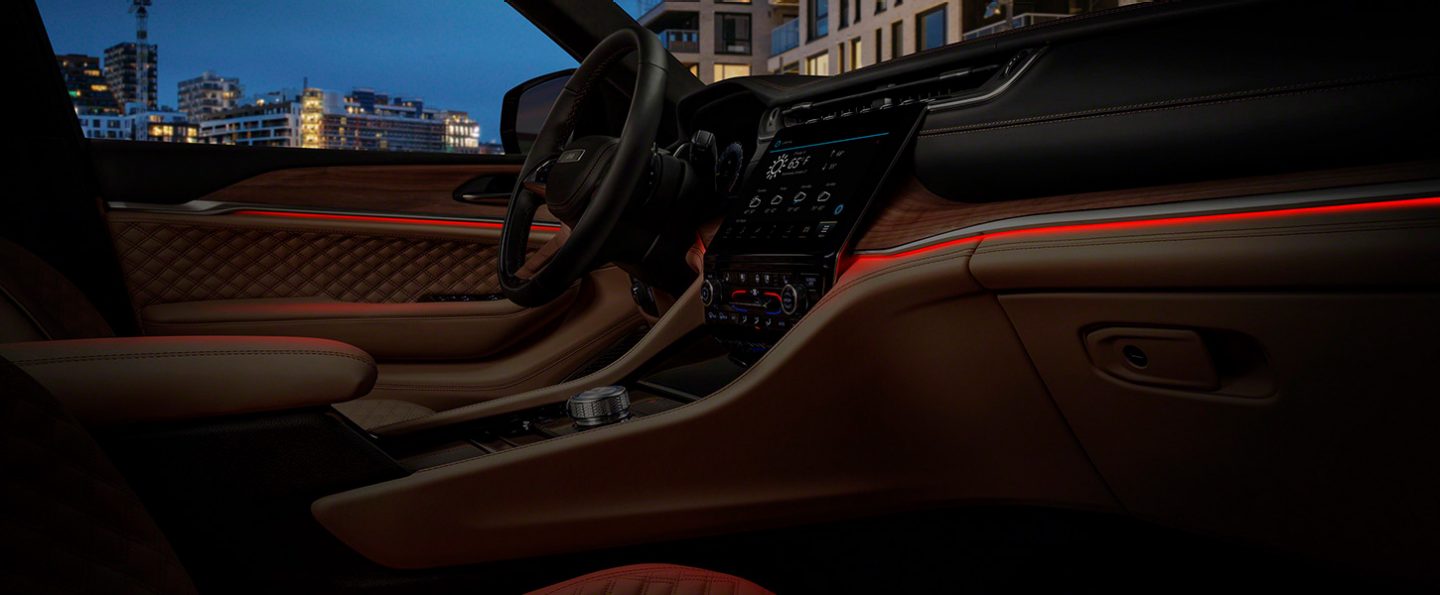
Ambient lighting refers to the soft illumination inside your car, often found around the dashboard, footwells, doors, and sometimes cup holders. It’s not just about looks: it helps you find controls at night, reduces eye strain, and adds a premium touch. In recent Jeep Grand Cherokee models (especially from 2016 onward), ambient lighting has become more advanced, with more colors and brightness settings.
Older models may have fixed colors or simpler controls. For newer models, especially those with the Uconnect system, you can often customize the ambient lighting through your infotainment screen.

Knowing your model year and trim is important, as features can vary.
Factory Ambient Lighting Features By Model Year
Not every Grand Cherokee has the same lighting features. Here’s a quick overview:
| Model Year | Ambient Lighting Feature | Customization Options |
|---|---|---|
| 2011–2015 | Basic LED strips (door & footwell) | On/Off only |
| 2016–2019 | Enhanced LED lighting | Some brightness control |
| 2020–2024 | Multi-color ambient system | Color & brightness via Uconnect |
If you’re not sure what your Grand Cherokee offers, check your owner’s manual or the vehicle’s infotainment menu.
Ways To Change Ambient Lighting
You have several ways to adjust the ambient lighting in your Jeep Grand Cherokee:
- Using the Uconnect Infotainment System (most models 2016+)
- Manual controls (older models or base trims)
- Aftermarket upgrades (for more colors or effects)
Let’s break down each option.
Changing Ambient Lighting With Uconnect
Most 2020+ Grand Cherokees, and some from 2016 onward (especially higher trims), have the customizable ambient lighting system controlled by the Uconnect infotainment screen. Here’s how you can change it:
- Start Your Jeep: Turn on the ignition. The Uconnect system will power up.
- Access the Controls: On the home screen, look for the “Controls” or “Settings” icon—usually a gear symbol.
- Select ‘Lights’ or ‘Ambient Lighting’: The exact menu name may vary by year and system version.
- Choose Your Color: You’ll see a color palette or a list of colors (like blue, red, green, white, etc.). Tap your preferred color.
- Adjust Brightness: There will be a slider or plus/minus buttons. Set the brightness to your liking.
- Save Settings: Some versions require you to tap “Save” or “Apply”; others change instantly.
Pro Tip: Some Uconnect systems let you set different colors for different zones (e.g., front footwells, door panels). This lets you create a unique two-tone look.
Common Issues With Uconnect Lighting Controls
- Settings Not Saving: If your preferences reset, try updating your Uconnect software or check for user profile settings.
- Menu Missing: Not all trims have the full ambient lighting feature. If you don’t see “Ambient Lighting” in the menu, your Jeep may only support basic on/off or brightness changes.
- Glitches: Sometimes, the touchscreen can freeze. Restart the system or consult your dealer if problems persist.
Adjusting Ambient Lighting Manually
If your Grand Cherokee is an older model or a lower trim, you may not have digital color controls. Instead, you’ll find manual dials or switches:
- Dome Light Dimmer: Often located near the headlight controls, this dial adjusts the brightness of all interior lights, including ambient ones.
- On/Off Button: Some Jeeps have a dedicated button to turn ambient lighting on or off, usually on the dashboard or overhead console.
Limitation: Manual controls usually don’t let you change the color—just the brightness or power.
Installing Aftermarket Ambient Lighting Kits
If you want more than what the factory system offers (for example, more colors, effects, or smartphone control), you can install an aftermarket ambient lighting kit. These kits can cost anywhere from $30 to $200, depending on features and quality.
Benefits Of Aftermarket Kits
- Wide Color Range: Many kits offer over 16 million color choices.
- Dynamic Effects: Some kits pulse, fade, or sync to music.
- App Control: Control lighting from your phone.
Key Steps For Installation
- Choose the Right Kit: Make sure it’s compatible with your Jeep’s power supply (usually 12V) and fits the interior.
- Plan Your Layout: Decide where you want the lights (footwells, doors, dash, etc. ).
- Clean Surfaces: Use alcohol wipes to clean areas where the LED strips will stick.
- Attach the Strips: Use the included adhesive or clips. Hide wires for a clean look.
- Connect to Power: Usually, the kit plugs into the 12V outlet or taps into the fuse box.
- Test the System: Before finalizing, check that all strips light up and respond to controls.
- Secure Everything: Tuck away wires and mount any control modules.
Warning: If you’re not comfortable working with car electronics, consider professional installation. Poor wiring can cause electrical issues or even fires.

Comparison: Factory Vs. Aftermarket Ambient Lighting
When deciding whether to stick with factory settings or upgrade, consider these factors:
| Feature | Factory System | Aftermarket Kit |
|---|---|---|
| Number of Colors | Up to 7 (most models) | 16 million+ |
| Integration | Seamless (OEM look) | May look “add-on” if not installed carefully |
| Warranty | Covered by Jeep warranty | May void warranty if wiring is modified |
| Control Method | Uconnect or manual | App, remote, or manual |
Many owners want the customization of aftermarket kits but still want a factory look. If you’re detail-oriented, you can install these kits almost invisibly.
Mistakes To Avoid When Changing Ambient Lighting
Many beginners rush into changing their Jeep’s lighting without planning. Here are some mistakes to avoid:
- Ignoring Compatibility: Not all lighting kits work with every Grand Cherokee model. Check voltage and space before buying.
- Poor Wire Management: Loose wires can look messy and even interfere with pedals or airbags.
- Cheap Kits: Low-cost kits may flicker, burn out, or even melt adhesive. Always check reviews.
- Skipping Fuse Protection: Always use a fuse when tapping into your car’s electrical system to prevent shorts or fires.
- Forgetting About Warranty: Modifying factory wiring can void your warranty. Always check your policy first.
Non-obvious insight: Some insurance policies may not cover damages caused by aftermarket electrical modifications. It’s smart to ask your agent before making changes.
Tips For A Professional Ambient Lighting Look
- Choose Matching Colors: Too many colors can make your interior look cluttered. Stick to 1-2 main colors for a clean style.
- Diffuse the Light: Place strips where they won’t shine directly into eyes. Behind panels or under seats works well.
- Sync with Factory Settings: If you’re adding aftermarket lights, try to match the factory color for a seamless look.
- Test at Night: Lighting can look very different in daylight vs. darkness. Always test your settings after sunset.
Troubleshooting Ambient Lighting Problems
If your ambient lights aren’t working as expected, try these steps:
- Check the Fuses: Blown fuses are a common cause. The fuse box is usually under the dashboard or in the engine bay.
- Inspect Connections: Loose plugs or damaged wires can stop lights from working.
- Update Uconnect: If using factory controls, make sure your software is up to date.
- Reset the System: Sometimes, turning the car off and on again resets lighting glitches.
- Consult a Professional: If you can’t find the problem, a Jeep technician can help.
Non-obvious insight: When using aftermarket kits with a remote or app, signal interference can sometimes cause unresponsive lights. Try changing the battery in the remote or reinstalling the app.
Real-world Example: Upgrading A 2021 Grand Cherokee
Imagine you own a 2021 Grand Cherokee Limited. It has basic white LED strips in the doors and footwells.
You want a blue glow for night drives.
- You check Uconnect but see only brightness controls.
- You install an aftermarket kit under the dash and seats, choosing a kit with an app for easy color changes.
- You match the brightness of the new blue lights to the factory footwell brightness for a balanced look.
- You hide all wires, so no one can tell the system isn’t factory-installed.
The result: a custom interior that feels factory, with your favorite color.
Frequently Asked Questions
How Do I Know If My Jeep Grand Cherokee Has Customizable Ambient Lighting?
Most 2020 and newer Grand Cherokees (and some higher trims from 2016–2019) have customizable ambient lighting through the Uconnect system. Check your owner’s manual or infotainment screen for an “Ambient Lighting” menu. Base trims and older models may have only basic white lighting or no ambient feature.
Can I Install Color-changing Ambient Lighting In An Older Grand Cherokee?
Yes, you can add an aftermarket ambient lighting kit to any model year. These kits let you choose from many colors and effects. Installation usually involves sticking LED strips inside the car and connecting them to a power source. For best results, look for kits designed for cars and follow all safety instructions.
Does Changing Ambient Lighting Affect My Jeep’s Warranty?
Adjusting settings through the Uconnect menu won’t affect your warranty. However, installing aftermarket kits that require tapping into the car’s wiring can void parts of your warranty related to electrical systems. Always check with your dealer before making permanent modifications.
Why Won’t My Ambient Lighting Change Colors In My Jeep?
If you can’t change colors, your Grand Cherokee may not have the multi-color option. Many models only allow brightness adjustments. If your system used to allow color changes and now doesn’t, check for software updates or electrical issues. For more information, consult your dealer or visit the official Jeep Grand Cherokee page.
Are Aftermarket Ambient Lighting Kits Safe?
Quality aftermarket kits are safe if installed correctly. Always use fuse protection, follow the manufacturer’s instructions, and avoid cutting factory wires if possible. If you’re unsure, have a professional install the kit.
Changing the ambient lighting in your Jeep Grand Cherokee is a simple way to make your vehicle feel new and personalized. Whether you use the factory system or go for a custom kit, a little planning will help you get the style—and safety—you want. Enjoy your unique ride, and don’t be afraid to experiment until you find the perfect look for your Jeep’s interior.