Many people buy the Jeep Grand Cherokee for its power and off-road skills. But switching between regular driving and 4X4 mode can be confusing, especially for new owners or those who haven’t used four-wheel drive before. Getting it right helps you handle tough roads and keeps your SUV running smoothly.
If you want to know how to activate 4X4 on your Jeep Grand Cherokee, you’re in the right place. This guide explains each step and covers all four main 4X4 systems found in different Grand Cherokee models.
By the end, you’ll be ready to use your Jeep’s full power, whether you’re facing snow, mud, or rocky trails.
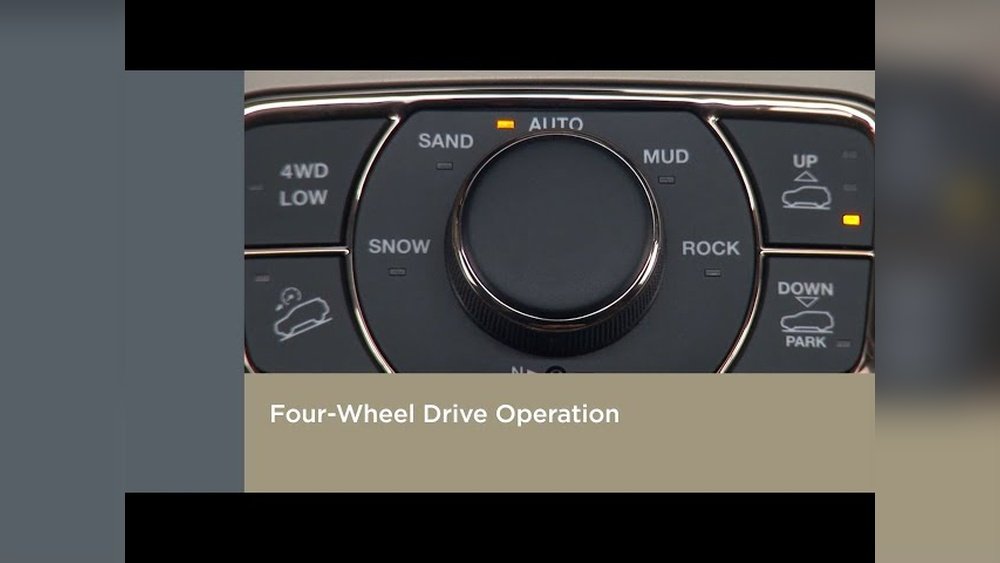
Understanding 4×4 In The Jeep Grand Cherokee
Jeep uses several 4X4 systems in the Grand Cherokee. Each system works a bit differently. The four main types are:
- Quadra-Trac I
- Quadra-Trac II
- Quadra-Drive II
- Quadra-Trac SRT
Knowing which system your Jeep has is important. You can check your owner’s manual or look for a badge on your vehicle.
Let’s look at each one and how to activate 4X4.
Activating 4×4 On Quadra-trac I
Quadra-Trac I is the most basic system. It’s full-time four-wheel drive, which means it’s always on. You don’t need to push any button or turn any knob.
- How it works: Power goes to all four wheels automatically. There is no 2WD mode.
- When it helps: This system is great for drivers who want simplicity. It handles slippery roads or light off-roading with no extra steps.
Non-obvious tip: Since Quadra-Trac I is always active, you don’t need to do anything special when road conditions change. But you should always use the same tire size and keep tire pressure even. Uneven tires can confuse the system and cause extra wear.
Activating 4×4 On Quadra-trac Ii
Quadra-Trac II gives you more control. It has a 2-speed transfer case and a special “4WD Low” mode for tough situations.
- Normal driving: The system is always in 4WD Auto. You don’t need to switch anything for regular roads or wet conditions.
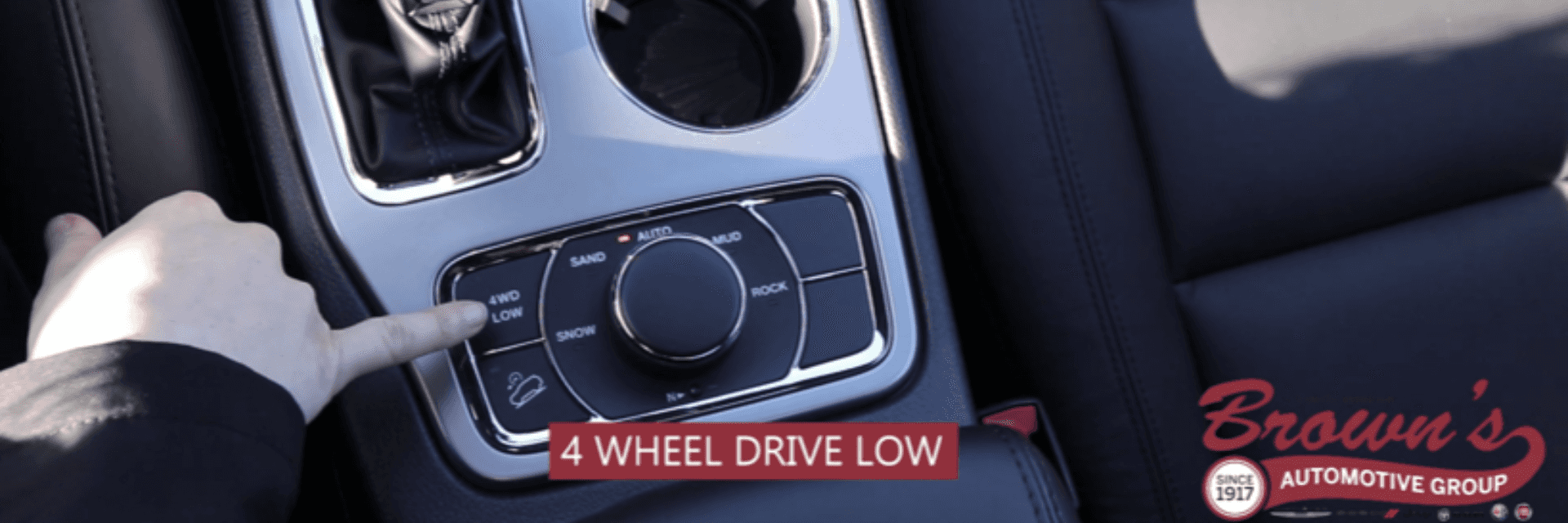
- 4WD Low: For deep sand, mud, or steep hills, you can shift into 4WD Low. Here’s how:
- Bring the Jeep to a complete stop.
- Shift the transmission into Neutral (N).
- Pull the 4WD lever or turn the knob to 4WD Low.
- Shift the transmission back into Drive (D) or Reverse (R) and move slowly.
Extra insight: Always shift to 4WD Low only when stopped. Trying to switch while moving can damage the system. Also, avoid sharp turns in 4WD Low, as it can put stress on the drivetrain.
Activating 4×4 On Quadra-drive Ii
Quadra-Drive II is an advanced system. It adds electronic limited-slip differentials for better grip.
- 4WD Auto: Like Quadra-Trac II, it stays in 4WD Auto most of the time.
- 4WD Low: For extreme conditions, follow these steps:
- Stop the vehicle completely.
- Shift the transmission to Neutral (N).
- Move the 4X4 control to 4WD Low.
- Shift the transmission back to Drive (D) or Reverse (R).
Pro tip: If you hear a clunk or feel a jerk when switching to 4WD Low, don’t worry. This is normal as the system engages. However, if it grinds or won’t engage, double-check you are in Neutral.
Activating 4×4 On Quadra-trac Srt
The Quadra-Trac SRT system is found in performance Grand Cherokees like the SRT and Trackhawk. It’s built for high speed and power, not just off-roading.
- Full-time 4X4: Like Quadra-Trac I, it’s always active. You don’t need to activate anything.
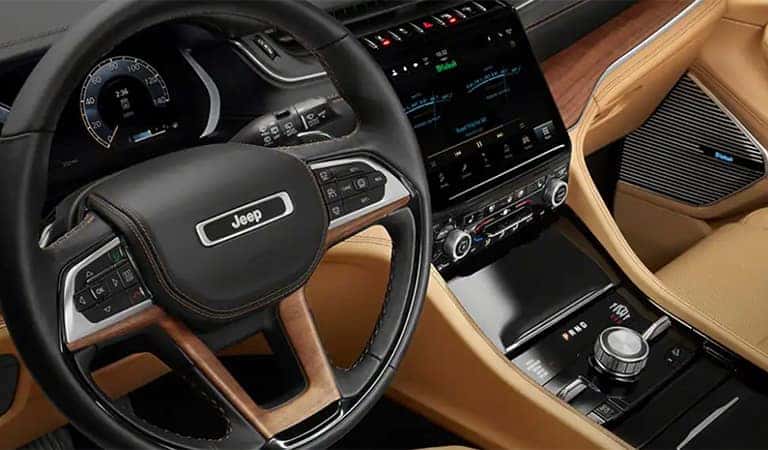
- Drive Modes: The SRT uses a Selec-Track system. You can pick modes like Auto, Sport, Track, Snow, or Tow.
How to use drive modes:
- Find the Selec-Track knob on the center console.
- Turn the knob to choose the mode that fits your driving (for example, Snow for icy roads).
Little-known advice: The drive modes change how the 4X4 system works, adjusting power to each wheel. For the best grip, always pick the mode that matches the current road. Track mode is for dry pavement, not slippery surfaces.
Quick Comparison Of 4×4 Systems
Here’s a quick look at how these four systems compare:
| 4X4 System | Activation Needed | Best For |
|---|---|---|
| Quadra-Trac I | No (Always On) | Everyday driving |
| Quadra-Trac II | Optional (4WD Low) | Off-road, snow |
| Quadra-Drive II | Optional (4WD Low) | Heavy off-road, towing |
| Quadra-Trac SRT | No (Drive Modes) | Performance, sport |
Common Mistakes When Using 4×4
Many drivers make small errors with their Jeep’s 4X4 system. Here are some to avoid:
- Engaging 4WD Low while moving: Always stop the vehicle first.
- Using 4WD on dry pavement: This can strain the drivetrain and cause tire wear.
- Mixing tire sizes: Always use the same size and type on all wheels.
- Forgetting to return to Auto mode: After off-roading, switch back to Auto or your normal mode for smooth driving.
Real-world Example
Imagine you’re driving your Grand Cherokee and hit a patch of deep mud. With Quadra-Trac II or Quadra-Drive II, you can stop, shift to Neutral, activate 4WD Low, and move forward with better grip.
With Quadra-Trac I or SRT, the system handles it for you just focus on careful driving.
Driving Modes And 4×4
Some Grand Cherokees also include the Selec-Terrain system. This system lets you choose modes like Snow, Sand, Mud, or Rock.
Here’s how the modes affect 4X4 performance:
| Mode | Road Condition | Power Distribution |
|---|---|---|
| Auto | Normal roads | Variable |
| Snow | Snow/Ice | More to front |
| Sand/Mud | Loose surfaces | More to rear |
| Rock | Rocky terrain | Even split |
Tip: Always return to Auto mode after special conditions to avoid extra wear.
Maintenance Tips For 4×4 Systems
Taking care of your 4X4 system keeps it working well:
- Change the transfer case fluid as recommended in your manual.
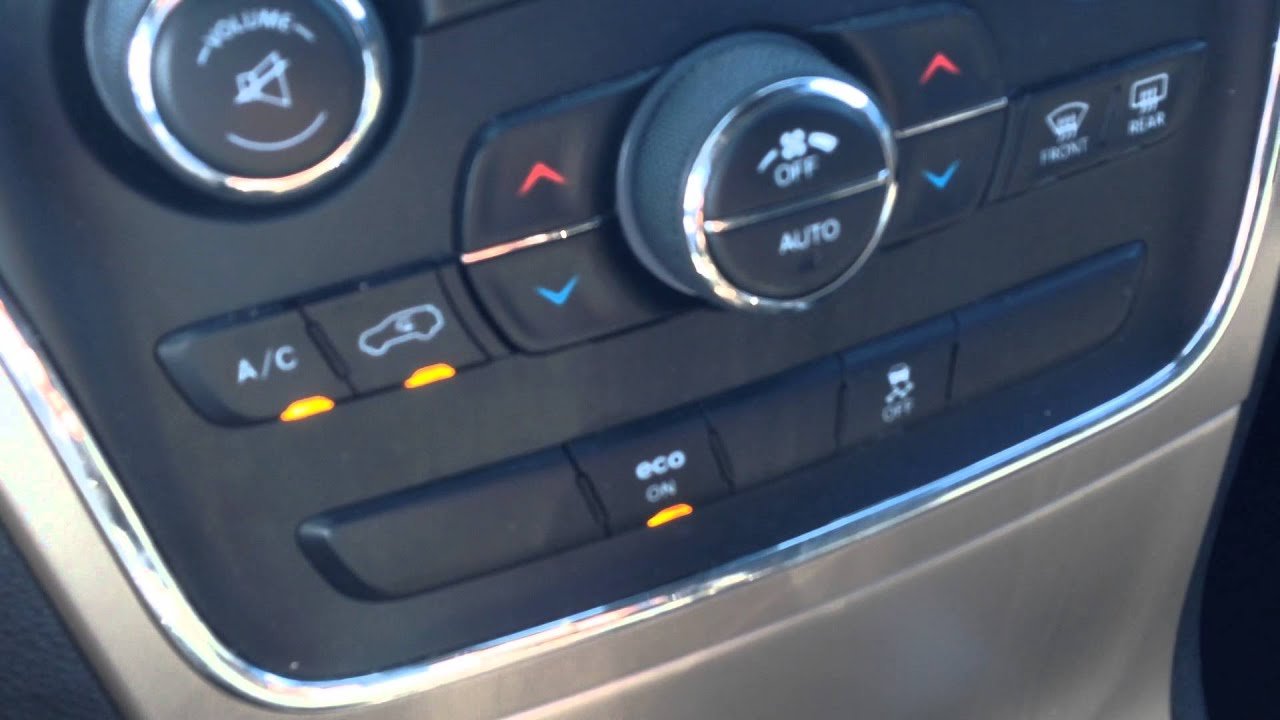
- Check for warning lights on your dashboard.
- Listen for strange noises when using 4WD—these can signal problems.
If you’re unsure, your Jeep dealer can help with maintenance or questions. For more details on Jeep’s 4X4 technologies, see the Jeep Grand Cherokee Wikipedia page.
Frequently Asked Questions
What Is The Main Benefit Of Using 4×4 On A Jeep Grand Cherokee?
The main benefit is better traction on slippery or rough roads. 4X4 helps you drive safely in snow, mud, or off-road conditions.
Can I Switch To 4wd Low While Driving?
No. Always stop the vehicle and shift to Neutral before switching to 4WD Low. Shifting while moving can damage the system.
How Do I Know Which 4×4 System My Jeep Has?
Check your owner’s manual or look for badges on your Jeep. You can also ask your dealer with your VIN number.
Is It Okay To Use 4×4 All The Time?
With full-time systems like Quadra-Trac I and SRT, yes. For other systems, use 4WD Low only when needed to avoid unnecessary wear.
Do I Need Special Tires For 4×4 Driving?
All-season tires work for most conditions, but off-road tires are better for mud, rocks, or deep snow. Always keep tires matched for best results.
Using your Jeep Grand Cherokee’s 4X4 system the right way helps you drive safely and enjoy all the power your vehicle offers. With a little practice, you’ll feel confident on any road or trail.


















