If you drive a Jeep, you may have heard about the Jeep app—a mobile tool that connects you with your vehicle in new ways. From remote start to vehicle health reports, the Jeep app offers many features.
But how much does the Jeep app cost per month, and is it worth your money? Let’s break down the pricing, what you really get, and what to consider before subscribing.
What Is The Jeep App?
The Jeep app, officially known as the Jeep® Connect app, is designed to help owners manage and monitor their Jeep vehicles. Available for both iOS and Android, this app links to your Jeep’s systems using an internet connection. With it, you can:
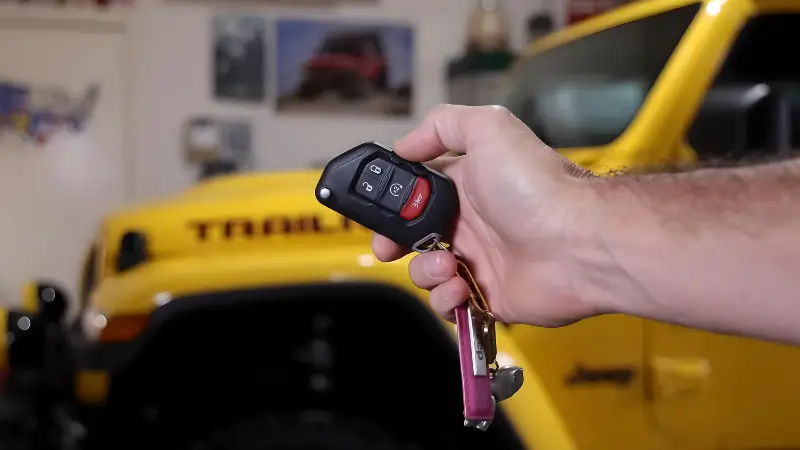
- Start your vehicle remotely
- Lock or unlock doors from your phone
- Check fuel and battery status
- Find your parked car
- Schedule service appointments
Some features are free, while others require a paid subscription.
Jeep App Pricing: How Much Per Month?
The cost of the Jeep app mainly depends on the Jeep Connect or Uconnect® subscription package you choose. Here’s a quick look at the main options:
| Plan Name | Monthly Price | Key Features |
|---|---|---|
| Jeep Connect (Basic) | Free | Vehicle Info, Service Scheduling |
| Jeep Connect (Remote) | $12.99 | Remote Start, Lock/Unlock, Send & Go |
| Uconnect Guardian | $19.99 | Roadside Assistance, Security Alerts |
Most Jeep owners will pay $12.99/month for the full suite of connected features. Some features, like basic vehicle info, remain free.
Annual Discount
If you pay yearly, Jeep offers a small discount. For example, the Remote package is often $120/year, saving you about $35 compared to paying monthly.
What Features Do You Get For The Price?
It’s important to know what each subscription unlocks. Here’s a breakdown:
| Feature | Free Tier | Paid Tier |
|---|---|---|
| Remote Start | No | Yes |
| Lock/Unlock Doors | No | Yes |
| Vehicle Health Report | Yes | Yes |
| Find My Car | No | Yes |
| Send & Go Navigation | No | Yes |
| Roadside Assistance | No | Yes (Guardian only) |
Remote services are the main reason people pay for the Jeep app. Being able to start your Jeep from inside your house, or unlock it if you’re locked out, is very convenient—especially in bad weather.
Is The Jeep App Worth The Monthly Cost?
For many Jeep owners, the answer depends on how they use their vehicle. Here’s what to consider:
When It Makes Sense
- Cold or hot climates: Remote start lets you heat or cool your Jeep before you get in.
- Forgetful moments: Locked your keys inside? The app can unlock your doors.
- Frequent travelers: “Find my car” helps in large parking lots or busy streets.
When It Might Not Be Worth It
- You rarely use remote features.
- Your Jeep is parked at home most of the time.
- You don’t travel or park in unfamiliar places often.
Non-obvious insight: Many Jeep owners don’t realize some new vehicles come with a free trial—often 6 to 12 months—of Jeep Connect. Check your paperwork or ask your dealer before paying.
Another overlooked detail: Remote services need a working cellular connection in your Jeep. If you’re in a rural area with poor coverage, some features might not work reliably.

Jeep App Vs. Other Automaker Apps
It’s helpful to see how Jeep’s subscription compares with other brands:
| Brand | App Name | Monthly Price | Remote Start |
|---|---|---|---|
| Jeep | Jeep Connect | $12.99 | Yes |
| Ford | FordPass | Free | Yes |
| Toyota | Remote Connect | $8.00 | Yes |
| Chevrolet | myChevrolet | $24.99 | Yes |
Jeep’s pricing is in the middle—not the cheapest, not the most expensive. Ford offers similar features for free, while Chevrolet’s plans are higher.
How To Subscribe Or Cancel Jeep App Services
To activate the paid Jeep app features:
- Download and install the Jeep app on your phone.
- Register your vehicle using the VIN (Vehicle Identification Number).
- Choose your subscription plan in the app.
- Enter payment details and complete the setup.
To cancel, open the app, go to your account, and select “Manage Subscription. ” You can cancel at any time, but you’ll lose access to remote features immediately.
Practical tip: Always check for Jeep promotional offers. Sometimes, Jeep sends discounts or bundles with new vehicles.