Jeep vehicles have a reputation for adventure, but today, drivers also want smart technology. That’s where Uconnect comes in. Uconnect is Jeep’s in-car system for navigation, music, calls, and much more. If you’re new to Jeep or just bought one, you might wonder how Uconnect actually works and what it can do for you. Let’s break it down in simple terms.
What Is Uconnect?
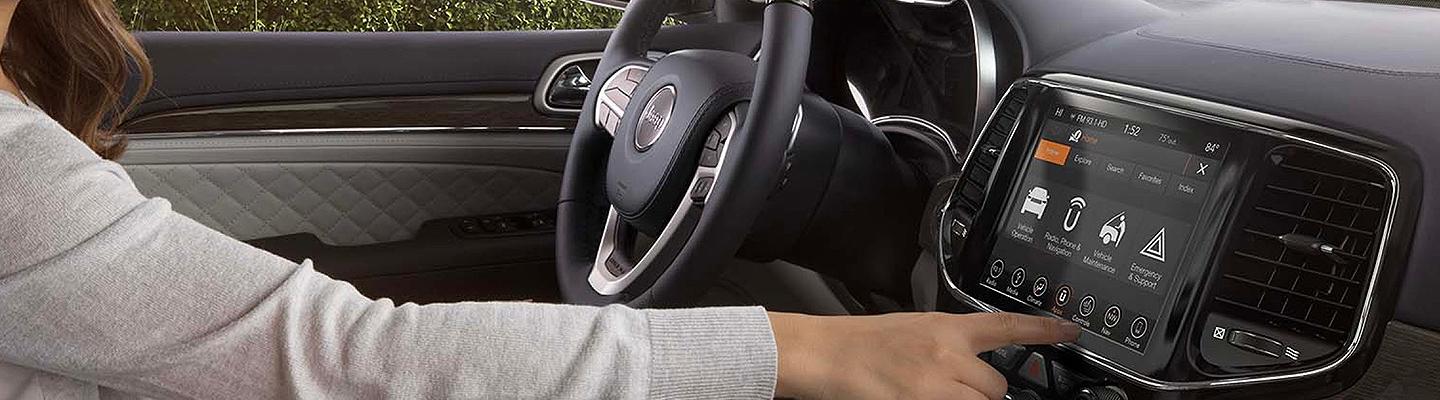
Uconnect is the name for Jeep’s infotainment system. You’ll find it in the center of the dashboard with a touchscreen.
Uconnect connects your car to your phone, the internet, GPS, and even your vehicle’s controls. It’s designed to make driving easier and safer.
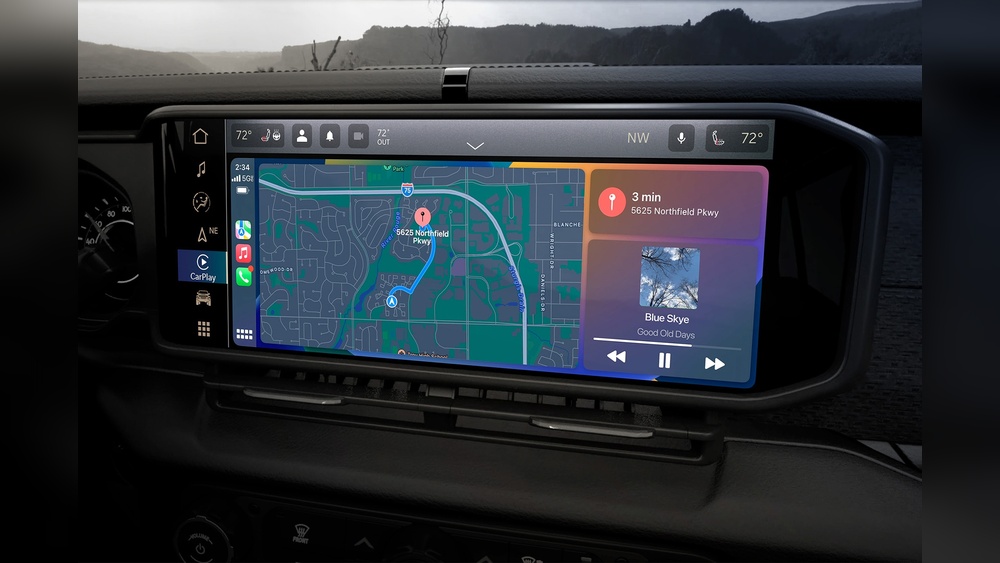
Most new Jeeps come with Uconnect, but the exact features depend on the model and trim. Some have basic features, while others offer advanced tools like voice commands, Wi-Fi hotspot, and remote start.
How Uconnect Works: The Basics
At its core, Uconnect is a mix of hardware and software. Here’s how it functions:
- Touchscreen Display: The main control panel. Sizes range from 5 inches to over 12 inches on newer models.
- Physical Buttons: For quick access to volume, radio, or climate.
- Bluetooth: For hands-free calls and audio streaming from your smartphone.
- USB/Aux Ports: Connect devices directly for charging or music.
- Software: Runs the apps and features you see on the screen.
When you start your Jeep, Uconnect boots up automatically. You can tap the screen, use buttons, or even say voice commands to control it.
Key Features Of Uconnect
Uconnect is packed with useful features. Here are the most important ones:
Most Uconnect systems include built-in GPS navigation. You get turn-by-turn directions, live traffic updates, and points of interest like gas stations or restaurants.
- Some Jeeps let you use Apple CarPlay or Android Auto to show maps from your phone on the Uconnect screen.
- The system can re-route you if there’s traffic or roadwork.
2. Phone Integration
Pair your smartphone with Uconnect using Bluetooth. This lets you:
- Make and receive calls hands-free
- Send and listen to texts (voice-to-text)
- Stream music from Spotify, Apple Music, or your own library
3. Entertainment
Uconnect offers many ways to stay entertained:
- AM/FM radio and sometimes HD Radio
- SiriusXM Satellite Radio (with subscription)
- USB and auxiliary input for your own music
- Bluetooth audio streaming
4. Climate Control
On many Jeeps, Uconnect lets you adjust the air conditioning or heating right from the touchscreen. Some models even offer remote start, so you can warm up or cool down your car before you get in.
5. Voice Commands
You can use your voice to control many functions, like:
- Calling a contact
- Setting a destination
- Changing the radio station
Voice commands let you keep your hands on the wheel and eyes on the road.
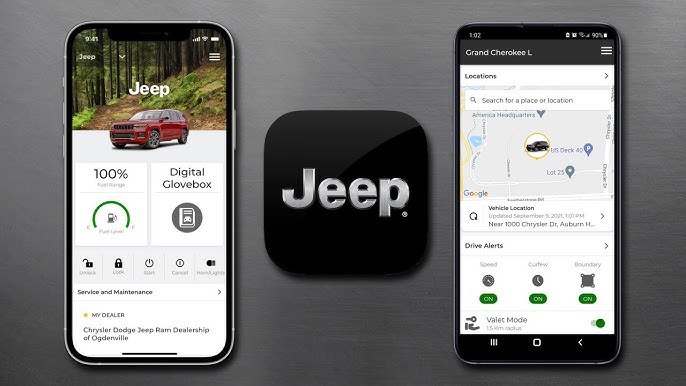
6. Uconnect App
The Uconnect app connects your phone and car. With it, you can:
- Lock or unlock your doors remotely
- Start your Jeep from anywhere
- Locate your car in a busy parking lot
Not all features are available on all models, so check your owner’s manual for details.
Uconnect Generations And Differences
Jeep has released different versions of Uconnect over the years. Here’s a simple comparison:
| Generation | Years | Screen Size | Key Features |
|---|---|---|---|
| Uconnect 3 | 2013–2017 | 5″–8.4″ | Basic navigation, Bluetooth, radio |
| Uconnect 4 | 2018–2020 | 7″–8.4″ | Apple CarPlay, Android Auto, improved graphics |
| Uconnect 5 | 2021–now | 7″–12.3″ | Faster, wireless CarPlay/Android Auto, Alexa integration |
If you’re buying a used Jeep, check which version of Uconnect it has. Uconnect 5, for example, is much faster and supports more features.

Practical Examples: Using Uconnect Day-to-day
Let’s look at how you might use Uconnect in real life:
- You’re driving and need gas. Press “Voice” and say “Find nearest gas station.” Uconnect shows options and guides you.
- Your hands are full, but you want to call home. Say, “Call Mom,” and it dials for you.
- It’s a cold morning. Use the Uconnect app to start your Jeep and heat it up before you leave the house.
Common Issues And Troubleshooting
Even the best systems can have problems. Here are some common Uconnect issues and quick tips:
- Bluetooth won’t connect: Try restarting your phone and the Uconnect system. Delete the device and pair again.
- Screen freezes: Hold the power and volume buttons together for 10 seconds to reboot.
- Navigation not working: Update your maps via USB or over-the-air if supported.
- App won’t sync: Make sure your phone has a strong signal and the app is updated.
If problems continue, visit a Jeep dealer. Sometimes a software update can fix issues.
Data And Connectivity: What You Need To Know
Uconnect offers Wi-Fi hotspot in many models (subscription required). This lets passengers connect their devices to the internet on the road. Data is provided by cell networks, so coverage depends on location.
Here’s a quick look at Uconnect data plans:
| Plan | Data Limit | Typical Monthly Cost |
|---|---|---|
| Trial | 1 GB / 3 months | Free |
| Standard | Unlimited | $20–$25 |
Keep in mind, streaming video or music can use a lot of data. Set limits to avoid extra charges.
Privacy And Security
Many Jeep owners worry about data privacy. Uconnect collects some information to improve your experience, like location and usage stats. Jeep says this data is protected and not shared without consent.
However, always:
- Set a strong password for the Uconnect app
- Log out if you sell your car
- Only download updates from official Jeep sources
For more on vehicle connectivity and privacy, see this Consumer Reports guide.
Pros And Cons Of Uconnect
Here’s a summary to help you decide if Uconnect fits your needs:
| Pros | Cons |
|---|---|
| Easy to use interface | Some features cost extra |
| Strong smartphone integration | Can be slow in older models |
| Remote access with app | Occasional glitches reported |
Frequently Asked Questions
How Do I Update Uconnect In My Jeep?
You can update Uconnect by downloading updates from the Jeep website to a USB drive, then plugging it into your car. Some newer models support over-the-air updates.
Does Uconnect Require A Subscription?
Basic features are free. Services like navigation updates, Wi-Fi hotspot, and remote access may need a subscription.
Can I Add Uconnect To An Older Jeep?
Uconnect is built into the dashboard, so adding it to older models is difficult. Aftermarket options exist, but they may not work as well.
Is Uconnect Safe To Use While Driving?
Yes, Uconnect is designed for safety. Voice commands and steering wheel controls help you stay focused. Still, always pay attention to the road.
What Should I Do If Uconnect Stops Working?
Try restarting the system or your phone. If problems continue, visit a Jeep dealer for diagnosis or a software update.
Uconnect makes Jeep driving smarter, safer, and more connected. With the right setup and a little practice, you’ll get the most from your system on every journey.