If you drive a Jeep Grand Cherokee, you know the blend of style and comfort that comes with it. One feature that stands out is ambient lighting. These subtle lights add a touch of luxury, making nighttime driving more enjoyable and your cabin more inviting. But many owners are unsure how to turn on or adjust these lights, especially as the process can vary between models and years. Whether you want to highlight your interior for a night drive or simply set the mood, knowing how to control your Jeep’s ambient lights brings out the best in your vehicle. This article explains step-by-step how to turn on ambient lights in a Jeep Grand Cherokee, with practical tips, common issues, and extra details many owners miss.
What Are Ambient Lights In The Jeep Grand Cherokee?
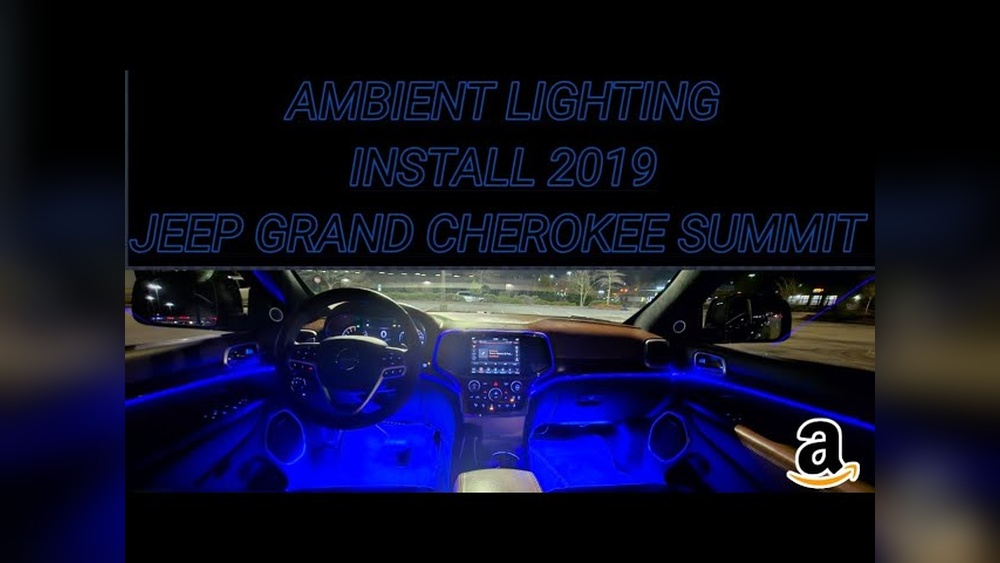
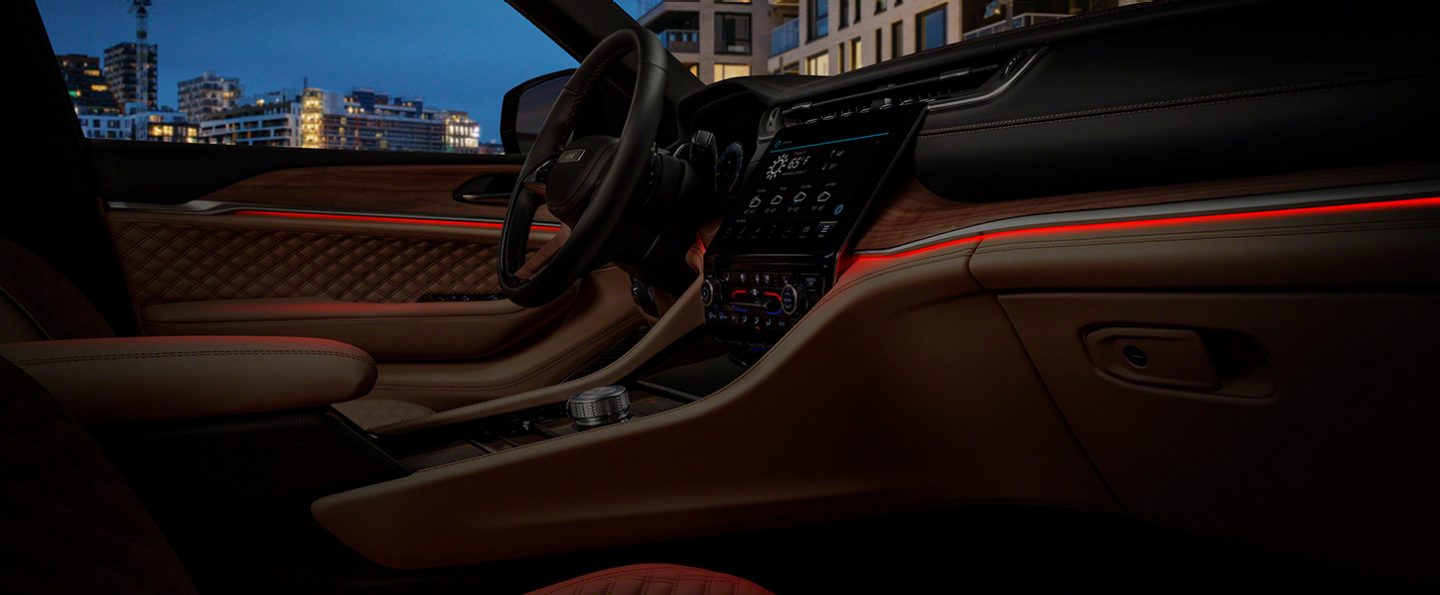
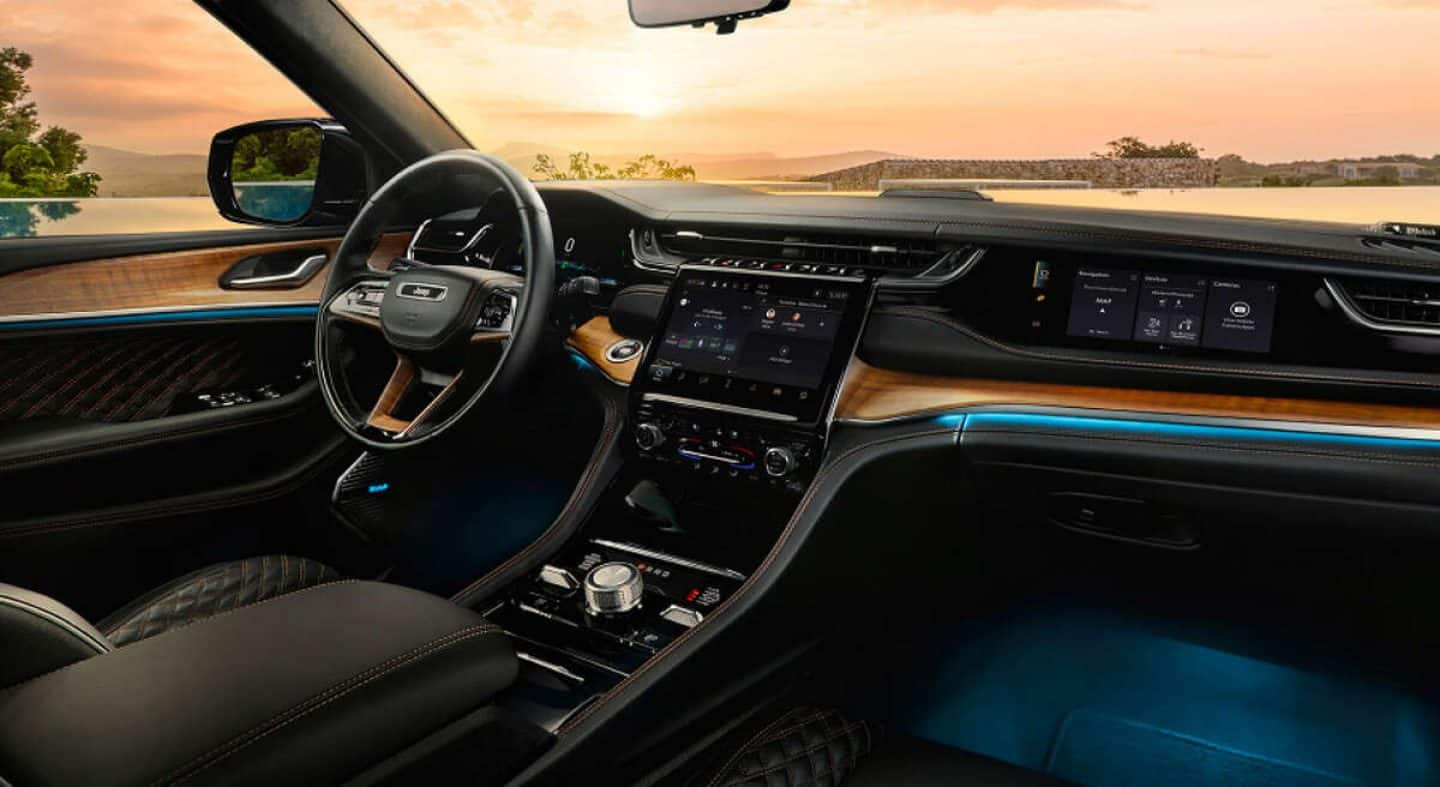
Ambient lights are soft, colored LEDs placed around the cabin. In the Grand Cherokee, you’ll often find them in the door panels, cup holders, footwells, and dashboard trim. Their main job is to improve the look and feel of the interior at night. They also make it easier to see controls without causing glare. For many, these lights are more than just a fancy feature—they add to the sense of premium comfort.
Why Use Ambient Lighting?
- Safer nighttime driving: Soft lights make it easier to find switches and storage without distracting you.
- Personal style: Many models let you pick from different colors to match your mood.
- Passenger experience: A well-lit cabin feels more welcoming and modern.
Some drivers don’t realize that ambient lights can be adjusted for brightness and color, or even turned off entirely. Learning how to use them means you get the most from your Grand Cherokee’s tech.
Which Jeep Grand Cherokee Models Have Ambient Lighting?
Not every Grand Cherokee comes with ambient lighting as standard. The feature is more common in Limited, Overland, Summit, and higher trims from recent years (2016 and newer). Older or base models may not include this feature, or may have limited options.
Here’s a quick comparison of common model years and trims:
| Model Year | Trim | Ambient Lighting Included? | Features |
|---|---|---|---|
| 2022 | Summit Reserve | Yes | Color selection, brightness control |
| 2020 | Overland | Yes | Single color, dimmer |
| 2018 | Laredo | No | — |
| 2019 | Limited | Partial | Footwell only |
Tip: Always check your vehicle’s manual or the official Jeep site to confirm if your trim supports ambient lighting.
How To Turn On Ambient Lights In Jeep Grand Cherokee
Turning on the ambient lights is straightforward once you know where to look. The process can vary depending on the model year and trim, but the main steps are similar.
Step 1: Start The Vehicle
Turn on your Grand Cherokee by pressing the start/stop button with your foot on the brake. For most ambient lighting systems, the engine must be running or in accessory mode.
Step 2: Locate The Uconnect Touchscreen
Modern Grand Cherokees use the Uconnect infotainment system. The ambient light controls are often found here.
- The screen is usually in the center of the dashboard.
- If your model doesn’t have a touchscreen, check for a manual dimmer dial (often near the headlight controls).
- Tap the ‘Vehicle’ or ‘Controls’ icon on the Uconnect screen.
- Look for ‘Settings’.
- Scroll to ‘Lights’ or ‘Interior Lighting’.
- Find the option for ‘Ambient Lighting’.
In some models, the path may be slightly different. For example, on the 2022 Grand Cherokee Summit, you’ll go to:
Settings > Lights > Interior Ambient Color
Step 4: Turn On And Adjust Ambient Lighting
- Toggle the ambient light switch to ‘On’.
- Adjust the brightness using the on-screen slider.
- If available, select your preferred color from the palette.
Some trims only let you turn the lights on or off, while others offer full color and brightness control.
Step 5: Manual Controls (older Models)
If your Grand Cherokee has a manual control:
- Find the dimmer knob near the headlight switch.
- Turn the knob right to brighten all interior lights, including ambient LEDs.
- Some models have a separate button marked with a small light symbol.
Common Mistakes To Avoid
- Forgetting to start the car: Ambient lights often won’t work if the car is off.
- Looking in the wrong menu: ‘Ambient lighting’ may be under ‘Interior Lights,’ not ‘Exterior Lights.’
- Not saving settings: Some systems require you to press ‘Save’ or ‘Apply’ after making changes.
- Assuming all trims have the feature: Lower trims may not have ambient lights at all.
Customizing Ambient Lighting: Colors And Brightness
Many owners don’t realize that color and brightness are customizable in higher trims. This adds a personal touch to your Jeep’s interior.
How To Change Colors
If your Grand Cherokee supports multiple colors:
- Go to the ‘Interior Ambient Color’ menu in Uconnect.
- Tap on the color you want—options often include blue, red, green, and white.
- The change applies instantly.
Adjusting Brightness
- Use the slider on the screen to set your preferred brightness.
- Some systems let you control brightness for different zones (e.g., door panels vs. footwells).
Example: 2022 Grand Cherokee Summit Reserve
On this model, you can choose from up to 64 colors and adjust the brightness in steps. This lets you fine-tune the lighting for mood or visibility.
Practical Tips
- Dim the lights before night driving if you find them distracting.
- Try different colors to reduce eye strain on long trips.
- Remember passenger comfort—kids often love brighter or colorful settings.
Troubleshooting: When Ambient Lights Don’t Work
Sometimes, the ambient lights may not turn on as expected. Here’s how to solve common problems:
1. Check Your Vehicle Settings
- Make sure you’re in the right menu and the feature is turned on.
- If you recently updated your Uconnect software, settings may have reset.
2. Inspect The Dimmer
- If the dimmer is turned all the way down, ambient lights may appear off.
- Adjust the dial until you see the lights.
3. Look For Burned Out Leds
- Rare, but possible—especially in older vehicles.
- If only one area is dark (like a single door), it could be a faulty LED.
4. Electrical Issues
- A blown fuse can cause interior lights to stop working.
- Check your owner’s manual for the fuse box location and the correct fuse for interior lights.
5. Software Glitches
- Try restarting your Uconnect system by turning the vehicle off and on.
- If issues persist, contact your dealer.
Upgrading Or Adding Ambient Lighting
If your Grand Cherokee doesn’t have factory ambient lighting, you can add it. There are aftermarket kits for almost every model year.
What To Consider Before Upgrading
- Choose kits designed for your exact Grand Cherokee model.
- Look for plug-and-play systems to avoid complicated wiring.
- Make sure the kit is compatible with Uconnect (if you want to control it via the screen).
Installation Options
- DIY: Many kits come with instructions and tools. The process usually takes 1–2 hours.
- Professional Installation: Recommended if you’re not comfortable with car electronics.
Cost And Warranty
- Aftermarket kits range from $50 to $300 depending on features.
- Professional installation may cost extra.
- Check if adding lights affects your vehicle’s warranty.
Factory Vs. Aftermarket: Quick Comparison
| Feature | Factory Ambient Lights | Aftermarket Kits |
|---|---|---|
| Integration | Fully integrated, seamless | May require extra wiring |
| Control | Via Uconnect/vehicle menu | Separate remote/app |
| Color Options | Limited by trim | Often more colors |
| Warranty | Covered under Jeep warranty | May void warranty if not installed properly |
Insight: Factory lighting is better for resale value and ease of use, but aftermarket kits offer more customization.
The Value Of Ambient Lighting: Data And Real-world Feedback
You might wonder if ambient lighting is more than just a pretty feature. Recent surveys show that over 60% of luxury SUV buyers value ambient lighting as a “must-have” feature. In the Jeep Grand Cherokee, drivers often mention that good ambient lighting:
- Makes the cabin feel more expensive
- Improves nighttime visibility without eye strain
- Enhances the driving experience, especially on road trips
A 2021 study by JD Power found that cars with customizable ambient lighting received higher owner satisfaction scores for interior quality.
Maintenance And Care Tips
Ambient lights are low-maintenance, but a few habits keep them working well:
- Keep lenses clean: Wipe down illuminated trim with a soft, damp cloth.
- Avoid harsh cleaners: Chemicals can dull the lens or damage electronics.
- Check after deep cleaning: If you wash your interior thoroughly, make sure lights still work (moisture can cause issues).
- Update your Uconnect software: Sometimes updates add new features or fix bugs with ambient light settings.
If you notice flickering or dimming, get the system checked this could mean a loose connection, not just a burned-out bulb.
How Do I Know If My Jeep Grand Cherokee Has Ambient Lighting?
Check your trim level and year. Most Limited, Overland, and Summit trims from 2017 onward include some form of ambient lighting. You can also look in your vehicle’s settings menu for ‘Ambient Lighting’ or consult your owner’s manual.
Can I Change The Color Of The Ambient Lights In All Grand Cherokee Models?
No, only higher trims (like Summit Reserve or Overland) and more recent models offer color selection. Lower trims or older models may only have one color or fixed white LEDs.
My Ambient Lights Are Not Working—what Should I Do?
First, check that the feature is enabled in your Uconnect settings. Adjust the dimmer to ensure the lights aren’t set to their lowest level.
If only one area is not working, it could be a burned-out LED or fuse. If all else fails, consult your dealer or service center.
Is It Possible To Add Ambient Lighting If My Jeep Doesn’t Have It?
Yes, there are aftermarket kits available for most Grand Cherokee models. Choose a kit designed for your year and trim, and decide if you want to install it yourself or have it done by a professional.
Will Using Ambient Lighting Drain My Jeep’s Battery?
Ambient lights use very little power. When installed and used correctly, they should not noticeably affect your battery life.
However, avoid leaving them on for long periods with the engine off.
Turning on and customizing ambient lights in your Jeep Grand Cherokee is a simple way to upgrade your driving experience. Whether you’re personalizing the cabin for comfort or enhancing safety at night, these lights add both style and function. Remember to check your trim and use the Uconnect system for the best results. If your Jeep doesn’t have ambient lighting, aftermarket solutions are widely available. For more details about Jeep features, visit the official Jeep website. Enjoy the journey—and let your Jeep’s interior shine.