If you’ve replaced your Jeep Liberty’s factory radio with an aftermarket unit, you probably noticed your steering wheel controls stopped working. This is a common problem, but it can be fixed with the right tools and careful programming. The Axxess steering wheel control interface is one of the most popular solutions for this issue. However, programming it on a 2005 Jeep Liberty isn’t always straightforward. In this guide, you’ll learn exactly how to program Axxess steering wheel controls for your Jeep, including all five essential steps, plus practical tips that many beginners miss.
Understanding Axxess Steering Wheel Control Interfaces
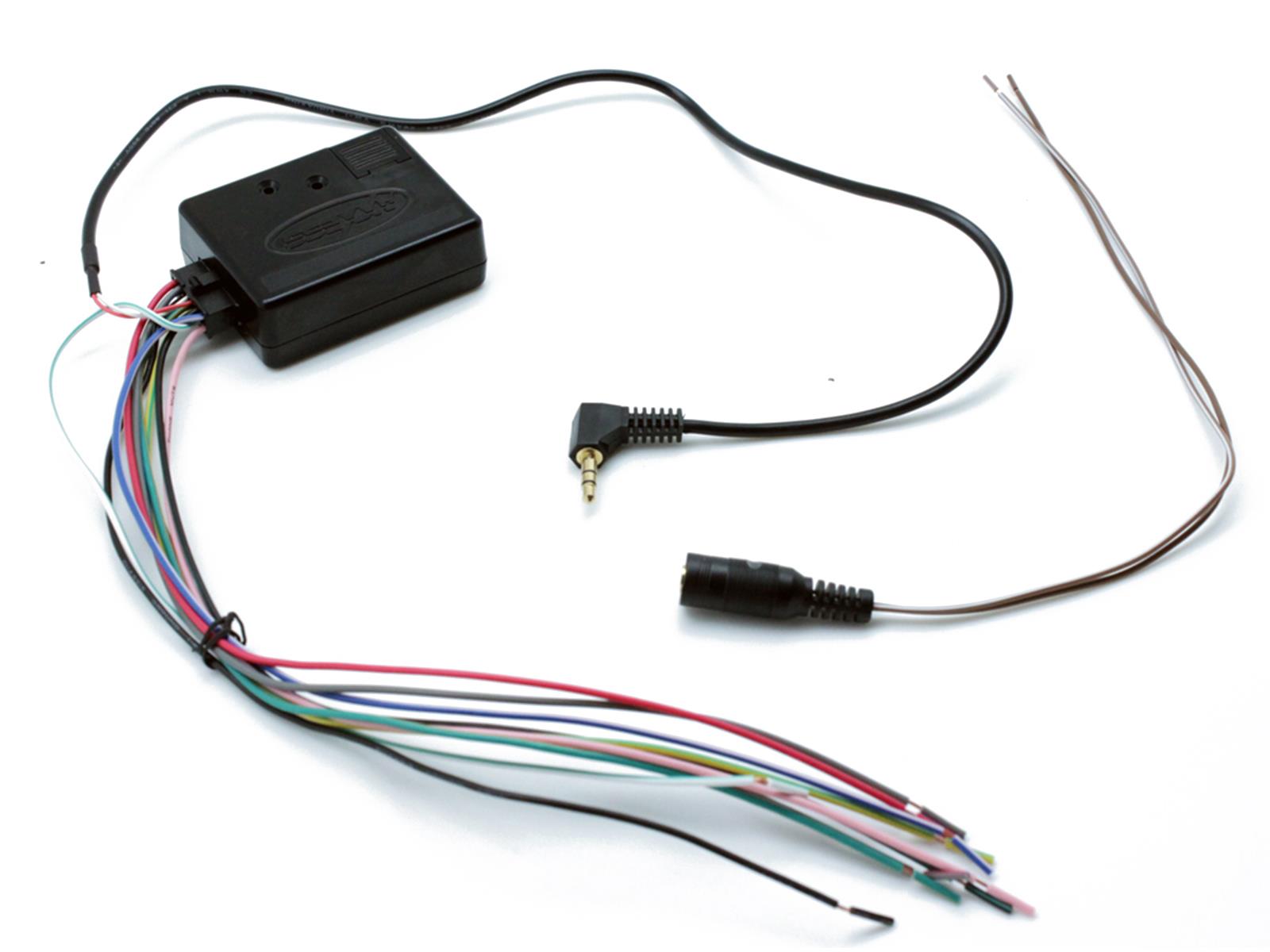
Before you begin, it’s important to know what you’re working with. The Axxess interface allows your Jeep’s steering wheel buttons to communicate with your new radio. It acts as a translator, turning your Jeep’s signals into commands your aftermarket head unit understands. This keeps features like volume control and track skipping at your fingertips.
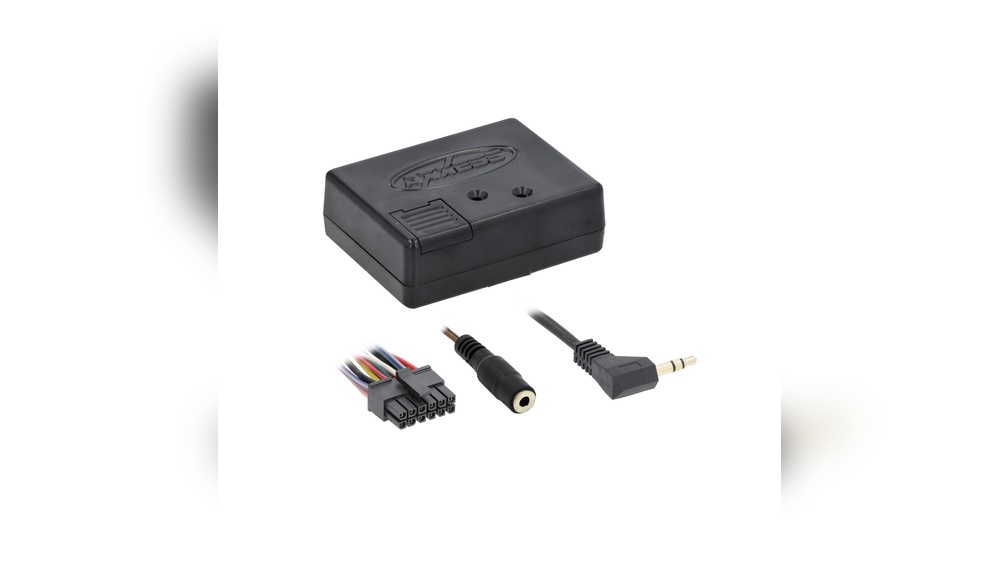
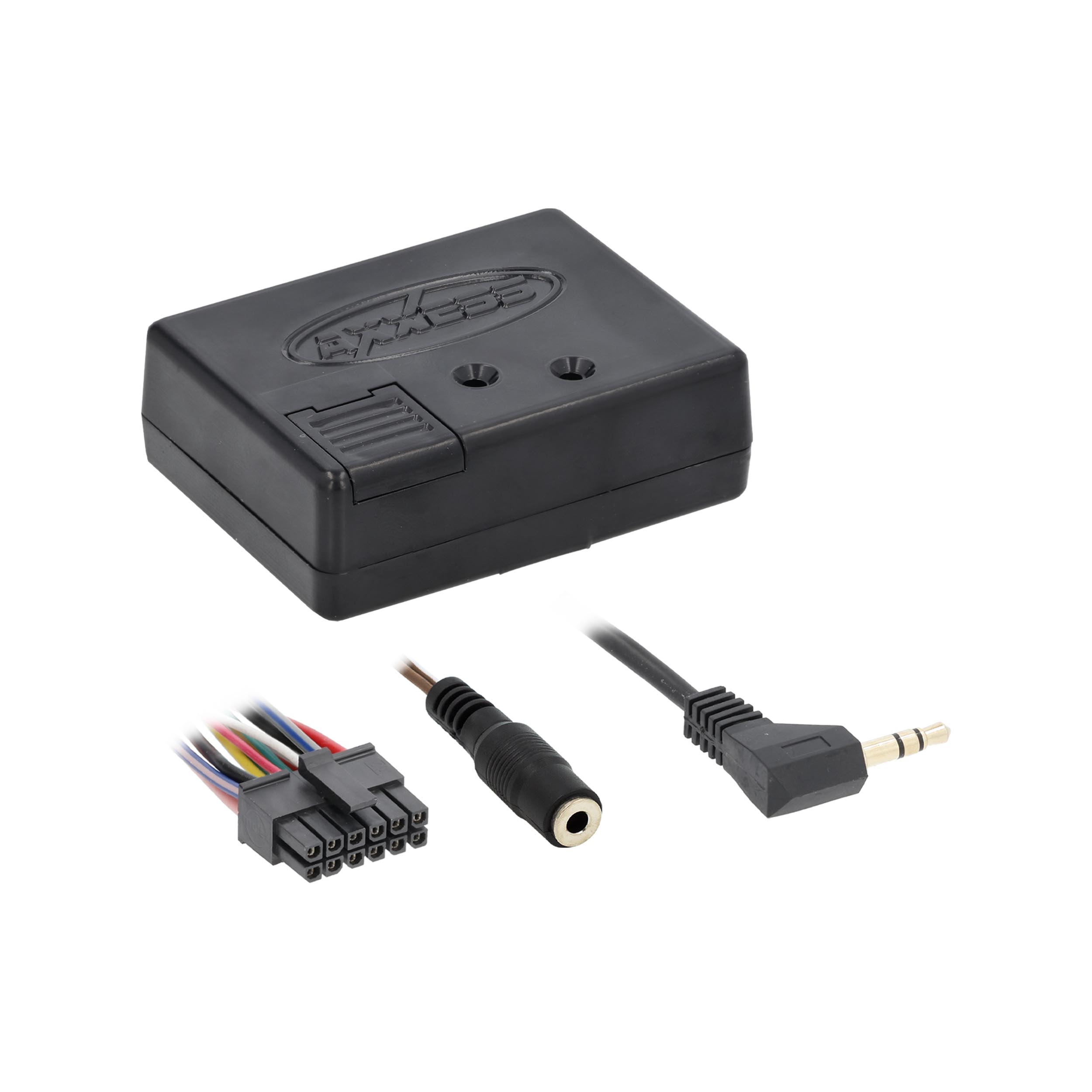
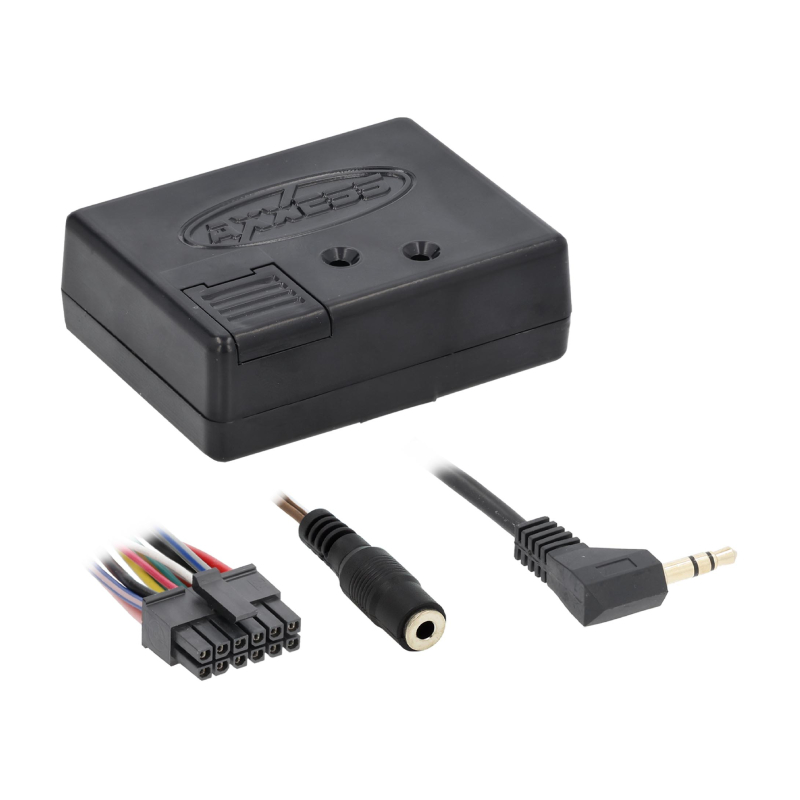
There are several models, but the ASWC-1 is the most commonly used for the 2005 Jeep Liberty. These interfaces support a wide range of radios, but programming is necessary to make sure your Jeep’s specific buttons work as expected.
Key Tools And Parts Needed
Programming the Axxess steering wheel controls requires a few specific items:
- Axxess ASWC-1 interface module
- Vehicle-specific wiring harness (for 2005 Jeep Liberty)
- Aftermarket head unit (compatible with steering wheel controls)
- Crimp connectors or soldering tools
- Wire stripper and electrical tape
- Phillips and flathead screwdrivers
- Panel removal tool
Having these ready will make installation and programming smoother. Many users forget to check radio compatibility, so always confirm that your new head unit supports steering wheel controls before starting.
Why Programming Matters
Simply connecting the Axxess interface isn’t enough. Your Jeep’s steering wheel signals need to be mapped to the right radio commands. Without programming, buttons may not work correctly, or some may do nothing at all. Proper programming ensures safety (so you’re not distracted reaching for the dash) and keeps your driving experience enjoyable.
Step 1: Preparing Your Jeep Liberty
The first step is to prepare your vehicle. This means safely accessing the radio and wiring without damaging your Jeep’s interior.
- Disconnect the negative battery terminal. This prevents accidental shorts and keeps you safe.
- Remove trim panels around the radio using a panel removal tool. Be gentle to avoid breaking clips.
- Unscrew and slide out the factory radio.
- Locate the wiring harness and antenna cable.
This step is often rushed, but taking your time here can prevent costly mistakes. Many beginners break plastic clips or scratch the dashboard, so patience is key.
Step 2: Wiring The Axxess Interface
With the radio out, it’s time to connect the Axxess ASWC-1. This step links your steering wheel controls to the new head unit.
- Match the wires from the ASWC-1 harness to the Jeep’s harness. You’ll typically connect power, ground, and data wires.
- Use a vehicle-specific harness whenever possible. This avoids cutting factory wires and makes the process cleaner.
- Connect the interface’s plug to the ASWC-1 module.
- Attach the Axxess output wire to the steering wheel control input on your aftermarket radio.
Here’s a simple comparison of wiring methods:
| Method | Pros | Cons |
|---|---|---|
| Vehicle-Specific Harness | No cutting, easy install, reversible | Costs more, must buy correct model |
| Direct Splice (cut & connect) | Cheaper, always possible | Can damage OEM wiring, harder to reverse |
Tip: Always double-check wire colors and pin locations using your Jeep Liberty’s wiring diagram, as mistakes here can cause programming failures later.
Step 3: Initializing The Axxess Interface
After wiring, you’re ready to power up and initialize the ASWC-1. This tells the module what car it’s in and which radio you’re using.
- Reconnect the negative battery terminal.
- Turn the ignition to the ‘on’ position, but do not start the engine.
- The Axxess LED will flash red/green as it auto-detects your vehicle and radio.
- Wait for the LED to turn solid red, indicating the process is complete.
If the LED blinks differently, consult the Axxess manual for error codes. Beginners sometimes miss this step or don’t wait for the process to finish, which leads to non-responsive controls.
Sometimes auto-detection isn’t perfect, especially with older vehicles like the 2005 Jeep Liberty. If a button doesn’t work as expected, you’ll need to manually program the steering wheel controls.
- Press and hold the reset button on the ASWC-1 until the LED turns red.
- Release, then immediately press the steering wheel button you want to program (e.g., volume up).
- The LED will blink and then return to solid red.
- Repeat for each button you want to program.
Here’s a quick overview of which Jeep Liberty buttons can typically be programmed:
| Steering Wheel Button | Common Function | Customizable? |
|---|---|---|
| Volume Up | Increase volume | Yes |
| Volume Down | Decrease volume | Yes |
| Seek Up | Next track/station | Yes |
| Seek Down | Previous track/station | Yes |
| Mode | Switch source | Yes |
Non-obvious insight: You can often assign a steering wheel button to a different function than factory (like activating voice assistant instead of “Mode”), but this depends on your radio’s capabilities.
Step 5: Testing And Troubleshooting
With programming complete, it’s essential to test every button and fix any issues.
- Turn on your radio and try each steering wheel button.
- Confirm that volume, track skip, mode, and any other mapped buttons work as expected.
- If a button doesn’t work, repeat the manual programming step for that button.
- Check for delayed response or double-presses. These can often be fixed by resetting the ASWC-1 and repeating programming.
If you run into problems, these are the most common causes:
- Incorrect wiring connections
- Vehicle not detected correctly (try resetting and repeating initialization)
- Outdated firmware on the ASWC-1 (visit the Axxess website for updates)
Five Essential Programming Steps For 2005 Jeep Liberty
To recap, here are the five essential steps you must follow:
1. Disconnect Battery And Remove Radio
Always start with safety. Disconnect the battery and carefully remove the radio and trim to access the wiring.
2. Connect Axxess Interface To Vehicle And Radio
Use the correct harness to connect power, ground, and data wires between your Jeep, the ASWC-1, and your new radio.
3. Initialize The Interface
Restore power and let the ASWC-1 auto-detect your vehicle and radio. Wait for confirmation via the LED indicator.
If needed, manually assign each steering wheel button to the correct radio command using the ASWC-1’s reset and program process.
5. Test All Functions
Check each button for proper function, and troubleshoot any issues by repeating programming or checking wiring.
Comparison: Factory Vs. Aftermarket Steering Wheel Controls
Here’s a quick look at how your Jeep’s controls change after programming with Axxess:
| Feature | Factory Radio | Aftermarket with Axxess |
|---|---|---|
| Volume Control | Yes | Yes |
| Track/Seek | Yes | Yes |
| Source/Mode | Yes | Yes |
| Custom Functions | No | Possible |
| Voice Assistant | No | Possible (radio dependent) |
Pro tip: Aftermarket setups can sometimes offer more flexibility, like assigning “Mode” to activate voice commands, if your radio supports it.
Common Mistakes To Avoid
- Skipping the battery disconnect. This can cause electrical shorts or airbag errors.
- Not checking radio compatibility. Some radios may require a specific input or firmware update to work with the ASWC-1.
- Rushing wiring. Loose connections are the #1 cause of buttons not working.
- Ignoring firmware updates. Always check the Axxess website for the latest module firmware, especially if your interface is more than a year old.
Extra Tips For A Smooth Installation
- Label all wires before disconnecting anything. This will save hours of confusion during reassembly.
- Take photos as you go. If you forget what connects where, pictures are a lifesaver.
- Test before final reassembly. Don’t snap panels back in until you confirm all buttons work.
When To Call A Professional
Most DIYers can handle programming the Axxess steering wheel controls, but you should consider professional help if:
- You’re uncomfortable with car wiring or electronics
- The steering wheel controls still don’t work after following all steps
- Your radio requires dealer programming or advanced setup
A professional installer can usually complete the process in under an hour and will guarantee results.
Where To Find Official Resources
If you need more details, always use official documents. The Axxess website and your radio’s manual are the best sources for wiring diagrams and troubleshooting. For more about the ASWC-1, see the official Axxess ASWC-1 page.
Can I Program Axxess Steering Wheel Controls Without Removing The Radio?
No. You must access the wiring behind the radio to connect the ASWC-1 interface.
There’s no way to program the module without physical connections to the radio and vehicle harness.
What If My Jeep Liberty Has No Factory Steering Wheel Controls?
If your Jeep didn’t come with steering wheel buttons, installing the Axxess interface won’t add this feature. The module only translates existing button signals it doesn’t add physical buttons.
This usually happens if wiring is incorrect, the interface didn’t detect your vehicle properly, or the aftermarket radio isn’t fully compatible. Double-check all connections and try manual button programming.
Yes, you can assign some buttons to different functions, but only if your aftermarket radio supports it. For example, you might set the “Mode” button to activate voice commands instead of switching sources.
Do I Need To Update My Axxess Interface?
If your ASWC-1 is new, it’s probably up to date. But if you bought it used or had it for years, check the Axxess website for firmware updates.
This can solve issues with newer radios or unexpected behavior.
Upgrading your Jeep Liberty’s audio system doesn’t mean losing convenience. With the right steps and attention to detail, you can enjoy all the benefits of your new radio without giving up the comfort of steering wheel controls.
Take your time, follow each step carefully, and your 2005 Jeep Liberty will be ready for many more miles of easy, hands-on audio control.