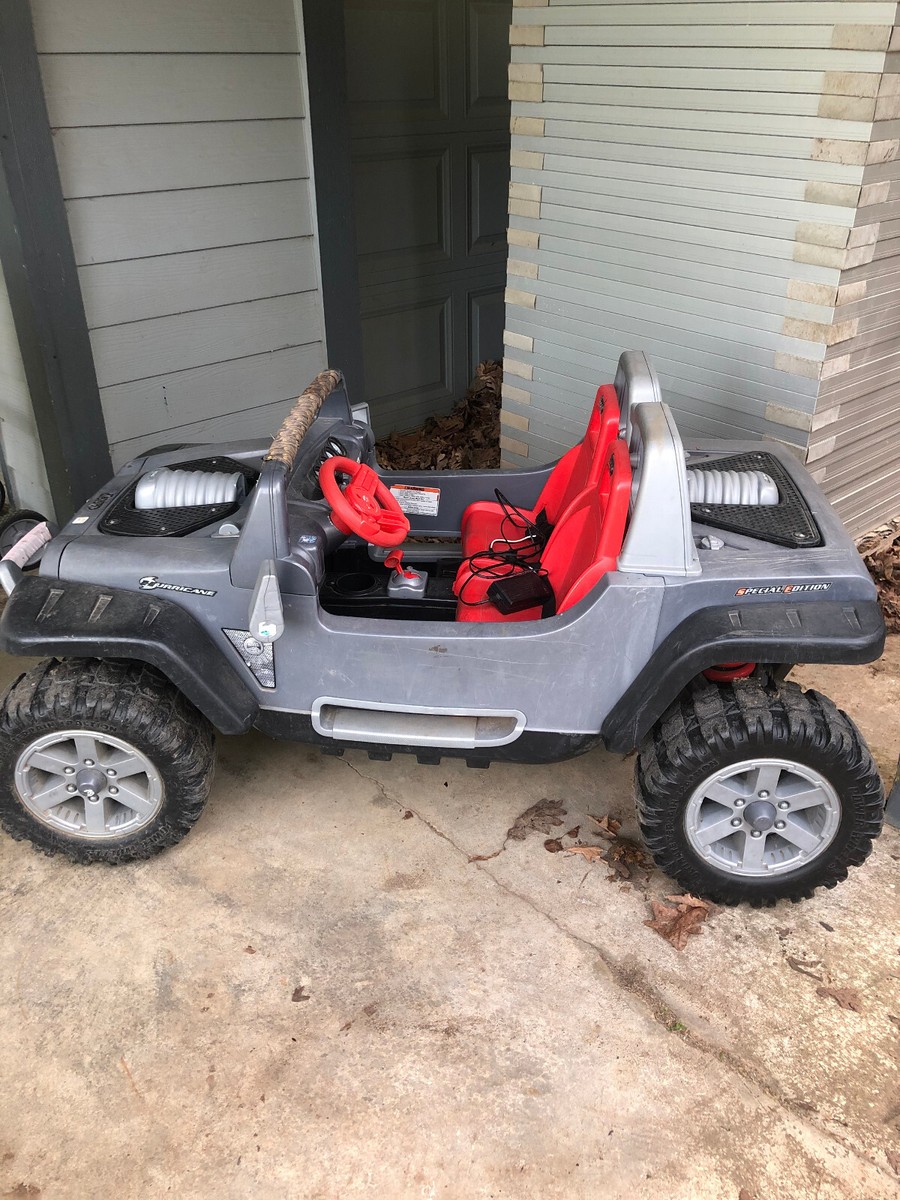
If your child’s Power Wheels Jeep Hurricane suddenly stops working, it can quickly turn a day of fun into frustration. Many parents feel lost when these ride-on toys break down. But most issues with the Jeep Hurricane can be fixed at home, even if you have little technical experience. Understanding how to troubleshoot and repair common problems will save you time and money—and bring back those big smiles.
This article will guide you step by step through the most frequent Power Wheels Jeep Hurricane problems. You’ll learn how to diagnose, repair, and prevent these issues, with practical advice and examples from real experiences.
Whether your Jeep won’t move, has battery issues, or the wheels won’t turn, you’ll find solutions here.
Common Problems With Power Wheels Jeep Hurricane
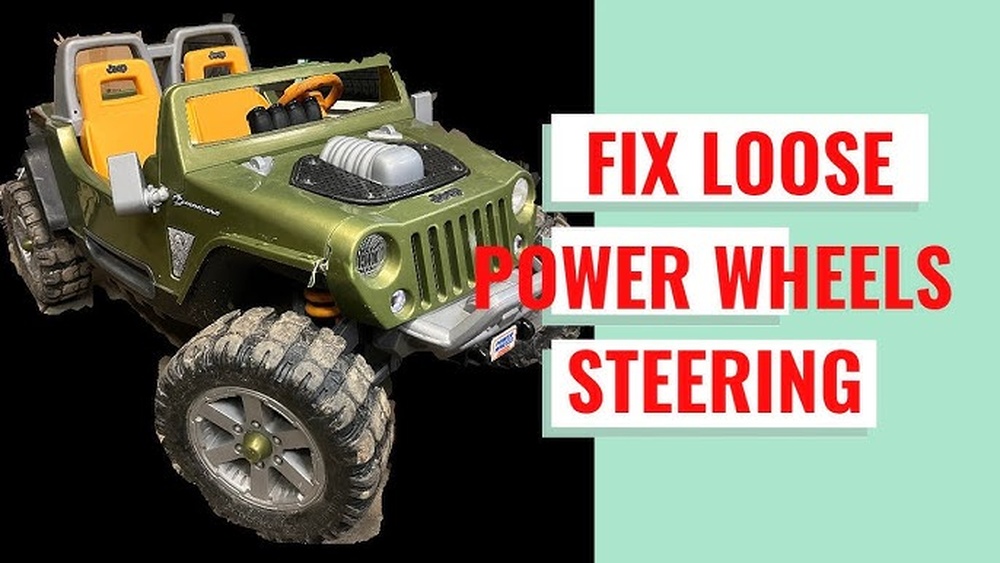
The Power Wheels Jeep Hurricane is a durable and popular ride-on, but several common problems can happen as it ages:
- Won’t Turn On: No power, lights, or sounds.
- Slow or Weak Movement: Moves but is much slower than before.
- No Movement (But Power On): Lights and sounds work, but wheels don’t turn.
- Charging Issues: Battery won’t charge or loses charge quickly.
- Steering or Wheel Problems: Hard to steer, or wheels are stuck or wobbling.
- Jerky or Intermittent Power: Vehicle starts and stops randomly.
Each issue usually has a few possible causes. The key is to diagnose carefully before replacing parts.
Safety First: Preparing To Fix Your Jeep
Before you open up your Jeep Hurricane, follow these safety steps:
- Turn off the vehicle and remove the key.
- Disconnect the battery before working on electrical parts.
- Work in a clean, dry space with good lighting.
- Keep small children and pets away from your workspace.
Having the right tools helps too. You’ll likely need:
- Phillips and flathead screwdrivers
- Needle-nose pliers
- Multimeter (for checking voltage)
- Socket set
- Electrical tape and zip ties
Diagnosing Power Issues
Let’s start with the most basic: your Jeep Hurricane won’t power on at all. Here’s how to check:
Step 1: Inspect The Battery
The 12-volt battery is the heart of your Power Wheels. If the Jeep is dead, this is the first place to look.
- Remove the seat to access the battery compartment.
- Check for loose, corroded, or disconnected wires.
- Look for any swelling or leaking on the battery.
Use a multimeter to check battery voltage. A healthy 12V battery should show 12.6–13V when fully charged. If it reads less than 10V after charging, the battery is likely dead.
Step 2: Examine The Charger
Many problems come from a faulty charger:
- Plug the charger into the wall and check if the indicator light turns on.
- Use the multimeter to check voltage at the charger plug.
- Compare your charger with another Power Wheels charger if available.
A working charger should output around 13. 5 14. 5 volts.
Step 3: Check Battery Connections
Sometimes the battery is fine, but the connectors are not. Inspect:
- Both ends of battery cables for corrosion.
- The fuse (often in the red battery wire).
- The battery plug for bent or broken pins.
Clean connectors with a small wire brush. Replace any damaged wires or connectors.
Quick Reference: Battery Troubleshooting
| Symptom | Likely Cause | How to Fix |
|---|---|---|
| No power at all | Dead battery, loose wire, blown fuse | Replace battery, fix wires, check fuse |
| Battery won’t charge | Faulty charger, bad battery | Test charger, replace if needed |
| Powers on, but dies quickly | Old or damaged battery | Replace battery |
Fixing Movement Problems
If your Jeep Hurricane turns on but won’t move or moves very slowly, the problem is likely in the drive system.
Step 1: Listen For Motor Sounds
- If you hear the motor running but the wheels don’t turn, the problem is probably in the gears or wheels.
- If you hear nothing when you press the pedal, check the pedal switch and wiring.
Step 2: Inspect The Gearbox
The gearbox connects the motor to the wheels. It can wear out or break, especially after heavy use.
- Remove the wheel hubcaps and wheels (often held by a plastic cap and a nut).
- Check if any gears are stripped or broken.
- Spin the wheel by hand—does it feel smooth or catch in places?
If you see broken teeth or melted plastic, you’ll need a new gearbox. These are available online and are not expensive.
Step 3: Test The Pedal Switch
The foot pedal is a simple on/off switch. Over time, it can wear out.
- Unplug the pedal switch and use a multimeter to check for continuity when pressed.
- If there is no click or no continuity, replace the switch.
Step 4: Examine The Motor
A burned-out motor is rare but possible.
- Smell near the motor for burnt odor.
- Use your multimeter to check for voltage at the motor terminals when the pedal is pressed.
- If there is power but no motion, the motor may need replacement.
Common Movement Issues Comparison
| Problem | Signs | Solution |
|---|---|---|
| Broken gearbox | Motor runs, wheels don’t move | Replace gearbox |
| Bad pedal switch | No motor sound, power is on | Replace pedal switch |
| Bad motor | Voltage at motor, but no movement | Replace motor |
Solving Steering And Wheel Problems
Steering and wheel issues are common, especially if the Jeep Hurricane is used on rough ground.
Step 1: Check For Bent Or Broken Parts
- Look at the steering linkage under the Jeep. Make sure rods and plastic parts are not cracked or bent.
- Wiggle the front wheels by hand. Excessive play means worn bushings or pins.
Step 2: Inspect The Wheels
- Look for flat spots, cracks, or missing rubber on the wheels.
- If the wheels are loose on the axles, check the retaining caps or nuts.
Step 3: Tighten Or Replace As Needed
- Tighten any loose bolts or nuts.
- Replace broken or worn parts. New wheels, bushings, and steering arms are widely available.
Non-obvious tip: If your Jeep often loses steering alignment, check the steering column where it connects to the dashboard. This part can develop hairline cracks that cause sloppy steering—reinforce with epoxy or replace if needed.
Electrical Issues: Wiring, Fuses, And Switches
If your Jeep starts and stops randomly or only works sometimes, the wiring or switches may be the cause.
Step 1: Inspect All Wiring
- Look for loose, pinched, or damaged wires under the seat and in the dashboard.
- Check all connectors—especially near the battery, pedal, and motor.
Step 2: Check The Main Fuse
Most Power Wheels have a thermal fuse near the battery. If overloaded, it cuts power until it cools.
- If your Jeep stops after a few minutes and works again later, the fuse may be weak.
- Replace with an identical rating (usually 30A).
Step 3: Test The Shifter Switch
The shifter (forward/reverse) is a sliding switch. Dirt or worn contacts can cause intermittent problems.
- Remove the shifter cover and unplug the switch.
- Test with a multimeter for continuity in each position.
- Replace the switch if needed.
How To Replace Common Parts
Many repairs on the Jeep Hurricane involve swapping out worn parts. Here’s a quick overview:
Replacing The Battery
- Remove the seat.
- Disconnect battery wires.
- Lift out the old battery.
- Insert the new battery and reconnect.
Tip: Always buy a battery with the same voltage and similar amp-hour (Ah) rating as the original.
Changing A Gearbox Or Motor
- Remove the wheel and hubcap.
- Unbolt the gearbox from the axle.
- Unplug the motor wires.
- Swap in the new gearbox or motor and reassemble.
Fixing The Pedal Or Shifter Switch
- Remove the pedal or shifter cover.
- Unplug the old switch.
- Plug in the new switch and replace the cover.
How To Identify Quality Replacement Parts
Not all replacement parts are equal. Here’s a quick side-by-side:
| Genuine Parts | Generic Parts |
|---|---|
| Best fit and durability | Cheaper, may not fit as well |
| Longer warranty | Shorter or no warranty |
| Available from official retailers | Found on various online stores |
Preventing Future Problems
Fixing your Power Wheels Jeep Hurricane is only part of the solution. Prevention will keep it running longer and save you headaches.
- Charge the battery fully after each use, but don’t overcharge.
- Store indoors or cover to protect from rain and sun.
- Clean debris from wheels and undercarriage often.
- Check wiring and moving parts every few months.
- Teach kids not to overload (follow the weight limit).
Non-obvious advice: Every few months, unplug and replug all connectors. This removes oxidation that can build up on pins and cause weak connections.
For more detailed technical information, visit the official Fisher-Price Power Wheels site.
When To Seek Professional Help
Most issues can be fixed at home, but sometimes you’ll need a pro:
- If you see burnt wires or smell burning plastic, stop and call a service center.
- If you’re unsure or uncomfortable with electrical repairs, seek help.
- If your Jeep is still under warranty, contact the seller before opening it.
Why Does My Power Wheels Jeep Hurricane Run Slow Even With A New Battery?
A slow Jeep usually means worn motors or gearboxes. Even with a fresh battery, old motors can lose power over time. Check for gear or motor wear, and replace as needed.
How Long Should A Power Wheels Battery Last?
A good 12-volt battery should last 1–3 years, with about 1–2 hours of run time per charge. If your battery dies quickly, it may be old or damaged.
Can I Use A Higher Capacity Battery For Longer Play Time?
You can use a battery with more amp-hours (Ah), but never increase the voltage above 12V. Higher voltage can burn out the motor and electronics. Always match the original voltage.
My Jeep Hurricane Only Works In Reverse. What’s Wrong?
This usually means a bad shifter switch or a wiring problem. Test the shifter with a multimeter and check all connections. Replace the switch if needed.
Where Can I Find Replacement Parts For My Jeep Hurricane?
You can find genuine and compatible parts online from sites like Amazon, eBay, and the official Fisher-Price website. Always check part numbers for compatibility.
Getting your Power Wheels Jeep Hurricane back on the road is often easier than you think. With some basic tools, careful diagnosis, and the tips above, you can fix most problems yourself saving money and making your child’s day much brighter.
Remember, regular maintenance is just as important as repairs. Happy driving!