Many Jeep owners rely on their vehicle’s touchscreen every day—for navigation, music, climate control, and more. So when the Jeep screen stops working, it can feel frustrating and confusing.
Whether your Jeep is new or a few years old, screen issues can appear unexpectedly. Sometimes, the screen is completely black; other times, it’s frozen, flickering, or not responding to touch.
Understanding why this happens and how to fix it can help you avoid costly trips to the dealer and get back to enjoying your ride.
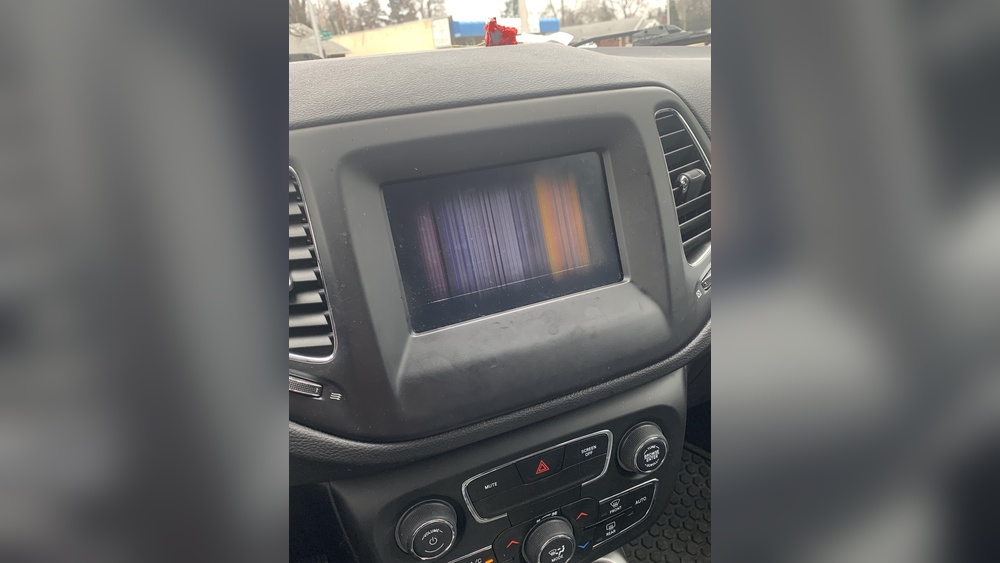
Common Reasons Your Jeep Screen Is Not Working
There are several possible causes for a Jeep screen malfunction. Let’s look at the most frequent ones:
- Software glitches: Many Jeep models use the Uconnect system. Like any software, it can crash or freeze, especially after updates or during extreme temperatures.
- Loose or damaged wiring: If the cables behind the screen are not secure, you may see flickering or a blank screen.
- Faulty hardware: The screen itself, or the main control unit, can fail after years of use or due to manufacturing defects.
- Blown fuse: A simple fuse protects the electronics. If it blows, power to the screen is cut off.
- Battery issues: Low battery voltage can cause the screen to shut down or restart.
- Extreme temperatures: Both hot and cold weather can affect screen performance and cause temporary or permanent failures.
Quick Troubleshooting Steps
Before you worry about expensive repairs, try these basic steps. Many Jeep owners find their screen working again after following these:
- Restart the vehicle: Turn off your Jeep completely, wait two minutes, and restart. This refreshes the system.
- Soft reset: For Uconnect screens, press and hold the volume and tuner buttons together for about 10 seconds. The screen will reboot.
- Check fuses: Locate your Jeep’s fuse box (often under the hood or beneath the dashboard). Find the fuse for “media,” “radio,” or “display.” Replace if blown.
- Inspect wiring: If you feel comfortable, gently remove the dashboard cover and check for loose cables behind the screen.
- Disconnect battery: Remove the negative battery cable for five minutes, then reconnect. This resets most electronics.
- Update software: Visit your Jeep dealer or check the official website for the latest Uconnect updates.
How To Identify The Real Problem
Not every screen issue is the same. Here’s a simple guide to help you understand what’s going wrong:
| Screen Symptom | Likely Cause | Easy Fix |
|---|---|---|
| Black/No Display | Blown fuse, wiring, battery | Check fuses, battery, wiring |
| Frozen Screen | Software glitch | Soft reset, update software |
| Flickering | Loose wiring | Inspect cables behind screen |
| No Touch Response | Faulty hardware | Dealer repair/replacement |
When To Visit The Dealer
Some problems need professional help. Here’s how you know:
- The screen is dead even after trying all the steps above.
- You see error messages like “Service Required” or “System Unavailable.”
- Screen is cracked or physically damaged.
- You hear strange noises or smell burning around the dashboard.
- Updates and resets don’t solve the issue.
If your Jeep is under warranty, repairs may be free. If not, ask for a price quote before agreeing to a fix.
Jeep Screen Repair Costs
Repair costs vary based on the problem and your location. Here’s a comparison of typical expenses:
| Problem | Estimated Cost | Typical Solution |
|---|---|---|
| Blown fuse | $10–$30 | Replace fuse |
| Loose wiring | $50–$150 | Reconnect/repair cables |
| Software update | Free–$75 | Dealer or self-update |
| Screen replacement | $400–$1,200 | Install new screen |
Real-world Examples And Insights
Some Jeep owners report their screens stopped working after washing the car or during winter mornings. Water can sometimes leak into the dashboard, causing electrical problems. Cold weather can make screens slow to respond or freeze. If your screen works again after warming up, temperature is likely the issue.
Another common mistake is ignoring software updates. Uconnect updates often fix bugs and improve system stability. Installing updates as soon as they’re available can prevent many problems.
Many people forget to check their Jeep’s battery health. Even if your Jeep starts fine, a weak battery can cause electronics to malfunction. Testing your battery voltage (should be around 12. 6V when fully charged) can help you spot hidden issues.
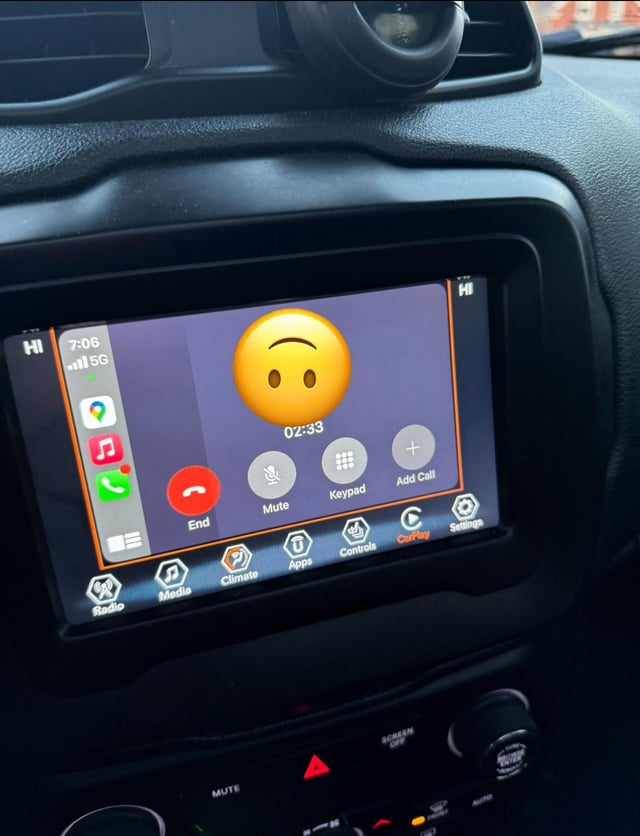
Preventing Jeep Screen Problems
You can protect your Jeep screen and avoid future issues:
- Keep the dashboard dry and clean.
- Avoid extreme temperature exposure—park in the shade during summer, indoors during winter.
- Update your screen’s software regularly.
- Don’t use harsh cleaners on the touchscreen.
- Check battery and fuses during routine maintenance.
Frequently Asked Questions
<!– wp:rank-math/faq-block {"questions":[{"id":"faq-question-d32b0d6d6f98","title":"Why Did My Jeep Screen Go Black Suddenly?","content":"A sudden black screen usually means a blown fuse, loose wiring, or battery problem. Try restarting your Jeep and check the fuse box.
“,”visible”:true},{“id”:”faq-question-43c2962628b5″,”title”:”Can I Fix A Frozen Jeep Screen Myself?”,”content”:”Yes, most frozen screens can be fixed with a soft reset. Hold the volume and tuner buttons for 10 seconds. If that doesn’t work, update the software or disconnect the battery for five minutes.
“,”visible”:true},{“id”:”faq-question-f63f243c38d7″,”title”:”Is A Screen Replacement Expensive?”,”content”:”Screen replacement costs can range from $400 to $1,200, depending on the model. If your Jeep is still under warranty, repairs might be covered.
“,”visible”:true},{“id”:”faq-question-2ae5d8b9943d”,”title”:”Will A Low Battery Cause The Screen To Stop Working?”,”content”:”Yes, a low battery can affect all electronics in your Jeep, including the screen. If you notice slow or unresponsive systems, test your battery or replace it.
“,”visible”:true},{“id”:”faq-question-68b70b31fe31″,”title”:”Where Can I Find Official Software Updates?”,”content”:”You can find Uconnect software updates on the Jeep official website. For more details, visit Jeep Uconnect.
If your Jeep screen isn’t working, don’t panic. Start with basic troubleshooting, check for simple fixes, and know when to ask for expert help. With the right steps, you can often solve the problem quickly and get back to enjoying your drive.
“,”visible”:true}]} –>Why Did My Jeep Screen Go Black Suddenly?
A sudden black screen usually means a blown fuse, loose wiring, or battery problem. Try restarting your Jeep and check the fuse box.
Can I Fix A Frozen Jeep Screen Myself?
Yes, most frozen screens can be fixed with a soft reset. Hold the volume and tuner buttons for 10 seconds. If that doesn’t work, update the software or disconnect the battery for five minutes.
Is A Screen Replacement Expensive?
Screen replacement costs can range from $400 to $1,200, depending on the model. If your Jeep is still under warranty, repairs might be covered.
Will A Low Battery Cause The Screen To Stop Working?
Yes, a low battery can affect all electronics in your Jeep, including the screen. If you notice slow or unresponsive systems, test your battery or replace it.
Where Can I Find Official Software Updates?
You can find Uconnect software updates on the Jeep official website. For more details, visit Jeep Uconnect.
If your Jeep screen isn’t working, don’t panic. Start with basic troubleshooting, check for simple fixes, and know when to ask for expert help. With the right steps, you can often solve the problem quickly and get back to enjoying your drive.