The Jeep Patriot is a popular compact SUV known for its practical design and affordable price. If you want to upgrade, repair, or replace the radio in your Jeep Patriot, understanding the radio wiring diagram is essential.
Many drivers face issues like poor sound quality, radio not turning on, or trouble connecting new audio devices. Knowing how the wiring works can save you time, money, and frustration.
In this article, you'll learn about the Jeep Patriot radio wiring diagram, common wire colors, connection tips, and how to avoid mistakes. Whether you're a DIY enthusiast or a beginner, this guide will help you handle your Jeep Patriot’s radio wiring confidently.
Jeep Patriot Radio Wiring Basics
Most Jeep Patriot models (2007–2017) use a similar radio wiring layout. The main components include:
- Power wires
- Speaker wires
- Ground wire
- Antenna wire
- Illumination wire
Each wire plays a specific role. The power wires supply electricity, speaker wires carry sound signals, the ground wire prevents electrical shocks, and the antenna wire connects to radio signals.
Common Wire Colors
Wire colors often follow industry standards, but some variations exist. These are the typical colors you’ll find:
- Yellow: Constant 12V power (battery)
- Red: Switched 12V power (ignition)
- Black: Ground
- Blue: Power antenna or amplifier
- Orange: Illumination/dimmer
- White/White-Black: Front left speaker (+/-)
- Gray/Gray-Black: Front right speaker (+/-)
- Green/Green-Black: Rear left speaker (+/-)
- Purple/Purple-Black: Rear right speaker (+/-)
Not every Jeep Patriot uses all these colors, so always check your vehicle’s manual.
Jeep Patriot Radio Wiring Diagram Example
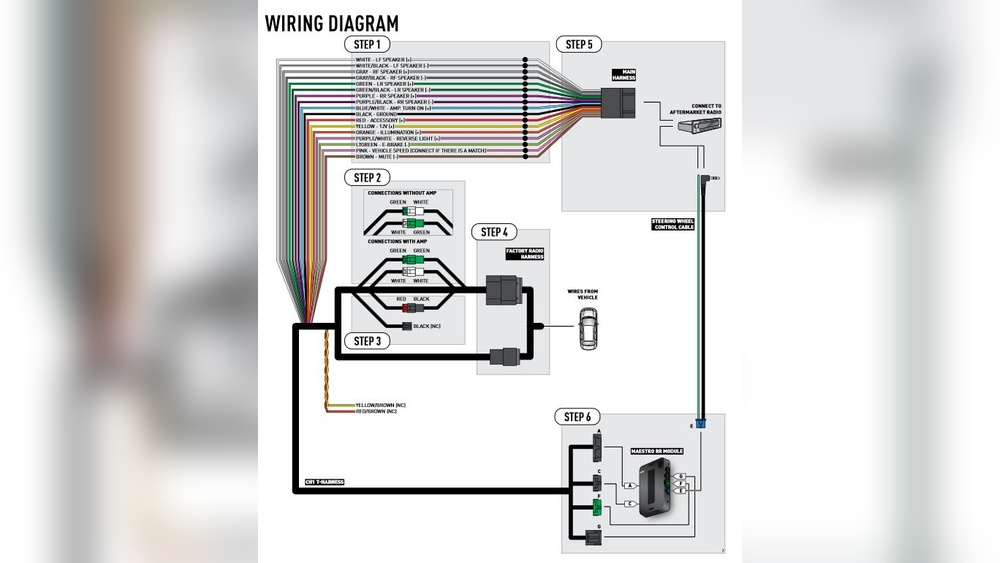
A visual diagram helps you understand where each wire connects. Below is a simplified comparison of radio wire functions versus their colors for Jeep Patriot (2007–2017):
| Wire Function | Color | Connection Point |
|---|---|---|
| Constant Power | Yellow | Battery |
| Switched Power | Red | Ignition |
| Ground | Black | Chassis |
| Antenna | Blue | Antenna Adapter |
| Illumination | Orange | Headlight Switch |
| Front Left Speaker (+) | White | Speaker Terminal |
| Front Left Speaker (-) | White/Black | Speaker Terminal |
If your Patriot has additional features like steering wheel controls or premium sound, there might be extra wires.
Installing A New Radio: Step-by-step Guide
Replacing the radio in your Jeep Patriot is easier if you follow a clear process. Here’s how to do it safely:
- Disconnect the battery: Always start by removing the negative cable from the battery to prevent shocks.
- Remove the dashboard panel: Use a plastic trim tool to avoid scratching.
- Unplug the factory radio: Carefully pull out the connectors.
- Identify wires: Match each wire using the diagram and your vehicle manual.
- Connect new radio wires: Use crimp connectors or solder for secure connections.
- Test the system: Reconnect the battery and check every feature—radio, speakers, lights.
- Install the radio and reassemble: Secure the radio and put back the dashboard panel.
Practical Tips
- Always use a wiring harness adapter. It protects the factory wiring and makes installation easier.
- Double-check every wire connection before powering on the radio.
- If you hear static or the radio doesn’t work, recheck the ground wire.
Comparing Aftermarket Radio Wiring Needs
Some drivers upgrade to an aftermarket radio for better features. Here’s a quick comparison between factory and aftermarket radio wiring requirements:
| Feature | Factory Radio | Aftermarket Radio |
|---|---|---|
| Wire Count | Fewer wires | More wires (extra features) |
| Harness Compatibility | Direct fit | May need adapter |
| Steering Controls | Usually built-in | Extra module needed |
| Bluetooth/USB | Limited | Common |
If you’re installing an aftermarket radio, check if you need special adapters for steering wheel controls or external amplifiers.

Common Mistakes And How To Avoid Them
Many beginners make errors that can damage the radio or cause electrical problems. Avoid these mistakes:
- Mixing up power wires: Always test for voltage before connecting.
- Incorrect grounding: Bad ground can lead to noise or radio failure.
- Ignoring wire colors: Use the diagram, not just colors, since some wires may be faded or replaced.
- Skipping the harness adapter: Direct wire connections can damage the factory system.
A non-obvious tip: When troubleshooting, use a multimeter to check voltage and continuity. This tool helps you find hidden wiring faults quickly.
Real-world Example
A Jeep Patriot owner wanted to install a Bluetooth radio but noticed the speaker wires did not match the diagram. After checking the manual and using a multimeter, he found two wires had been replaced during a previous repair. By carefully tracing each wire, he avoided connecting the wrong wires and completed the installation without issues.
Another insight: If your radio loses memory settings when the car turns off, the constant power wire (yellow) may not be connected correctly. Fixing this restores settings and clock functions.
Jeep Patriot Radio Wiring Diagram Reference
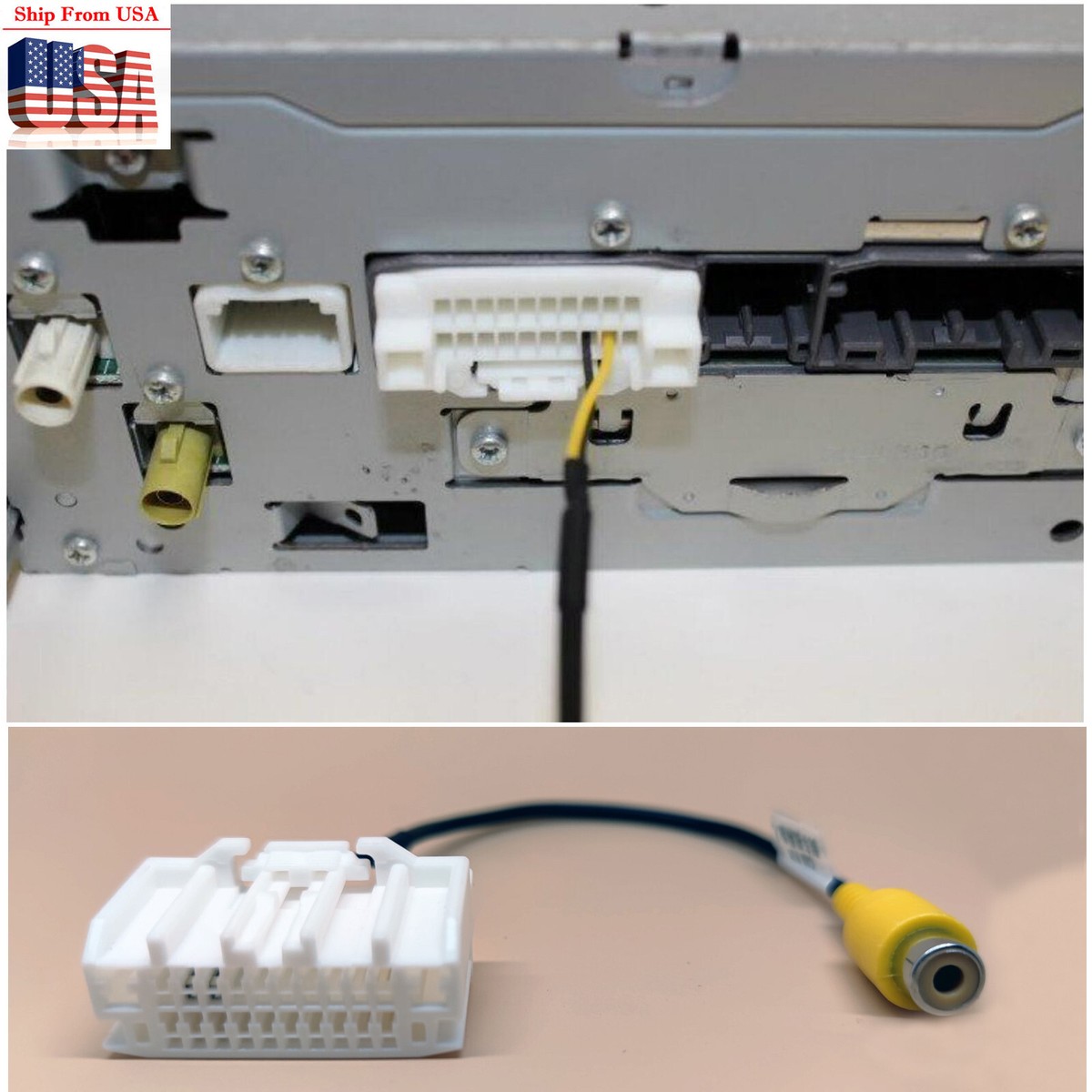
For detailed diagrams, visit the official Jeep service website or trusted car audio resources like The12volt.com. These sites offer model-specific diagrams, troubleshooting guides, and expert advice.
Frequently Asked Questions
<!– wp:rank-math/faq-block {"questions":[{"id":"faq-question-73726d00109f","title":"How Do I Know Which Wire Is For The Speakers?","content":"Check the wiring diagram and your Jeep’s manual. Speaker wires are usually white, gray, green, and purple, each with a striped version for negative.
“,”visible”:true},{“id”:”faq-question-d1549d0f1aaf”,”title”:”Is It Safe To Connect Wires Without A Harness Adapter?”,”content”:”It’s possible, but risky. A harness adapter protects your factory wiring and makes it easier to return to the original setup.
“,”visible”:true},{“id”:”faq-question-e1e5b30e0dd0″,”title”:”What Should I Do If My Radio Doesn’t Turn On After Installation?”,”content”:”Check the power wires (yellow and red) for proper voltage. Also, verify the ground connection. If unsure, use a multimeter to test.
“,”visible”:true},{“id”:”faq-question-48ef58126955″,”title”:”Can I Install An Aftermarket Radio Myself?”,”content”:”Yes. With basic tools and wiring knowledge, most people can install an aftermarket radio in a Jeep Patriot. Always follow safety steps.
“,”visible”:true},{“id”:”faq-question-c7c421d42a34″,”title”:”Where Can I Find An Official Wiring Diagram?”,”content”:”You can find official diagrams at Jeep’s official website or trusted car audio forums for free resources.
Understanding the Jeep Patriot radio wiring diagram helps you upgrade, fix, or customize your audio system with confidence. Use the information here to avoid common mistakes and get the best sound experience in your SUV.
“,”visible”:true}]} –>How Do I Know Which Wire Is For The Speakers?
Check the wiring diagram and your Jeep’s manual. Speaker wires are usually white, gray, green, and purple, each with a striped version for negative.
Is It Safe To Connect Wires Without A Harness Adapter?
It’s possible, but risky. A harness adapter protects your factory wiring and makes it easier to return to the original setup.
What Should I Do If My Radio Doesn’t Turn On After Installation?
Check the power wires (yellow and red) for proper voltage. Also, verify the ground connection. If unsure, use a multimeter to test.
Can I Install An Aftermarket Radio Myself?
Yes. With basic tools and wiring knowledge, most people can install an aftermarket radio in a Jeep Patriot. Always follow safety steps.
Where Can I Find An Official Wiring Diagram?
You can find official diagrams at Jeep’s official website or trusted car audio forums for free resources.
Understanding the Jeep Patriot radio wiring diagram helps you upgrade, fix, or customize your audio system with confidence. Use the information here to avoid common mistakes and get the best sound experience in your SUV.