The Jeep car touchscreen display has become a central hub for information, entertainment, and vehicle control, transforming the driving experience.
From navigating rugged trails to commuting in the city, the intuitive interface of a modern Jeep’s infotainment system offers a wealth of features designed to enhance comfort, connectivity, and safety.
As technology evolves, so too do the capabilities of these displays, integrating advanced functionalities like smartphone mirroring, voice commands, and customizable settings. Understanding how to best utilize and maintain your Jeep’s touchscreen is key to unlocking its full potential and ensuring a seamless journey, no matter where the road takes you.
Key Takeaways
- Jeep’s Uconnect system offers a range of touchscreen sizes and features across different models and trims.
- Key functionalities include navigation, media playback, climate control, smartphone integration (Apple CarPlay & Android Auto), and vehicle settings.
- Proper maintenance, including screen cleaning and software updates, is crucial for longevity and optimal performance.
- Troubleshooting common issues like unresponsiveness or connectivity problems can often be resolved with simple steps.
- Understanding the various features and customization options can significantly enhance the driving experience.
- Future Jeep touchscreens are expected to feature larger displays, enhanced AI integration, and more advanced connectivity options.
Understanding The Jeep Uconnect System
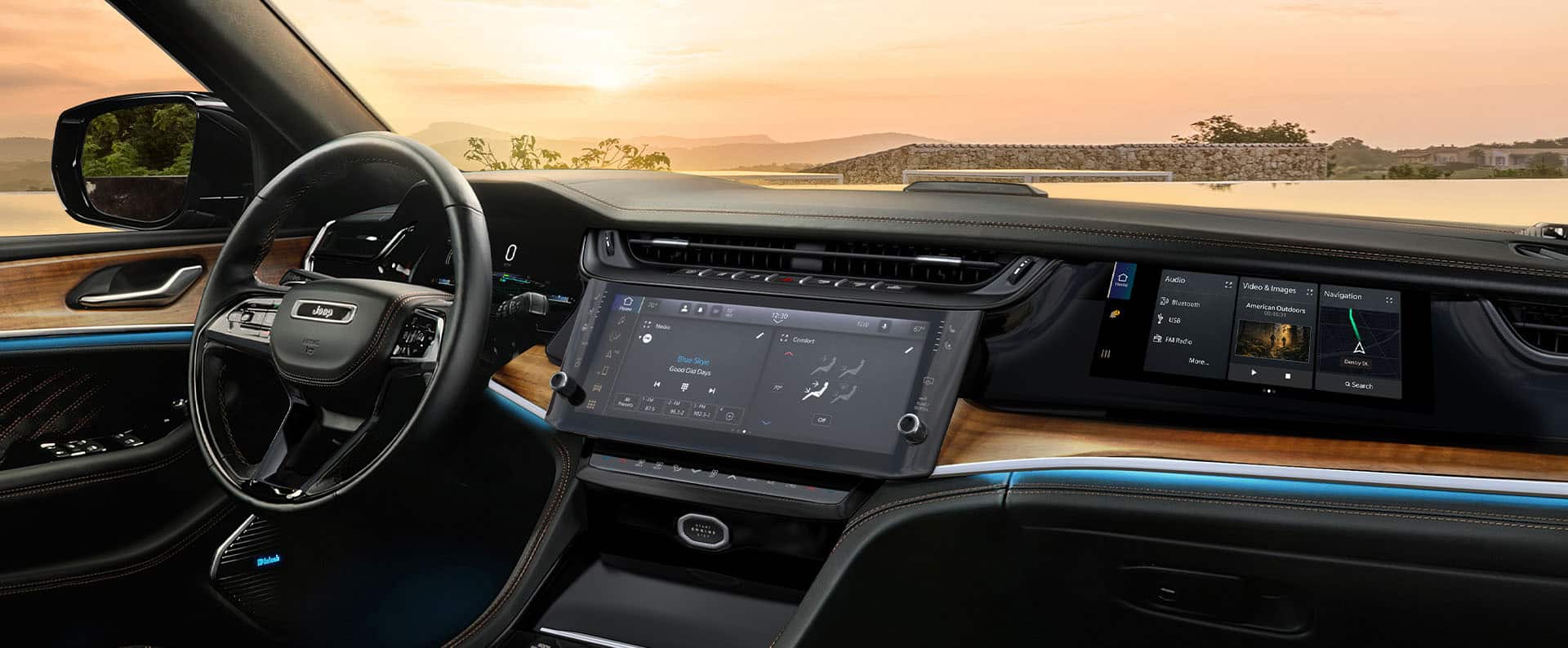
The heart of the Jeep car touchscreen experience is the Uconnect system. This proprietary infotainment platform, developed by Stellantis (formerly Fiat Chrysler Automobiles), has evolved significantly over the years, offering increasingly sophisticated features and user-friendly interfaces. Uconnect systems are available in various screen sizes, typically ranging from 5 inches to 12.3 inches, depending on the Jeep model, trim level, and model year. The core purpose of Uconnect is to consolidate essential vehicle functions and entertainment options into a single, accessible digital interface, reducing dashboard clutter and providing a more modern feel.
Evolution Of Uconnect
Early iterations of Uconnect focused on basic functions like radio control, Bluetooth connectivity for hands-free calling, and media playback from external devices. As technology advanced, so did Uconnect. Later generations introduced larger touchscreens, intuitive graphical interfaces, and integrated features like satellite radio, navigation, and even Wi-Fi hotspots. The introduction of Apple CarPlay and Android Auto compatibility marked a significant leap forward, allowing drivers to seamlessly integrate their smartphones into the vehicle’s system, accessing familiar apps and interfaces directly on the touchscreen. This evolution reflects a broader trend in the automotive industry towards more connected and technologically integrated vehicles.
Screen Sizes And Display Options
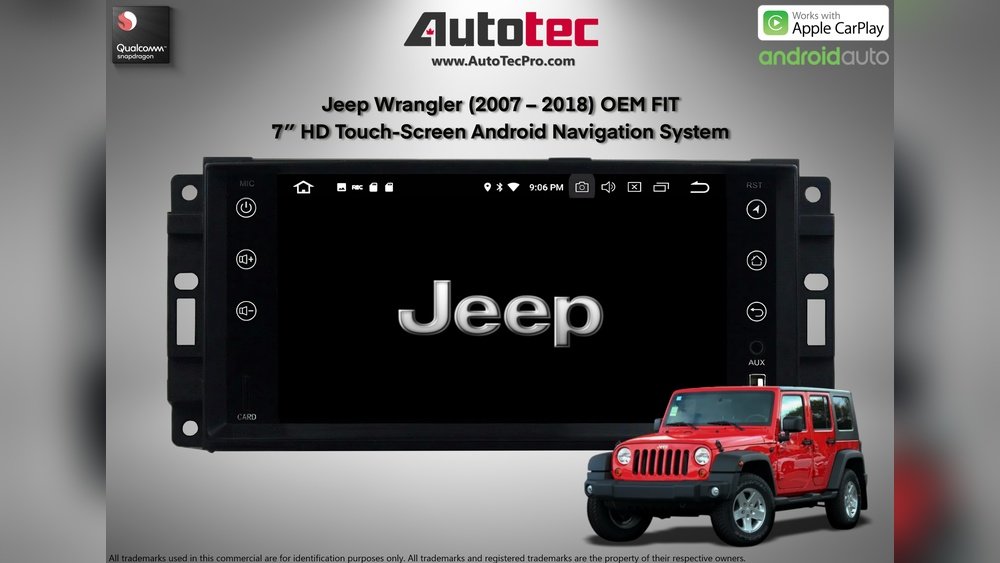
Jeep offers a diverse range of touchscreen sizes across its lineup to cater to different preferences and vehicle segments. For instance, the Jeep Renegade and Compass might feature standard 7-inch or optional 8.4-inch displays, providing ample screen real estate for essential functions. Higher trims and larger models, such as the Jeep Grand Cherokee and Wrangler, often come equipped with larger screens, including impressive 10.1-inch or even the latest 12.3-inch displays. These larger screens not only offer a more immersive visual experience but also allow for more complex information to be displayed simultaneously, such as split-screen views for navigation and media, or detailed vehicle status information. The clarity and responsiveness of these displays have also improved, with higher resolutions and capacitive touch technology that mimics the feel of a smartphone screen.
Core Functionalities Of Jeep Touchscreen Displays
Jeep’s Uconnect touchscreens are designed to be more than just a radio display; they are the central command center for a multitude of vehicle functions. From controlling your environment to planning your route, these displays put powerful tools at your fingertips.
Understanding these core functionalities is the first step to maximizing your driving experience.
Integrated navigation systems are a hallmark of higher trim levels and optional packages on many Jeep models. These systems provide real-time traffic updates, turn-by-turn directions, and points of interest, making it easier to reach your destination, whether it’s a remote trailhead or a new city.
The touchscreen interface allows for easy destination entry via typing or voice command, and the map can be zoomed and panned intuitively. For those who venture off-road, some Jeep navigation systems even include specialized maps highlighting trails and off-road features, enhancing the adventure aspect of driving a Jeep.
This capability is particularly useful for owners who use their Jeeps for outdoor recreation.
Media And Entertainment
The touchscreen is your gateway to a world of audio entertainment. You can control AM/FM radio, satellite radio (SiriusXM), and connect external devices via USB or Bluetooth to play your own music libraries or streaming services.
The interface typically displays album art, song titles, and artist information, making it easy to manage your playlists.
Many systems also support voice commands for selecting music, artists, or playlists, allowing you to keep your hands on the wheel and eyes on the road. The integration with Apple CarPlay and Android Auto further expands media options, giving you access to apps like Spotify, Apple Music, and Pandora directly through the Uconnect system.
Climate Control
Manual climate controls are increasingly being integrated into the touchscreen interface. This allows for precise adjustment of temperature, fan speed, and air distribution.
You can often activate features like dual-zone climate control, heated and ventilated seats, and steering wheel heating directly from the screen.
While some drivers prefer physical buttons for quick adjustments, the touchscreen interface offers a clean aesthetic and can provide more granular control over the cabin environment. For example, you can often set specific temperature targets for both the driver and passenger sides.
Vehicle Settings And Customization
The Uconnect system also serves as a control panel for various vehicle settings. This can include adjusting driver assistance features like adaptive cruise control and blind-spot monitoring, configuring lighting preferences, setting parking sensor sensitivity, and managing connected devices. Personalization is a key aspect, allowing drivers to customize the home screen layout, set preferred radio stations, and save navigation destinations. Some Jeep models even allow customization of the Jeep Wrangler Unlimited Rubicon: Conquer Any Terrain experience through drive modes or specific off-road settings accessible via the touchscreen.
Smartphone Integration: Apple Carplay & Android Auto
The inclusion of Apple CarPlay and Android Auto is a critical feature for modern vehicles, and Jeep’s Uconnect system fully embraces it. This technology mirrors your smartphone’s interface onto the car’s touchscreen, providing access to essential apps like navigation (Google Maps, Waze, Apple Maps), music streaming (Spotify, Apple Music), messaging (SMS, WhatsApp), and phone calls. The integration is seamless, allowing you to use familiar app interfaces and voice assistants (Siri or Google Assistant) without needing to handle your phone. This significantly enhances safety and convenience by keeping your digital life accessible and controllable through the car’s integrated system. For example, you can ask Google Assistant to navigate to a specific address or send a text message using voice commands.
Maintaining Your Jeep’s Touchscreen Display
A modern car touchscreen is a sophisticated piece of technology, and like any electronic device, it requires proper care to ensure longevity and optimal performance. Regular maintenance can prevent issues and keep your display looking and functioning like new.
Cleaning The Touchscreen
The most common maintenance task is keeping the touchscreen clean. Fingerprints, smudges, and dust can accumulate quickly, obscuring the display and making it less responsive.
- Use the right materials: Always use a soft, lint-free microfiber cloth. Avoid paper towels, tissues, or rough fabrics, as these can scratch the screen’s surface.
- Avoid harsh chemicals: Never spray cleaning solutions directly onto the screen. Instead, lightly dampen the microfiber cloth with a screen-specific cleaner or a mixture of distilled water and a small amount of mild dish soap. Isopropyl alcohol can be used sparingly for stubborn grime, but always test in an inconspicuous area first.
- Gentle pressure: Wipe the screen gently in a circular motion or from top to bottom. Avoid pressing too hard, as this can damage the underlying display components.
- Dry thoroughly: After cleaning, use a dry section of the microfiber cloth to gently buff the screen and remove any remaining moisture.
Software Updates
Jeep’s Uconnect system receives periodic software updates that can improve performance, add new features, and fix bugs. These updates are typically delivered over-the-air (OTA) if your vehicle is equipped with a Wi-Fi hotspot or cellular connection, or they can be downloaded and installed via a USB drive from the official Jeep website.
- Check for updates regularly: Periodically visit the Uconnect owner’s portal on the Jeep website or check within your vehicle’s settings menu for available updates.
- Follow installation instructions carefully: If updating via USB, ensure you follow the provided instructions precisely to avoid interrupting the process, which could lead to system errors.
- Benefits of updates: Updates can enhance the responsiveness of the touchscreen, improve the functionality of Apple CarPlay and Android Auto, add new voice command capabilities, and even optimize navigation performance.
Protecting The Screen
While not always necessary, some owners opt for screen protectors, similar to those used on smartphones. These can add an extra layer of defense against minor scratches and smudges.
When choosing a protector, ensure it's specifically designed for your Jeep model's touchscreen size and type.

Troubleshooting Common Jeep Touchscreen Issues
Despite their reliability, Jeep touchscreens can occasionally encounter issues. Fortunately, many common problems can be resolved with simple troubleshooting steps.
Unresponsive Touchscreen
If your touchscreen becomes unresponsive, it could be due to a software glitch or a physical issue.
- Soft Reset: The first step is often a soft reset. This can usually be performed by turning off the vehicle, opening the driver’s door, and waiting for at least 5-10 minutes before restarting the car. This allows the system’s modules to fully power down and reset.
- Check for Obstructions: Ensure there are no foreign objects or debris on the screen that might be interfering with touch input.
- Software Glitch: If the issue persists, it might be a deeper software problem. A more thorough reset might involve disconnecting the vehicle’s battery for a short period (consult your owner’s manual or a professional for this procedure, as it can affect other vehicle systems).
Connectivity Problems (bluetooth, Wi-fi, Apple Carplay/android Auto)
Issues with Bluetooth pairing, Wi-Fi connectivity, or the wired/wireless connection for Apple CarPlay and Android Auto are common.
- Restart Your Phone and Vehicle: Often, simply restarting both your smartphone and the vehicle’s infotainment system can resolve temporary glitches.
- Forget and Re-pair Devices: For Bluetooth or Wi-Fi issues, try “forgetting” the device in both your phone’s settings and the Uconnect system’s paired devices list, then re-pair them from scratch.
- Check USB Cable (for wired CarPlay/Android Auto): If using a wired connection, try a different, high-quality USB cable. Damaged or low-quality cables are a frequent cause of connection problems. Ensure the USB port is clean and free of debris.
- Update Phone and System Software: Ensure both your smartphone’s operating system and the Uconnect system software are up to date. Outdated software can lead to compatibility issues.
Display Errors Or Freezing
If the display shows error messages, freezes, or exhibits distorted graphics, it usually indicates a software or hardware malfunction.
- System Reboot: Attempt the soft reset procedure mentioned earlier.
- Check for Physical Damage: Inspect the screen for any signs of physical damage, such as cracks or water ingress.
- Seek Professional Help: If the problem persists after basic troubleshooting, it’s advisable to contact a Jeep dealership or a qualified automotive technician. There might be a more significant hardware issue with the display unit or its associated modules.
Audio Issues
Problems with sound not playing through the speakers, or distorted audio, can sometimes be linked to the touchscreen interface.
- Check Mute and Volume Settings: Ensure the system is not muted and the volume is turned up appropriately through the touchscreen controls or steering wheel buttons.
- Verify Source: Confirm that the correct audio source is selected.
- Test Different Sources: Try playing audio from different sources (radio, Bluetooth, USB) to determine if the issue is source-specific or system-wide.
- System Reset: A system reboot can sometimes resolve audio glitches.
In my experience, most minor issues with Jeep touchscreens are resolved with a simple vehicle restart. However, for persistent problems, it’s always best to consult the owner’s manual or seek professional assistance to avoid causing further damage.
Advanced Features And Customization
Beyond the core functionalities, Jeep’s Uconnect system offers advanced features and a degree of customization that can significantly enhance the driving experience and tailor the vehicle to individual needs.
Customizable Home Screen And Widgets
Many Uconnect systems allow you to personalize the home screen. You can rearrange icons, add or remove shortcuts to your most frequently used applications (like navigation, media, or phone), and even utilize widgets that display information at a glance, such as weather, time, or compass readings.
This personalization ensures that the features you use most are readily accessible, streamlining interactions while driving.
Voice Command Capabilities
Jeep’s voice command system is designed to be intuitive and comprehensive. You can control a wide range of functions using natural language, including:
- Navigation: “Navigate to [address]” or “Find [point of interest].”
- Climate Control: “Set temperature to 70 degrees” or “Turn on seat heater.”
- Audio: “Play [song title] by [artist]” or “Tune to [radio station].”
- Phone: “Call [contact name]” or “Redial last number.”
Effective use of voice commands allows drivers to keep their hands on the steering wheel and focus on the road, which is a crucial aspect of safe driving.
Uconnect Apps And Services
Depending on the model and subscription status, Uconnect can offer a suite of connected services:
- Jeep App: Allows remote control of vehicle functions like locking/unlocking doors, starting the engine, and locating the vehicle via a smartphone app.
- SiriusXM Guardian™: Provides features like emergency assistance, roadside assistance, stolen vehicle tracking, and remote vehicle operation.
- Wi-Fi Hotspot: Turns your Jeep into a mobile hotspot, allowing passengers to connect multiple devices to the internet.
- SiriusXM Traffic™ and Travel Link: Offers real-time traffic updates, weather forecasts, fuel prices, and sports scores.
These services enhance convenience, safety, and entertainment, making the Jeep a more capable and connected vehicle.
Off-road Pages And Vehicle Information
For Jeep models designed for off-roading, like the Wrangler and Gladiator, the Uconnect system often includes specialized Off-Road Pages. These digital displays provide crucial information for off-pavement adventures, such as:
- Articulation Angles: Showing the degree of suspension articulation.
- Pitch and Roll: Displaying the vehicle’s current tilt angles.
- Transfer Case Status: Indicating the engaged gear range.
- Differential Lock Status: Showing if differentials are locked.
- Off-Road Navigation: Often featuring trail maps and GPS tracking.
These features are invaluable for drivers who push their Jeeps beyond paved roads, providing critical data to navigate challenging terrain safely and effectively. This deep integration with the vehicle’s capabilities underscores the Jeep brand’s heritage and commitment to adventure.
Future Of Jeep Car Touchscreen Displays
The automotive industry is in a constant state of technological advancement, and Jeep’s Uconnect system is no exception. The future promises even more integrated, intelligent, and immersive touchscreen experiences.
Larger And More Immersive Displays
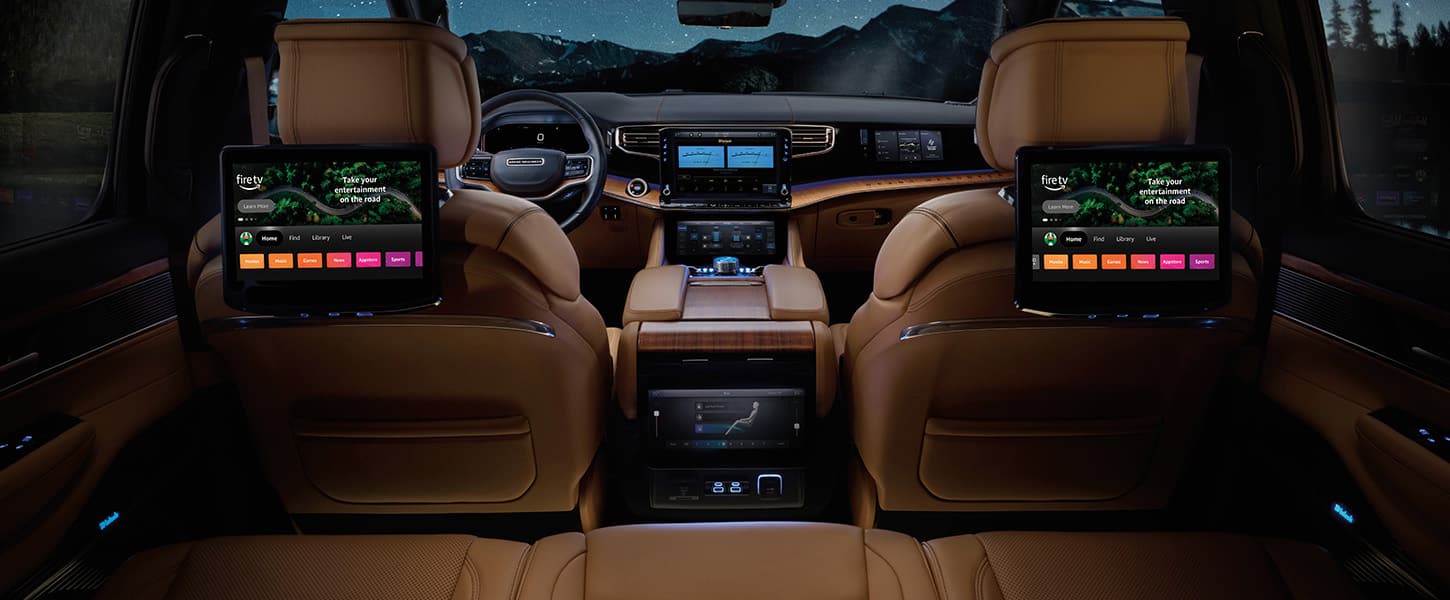
Expect to see larger, higher-resolution displays becoming standard across more Jeep models. The trend is moving towards panoramic displays that span across the dashboard, offering a more futuristic and visually engaging interface. These larger screens will facilitate more complex multitasking, such as displaying navigation, media, and vehicle information simultaneously without feeling cramped. Edge-to-edge glass and improved haptic feedback are also likely to enhance the user experience.
Enhanced Ai And Personalization
Artificial intelligence (AI) will play a more significant role in Uconnect systems. AI-powered voice assistants will become more sophisticated, understanding natural language commands with greater accuracy and context.
Personalization will deepen, with systems learning driver preferences over time to proactively offer suggestions, adjust settings, and even anticipate needs based on driving habits and calendar information.
This could include automatically adjusting climate control based on external temperature and time of day, or suggesting routes based on historical traffic patterns.
Advanced Connectivity And Over-the-air (ota) Updates
Connectivity will continue to be a focal point. 5G integration could enable faster data transfer for streaming, real-time updates, and more robust remote services. Over-the-air (OTA) updates will become more comprehensive, allowing for not just software improvements but potentially even hardware-related feature enhancements to be delivered wirelessly. This means your Jeep’s technology can continue to evolve and improve throughout its lifespan, much like a smartphone.
Augmented Reality (ar) Integration
A potential future development is the integration of augmented reality (AR) into the display or projected onto the windshield via a heads-up display (HUD). AR navigation could overlay directional arrows and points of interest directly onto the live view of the road, making navigation more intuitive and safer. This technology could also be used to highlight potential hazards or provide contextual information about the surroundings.
Frequently Asked Questions
What Is The Largest Touchscreen Available In A Jeep?
Currently, the largest touchscreen available in select Jeep models, such as the redesigned Grand Cherokee L and Wagoneer/Grand Wagoneer, is a 10. 1-inch or even a 12.
3-inch display. These premium systems offer advanced features and a highly integrated user experience.
How Do I Update The Uconnect Software In My Jeep?
You can typically update your Uconnect software either over-the-air (OTA) if your vehicle is equipped with a Wi-Fi connection, or by downloading the update from the official Jeep website onto a USB drive and installing it in your vehicle. Always refer to your owner’s manual or the Uconnect website for specific instructions for your model year.
Yes, if your Jeep is equipped with Apple CarPlay or Android Auto compatibility, you can mirror your smartphone’s navigation apps (like Google Maps, Waze, or Apple Maps) directly onto the Uconnect touchscreen. This allows for seamless use of familiar navigation interfaces within the vehicle’s system.
My Jeep Touchscreen Is Frozen. What Should I Do?
If your Jeep's touchscreen is frozen, try performing a soft reset by turning off the vehicle, opening and closing the driver's door, and waiting for about 5-10 minutes before restarting the engine. This often resolves temporary software glitches.
If the problem persists, consult your owner's manual or contact a Jeep dealership.
How Do I Clean The Touchscreen Without Damaging It?
To clean your Jeep’s touchscreen, use a soft, lint-free microfiber cloth. Lightly dampen the cloth with a screen-specific cleaner or a mixture of distilled water and a mild soap. Never spray liquids directly onto the screen, and avoid using abrasive materials or harsh chemicals.
The Jeep car touchscreen display, powered by the Uconnect system, has become an indispensable part of the modern driving experience. It offers a sophisticated blend of connectivity, entertainment, and vehicle control, all accessible through an intuitive interface.
By understanding its core functions, knowing how to maintain it properly, and being aware of troubleshooting steps for common issues, owners can fully leverage the capabilities of their Jeep's digital hub.
As technology continues to advance, the future promises even more integrated and intelligent displays, further enhancing the adventure and convenience that define the Jeep brand.