Cruise control can turn your daily drive into a smooth and relaxed experience. For Jeep Patriot owners, learning how to use cruise control can help save fuel, reduce fatigue, and make long trips easier.
Many drivers aren’t sure how to operate this feature or what to expect from it.
This guide will give you clear steps, practical tips, and real-world advice to make cruise control work for you.
Understanding Cruise Control In Jeep Patriot
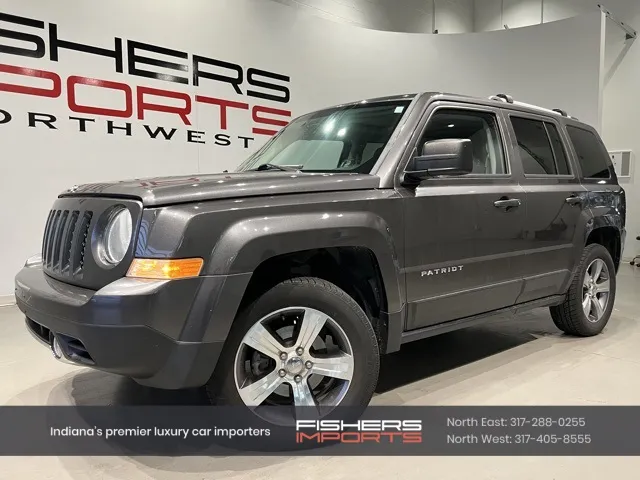
Cruise control lets you set a steady speed without holding the gas pedal. In the Jeep Patriot, this system is electronic and easy to use. It works best on highways or open roads where you can maintain a constant speed.
Here’s a quick look at the main benefits:
- Reduces driver fatigue on long trips.
- Improves fuel efficiency by avoiding unnecessary speed changes.
- Helps maintain legal speed limits without constant attention.
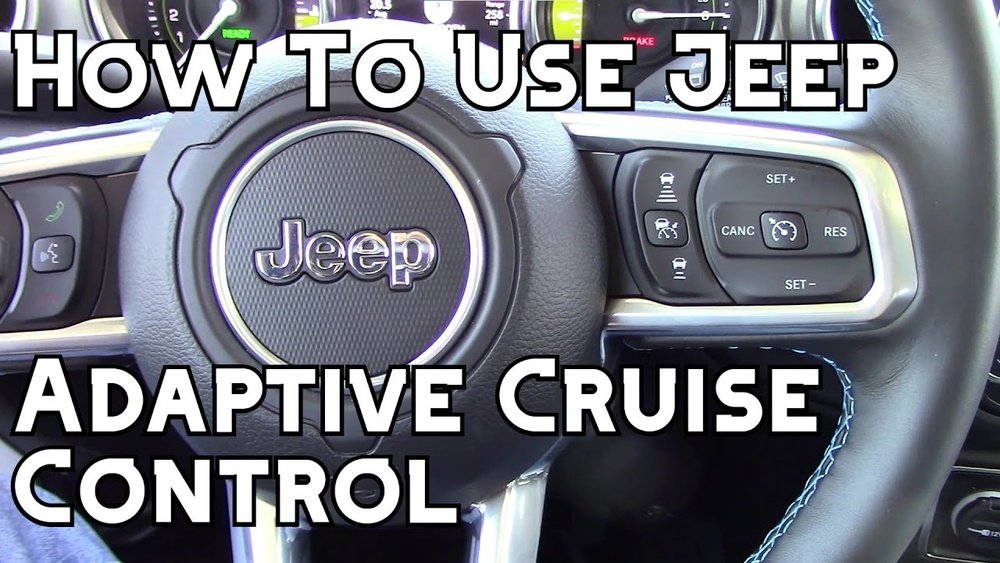
Not all cruise control systems are the same. The Jeep Patriot uses a simple but reliable setup, different from more advanced adaptive cruise controls found in newer SUVs.
| Feature | Jeep Patriot | Modern SUVs |
|---|---|---|
| Basic Cruise Control | Yes | Yes |
| Adaptive Cruise Control | No | Often Available |
| Speed Adjustment Buttons | Yes | Yes |
| Automatic Braking | No | Yes (optional) |
Many drivers make the mistake of expecting advanced features like automatic slowing or lane keeping. The Jeep Patriot’s system is basic: it holds your speed, but you must handle steering and slowing down.
How To Use Cruise Control In Jeep Patriot
Activating cruise control is simple, but there are steps you should follow for safety and best performance.
1. Get To A Safe Speed
Cruise control only works above a certain speed, usually around 25 mph. Make sure you are on a straight, open road.
2. Locate The Controls
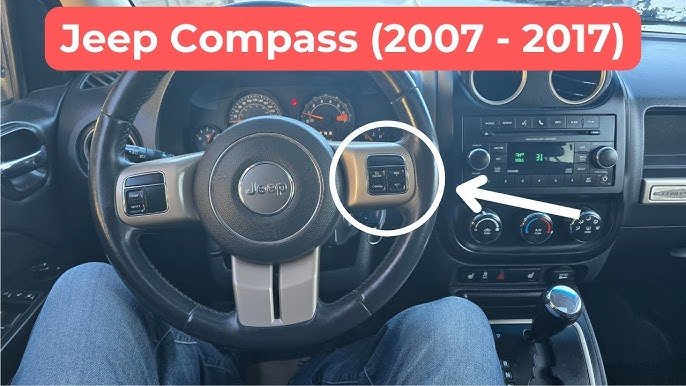
The cruise control buttons are usually on the steering wheel or a stalk attached to it. Look for buttons labeled ON/OFF, SET, CANCEL, and RESUME.
3. Turn On Cruise Control
Press the ON button. A light on your dashboard will show that cruise control is ready.
4. Set Your Speed
Accelerate to your desired speed. Press the SET button. The system will now keep your Jeep at this speed.
5. Adjust Speed
- To increase speed, press RESUME/ACCEL.
- To decrease speed, press COAST/DECEL.
Each press changes the speed by 1 mph. Hold the button to change speed faster.
6. Cancel Or Turn Off
- Tap the brake pedal to cancel cruise control.
- Press CANCEL or OFF to turn it off completely.
| Action | Button | Effect |
|---|---|---|
| Activate | ON | Prepares system |
| Set Speed | SET | Locks current speed |
| Increase Speed | RESUME/ACCEL | +1 mph per press |
| Decrease Speed | COAST/DECEL | -1 mph per press |
| Cancel | CANCEL or Brake | Temporary stop |
| Turn Off | OFF | Deactivates system |
Tips For Safe And Efficient Use
Using cruise control is not just about pressing buttons. Smart use leads to better results.
- Only use on dry, straight roads. Avoid in rain, snow, or heavy traffic.
- Stay alert. Cruise control does not steer or stop your Jeep.
- Adjust speed for hills. The Patriot’s cruise system may lose speed on steep climbs. Be ready to accelerate manually.
- Do not use in city driving. Frequent stops and turns make cruise control unsafe.
- Maintain safe following distance. Always leave enough space between your Jeep and the car ahead.
A common mistake is forgetting to turn off cruise control after slowing down or stopping. This can cause unexpected acceleration if you press RESUME by accident.
Real-world Example: Highway Driving
Imagine you’re on a long highway trip. After reaching 60 mph, you press the ON button, then SET. Your Jeep Patriot holds speed, and you feel less tired. If you approach slower traffic, tap the brake to cancel cruise control. Once the road is clear, press RESUME to return to your previous speed.
Drivers report that using cruise control on highways can improve fuel efficiency by up to 7%. This is because the system avoids sharp changes in speed, which use more gas.
Troubleshooting Common Issues
Sometimes, cruise control may not work as expected. Here are a few things to check:
- Cruise control won’t activate: Make sure your speed is above 25 mph and the ON light is showing.
- System turns off suddenly: This can happen if you tap the brake or if there’s a system error. Check for warning lights.
- Speed won’t hold: If your Jeep slows on hills, the cruise control may not have enough power. Accelerate manually if needed.
If problems continue, consult your owner’s manual or a trusted mechanic. For technical details, visit the official Jeep site: Jeep Owners.
Comparison: Cruise Control Vs. Manual Driving
Let’s see how cruise control compares to manual speed control.
| Aspect | Cruise Control | Manual Driving |
|---|---|---|
| Fatigue Level | Lower | Higher |
| Speed Consistency | Very steady | Variable |
| Fuel Efficiency | Better | Lower |
| Safety in Traffic | Requires caution | Full control |
| Ease of Use | Simple | Standard |
Frequently Asked Questions
Can I Use Cruise Control In Heavy Rain Or Snow?
No, it’s not safe. Cruise control can cause loss of traction in wet or icy conditions. Always drive manually in bad weather.
Does Cruise Control Save Gas In Jeep Patriot?
Yes, it can. By keeping a steady speed, you may save up to 7% fuel compared to manual driving, especially on highways.
What Happens If I Press The Brake While Cruise Control Is Active?
Cruise control turns off. You regain full control of your Jeep Patriot immediately.
Is Adaptive Cruise Control Available In Jeep Patriot?
No. The Jeep Patriot only offers basic cruise control.
You must handle speed changes and braking yourself.
Can Cruise Control Be Used In City Traffic?
No, it’s not recommended. City driving involves frequent stops and turns, which make cruise control unsafe.
Cruise control in the Jeep Patriot is simple, but it can make your driving more comfortable and efficient when used correctly. Remember to use it only in the right conditions and always stay alert.
With these tips, you can enjoy smoother, safer journeys and get the most out of your vehicle.


















