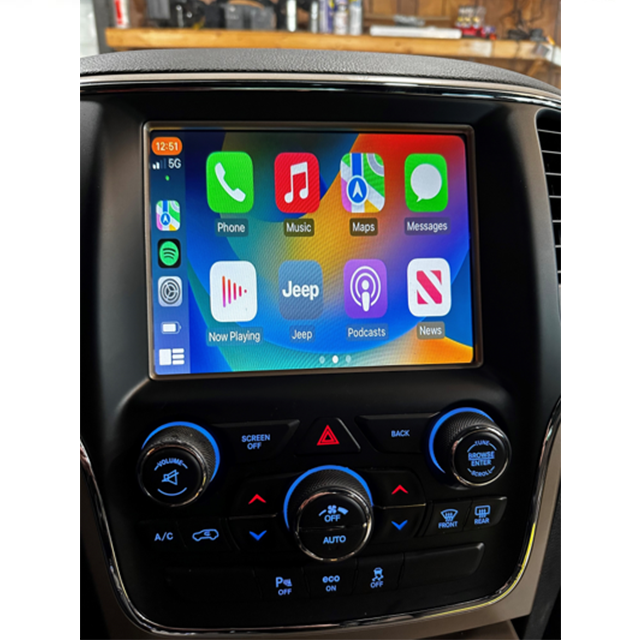
If you drive a Jeep Grand Cherokee and want to connect your iPhone for easy navigation, music, and calls, Apple CarPlay is the smart way to do it. CarPlay brings your favorite iPhone apps to the car’s touchscreen, making driving safer and more enjoyable. But many drivers feel unsure about how to set it up or use its features fully. This article will show you exactly how to use CarPlay in your Jeep Grand Cherokee, with clear steps, practical tips, and answers to common questions.
What Is Carplay And Why Use It?
CarPlay is Apple’s system for linking your iPhone with your vehicle’s infotainment screen. It lets you use apps like Maps, Music, Messages, and Podcasts hands-free, using Siri voice commands. This means your focus stays on the road while still enjoying your phone’s main functions.
Jeep started adding CarPlay to the Grand Cherokee around 2018. If your model is newer than that, it likely supports CarPlay.

Older models may need a software update or a hardware change.
Setting Up Carplay In Jeep Grand Cherokee
Getting started with CarPlay is simple, but there are a few things you need to check first.
What You Need
- A compatible iPhone (iPhone 5 or newer, running iOS 7.1 or later)
- A Jeep Grand Cherokee with CarPlay support (usually 2018 or newer)
- A high-quality Lightning cable for wired use (wireless CarPlay is available in some trims)
Step-by-step Setup
- Turn on your Jeep and keep it in Park.
- Connect your iPhone to the USB port using your Lightning cable. For wireless CarPlay (if supported), enable Bluetooth and Wi-Fi on your iPhone.
- A message pops up on the infotainment screen: “Apple CarPlay Available.” Select it.
- On your iPhone, you may see a prompt to “Allow CarPlay with Jeep while phone is locked.” Tap Allow.
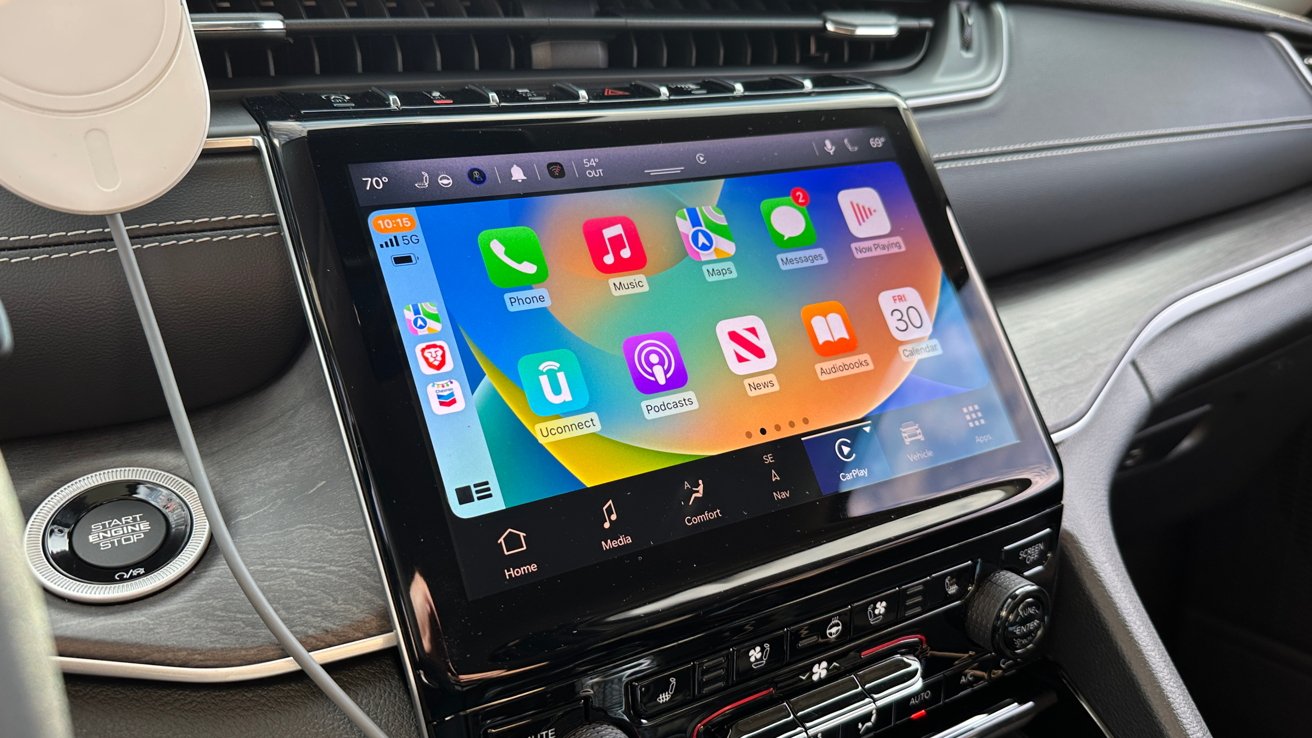
- CarPlay should appear on the screen, showing app icons similar to your iPhone.
If CarPlay doesn’t start, check these common issues:
- Use a genuine or certified cable.
- Try a different USB port—usually the main port labeled with a phone symbol.
- Restart your iPhone and vehicle.
Key Features Of Carplay In Jeep Grand Cherokee
CarPlay is more than just connecting your phone. Here’s what you can do:
- Maps & Navigation: Use Apple Maps, Google Maps, or Waze for real-time GPS, traffic updates, and lane guidance.
- Music & Audio: Play Apple Music, Spotify, podcasts, and audiobooks directly from the screen.
- Calls & Messages: Make hands-free calls and send texts by speaking to Siri.
- Third-party Apps: Listen to news, sports, or even order food with supported apps.
| Feature | CarPlay | Standard Uconnect |
|---|---|---|
| Navigation | Apple/Google Maps | Uconnect Navigation (if equipped) |
| Music Streaming | Apple Music, Spotify | AM/FM, SiriusXM |
| Voice Control | Siri | Uconnect Voice |
Non-obvious tip: You can rearrange CarPlay app icons by going to Settings > General > CarPlay on your iPhone, then choosing your Jeep and dragging apps into your preferred order.
Using Carplay: Practical Examples
Instead of typing addresses on a small phone screen, just say, “Hey Siri, get directions to the nearest gas station.” CarPlay will start navigation on the Jeep’s display.
Hands-free Communication
If you receive a text, Siri can read it aloud and let you reply by voice. For example, say, “Reply, I’ll be there in 10 minutes.”
Switching Between Apps
Easily move from music to navigation without searching for your phone. Use the touchscreen or steering wheel buttons to switch apps safely.
Wireless Carplay Vs. Wired Carplay
Some newer Grand Cherokee trims offer wireless CarPlay, so your iPhone connects automatically as soon as you enter the car. Wired CarPlay is more common and often more stable.
| Connection Type | Pros | Cons |
|---|---|---|
| Wired | Reliable, charges phone | Needs cable, less tidy |
| Wireless | Convenient, clutter-free | May use more battery, not in all models |
Insider tip: Wireless CarPlay can drain your iPhone’s battery faster. Keep a cable handy for longer drives.
Customizing Your Carplay Experience
Personalizing CarPlay makes your drive smoother. Here are two ways to make it work for you:
- Arrange your home screen: On your iPhone, go to Settings > General > CarPlay and drag apps to change their order. Hide apps you never use.
- Enable Do Not Disturb While Driving: This silences notifications, reducing distractions on busy roads.
You can also set up Siri Shortcuts for common tasks like “Play my news briefing” or “Send ETA to home.” These actions save time and help you stay focused.
Troubleshooting Common Problems
Even with easy setup, things sometimes go wrong. Here’s how to fix the most common CarPlay issues in your Jeep Grand Cherokee:
- CarPlay not showing up: Check that your iPhone’s Siri is enabled. Go to Settings > Siri & Search, and turn on all options.
- Music not playing: Open the Music app on your iPhone before connecting. Some apps need to be active to show in CarPlay.
- Screen freezes or disconnects: Try a different USB cable, restart your phone, and check for software updates.
- Voice commands not working: Make sure your iPhone’s microphone is clean and Siri is enabled.
If problems persist, visit your local Jeep dealer or check the official Apple CarPlay page for updates.
Safety And Legal Tips
Using CarPlay can help you drive safer, but always remember:
- Keep your eyes on the road, not the screen.
- Use voice commands whenever possible.
- Some CarPlay features may not work in all countries due to local laws.
Frequently Asked Questions
Can I Add Carplay To An Older Jeep Grand Cherokee?
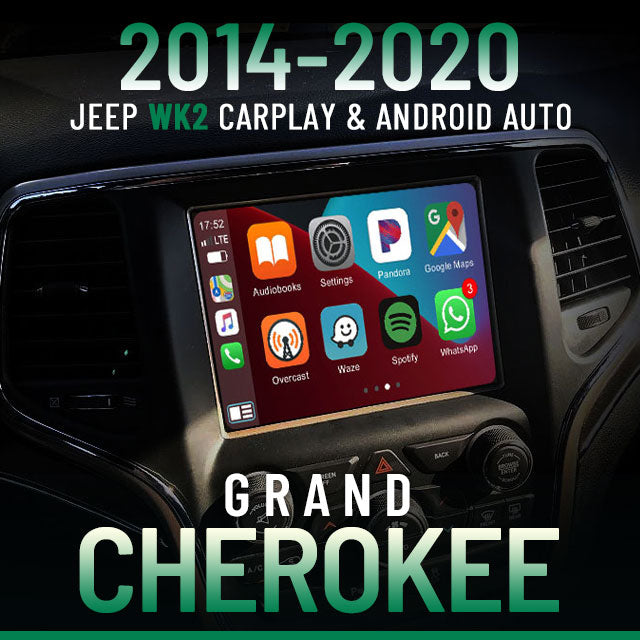
If your Grand Cherokee is from 2018 or later, it likely has CarPlay. Older models may require a hardware upgrade, which can be done by a professional installer.
Does Carplay Use My Phone’s Data Plan?
Yes, CarPlay uses your iPhone’s data for navigation, music streaming, and app updates. If you have a limited data plan, monitor your usage.
Is Wireless Carplay Available In All Grand Cherokee Trims?
No, wireless CarPlay is available only in newer, higher trims. Most models use wired CarPlay.
Check your owner’s manual or Jeep’s website for details.
Can I Use Android Auto In My Jeep Grand Cherokee?
Many Grand Cherokees support both CarPlay and Android Auto. If you have an Android phone, you can connect it instead of an iPhone for similar features.
How Do I Update Carplay In My Jeep Grand Cherokee?
CarPlay updates automatically with your iPhone’s iOS updates. For Jeep’s infotainment system, check for Uconnect software updates at your dealer or on Jeep’s support page.
CarPlay turns your Jeep Grand Cherokee into a smarter, safer companion on the road. By learning its features and customizing the setup, you’ll enjoy every drive more and keep your attention where it belongs on driving.