Driving a Jeep Patriot with 4 wheel drive can change your experience, especially on rough roads or during bad weather. Many new drivers feel unsure about how to use the 4WD system correctly.
If you know the basics and follow some clear steps, you can use your Jeep Patriot’s 4 wheel drive safely and confidently. This article gives you practical advice, real examples, and key comparisons so you can get the most out of your vehicle.
Understanding Jeep Patriot 4 Wheel Drive Modes
The Jeep Patriot offers several 4WD settings. It is important to know what each mode does, so you can choose the right one for your situation.
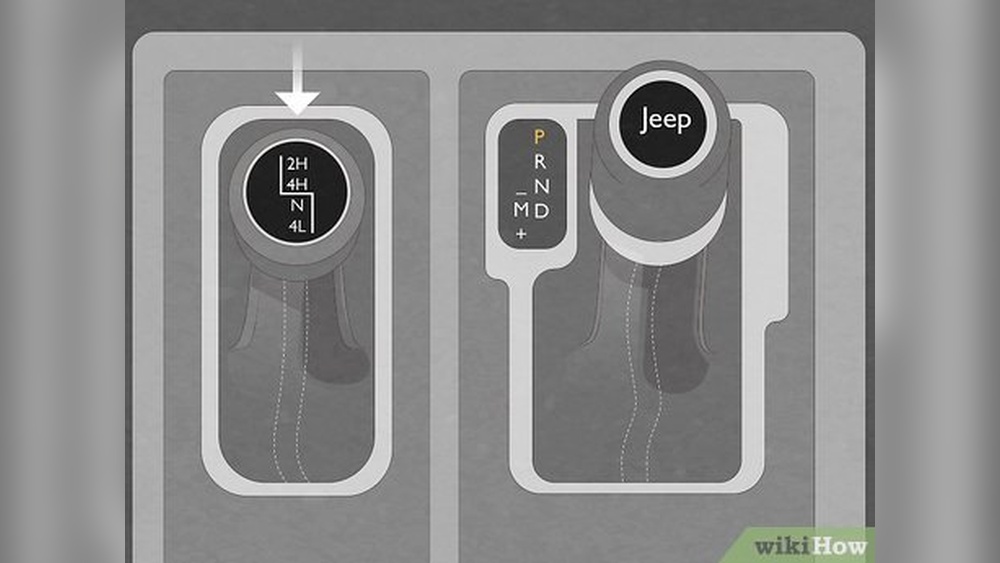
- Auto Mode: The system decides when to send power to all four wheels. You do not need to switch anything; it works automatically. This is useful for daily driving and changing road conditions.
- Lock Mode: In this mode, the system locks the power split between front and rear wheels. It is best for slippery surfaces like snow, mud, or sand.
- Low Mode: Some Patriot models have a “Low” setting. This gives extra torque for steep hills or deep mud. Only use this at low speeds.
- Off-Road Setting: This combines several features, like traction control and hill descent, to help you drive in tough conditions. Activate this mode if you plan to go off the paved road.
Not all Patriots have every mode. Check your owner’s manual or dashboard buttons to see which modes your vehicle offers.
How To Use Each 4 Wheel Drive Setting
Let’s look at each mode in detail and learn how to use them correctly.
1. Using Auto Mode
Auto Mode is best for everyday driving. The system senses when wheels slip and automatically sends power to the rear wheels. To use it:
- Start your Jeep as usual.
- Leave the 4WD selector in the “Auto” position.
- Drive normally; the system adjusts itself.
Example: If you are driving on a wet highway and the front wheels lose grip, Auto Mode will send power to the rear wheels without you noticing.
2. Using Lock Mode
Lock Mode is for times when you need extra grip. This is common in snow, mud, or loose gravel.
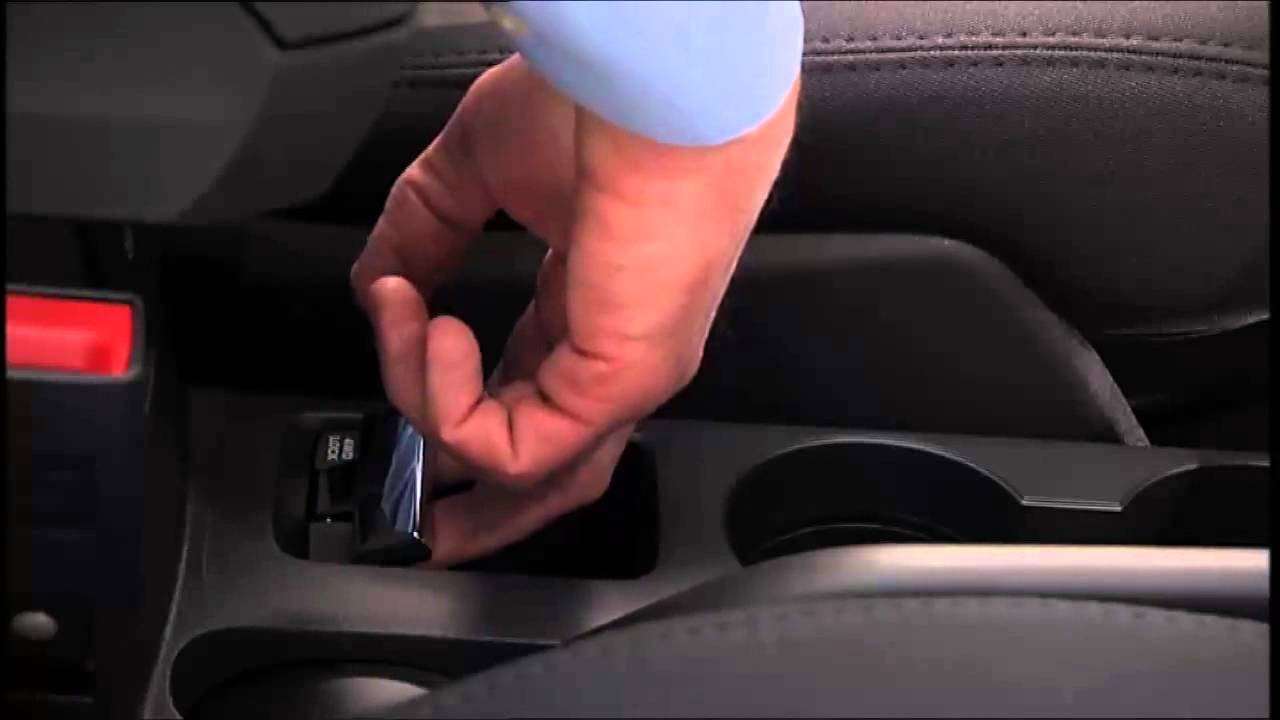
- Stop your Jeep Patriot.
- Turn the 4WD selector to “Lock.”
- Accelerate slowly to avoid wheel spin.
Tip: Use Lock Mode only when you really need it. Driving on dry pavement in Lock Mode can damage your drivetrain.
3. Using Low Mode
Low Mode is for tough climbs, deep mud, or towing heavy loads at low speeds.
- Stop your vehicle completely.
- Shift the transmission into Neutral.
- Move the 4WD selector to “Low.”
- Shift back into Drive and move slowly.
Data: Low Mode increases torque by up to 2 times, helping you get out of deep trouble. But never use it for normal driving; it is only for short, difficult sections.
4. Using Off-road Setting
If your Jeep Patriot has an Off-Road Setting, activate it before you leave paved roads.
- Press the “Off-Road” button on your dashboard.
- The vehicle will adjust traction control and hill descent automatically.
- Drive slowly and keep a steady speed.
Example: If you are going down a steep rocky trail, Off-Road Setting will help keep your speed safe without you needing to brake constantly.
Comparing 4wd Modes
Here’s a quick comparison of the four main settings:
| Mode | Best Use | Speed Range | Manual Action Needed? |
|---|---|---|---|
| Auto | Normal roads | Any speed | No |
| Lock | Snow/Mud/Sand | Low-medium | Yes |
| Low | Steep climbs/Deep mud | Low only | Yes |
| Off-Road | Trails/Rocks | Low-medium | Yes |
Real-world Examples And Tips
Many Jeep Patriot owners use 4WD for winter driving. In heavy snow, Lock Mode helps keep the vehicle moving without slipping.
In mountain areas, Low Mode makes it easier to climb steep hills without losing control. For off-road adventures, the Off-Road Setting gives extra safety and control.
Non-obvious insight: Always check tire pressure before using any 4WD mode. Uneven tires can make the system less effective and may cause damage.
Another key tip: After using 4WD Lock or Low, always switch back to Auto once you return to regular roads. This prevents unnecessary wear on your drivetrain.
Common Mistakes To Avoid
Many new drivers make these errors:
- Using Lock or Low on dry pavement – This can cause damage and make turning harder.
- Switching modes while moving fast – Only change settings at low speed or when stopped.
- Ignoring dashboard warnings – If a warning light appears, check your manual or get help.
It is best to practice switching between modes in a safe place before you need them in real conditions.
Maintenance For 4 Wheel Drive
Regular maintenance keeps your 4WD system working well:
- Change the transfer case fluid every 30,000 miles.
- Inspect drivetrain components for wear.
- Keep tires at correct pressure.
If you notice strange noises or the system does not engage, get your Jeep checked by a mechanic. Proper care prevents expensive repairs later.
Fuel Economy Differences
Using 4WD can affect your fuel economy. Here is a comparison of average MPG:
| Mode | Avg. MPG | Notes |
|---|---|---|
| Auto | 24 | Normal driving |
| Lock | 22 | Extra grip |
| Low | 18 | Heavy climbing |
| Off-Road | 20 | Mixed use |
Using Lock or Low modes often will lower your fuel efficiency. Use them only when needed.
Safety Tips For 4 Wheel Drive
- Drive slowly in tough conditions; 4WD helps with traction but not stopping.
- Keep a safe distance from other vehicles, especially in snow or mud.
- Don’t overestimate what your Jeep can do. 4WD helps, but it does not make you invincible.
If you want more details about 4WD systems, visit Wikipedia.
Getting comfortable with your Jeep Patriot’s 4WD modes gives you more confidence on the road. Practice using each mode, follow safety rules, and keep up with maintenance.
Your vehicle will reward you with better performance and more fun adventures.
Frequently Asked Questions
How Do I Know Which 4wd Mode To Use?
Use Auto for daily driving, Lock for slippery surfaces, Low for steep or deep trouble, and Off-Road for unpaved trails. Always match the mode to the road conditions.
Can I Switch Modes While Driving?
It is safest to switch between modes at low speed or when stopped. Changing modes while moving fast can damage the system.
Does Using 4wd Affect Fuel Economy?
Yes. Lock and Low modes use more fuel than Auto.
Use them only when needed to save gas.
What Should I Do If The 4wd Warning Light Comes On?
Check your owner’s manual for the meaning. Sometimes it’s a simple fix, but you may need a mechanic if the system doesn’t engage.
Is 4wd Needed For Normal City Driving?
No. Auto mode is fine for city driving.
Only use Lock, Low, or Off-Road for tough conditions or rough roads.


















