If you drive a Jeep Compass, keeping its software updated is more important than you might think. Software updates don’t just add new features they often fix bugs, improve safety, and make your driving experience smoother.
Many owners are surprised to learn that updating their Jeep Compass software can be done at home or at a dealership, but the process can feel confusing if you haven’t done it before.
This guide will help you understand how to update Jeep Compass software step by step, explain why updates matter, and share tips to avoid common problems.
Why Jeep Compass Software Updates Matter
Your Jeep Compass uses software to control everything from the Uconnect infotainment system to engine and transmission functions. Updates can:
- Fix security issues that hackers might use.
- Add new features, like improved navigation or voice commands.
- Improve performance and stability, making the system less likely to freeze or crash.
- Enhance compatibility with your phone or smart devices.
For example, a 2021 Jeep Compass update improved Apple CarPlay stability and fixed a Bluetooth bug that caused dropped calls. Skipping updates can mean missing out on important improvements.
How To Check For Software Updates
Before you start, you need to know if your Jeep Compass needs an update. Here’s how to check:
- Start your vehicle and turn on the Uconnect system.
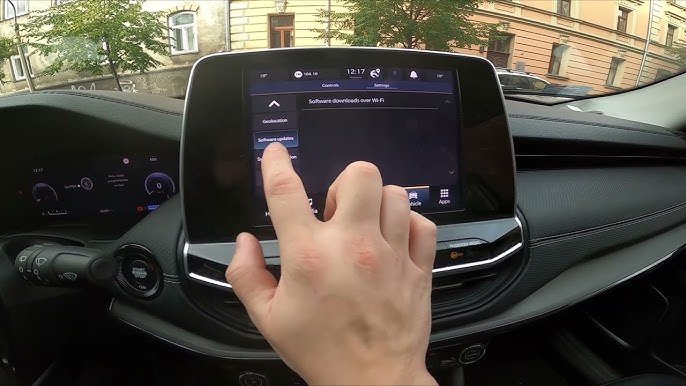
- Tap the “Apps” icon on the screen.
- Go to “Settings” or “System Information”.
- Look for “Software Update” or “Version Info”.
Compare your version number with the latest available on the Jeep or Mopar official website. If your version is older, it’s time to update.
You can also enter your Vehicle Identification Number (VIN) on the Jeep or Mopar update page. This will show if updates are available for your specific vehicle.
Update Methods: Over-the-air Vs Usb Vs Dealership
Jeep Compass software updates are delivered in three main ways. Choosing the right method depends on your model year and the type of update.
| Update Method | What It Covers | Best For |
|---|---|---|
| Over-the-Air (OTA) | Infotainment and navigation | 2018+ models with built-in Wi-Fi |
| USB Drive | Infotainment, navigation, some firmware | Most 2017-2023 models |
| Dealership | Critical system and safety updates | Any model or complex updates |
Not all updates are available for home installation. Safety recalls and deep system updates usually require a technician.
Step-by-step: Updating Jeep Compass Software
Over-the-air Update (ota)
- Park your Jeep in a safe place with good Wi-Fi or cellular signal.
- Start the engine and keep the vehicle in Park.
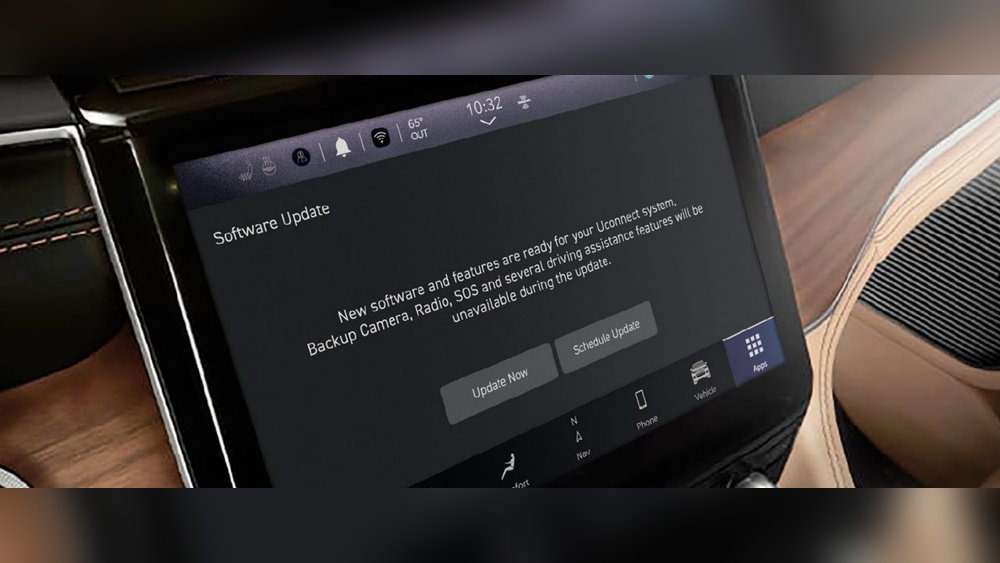
- If a software update is available, a message appears on your Uconnect screen.
- Tap “Update Now”. Follow the prompts.
- The system will restart during the process. Do not turn off the engine.
OTA updates usually take 20 30 minutes. If you lose connection, the process may pause and resume when signal returns.
Usb Update
If OTA isn’t available, you can use a USB drive:
- Go to the official Uconnect or Mopar website.
- Enter your VIN and download the correct update file.
- Copy the update file to a blank USB drive (at least 4GB, FAT32 format).
- Start your Jeep and plug the USB drive into the center console port.
- The Uconnect screen will prompt you to start the update.
- Follow the on-screen instructions. The update usually takes 30–45 minutes.
Never remove the USB or turn off the vehicle during installation. If the update fails, try another USB drive or check the file.
Dealership Update
Some updates, especially for engine or safety systems, require dealership tools.
- Call your local Jeep dealership to schedule an appointment.
- Bring your Jeep Compass and explain you need a software update.
- The technician will connect your car to a diagnostic tool and install the latest updates.
Most dealerships update software for free during warranty, but some may charge a service fee.
Tips To Avoid Problems
- Battery Charge: Make sure your Jeep’s battery is fully charged before starting.
- Stable Connection: For OTA, park where you have a strong Wi-Fi or mobile signal.
- Correct File: Use only official update files. Third-party or incorrect files can damage your system.
- Stay with the Vehicle: Never leave the car unattended during the update.
Many owners forget to check for updates after servicing or repairs. Always ask your dealer to check for the latest software, especially after major repairs.
Common Issues And How To Fix Them
If your update fails or the Uconnect freezes, try these solutions:
- Restart the System: Hold the volume and tuner knobs at the same time for about 10 seconds. This will restart Uconnect.
- Try a Different USB: Some drives are not compatible. Use a name-brand, 4–32GB USB formatted to FAT32.
- Check the File: Make sure the update file is not corrupted. Redownload if needed.
- Contact Support: If the update still fails, visit your dealership or call Jeep customer support.
One non-obvious tip: If you have multiple devices paired with Bluetooth, disconnect or unpair them before starting the update. Sometimes, paired phones can interrupt the process.
Table: Typical Jeep Compass Software Update Features
Here’s what you might get with a typical update:
| Feature Improved | What Changed | Model Years Affected |
|---|---|---|
| Bluetooth Stability | Fewer dropped calls, smoother pairing | 2018-2022 |
| Navigation Maps | Updated road info, faster rerouting | 2017-2023 |
| Voice Commands | Better recognition, new commands | 2019-2023 |
| Apple CarPlay/Android Auto | Improved connection, fewer bugs | 2020-2023 |
When Not To Update Yourself
You should avoid home updates if:
- Your Jeep Compass is still under warranty and you want to avoid accidental errors.
- You see a recall notice. These should always be done by a dealership.
- The update involves engine, transmission, or safety systems.
Some updates, especially those that affect your car’s drive systems, need special tools and experience.
Useful Resources
Always use official sources for update files and instructions. The official Jeep and Mopar websites are the safest choices. For more detailed information, visit the Mopar Jeep Updates page.
Frequently Asked Questions
How Often Should I Update My Jeep Compass Software?
It’s best to check for updates every six months or after any major service. Some updates are automatic, but manual checks ensure you don’t miss improvements.
Will Updating The Software Delete My Saved Settings?
Most updates keep your settings, but it’s smart to note your favorite radio stations and paired devices just in case.
Is There A Risk Of Damaging My Jeep Compass By Updating Software At Home?
If you follow official instructions and use the right files, the risk is low. Never use files from unofficial sources to avoid bricking your system.
What Should I Do If The Update Gets Stuck?
Try restarting Uconnect by holding the volume and tuner knobs. If that doesn’t work, contact your dealer for help.
Yes, map updates are often separate. You can download map updates from the Mopar website and install them via USB.
Updating your Jeep Compass software is one of the easiest ways to keep your car safe, modern, and enjoyable to drive. With a little care and the right steps, you’ll have new features and fixes in no time.


















