Starting a Jeep Grand Cherokee is a simple process, but there are different methods depending on the model year and features. Modern vehicles often include advanced technology like push-button start, remote start, and keyless entry.
Still, traditional keys are also common, especially in older models. Understanding how to start your Grand Cherokee correctly keeps your vehicle running smoothly and prevents unnecessary battery drain or mechanical issues.
This guide will walk you through each method, offer troubleshooting tips, and highlight features that can make your driving experience easier.
Understanding Your Jeep Grand Cherokee’s Starting System
Before starting, it’s important to know which type of ignition system your Jeep Grand Cherokee uses. Most models from the early 2000s used a traditional key ignition. By 2014, many Grand Cherokees came with push-button start. Some trims offer remote start as well.
Below, you’ll find a comparison of common starting systems by model year:
| Model Year | Ignition Type | Remote Start Option |
|---|---|---|
| 2010 and earlier | Key ignition | No |
| 2011–2013 | Key (some push-button in higher trims) | Optional |
| 2014–present | Push-button start | Often standard |
Always check your owner’s manual if you’re unsure about your model’s features.
How To Start With A Traditional Key
For models using a physical key, follow these steps:
- Insert the key into the ignition slot (usually right of the steering wheel).
- Make sure the gear shift is in “Park” (P).
- Press the brake pedal with your foot.
- Turn the key clockwise to the “Start” position. Release when the engine starts.
If the engine does not start, check that the battery is not dead and that you are pressing the brake fully. Sometimes, the steering wheel lock can make it difficult to turn the key. In this case, gently move the steering wheel left and right while turning the key.
Most 2014 and newer Jeep Grand Cherokees use a push-button start system. Here’s how to use it:
- Make sure the key fob is inside the vehicle.
- Press and hold the brake pedal.
- Press the “START/STOP” button (usually to the right of the steering wheel).
The engine should start immediately. If it does not, check that the key fob battery is not weak.
If the battery is low, you can hold the fob closer to the button or press the button with the fob itself.
Here’s a quick comparison of the two systems:
| Feature | Key Ignition | Push-Button Start |
|---|---|---|
| Physical key needed | Yes | No (fob required) |
| Anti-theft technology | Basic | Advanced |
| Ease of use | Standard | Simpler |
Using Remote Start
Many recent Grand Cherokees include remote start. This is especially useful for warming or cooling your car before you get in. To use it:
- Press the lock button on your key fob once.
- Within 5 seconds, press the remote start button (often a circular arrow symbol) twice.
- The lights will flash, and the engine will start. The car remains locked until you unlock it.
Remote start usually only works if the doors are closed and the hood is shut. If it doesn’t work, check for alerts in your dashboard, or if the “Check Engine” light is on.
Remote start is not available on all trims or in all regions.

Starting When The Key Fob Battery Is Dead
A common issue for new drivers is a dead key fob battery. If this happens, you can still start your Grand Cherokee:
- For push-button models: Hold the fob against the “START/STOP” button and press it with your foot on the brake. There is a small sensor inside the button that can detect the fob even with a weak battery.
- For key ignition models: Use the emergency key hidden inside the fob. Slide a small switch on the fob to release the backup key, then use it as you would a regular key.
This feature is not obvious to many drivers, but it can save you from being stranded.
Troubleshooting Common Starting Problems
Sometimes, your Jeep may not start as expected. Here are some frequent issues and solutions:
- Dead car battery: If you hear clicking or nothing at all, the car battery may need a jump start.
- Key fob not detected: Move the fob closer to the button or replace the battery.
- Car in gear: The vehicle must be in “Park” (automatic) or “Neutral” (manual) to start.
- Steering wheel lock: Wiggle the steering wheel while turning the key if it feels stuck.
- Security system issue: If the dashboard shows a red light or message, consult your manual or dealer.
Many owners overlook the simple fix of checking the gear shift position. Even a slightly misaligned shifter can prevent the car from starting.
Safety Tips When Starting Your Grand Cherokee
- Always keep your foot on the brake when starting.
- Never start the engine in a closed garage—carbon monoxide is dangerous.
- Do not leave a running vehicle unattended, especially with children inside.
- For remote start, always check local laws; some places restrict idling.
Technology Features: Start/stop System
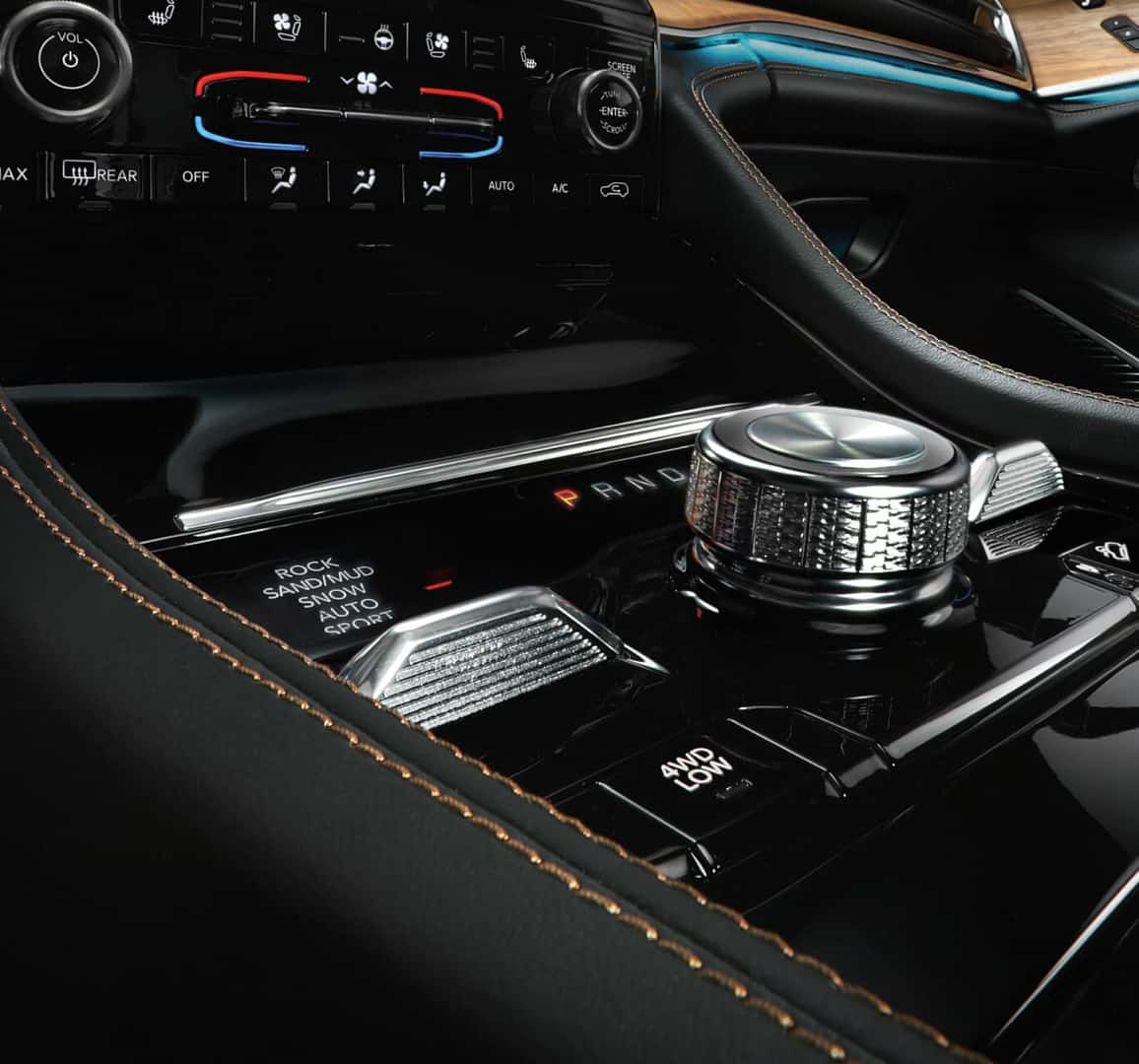
Some newer Grand Cherokees have an auto start/stop system. This feature turns off the engine when you stop at lights and restarts it when you lift your foot off the brake. This saves fuel but can be confusing if you’re not expecting it. You can usually disable this system with a button near the gear shift.
Here’s a quick overview:
| Feature | Benefit | How to Disable |
|---|---|---|
| Auto Start/Stop | Improves fuel economy | Press “A” button near gear shift |
Frequently Asked Questions
How Do I Start My Jeep Grand Cherokee If The Key Fob Is Not Detected?
If the fob isn’t detected, hold it close to the START/STOP button and try again. Replace the fob battery if needed. If it still doesn’t work, the system may need dealer attention.
Can I Start My Jeep Grand Cherokee Without Pressing The Brake?
No, for both key and push-button models, you must press the brake pedal before the engine will start.
Why Does My Jeep Grand Cherokee’s Engine Turn Off At Traffic Lights?
This is the auto start/stop system designed to save fuel. The engine will restart automatically when you take your foot off the brake. You can disable this feature if you prefer.
What Should I Do If My Jeep Grand Cherokee Won’t Start Even After Following The Steps?
Check the battery, make sure the car is in “Park,” and that the key fob is working. If all else fails, contact roadside assistance or your dealer.
Where Can I Find More Information About My Jeep Grand Cherokee’s Features?
The best source is your owner’s manual or the official Jeep Grand Cherokee page.
Starting a Jeep Grand Cherokee becomes second nature with a little practice. By understanding your vehicle’s specific features and being prepared for common problems, you can get on the road quickly and safely.



















