Getting behind the wheel of a Jeep Compass means enjoying both adventure and advanced safety. One standout feature is the Forward Collision Alert system. This tool helps you avoid crashes by warning you if you’re too close to another vehicle. Many Compass owners, especially those new to driver-assist technology, don’t realize how easy it is to turn this feature on. If you want to drive with more confidence and use all the safety tools available, this guide will walk you through the exact steps.
What Is Forward Collision Alert?
Forward Collision Alert (FCA) is a proactive safety system. It uses sensors at the front of your Jeep to scan the road ahead. If the system senses you’re approaching another vehicle or obstacle too quickly, it flashes a warning and may sound an alert. In some models, it can even apply the brakes to help avoid or reduce the impact of a crash.
The Jeep Compass usually offers FCA as part of its Advanced Safety Group. This feature is especially useful in city traffic, where sudden stops happen often.
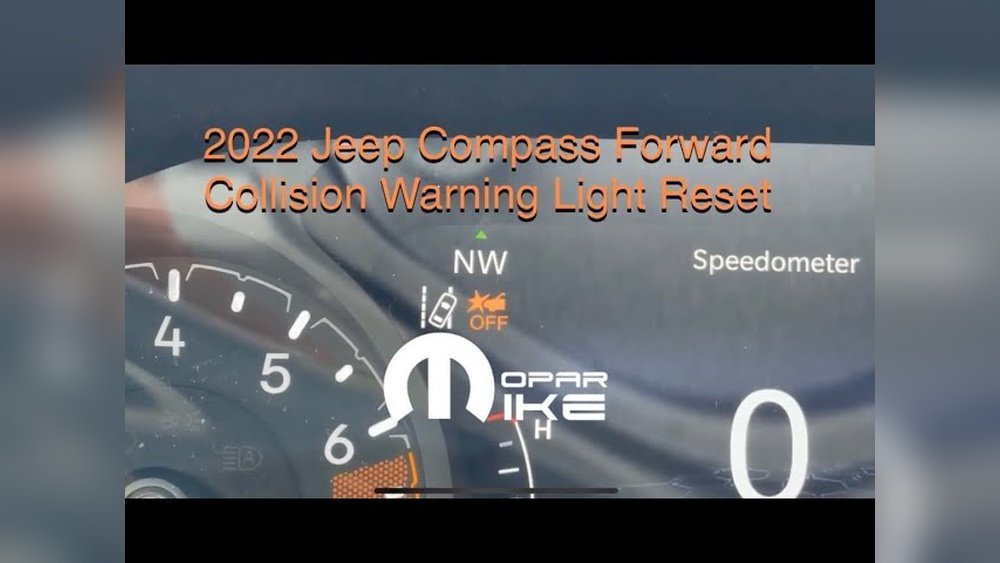
How Forward Collision Alert Works
The system relies on radar sensors and sometimes a camera, usually mounted near the grille or windshield. These detect vehicles, bikes, or objects in your path.
If a collision risk is detected, you’ll notice:
- Visual warnings on the dashboard
- Audible beeps or chimes
- In some trims, automatic braking if you don’t react fast enough
This technology does not replace careful driving. It’s a backup, not a replacement for your eyes.
Turning On Forward Collision Alert In Jeep Compass
Let’s go step-by-step. The exact menu names may change slightly based on your model year, but the process is similar for 2018 2024 Jeep Compass models with FCA.
- Start your Jeep: Put the car in “Run” or “On,” but you don’t need to start the engine.
- Locate the steering wheel controls: On the left side of the steering wheel, find the arrow buttons and the “OK” button.
- Open the Instrument Cluster Menu: Use the arrow buttons to scroll through your cluster display until you reach the “Driver Assist” or “Safety & Driving Assistance” menu.
- Find Forward Collision Warning: Scroll to the option labeled “Forward Collision Warning” or sometimes just “Collision Warning”.
- Select and Enable: Press “OK” to enter. Choose “On” or “Enabled.” Some models let you set the Alert Sensitivity (Near, Medium, Far).
- Confirm Settings: The system may show a checkmark or confirmation. Your FCA is now active.
You can always adjust sensitivity. For example, “Far” gives the earliest warning, while “Near” waits until you’re closer.
- Press the left arrow button
- Select “Settings”
- Choose “Driver Assistance”
- Go to “Forward Collision Warning”
- Set to “On”
Comparison: Fca Settings Options
Here’s a quick look at how different FCA sensitivity settings affect your driving experience:
| Setting | Alert Timing | Best For |
|---|---|---|
| Near | Last-second warning | Confident drivers, city traffic |
| Medium | Balanced warning time | Everyday driving |
| Far | Early warning | Highway, new drivers |

Key Reasons To Use Forward Collision Alert
- Reduces crash risk: FCA can cut rear-end collisions by up to 27% according to the Insurance Institute for Highway Safety.
- Lowers insurance costs: Some insurers give discounts for vehicles with active safety features.
- Peace of mind: It’s like having an extra set of eyes, especially in heavy traffic.
- Helps new drivers: Early warnings give more time to react, which is useful if you’re less experienced.
Common Mistakes When Enabling Fca
Many drivers miss these small details:
- Not checking if sensors are clean: Dirt or snow on the front bumper can block sensors.
- Forgetting to reactivate after service: Sometimes FCA is disabled after maintenance.
- Confusing with Adaptive Cruise Control: They are separate features; enabling one does not always turn on the other.
Troubleshooting Forward Collision Alert
If your FCA isn’t working, try these steps:
- Check for warning lights: If the system says “Unavailable,” sensors may be blocked.
- Clean the front grille: Use a damp cloth to clear mud, ice, or snow.
- Restart the vehicle: Some errors fix themselves after a restart.
- Visit your dealer: If problems persist, a technician can diagnose sensor or software issues.
How Fca Differs Across Compass Trims
Some Jeep Compass trims include extra safety features with FCA. Here’s a quick comparison:
| Trim Level | Forward Collision Alert | Automatic Braking | Adaptive Cruise Control |
|---|---|---|---|
| Sport | Standard | No | No |
| Latitude | Standard | No | Optional |
| Limited | Standard | Yes | Yes |
| Trailhawk | Standard | Yes | Yes |
Practical Tips For Using Forward Collision Alert
- Test in a safe area: Try the alert system in a parking lot to understand the warnings.
- Adjust sensitivity for your needs: If you drive in busy cities, “Near” may reduce false alarms.
- Don’t rely only on FCA: Always keep your eyes on the road and hands on the wheel.
- Update your software: Jeep sometimes releases system updates to improve performance.
Fca And Other Safety Features
The Compass often bundles FCA with other tools:
| Feature | Function |
|---|---|
| LaneSense | Warns if you drift out of your lane |
| Blind Spot Monitoring | Alerts if a car is in your blind spot |
| Rear Cross Path Detection | Warns of cars behind when reversing |
Combining these features gives you a much safer driving experience.
Frequently Asked Questions
How Do I Know If My Jeep Compass Has Forward Collision Alert?
Look for Forward Collision Warning in your settings menu or check for a small sensor on the front grille. Your owner’s manual will also list all safety features.
Can I Change The Alert Volume Or Tone?
Yes, most Compass models let you adjust the volume of warning chimes in the settings menu. Some also allow you to choose between beeps or chimes.
Why Isn’t My Forward Collision Alert Working After A Car Wash?
Water, soap, or wax can block sensors temporarily. Wait for them to dry, or wipe with a clean cloth. If problems continue, consult your dealer.
Does Fca Always Apply The Brakes?
No, basic FCA models only warn you. Higher trims or those with Full-Speed Collision Warning can apply brakes automatically if you don’t react.
Where Can I Find More Information About Jeep Safety Systems?
Visit the official Jeep website or check the IIHS Jeep Compass safety ratings for more data and crash test results.
A well-set Forward Collision Alert is one of the smartest ways to keep you and your passengers safe. Spend a few minutes setting it up, and you’ll have more peace of mind every time you drive your Jeep Compass.


















