Owning a Jeep Grand Cherokee comes with many features, but sometimes, simple tasks like turning off your headlights can be confusing—especially for new owners. Whether you're parking, troubleshooting, or trying to save battery power, knowing how to manage the headlights is important.
This guide will walk you through the process step-by-step, covering manual controls, automatic settings, and common mistakes. By the end, you'll understand not just how to turn off the headlights, but also how to avoid common issues.
Understanding Jeep Grand Cherokee Headlight Controls
Most recent Grand Cherokee models use advanced headlight systems. These include automatic headlights, daytime running lights (DRL), and manual switches. The controls vary slightly by year, but the main methods remain similar.
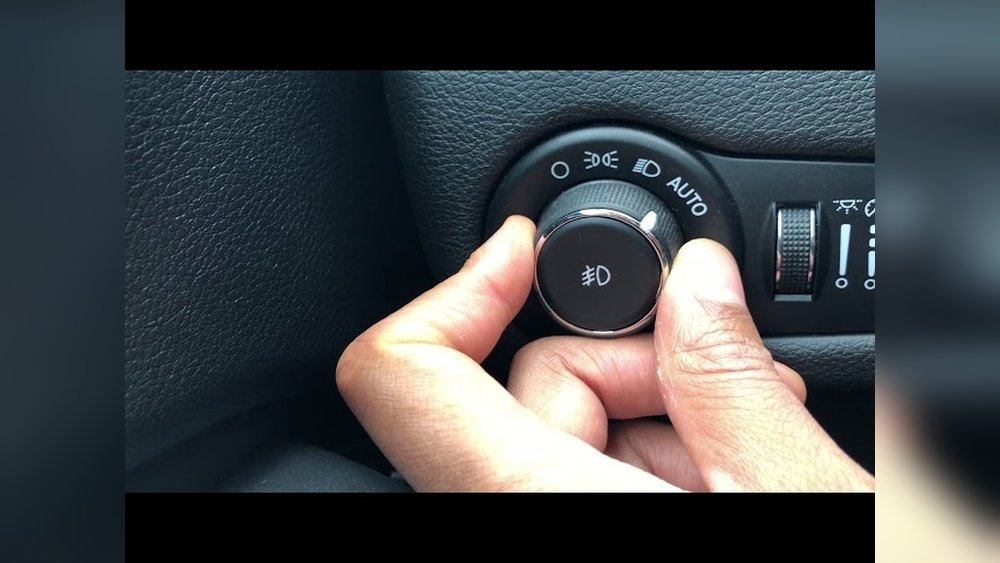
Manual Headlight Switch
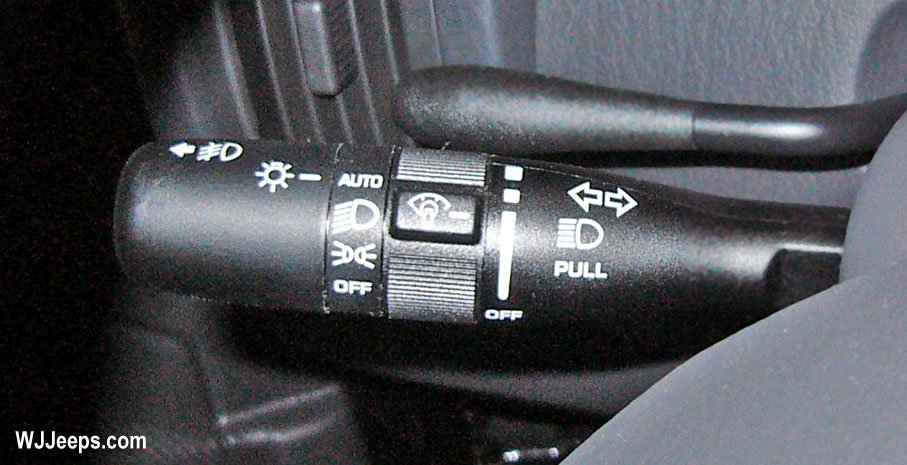
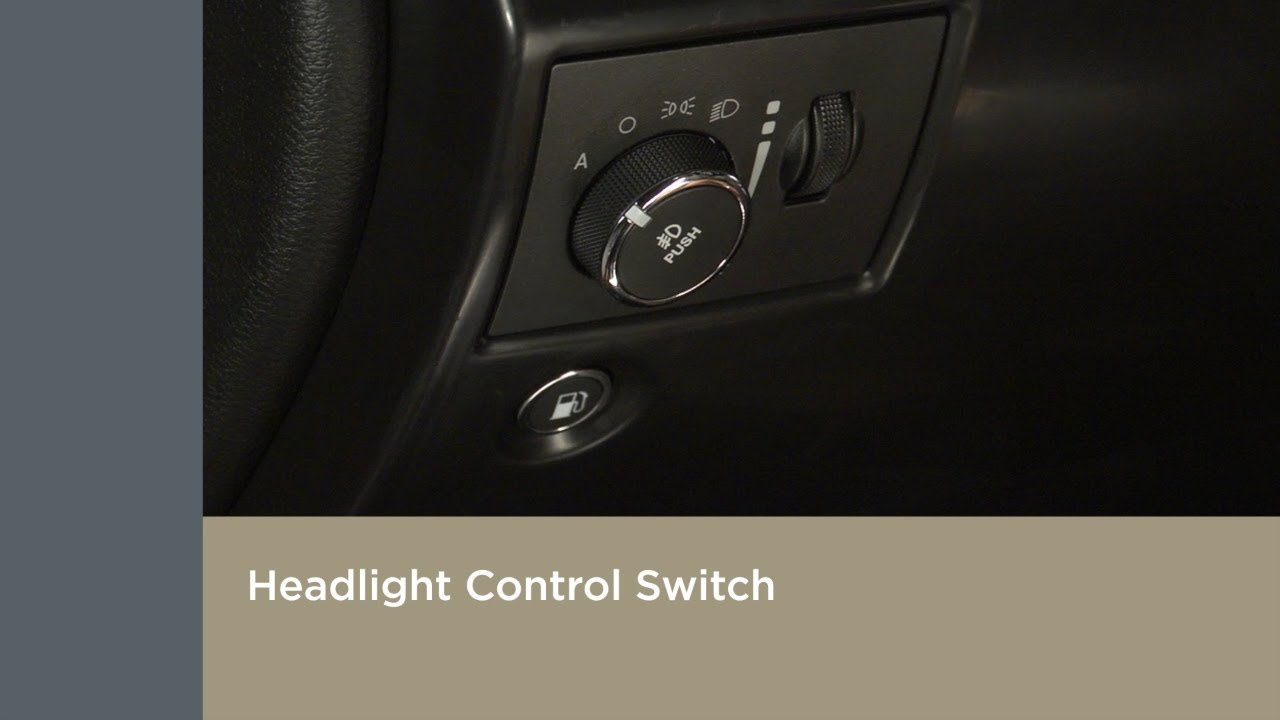
The main control is usually on the left side of the steering wheel. It looks like a rotary dial, often marked with icons for:
- Off (circle or “0” icon)
- Auto (letter “A” or headlight with “A”)
- Parking lights (small lamp icon)
- Headlights (larger lamp icon)
Turning the dial to the off position should turn off the headlights—unless certain settings override this.
Automatic Headlights
Many Grand Cherokees have automatic headlights. These turn on when it gets dark outside. If the switch is set to “Auto,” the headlights will come on automatically and may stay on for a short time after you turn off the engine.
Daytime Running Lights (drl)
DRL are designed for safety and are often on whenever the vehicle is running. They cannot always be turned off using the manual dial. Some models require you to change settings in the dashboard menu.
Step-by-step: Turning Off Headlights
Follow these steps to turn off the headlights on your Jeep Grand Cherokee:
- Locate the headlight dial on the dashboard, left side of the steering wheel.
- Turn the dial to the “Off” position. This should immediately turn off the main headlights.
- If the headlights stay on, check for automatic mode. Make sure the dial is not set to “Auto.”
- For DRL, open the settings menu on the instrument cluster (press the buttons on the steering wheel).
- Navigate to Lights > Daytime Running Lights and toggle “Off” if your model allows.
- If your headlights still won’t turn off, try restarting the vehicle and repeating the steps.
Below is a quick comparison of typical headlight settings:
| Setting | Function | Can Turn Off? |
|---|---|---|
| Off | Headlights are off | Yes |
| Auto | Turns on when dark | No (depends on light) |
| DRL | On during day | Sometimes |
| Parking Lights | Small lights only | Yes |
What To Do If Headlights Won’t Turn Off
Sometimes, even after you follow the steps, the headlights stay on. Here’s what to check:
- Check the ignition: If the key is not fully turned off, some lights may stay on.
- Look for “follow me home” feature: This keeps headlights on for a few minutes after parking.
- Battery saver mode: If the battery is low, some lights may shut off automatically after some time.
- Software glitches: Rarely, the vehicle software might malfunction. Restarting the car or disconnecting the battery for a minute can help.
Disabling Automatic Headlights
If you want full manual control, you may need to disable the automatic headlights feature. This is usually done through the dashboard menu.
- Press the menu button on the steering wheel.
- Navigate to Settings > Lights.
- Look for Automatic Headlights and toggle “Off.”
- Confirm changes and exit the menu.
Below is a comparison of manual vs automatic headlight control:
| Control Type | Ease of Use | Battery Impact | Driver Control |
|---|---|---|---|
| Manual | Simple | Low | High |
| Automatic | Very Easy | Medium | Low |
Avoiding Common Mistakes
Many Jeep owners make mistakes when trying to turn off their headlights. Here are two insights that beginners often miss:
- DRL can stay on even when the dial is “Off.” You need to use the dashboard menu, not the rotary dial.
- Automatic headlights may stay on after you park. Wait a few minutes or check for “follow me home” settings.
Another common mistake is assuming all models work the same. Older Grand Cherokees may not have automatic or DRL features, while newer ones often do.
Practical Tips For Headlight Management
- Always check the headlight icon on the dashboard. It shows which lights are on.
- If your lights won’t turn off, try switching between “Auto” and “Off.”
- If you park in a garage, automatic headlights may stay on due to darkness.
- Jeep Grand Cherokee models from 2015 and newer are more likely to have advanced lighting settings.
Below is a quick guide comparing model years:
| Model Year | Automatic Headlights | DRL | Manual Control |
|---|---|---|---|
| 2008-2014 | No | No | Full |
| 2015-2020 | Yes | Yes | Partial |
| 2021+ | Yes | Yes | Partial |
Frequently Asked Questions
How Do I Know If My Jeep Grand Cherokee Has Automatic Headlights?
Most models after 2015 have automatic headlights. Look for an “A” or “Auto” setting on your headlight dial, or check your manual.
Can Daytime Running Lights Be Turned Off Completely?
Some models let you turn off DRL in the dashboard settings. For others, DRL stays on for safety. Check your owner’s manual or the dashboard menu.
Why Do My Headlights Stay On After Parking?
This is usually the follow me home feature. Headlights stay on for a set time after you turn off the engine. You can adjust this in the settings menu.
Will Turning Off Headlights Save Battery Power?
Yes, turning off headlights when not needed helps prevent battery drain. However, DRL uses little power and is designed for safety.
Where Can I Find More Information About Jeep Grand Cherokee Lighting Systems?
You can find detailed information at the official Jeep site: Jeep Grand Cherokee.
Learning how to turn off the headlights on your Jeep Grand Cherokee is simple once you understand the controls and settings. If you still have trouble, check your owner’s manual or visit a dealership for guidance. Proper headlight management keeps your car running efficiently and helps you avoid battery issues.


















