Every drive in your Jeep Grand Cherokee should be smooth and distraction-free. But sometimes, Apple CarPlay might pop up when you do not need it or want to use a different system. Turning off CarPlay in your Grand Cherokee is not always obvious, especially with updates in technology and changing menus. This guide will show you exactly how to disable CarPlay, explain why you might want to, and offer practical tips that most owners miss.
Why Turn Off Carplay In Your Jeep Grand Cherokee?
There are good reasons to turn off CarPlay in your Jeep Grand Cherokee:
- Personal preference: Some drivers prefer the standard Uconnect system or want to use Android Auto instead.
- Reduce distractions: If you drive with kids or share your car, you might not want CarPlay to pop up every time an iPhone connects.
- Troubleshooting: Turning off CarPlay can help solve connectivity or audio issues.
Many owners do not realize that CarPlay can be turned off both from the vehicle settings and on the iPhone itself. Knowing both methods gives you better control.
How Carplay Connects In Jeep Grand Cherokee
Understanding how CarPlay connects is important before you turn it off. The Jeep Grand Cherokee supports CarPlay in two ways:
- Wired connection: Using a USB cable from your iPhone to the car’s USB port.
- Wireless connection: Some newer models allow a wireless link through Bluetooth and Wi-Fi.
Most 2021 and newer models offer both options. If you connect wirelessly, CarPlay may activate automatically, which surprises many first-time users.
Step-by-step: Turning Off Carplay In Your Jeep Grand Cherokee
Turning off CarPlay is quick if you know where to look. The steps can be different depending on your Grand Cherokee’s model year and the version of Uconnect you have.
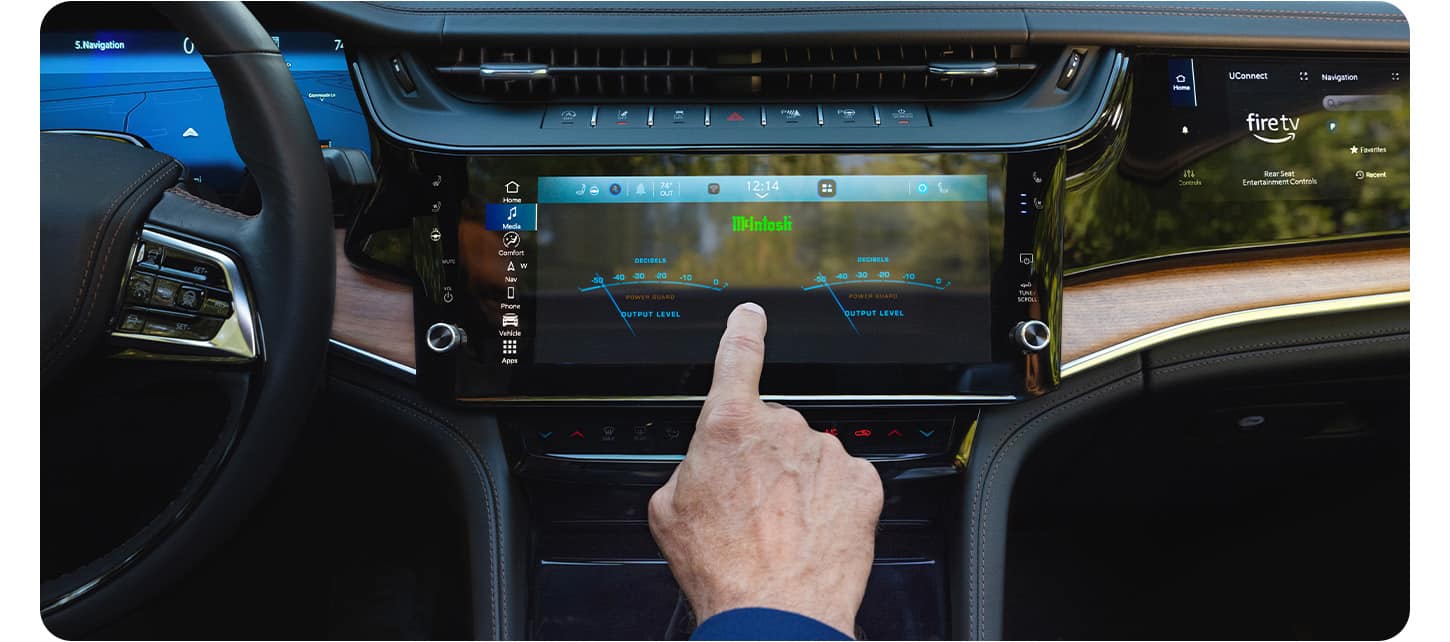
Disabling Carplay From The Uconnect System
- Start your Jeep and make sure the infotainment screen is on.
- Connect your iPhone (if not already connected).
- Tap the Settings icon on the Uconnect touchscreen.
- Scroll to Phone/Bluetooth or Smartphone Projection (label can vary).
- Find the Apple CarPlay option.
- Toggle CarPlay off. This may be a switch or a list where you uncheck your device.
This stops CarPlay from starting automatically when your iPhone connects. If you want to use CarPlay again, just toggle it back on.
Turning Off Carplay From Your Iphone
Sometimes, you want to disable CarPlay from your phone, especially if you connect to different vehicles.
- Open Settings on your iPhone.
- Go to General.
- Tap CarPlay.
- Select your Jeep Grand Cherokee from the car list.
- Tap Forget This Car.
Your phone will no longer try to start CarPlay with your Jeep until you set it up again.
Practical Example
Let’s say you share your car with a family member. They prefer using Bluetooth for music, not CarPlay.
By disabling CarPlay in the Uconnect settings, their iPhone will not trigger CarPlay every time it is plugged in.
Comparing Uconnect And Carplay Features
Understanding the differences can help you decide which system to use. Here’s how Uconnect compares to Apple CarPlay:
| Feature | Uconnect | Apple CarPlay |
|---|---|---|
| Navigation | Built-in or available via updates | Uses Apple Maps, Google Maps, or Waze |
| Voice Control | Uconnect Voice Command | Siri |
| Music Apps | AM/FM, SiriusXM, USB, Bluetooth | Apple Music, Spotify, Podcasts |
| Text Messaging | Limited or not available | Read/send via Siri |
Common Issues When Turning Off Carplay
Sometimes, CarPlay can be stubborn and still connect even after you disable it. These are common issues and solutions:
- CarPlay still pops up: Make sure you disabled it on both the Uconnect system and your iPhone.
- Bluetooth doesn’t connect: Some iPhones try to reconnect CarPlay instead of standard Bluetooth. Forget the car on both devices and set up Bluetooth again.
- Settings menu is missing: Your software may need an update. Check with your Jeep dealer or use the over-the-air update option.
Data: Carplay Usage Among Jeep Owners
Recent surveys show that over 70% of Jeep Grand Cherokee drivers use CarPlay for navigation and music. However, around 20% prefer the built-in Uconnect features or Bluetooth. This means you are not alone if you want to turn off CarPlay for a simpler or more reliable experience.
Quick Reference: Carplay Setup And Disable Steps
Here’s a handy summary for common actions:
| Action | Steps |
|---|---|
| Disable CarPlay (Uconnect) | Settings > Phone/Bluetooth > Apple CarPlay > Toggle Off |
| Disable CarPlay (iPhone) | Settings > General > CarPlay > Select Car > Forget This Car |
| Re-enable CarPlay | Reverse the above steps or plug in your iPhone and follow prompts |
Tips Most Owners Miss
- Wireless CarPlay stays active even if you unplug the cable. You must disable it in both the car and phone settings to fully turn it off.
- Software updates can change menu locations. If you cannot find the setting, check your owner’s manual or Jeep’s official owner site for the latest info.
- If you use multiple iPhones with your Jeep, you must disable CarPlay for each device separately.

Frequently Asked Questions
How Do I Stop Carplay From Starting Automatically In My Jeep Grand Cherokee?
Go to your Uconnect settings, find the Apple CarPlay section, and toggle it off. If it still starts, disable CarPlay for your Jeep in your iPhone’s settings.
Will Turning Off Carplay Affect My Bluetooth Calls Or Audio?
No, turning off CarPlay does not disable Bluetooth. You can still make hands-free calls and stream music using Bluetooth.
Is It Possible To Disable Carplay For Just One Iphone?
Yes, you can forget your car in the CarPlay settings on a specific iPhone. This will stop CarPlay for that phone only.
What If My Jeep Grand Cherokee Does Not Show The Carplay Option?
This usually means your vehicle’s software needs an update or your model does not support CarPlay. Contact your dealer or check the Jeep website for updates.
Can I Use Android Auto If Carplay Is Turned Off?
Yes. Disabling CarPlay does not affect Android Auto.
You can use Android Auto as normal if your vehicle supports it.
Turning off CarPlay in your Jeep Grand Cherokee is simple once you know the steps. Whether you want fewer distractions or prefer another system, following these instructions puts you in full control of your driving experience.


















