Starting your Jeep with Uconnect can feel like magic the first time you try it. Imagine warming up your car on a cold morning, or starting the engine from your office desk before heading out. Uconnect is Jeep’s smart system that connects your car to your smartphone, letting you control certain features remotely. Many Jeep owners don’t realize how much convenience is packed into this system, especially when it comes to remote start. Here’s a clear, step-by-step guide to help you start your Jeep with Uconnect, avoid common mistakes, and use this feature safely and confidently.
What Is Uconnect And Remote Start?
Uconnect is Jeep’s built-in infotainment and connectivity system. It’s more than just a touchscreen for music and maps—it also lets you control the car from a distance using your phone. The remote start feature is one of Uconnect’s most popular functions. It can be a lifesaver in extreme weather, as you can start the engine and climate control before getting inside.
Not all Jeep models support remote start through Uconnect. Make sure your model is compatible. Most newer Jeeps, like the Jeep Wrangler, Grand Cherokee, and Compass, support this feature if they have the right trim package.
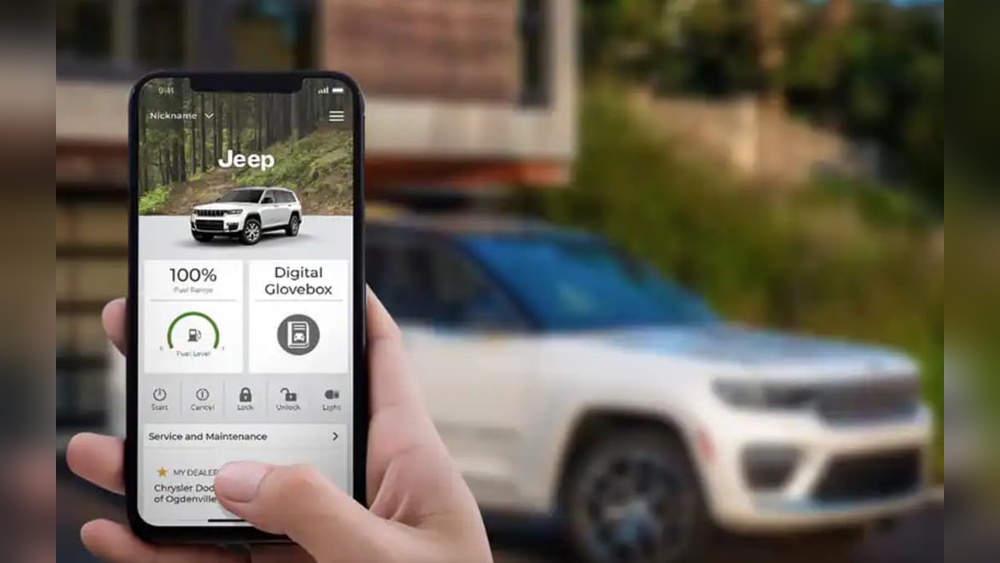
How To Set Up Uconnect For Remote Start
Before you can start your Jeep with your phone, you need to set up the Uconnect system and link your vehicle to your smartphone app. Here’s how:
- Check Your Subscription
- Uconnect remote features often require an active subscription. The first year may be free, but after that you’ll need to renew.
- Download the Uconnect App
- Available for iOS and Android. Search for “Uconnect” in your app store and install it.
- Register Your Vehicle
- Open the app and create an account. You’ll need your Vehicle Identification Number (VIN), which you can find on your car’s dashboard near the windshield or on your insurance card.
- Pair Your Jeep
- Follow the app’s instructions to connect your Jeep. This often involves confirming an email and entering a verification code sent to your phone.
- Activate Services
- Sometimes, you’ll need to complete activation in your car by pressing the Assist or SOS button on the mirror or roof console.
Common Setup Issues
- Make sure your cell signal is strong. Uconnect uses cellular data to communicate.
- Check your vehicle battery—a weak battery can block remote commands.
- If the app shows errors, restart your phone and try again.
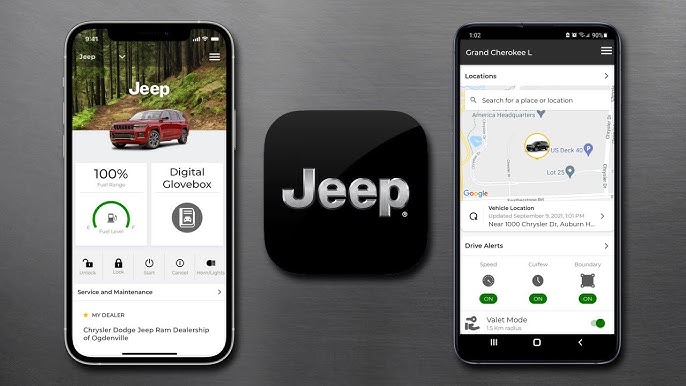
Step-by-step: Starting Your Jeep With Uconnect
Once you’re set up, starting your Jeep remotely is easy. Here’s what to do:
- Open the Uconnect App
- Log In
- Use the same account you created during setup.
- Select Your Vehicle
- If you have more than one Jeep, pick the correct one from the list.
- Tap ‘Remote Start’
- Look for the remote start icon (usually a circular arrow around a car). Tap it.
- Wait for Confirmation
- You’ll see a message when the command goes through. It usually takes 5–30 seconds.
Your Jeep’s engine and climate system will start. The car stays locked for safety.
If you don’t enter within 15 minutes, the engine shuts off automatically.
Comparing Uconnect Remote Start Vs. Key Fob
Here’s a quick look at the main differences between starting your Jeep with the Uconnect app and the traditional key fob:
| Feature | Uconnect App | Key Fob |
|---|---|---|
| Start Distance | Unlimited (if both have network) | Usually up to 300 feet |
| Climate Control | Yes | Yes |
| Confirmation | Push notification | Car lights flash |
| Subscription Needed | Yes | No |
Non-obvious tip: The app works even when you’re far from your car (like inside a shopping mall), while the key fob only works nearby.
Troubleshooting: Why Won’t My Jeep Start With Uconnect?
Sometimes, the remote start doesn’t work. Here are the most frequent causes:
- Low fuel: Most Jeeps won’t remote start if the gas tank is nearly empty.
- Check engine light on: The system blocks remote start if there are error codes.
- Doors or hood open: All must be fully closed.
- Battery issues: A weak battery can prevent commands from reaching the car.
- Subscription expired: Check your Uconnect app for alerts.
Practical example: If you try to remote start and nothing happens, check your dashboard for warning lights. Many owners overlook this and think the app is broken.
Many drivers miss out on these extra features:
- Schedule remote starts: Some Jeeps let you set a routine, like starting every weekday at 7 AM.
- Remote lock/unlock: If you forget to lock your Jeep, you can do it from the app—no need to walk back.
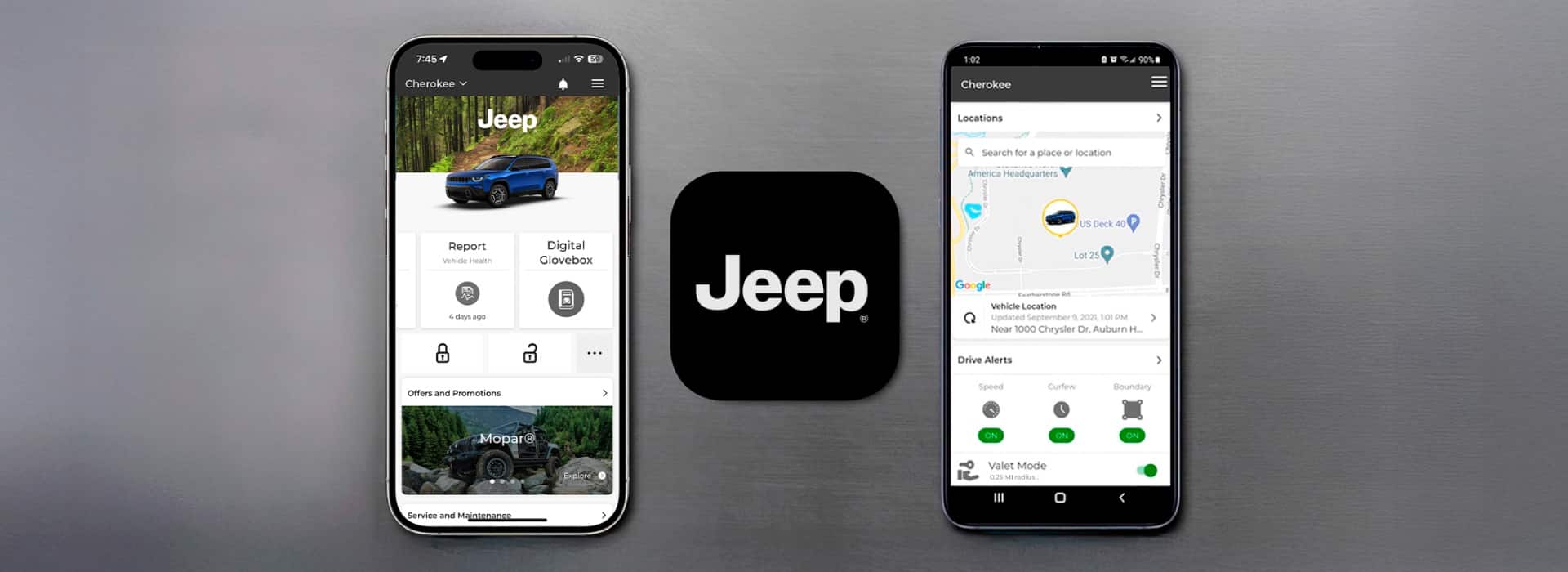
- Location tracking: The app shows your Jeep’s location, which helps in big parking lots.
Safety is important. Remote start will not let the car move until you enter with the key fob.
If someone tries to drive away, the engine shuts off. Always use remote start in open, well-ventilated areas to avoid carbon monoxide risks.
Data Privacy And Uconnect
Uconnect uses encrypted networks, but your commands travel through the internet. Protect your account by:
- Using a strong password
- Not sharing app access with others
- Logging out when you sell your Jeep
Most issues happen when owners forget to update passwords or ignore app notifications.
Uconnect Remote Start Vs. Other Brands
How Does Jeep’s Uconnect Remote Start Compare To Other Brands?
| Brand | Remote Start App | Free Trial Period | Monthly Cost |
|---|---|---|---|
| Jeep (Uconnect) | Yes | 1 year | About $15 |
| Ford (FordPass) | Yes | 1 year | About $10 |
| Toyota (Remote Connect) | Yes | 1 year | About $8 |
Jeep’s pricing is mid-range, but the unlimited distance and extra features make it competitive.

Smart Tips For New Uconnect Users
- Test remote start in your driveway before you need it in bad weather.
- Set up notifications in the app, so you know when the engine starts or stops.
- Always keep your app updated for security.
Beginner mistake: Many skip the vehicle pairing step, thinking the app will work right away. Double-check your VIN and subscription before contacting support.
For more official details, you can visit the Jeep Uconnect page.
Frequently Asked Questions
How Long Does The Engine Run With Uconnect Remote Start?
The engine runs for about 15 minutes. If you don’t enter the car in that time, it shuts off automatically. You can start it again if needed.
Can I Use Uconnect Remote Start Without A Subscription?
No, an active subscription is required for remote start through the app. The key fob remote start does not need a subscription.
Is Uconnect Remote Start Safe?
Yes. The system keeps your Jeep locked during remote start, and the car can’t be driven until the correct key is inside.
Does Uconnect Remote Start Work Everywhere?
It works anywhere there’s cellular data for both your phone and your Jeep. Underground parking or remote areas with poor signal may block commands.
What Should I Do If My Uconnect App Stops Working?
First, check your subscription status and app updates. If those are fine, restart your phone, and check for error messages in the app or on your dashboard.
Starting your Jeep with Uconnect brings comfort and peace of mind, especially when the weather turns extreme. With a little setup, you can use technology to make your daily drive smoother and safer.


















