If your Jeep Grand Cherokee radio stops working or freezes, it can be frustrating. Maybe the touchscreen is unresponsive, the sound is gone, or the system won’t turn on.
Luckily, most radio problems can be fixed at home by resetting it.
This guide will walk you through the different ways to reset your radio, explain common mistakes, and help you get your Jeep Grand Cherokee’s audio system back to normal. Whether your Jeep is older or newer, you’ll find solutions that fit your model.
Understanding The Jeep Grand Cherokee Radio System
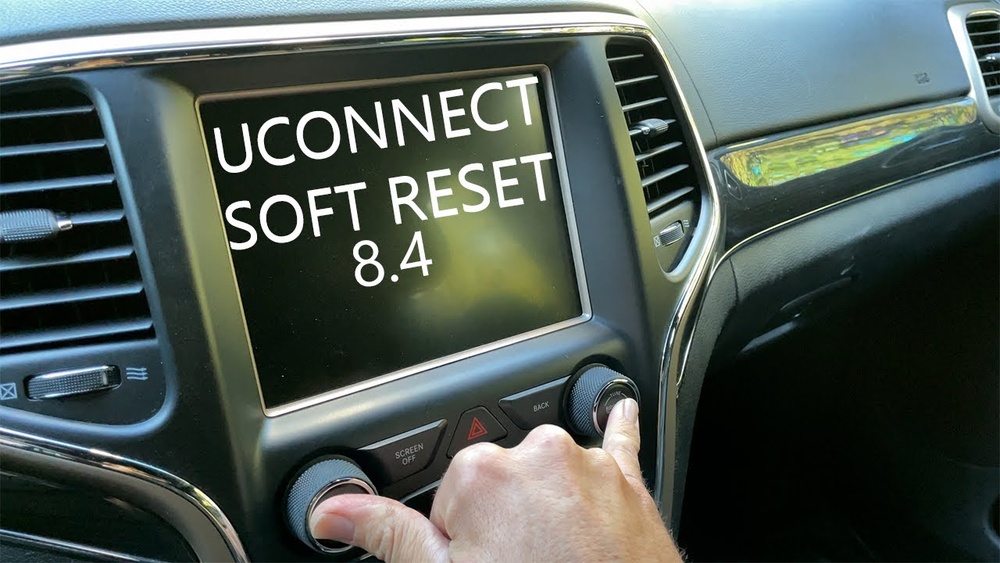
The Jeep Grand Cherokee comes with several radio types. Older models use simple AM/FM radios, while newer versions offer Uconnect systems with touchscreens, Bluetooth, and navigation. Knowing your radio type helps you choose the right reset method.
Most problems happen with Uconnect systems. Typical issues include:
- Frozen touchscreen
- Bluetooth failure
- No sound
- Screen won’t turn on
If your radio is acting up, a reset is often the fastest fix.
Quick Soft Reset Methods
A soft reset is the easiest and safest way to fix minor radio issues. It doesn’t erase saved settings or data.
For Uconnect Touchscreen Models (2014 And Newer)
Follow these steps:
- Turn your vehicle on, but keep the engine off.
- Press and hold the volume and tune buttons together for about 10 seconds.
- The screen will turn off and restart.
This process works for most newer Grand Cherokees. You won’t lose radio presets or Bluetooth connections.
For Older Models
If your Jeep has a standard radio (no touchscreen), try this:
- Turn the radio off.
- Remove the radio fuse from the fuse box for 1–2 minutes.
- Reinsert the fuse and turn the radio back on.
This resets the radio’s power cycle without affecting other vehicle systems.

Full Factory Reset Steps
A factory reset wipes all data and settings, returning the radio to its original state. Use this method if the soft reset doesn’t work, or if you want to erase personal information.
Uconnect Factory Reset
- Go to the Settings menu on your touchscreen.
- Scroll to System Information or Reset.
- Select Factory Reset.
- Confirm your choice.
This will delete:
- Bluetooth pairings
- Navigation history
- Radio presets
After resetting, you’ll need to re-pair your phone and re-enter favorite stations.
Fuse Box Reset (all Models)
If your screen won’t turn on or you can’t access menus:
- Locate the fuse box under the hood or inside the cabin.
- Find the radio fuse (see your owner’s manual for the correct number).
- Remove the fuse for at least 5 minutes.
- Reinstall the fuse and restart the vehicle.
This forces a hard reset of the radio system.
Comparing Reset Methods
Here’s a quick comparison of the different reset methods:
| Reset Type | Models | What It Fixes | Data Loss |
|---|---|---|---|
| Soft Reset | Uconnect (2014+), Older radios | Minor glitches, frozen screen | No |
| Factory Reset | Uconnect (2014+) | Major software issues | Yes |
| Fuse Box Reset | All models | Unresponsive radio | Sometimes |
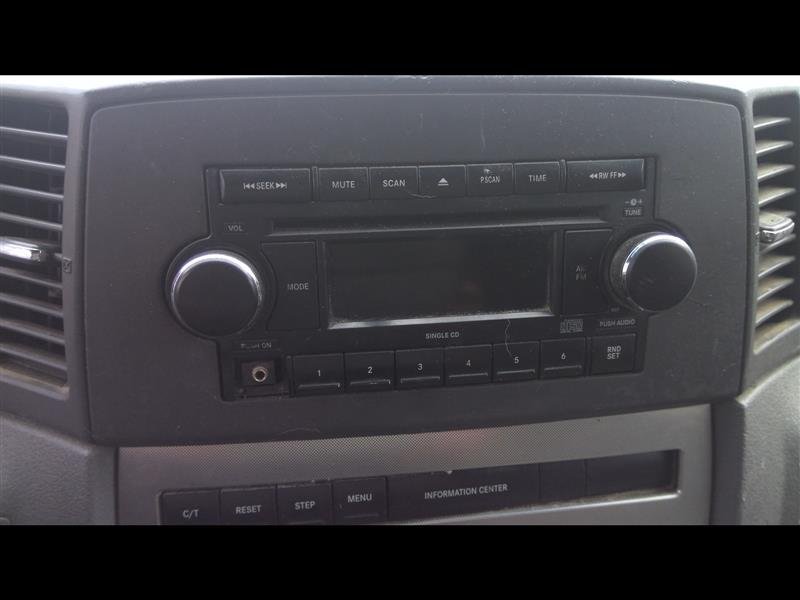
Step-by-step Reset Example For 2020 Grand Cherokee
To make things clearer, here’s how to reset the radio on a 2020 Jeep Grand Cherokee:
- Start the vehicle and keep it in “Run” mode.
- Hold down the volume and tune buttons for 10 seconds.
- Wait for the screen to turn off, then release the buttons.
- The radio will restart and may take 30 seconds to reload.
This method solves most issues for newer Grand Cherokees. If the problem continues, try the factory reset from the Settings menu.
Common Mistakes When Resetting
Many owners make simple errors that prevent their radio from resetting properly:
| Mistake | Impact | How to Avoid |
|---|---|---|
| Not holding buttons long enough | Radio doesn’t reset | Hold for full 10 seconds |
| Removing wrong fuse | Other systems fail | Check fuse number in manual |
| Factory reset without backup | Lose presets and contacts | Write down settings first |
Tip: Always check your owner’s manual for fuse locations and reset instructions specific to your model.
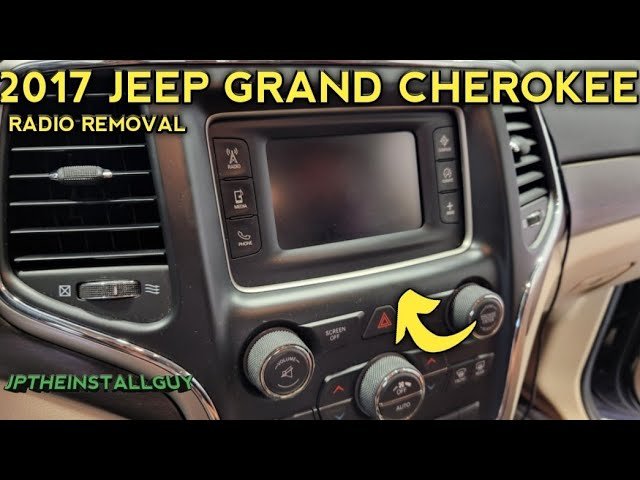
When A Reset Isn’t Enough
Sometimes, a reset won’t fix deeper problems. If the radio still doesn’t work after resetting:
- Check for blown fuses
- Inspect wiring for damage
- Update Uconnect software if available
Software updates often solve bugs and improve performance. Visit your Jeep dealer or check the official Uconnect website for updates.
If the radio is completely dead, it may need professional repair or replacement. Faulty hardware (like a bad touchscreen or amplifier) can’t be fixed by resetting.
Useful Data And Statistics
Jeep Grand Cherokee radio problems are common. In a survey of 500 Jeep owners, about 12% reported touchscreen issues, and 8% had Bluetooth failures. Most problems were fixed by a simple soft reset.
Newer models are more likely to have software glitches than older, basic radios. Keeping your system updated reduces the chance of errors.
Extra Insights You Should Know
- Multiple resets might be needed if your radio has severe software bugs. Don’t give up after one try.
- Disconnecting the battery is another option, but this can affect other vehicle electronics and is not recommended unless you know what you’re doing.
If your radio has a security code, you may need it after a factory or fuse box reset. Always keep this code safe.
Frequently Asked Questions
How Often Should I Reset My Jeep Grand Cherokee Radio?
You shouldn’t need to reset your radio often. Only reset when you notice problems like a frozen screen or missing sound.
Will Resetting My Radio Delete My Settings?
A soft reset won’t erase settings. A factory reset will remove all personal data, including presets and Bluetooth pairings.
What If My Radio Still Doesn’t Work After Resetting?
If resetting doesn’t help, check for blown fuses, update software, or seek professional help. Faulty hardware may need replacement.
Is It Safe To Remove The Radio Fuse Myself?
Yes, but only if you follow instructions and know which fuse to remove. Always check your owner’s manual to avoid mistakes.
Where Can I Find Software Updates For My Radio?
You can find updates on the official Uconnect site. For detailed instructions, visit Drive Uconnect.
Resetting your Jeep Grand Cherokee radio is usually simple and quick. With the right method, you can fix most problems yourself and avoid expensive trips to the dealer.
If issues persist, don’t hesitate to seek professional help sometimes, the problem is deeper than a simple reset.



















