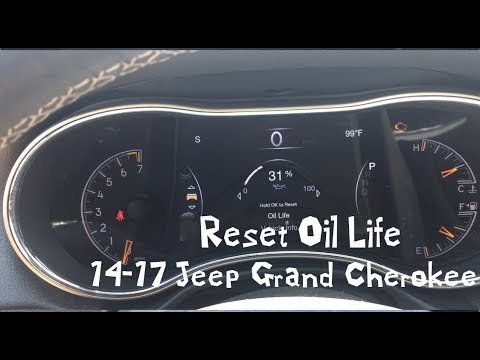
Resetting a Jeep Grand Cherokee can solve many problems, from dashboard warning lights to minor electronic glitches. Owners often feel confused by all the reset options, and sometimes, they worry about making mistakes.
This guide explains how to reset your Jeep Grand Cherokee safely, covering steps for both basic and advanced resets. Whether you’re dealing with a check engine light, radio issues, or you want to clear maintenance reminders, you’ll find practical advice here.
Types Of Resets For Jeep Grand Cherokee
Your Jeep Grand Cherokee has several systems that may need resets. Understanding which reset you need is important. Here are the main types:
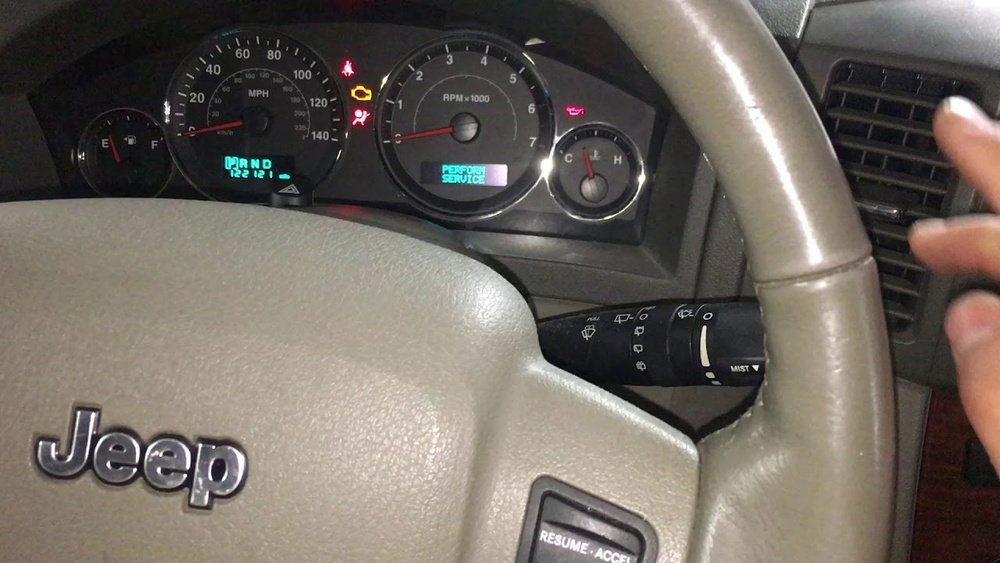
- ECU (Engine Control Unit) Reset – Clears engine-related errors and can help if your Jeep isn’t running smoothly.
- Oil Change Light Reset – Removes the reminder after an oil change.
- Radio/Infotainment Reset – Fixes issues with the touch screen or sound system.
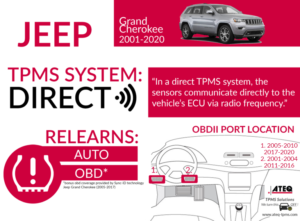
- TPMS (Tire Pressure Monitoring System) Reset – Updates tire pressure data after changing or rotating tires.
- Battery Reset – Restarts electrical systems after replacing the battery.
Each reset follows different steps. Using the wrong method may not solve the problem, so check your owner’s manual if you’re unsure.
Step-by-step: How To Reset Common Jeep Grand Cherokee Systems
Ecu Reset
Resetting the ECU is often used after repairs or when the check engine light stays on without a clear reason.
- Turn off your Jeep and remove the key.
- Open the hood and disconnect the negative battery cable using a wrench.
- Wait at least 15 minutes. This allows the system to fully power down.
- Reconnect the cable and start the car.
This simple process clears most temporary engine errors. However, it won’t fix mechanical problems, so always check for real issues.
Oil Change Light Reset
After an oil change, the reminder light should be reset:
- Turn the ignition to the “On” position (do not start the engine).
- Press the accelerator pedal slowly three times within 10 seconds.
- Turn off the ignition.
The oil change light should disappear next time you start your Jeep. If not, repeat the steps.
Radio/infotainment Reset
If your touch screen freezes or the radio stops working:
- Hold the power and volume buttons together for about 10 seconds.
- The screen will go dark, then restart. You may lose some custom settings.
For older models, disconnecting the battery for a few minutes can also reset the radio.
Tpms Reset
If the tire pressure warning remains after inflating or changing tires:
- Drive your Jeep for at least 15 minutes at speeds above 15 mph. This lets sensors update.
- If the light stays on, check all tires again. The system usually resets automatically.
If you still see the warning, check for damaged sensors or consult a mechanic.
Battery Reset
After installing a new battery, some electronic features may not work right away.
- Lock and unlock your Jeep using the key fob several times.
- Start and stop the car. Most systems will reboot and return to normal.
Comparison: Manual Vs. Professional Resets
Sometimes, DIY resets work well. Other times, professional help is better. Here’s a quick overview:
| Type of Reset | DIY Method | Professional Method |
|---|---|---|
| ECU | Disconnect battery | OBD-II scanner |
| Oil Light | Pedal method | Service tool |
| Radio | Button combo | Dealer reprogram |
| TPMS | Drive to reset | Sensor reset tool |
DIY methods are easy and free, but professional tools are faster and more precise. If your reset doesn’t work, a dealer can diagnose deeper problems.
Common Mistakes When Resetting
Many Jeep owners make simple mistakes during resets. Here are two that often cause trouble:
- Rushing the battery disconnect – Not waiting long enough can leave errors uncleared. Always wait at least 15 minutes.
- Missing pedal steps – For oil light resets, pressing the pedal too quickly or slowly can prevent the reset.
Avoiding these mistakes saves time and avoids repeat resets.
Data: Jeep Grand Cherokee Reset Frequency
Most owners only reset their Jeep a few times per year, often after routine maintenance. Here’s a look at average reset frequency:
| Reset Type | Average Times/Year | Common Reason |
|---|---|---|
| ECU | 1-2 | Engine warning |
| Oil Light | 2-3 | Oil changes |
| Radio | 1 | Screen freeze |
| TPMS | 1-2 | Tire rotation |
These numbers are based on user reports and dealer feedback.
Advanced Resets: When To Visit The Dealer
Some problems need more than a simple reset. If dashboard lights return, or your Jeep feels unsafe, professional diagnostics are best. Dealers use OBD-II scanners to read hidden codes and clear errors that home methods can’t reach.
For deep software issues, a dealer may update your Jeep’s firmware. This is important for newer models with complex electronics.
If your Jeep is still under warranty, avoid DIY resets that require opening panels or disconnecting multiple electronics. You could void your coverage.

Extra Tips For A Successful Reset
- Always use the correct tools. A wrench for the battery and a clean cloth for terminals helps prevent damage.
- Write down your radio settings before a reset; you may lose saved stations or Bluetooth connections.
- Check your owner’s manual for model-specific instructions. Some steps change between years.
Many owners forget that some resets wipe custom settings. Prepare for this by saving your preferences.
Frequently Asked Questions
How Do I Reset The Check Engine Light?
Disconnect the negative battery cable for 15 minutes, then reconnect. If the light returns, there may be a deeper issue needing professional help.
Can I Reset The Oil Change Light Without Tools?
Yes, use the accelerator pedal method. Turn the ignition on, press the pedal three times, then turn the ignition off.
Is It Safe To Reset The Radio System Myself?
For most models, yes. Hold the power and volume buttons to restart the system. If problems continue, contact a dealer.
Why Does My Tpms Light Stay On After Resetting?
Your sensors may be damaged or not communicating. Check tire pressure, drive for 15 minutes, and if the light stays on, visit a mechanic.
Will Resetting The Battery Affect My Jeep’s Warranty?
Simple battery resets won’t void your warranty. But deeper resets or changing electrical parts might, so always check your warranty terms or ask your dealer.
Resetting your Jeep Grand Cherokee is not difficult if you follow the right steps. Simple resets solve most problems, but sometimes, professional help is needed. If you want more technical details, visit the official Jeep site or trusted resources like Edmunds. With patience and the right process, you can keep your Jeep running smoothly and avoid unnecessary trips to the dealer.