If your 2018 Jeep Compass radio is acting up, you’re not alone. Many drivers have faced issues like the radio freezing, not turning on, or Bluetooth not working. Most of these problems can be fixed with a simple reset. Resetting your radio is a safe process and does not require technical skills. In this guide, you’ll learn the best ways to reset the radio on a 2018 Jeep Compass, understand why issues happen, and avoid common mistakes.
Why Reset Your 2018 Jeep Compass Radio?
Modern car radios are more than music players—they’re the control hub for navigation, Bluetooth, phone calls, and even climate controls. When the system has problems, you might experience:
- Frozen or unresponsive touch screen
- No sound or distorted audio
- Bluetooth won’t connect
- Navigation system errors
Small bugs can build up and cause these problems. A reset often returns the system to normal without needing a visit to the dealer.
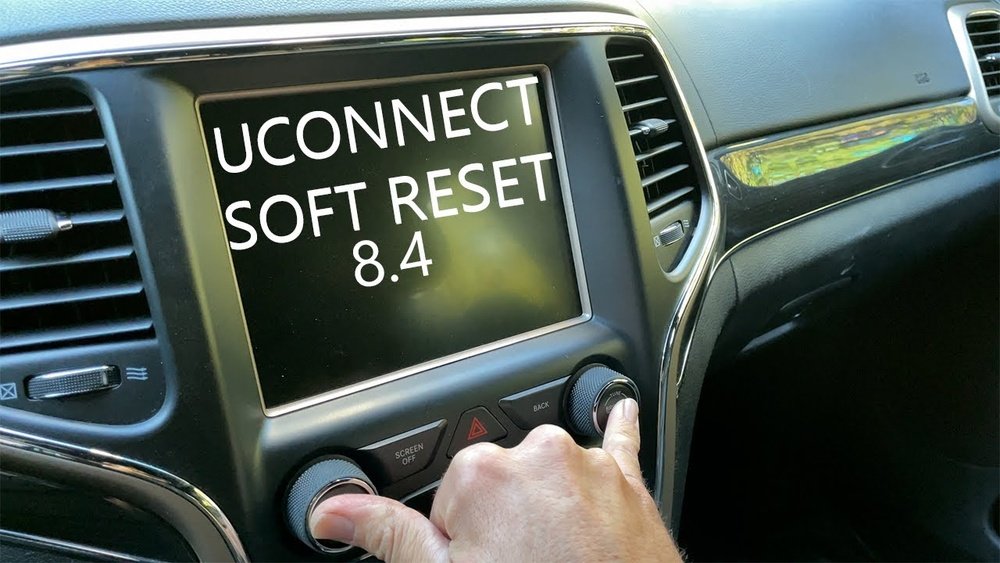
Quick Soft Reset Method
A soft reset is the easiest way to solve minor glitches. It does not erase your radio presets, Bluetooth connections, or saved settings.
To perform a soft reset:
- Turn the ignition to the “Run” position without starting the engine.
- Press and hold the volume and tune knobs at the same time.
- Keep holding both knobs for about 10 seconds.
- The screen will turn off and then restart automatically.
This method works for most minor software problems. You’ll notice the radio logo appears and the system reboots.
Hard Reset: When The Soft Reset Fails
If a soft reset doesn’t fix the problem, a hard reset (factory reset) is the next step. This returns the radio to its original settings and deletes saved data like radio presets and paired Bluetooth devices.
How to perform a hard reset:
- Go to the radio’s main menu.
- Tap the Settings icon.
- Scroll down to System Information or System.
- Look for Restore Factory Settings or Reset to Default.
- Confirm by tapping “Yes” or “Confirm.”
The radio will restart. Afterward, you’ll need to set up your favorite stations and reconnect your phone.
Resetting Uconnect System (specific To Jeep)
The 2018 Jeep Compass uses the Uconnect infotainment system. Sometimes, issues are caused by the Uconnect software rather than hardware. To reset Uconnect:
- Press and hold the hot and cold buttons on the climate control panel at the same time for 5 seconds.
- The screen will go black and reboot.
This method is useful if the touchscreen or apps freeze.
Disconnecting The Car Battery
If the radio is still not working, disconnecting the car battery can force a reset of all electronics. This is a more serious step, so only try it if other methods fail.
Steps:
- Turn off the ignition and remove the key.
- Open the hood.
- Use a wrench to loosen the negative (-) battery terminal.
- Wait for 10–15 minutes.
- Reconnect the terminal, tighten it, and close the hood.
This may reset the radio and other systems. You may need to reset the clock and radio presets afterward.
Common Mistakes To Avoid
Many drivers make simple mistakes when resetting their radio. Here’s what to watch out for:
- Not waiting long enough: If you don’t hold the buttons for the full 10 seconds, the soft reset may not work.
- Skipping steps: Always follow the reset instructions in order.
- Forgetting your presets: Hard resets will erase saved stations and Bluetooth devices.
- Disconnecting the battery with the ignition on: Always turn off the car first.
Knowing these mistakes can save you time and frustration.
Real-world Example
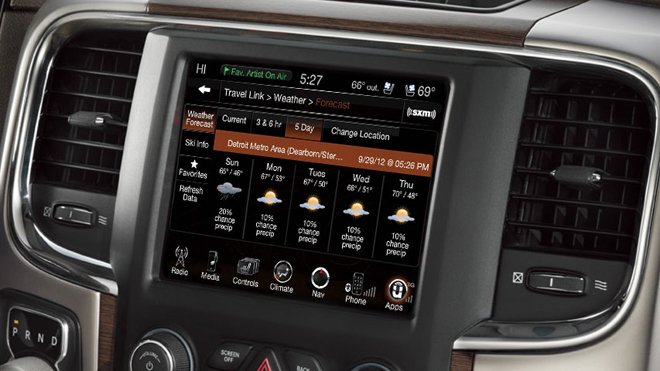
Sarah, a Jeep Compass owner, found her radio touch screen frozen after a software update. She tried turning the car off and on, but it didn’t help. After holding the volume and tune knobs for 10 seconds, the radio restarted and worked fine. If you face similar issues, try a soft reset first.
When To Visit The Dealer
Most radio issues can be solved with these reset methods. However, if your radio:
- Won’t turn on at all
- Shows a blank or flickering screen
- Has physical damage
It’s time to visit your Jeep dealer. There could be a hardware problem or a deeper software issue that needs a professional touch.
Comparison Of Reset Methods
Here’s a quick look at the pros and cons of each reset method:
| Reset Method | Difficulty | Data Loss | Best For |
|---|---|---|---|
| Soft Reset | Easy | No | Minor glitches |
| Hard Reset | Moderate | Yes | Major software issues |
| Battery Disconnect | Advanced | Partial | Stubborn problems |
Data That Might Be Lost After Reset
Be aware of what you might lose with a hard reset:
| Data Type | Soft Reset | Hard Reset |
|---|---|---|
| Radio Presets | Kept | Deleted |
| Bluetooth Devices | Kept | Deleted |
| Navigation Favorites | Kept | Deleted |
Practical Tips For A Smooth Reset
- Write down your favorite radio stations before a hard reset.
- Keep your car manual handy for extra guidance.
- Make sure your phone is ready to reconnect to Bluetooth after the reset.
- If the problem keeps coming back, check for a Uconnect software update. You can find more about this on the official Jeep Uconnect website.
Frequently Asked Questions
How Long Does It Take To Reset The 2018 Jeep Compass Radio?
A soft reset usually takes less than 1 minute. Hard resets or battery disconnects may take 5 10 minutes, plus extra time to re-enter settings.
A soft reset will not erase navigation data. A hard reset will delete saved addresses and preferences, so write them down before you start.
What Should I Do If My Radio Still Doesn’t Work After Resetting?
If the radio is still not working, check your car’s fuses and wiring. If everything looks normal, visit a Jeep dealership for further help.
Is It Safe To Disconnect The Car Battery For A Reset?
Yes, but follow the steps carefully. Turn off the ignition first and avoid touching other parts under the hood.
Can I Update My Jeep Compass Radio Software Myself?
Yes, Uconnect updates can be downloaded from the official Jeep website. Follow instructions closely or ask your dealer for help.
Resetting your 2018 Jeep Compass radio can quickly fix most common issues. Start with a soft reset, try a hard reset if needed, and only use advanced steps as a last resort. With these steps, you’ll get your radio back to normal and enjoy a smoother drive.



















