Removing the light switch from a Jeep XJ is one of those repairs that can feel intimidating if you haven’t done it before. Many owners hesitate because the switch is buried behind the dash, and mistakes can lead to electrical problems or broken trim pieces. But with the right approach, a few tools, and some patience, this task is very manageable—even for beginners. Whether your switch is faulty, flickering, or you want to upgrade to a newer unit, this guide walks you through every step, including smart tips most guides skip.
Understanding The Jeep Xj Light Switch
The Jeep Cherokee XJ was produced from 1984 to 2001. Its light switch controls headlights, parking lights, and sometimes dash illumination. Over time, these switches can wear out, causing flickering lights or total failure. Some owners also swap them for custom switches with extra features.
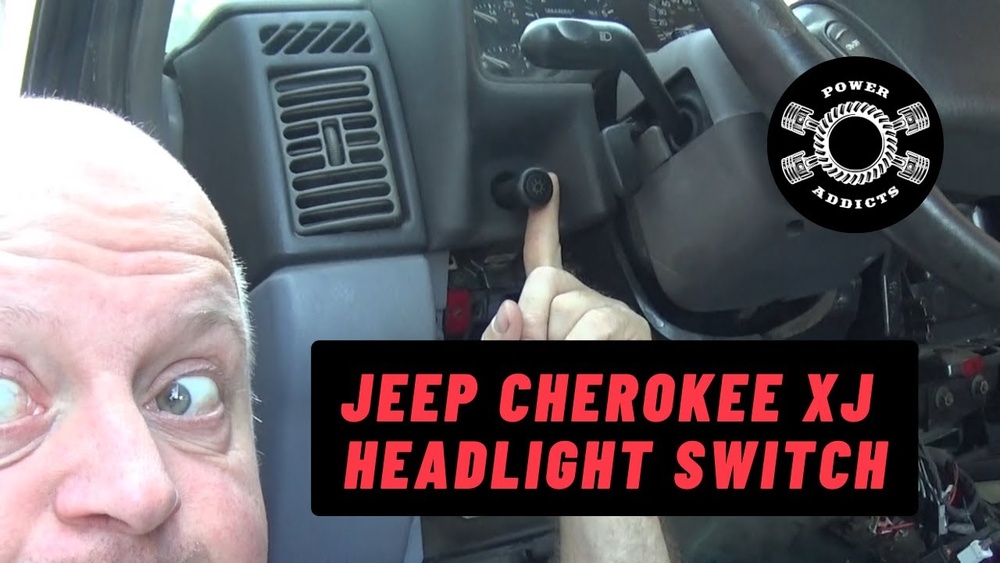
The switch is located on the left side of the dash, just above the driver’s knee. It’s mounted in a plastic bezel with clips and screws. Removing it needs care because the dash plastic can crack easily, and the wiring is tightly packed.
Common Symptoms Of A Bad Light Switch
- Headlights won’t turn on
- Flickering dash lights
- Stuck switch
- Burning smell from dash
- Loose or broken switch lever
If you notice any of these, replacing the switch is usually the fix.
Tools And Materials Needed
Before you begin, get these items ready:
- Phillips screwdriver
- Flat-head screwdriver
- Socket wrench (8mm or 10mm)
- Trim removal tool
- Needle-nose pliers
- Flashlight
- Replacement light switch
- Plastic bag for screws
- Electrical contact cleaner (optional)
Having everything nearby saves time and reduces mistakes. A trim tool is important because it helps remove panels without scratching or breaking them.
Step-by-step Guide: Removing The Light Switch
1. Safety First
Always start by disconnecting the negative battery cable. This prevents electrical shorts and accidental airbag deployment. Wait 5–10 minutes before starting work.
2. Remove Lower Dash Panel
The lower dash panel covers the area under the steering wheel and the light switch. Here’s how to take it off:
- Locate screws at the corners and along the bottom edge.
- Use a Phillips screwdriver to remove all screws.
- Gently pull the panel away—don’t force it.
- If stuck, use a trim tool to ease clips out.
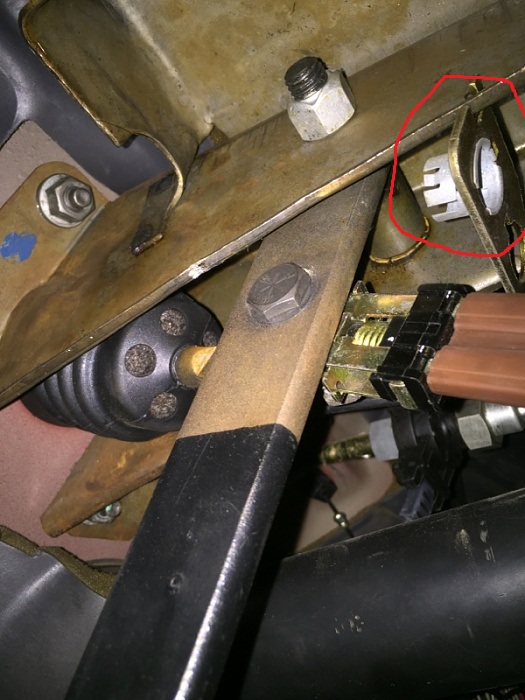
Some XJs have extra screws hidden behind the hood release lever. Slide the lever out or unscrew it to access these.
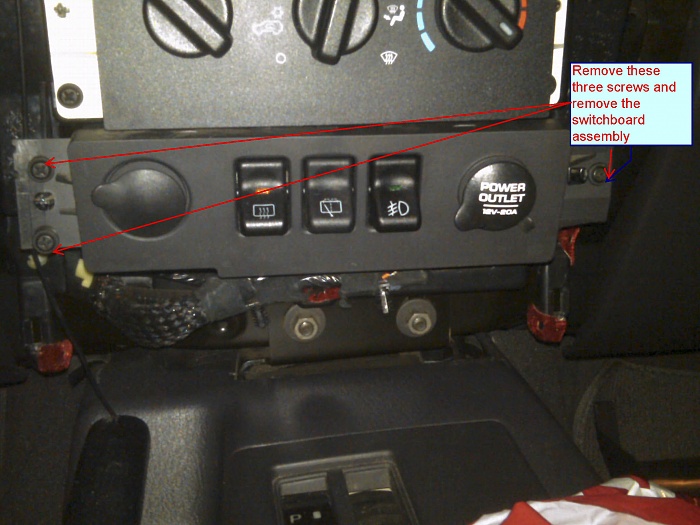
3. Locate The Light Switch Bezel
The light switch is surrounded by a plastic bezel. This trim piece holds the switch and sometimes other controls.
- Look for screws holding the bezel. Remove them with a screwdriver.
- If the bezel is clipped in, gently pry it with a flat-head screwdriver or trim tool.
Be careful: Jeep dash plastic gets brittle with age. If you hear cracking, stop and adjust your angle.
4. Remove The Light Switch
Once the bezel is off, you can see the back of the switch. It’s usually held by a nut or a spring clip.
- For nut-style switches: Use a socket wrench to remove the mounting nut.
- For clip-style switches: Press the release tabs and pull the switch out.
Pull the switch gently toward you. You’ll see a wiring connector attached at the back.
5. Disconnect Wiring
Most XJ switches have a single connector with multiple wires. Here’s how to disconnect:
- Press the locking tab on the connector.
- Wiggle and pull the connector off.
- If stuck, use needle-nose pliers for extra grip (but avoid pulling wires).
Inspect the connector for corrosion or damaged pins. Clean with electrical contact cleaner if needed.
6. Remove And Inspect The Switch
With the wiring unplugged, you can fully remove the switch. Look for signs of wear:
- Burn marks
- Bent pins
- Loose or broken lever
If you’re replacing the switch, compare the old and new units to ensure compatibility.
Data Table: Jeep Xj Light Switch Types
Below is a quick comparison of common light switch types found in Jeep XJs:
| Year Range | Switch Type | Mounting Method | Extra Features |
|---|---|---|---|
| 1984–1996 | Rotary | Nut | Dash dimmer |
| 1997–2001 | Pull-push | Spring clip | Fog light control |
Some later XJs have switches with fog light controls. Always check your model before buying a replacement.
Practical Tips For Removing The Switch
- Keep screws organized: Use a small bag or tray so you don’t lose them.
- Work in good lighting: A flashlight helps see hidden screws and connectors.
- Don’t force parts: If something sticks, check for missed screws or hidden clips.
- Take photos: Snap a picture before removing connectors—this helps with reassembly.
- Label wires if needed: If your XJ has extra wires (like for fog lights), label them with tape.
Many guides skip the photo tip, but it’s especially helpful for beginners. Also, always double-check that you have the right replacement switch before fully removing the old one.
Table: Common Mistakes And How To Avoid Them
Here’s a summary of mistakes Jeep XJ owners make, and how to stay clear:
| Mistake | Impact | How to Avoid |
|---|---|---|
| Not disconnecting battery | Electrical short, airbag risk | Always remove negative cable first |
| Breaking dash clips | Loose panels, rattling noise | Use trim tool, go slow |
| Pulling wires by force | Damaged connector | Press lock tab, use pliers if needed |
| Wrong replacement switch | Compatibility issues | Compare part numbers before buying |
| Losing screws | Panels won’t fit | Bag all screws immediately |
Reinstalling The Light Switch
Once the old switch is out, installing the new one is simple, but precision matters.
- Plug the wiring connector into the new switch.
- Seat the switch into its mounting position.
- Secure with nut or clip.
- Reinstall bezel and dash panel.
- Reconnect battery and test the switch.
Check all functions: headlights, parking lights, dash dimmer, and fog lights if present. If something doesn’t work, recheck the wiring and connector.
Example: Real-world Case Study
John, a Jeep XJ owner from Ohio, noticed his headlights flickering at night. The switch felt loose and sometimes wouldn’t turn the lights on. Following the steps above, he removed the lower dash, took out the bezel, and found burnt contacts on his switch.
After replacing it, all lights worked perfectly.
This example shows how a faulty switch can cause multiple problems, and a careful removal and replacement solves them.
Table: Estimated Time And Difficulty
Here’s what you can expect for this job:
| Step | Estimated Time | Difficulty (1–5) |
|---|---|---|
| Prep & disconnect battery | 5 minutes | 1 |
| Remove dash panel | 15 minutes | 2 |
| Remove bezel & switch | 20 minutes | 3 |
| Install new switch | 10 minutes | 2 |
| Test & reassemble | 10 minutes | 1 |
The total job usually takes 45–60 minutes for most owners. Beginners may take a bit longer, but patience pays off.
Non-obvious Insights
- Dash panels can warp: Older XJs sometimes have warped dash panels. If yours doesn’t fit back snugly, heat it gently with a hair dryer and press it back into shape.
- Switch connectors loosen over time: If your connector feels loose, use a small zip tie to secure it so it doesn’t vibrate loose after reassembly.
These tips are rarely mentioned but make a big difference in how reliable your repair is.
Where To Find Reliable Replacement Switches
Buy switches from trusted sources. OEM (original equipment manufacturer) parts fit best, but good aftermarket units work too. Avoid cheap, unbranded switches they often fail quickly.
You can compare OEM and aftermarket options on sites like RockAuto for price and compatibility.
Frequently Asked Questions
How Do I Know If My Jeep Xj Light Switch Is Bad?
If your headlights flicker, don’t turn on, or the switch feels loose, it’s likely faulty. Burning smells or melted plastic are also signs you need a new switch.
Can I Remove The Light Switch Without Removing The Dash Panel?
Most XJ models require you to remove the lower dash panel for access. Trying to skip this risks breaking the bezel or damaging the wiring.
What Year Jeep Xj Switches Are Compatible?
Switch compatibility depends on year range. 1984–1996 XJs use rotary switches, while 1997–2001 use pull-push types. Always check part numbers before buying.
Do I Need Special Tools To Remove The Switch?
You need basic hand tools: screwdrivers, socket wrench, and a trim tool. No special tools are required unless your switch is stuck or corroded.
Is It Safe To Drive With A Faulty Light Switch?
No. A bad switch can cause sudden loss of headlights, which is dangerous, especially at night. Replace it as soon as possible.
Removing the light switch from your Jeep XJ is straightforward if you follow the right steps, stay organized, and avoid common mistakes. Take your time, use the tips above, and your repair will last for years.