Remote starting your 2014 Jeep Grand Cherokee is a simple way to enjoy comfort and convenience, especially during extreme weather. You can warm up the cabin or cool it down before you even step inside. Many owners don’t realize their vehicle offers this feature or how to use it safely and effectively. This guide will show you the exact steps, common mistakes, key tips, and how to troubleshoot if things go wrong. You’ll get clear instructions and practical advice, so you can use your remote start confidently.
What Is Remote Start?
The remote start feature lets you start your Jeep from a distance using your key fob. This means the engine turns on, but the doors stay locked. The climate control system also activates, making your ride comfortable when you enter. For the 2014 Jeep Grand Cherokee, remote start comes standard on many trims, but not all. If your Jeep doesn’t have this feature, aftermarket kits are available.
Steps To Remote Start Your 2014 Jeep Grand Cherokee
Getting your Jeep to start remotely is easy, but you need to follow the steps exactly. Here’s how:

- Make sure your Jeep is parked and all doors, hood, and trunk are fully closed.
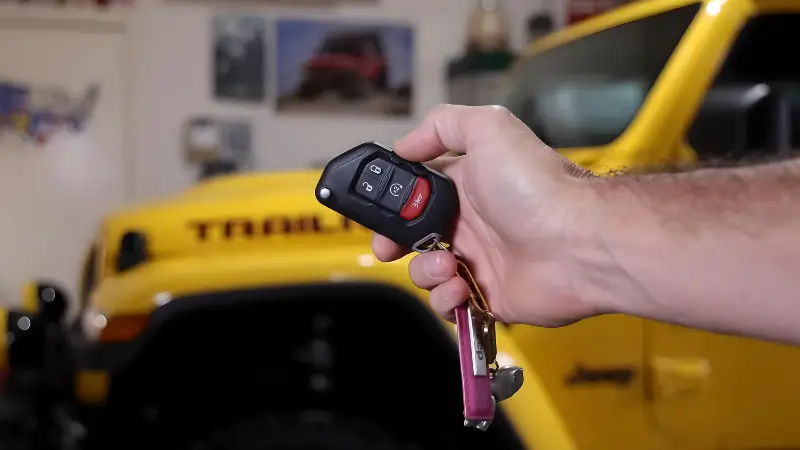
- Press the lock button on your key fob once. Wait for the lights to flash.
- Quickly press the remote start button (circular arrow) twice within five seconds.
- The parking lights will flash, and the engine should start.
- Your Jeep will run for 15 minutes. If you don’t enter, it turns off automatically.
Key Points To Remember
- The remote start will only work if your Jeep is locked.
- If you press the wrong button or wait too long, the sequence won’t work.
- The climate control uses your last settings, so set them before leaving the car.

Troubleshooting Remote Start Problems
Sometimes, remote start doesn’t work as expected. Here’s what to check:
- Battery strength: If your key fob battery is low, the signal won’t reach.
- Open doors or hood: The system won’t activate if any are open.
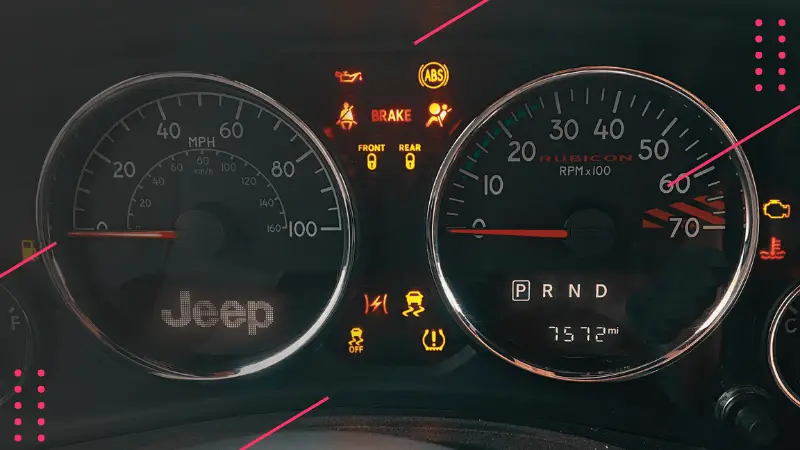
- Check engine light: If this light is on, remote start is disabled.
- Too far away: The fob must be within about 300 feet.
- Valet mode: If enabled, remote start is blocked.
If you still have trouble, refer to your Jeep’s manual or visit a dealer.
Benefits Of Using Remote Start
Using remote start can make your daily routine easier. Here are the main benefits:
- Comfort: Heat or cool your cabin before entering.
- Safety: Defrost windows for clear vision.
- Engine care: Warm up the engine, especially in cold weather.
Many drivers overlook the engine warm-up benefit, which can extend engine life and improve performance.
Comparing Remote Start Features
Different trims and aftermarket kits may offer more functions. Here’s a quick comparison:
| Feature | Factory Remote Start | Aftermarket Kit |
|---|---|---|
| Range | Up to 300 ft | Up to 1000 ft |
| Warranty | Included | Varies |
| Climate Control | Automatic | Depends on kit |
| Installation | Factory | Professional needed |
Common Mistakes With Remote Start
Many new users make mistakes that block the system or cause frustration:
- Leaving a door or hood open.
- Not pressing buttons in the correct sequence.
- Trying to start with the vehicle in gear.
- Using remote start when the check engine light is on.
Avoid these errors to save time and keep your system working.

Remote Start Security Features
Remote start is designed for safety. Here are some built-in protections:
| Security Feature | What It Does |
|---|---|
| Door Lock | Vehicle stays locked during remote start |
| Automatic Shutdown | Engine turns off after 15 minutes |
| Gear Check | Remote start disabled if not in Park |
| Check Engine | System blocked if warning light is on |
These features help prevent theft and keep your vehicle secure.
Practical Tips For Remote Start
Here are some non-obvious insights that help you get the most from your remote start:
- Use remote start to help your engine reach optimal temperature before driving, especially in winter.
- If you have a diesel engine, remote start can prevent cold start issues.
- The system remembers your last climate setting, so adjust it before leaving your Jeep.
For more details on remote start systems, you can visit Jeep Official Site.

Frequently Asked Questions
Can I Extend The Remote Start Time?
No, you can’t extend beyond 15 minutes. But you can start it again after it turns off, up to two times.
Will Remote Start Work If My Key Fob Battery Is Low?
No, a weak battery can block the signal. Replace your fob battery if you notice decreased range.
Is Remote Start Safe For My Engine?
Yes, it’s safe. It can actually help warm up the engine and reduce wear during cold starts.
Can I Use Remote Start If The Check Engine Light Is On?
No, remote start is disabled for safety if this light is on. Address the issue before using remote start.
Does Remote Start Unlock My Jeep?
No, your Jeep stays locked during remote start. You need to unlock it manually to enter.
Remote start is a powerful tool for comfort, convenience, and engine care. With the right steps and a few insider tips, you can use it every day without worry. Always check for common mistakes and keep your system in good condition for the best results. If you need extra help, your dealer or the official Jeep site can give more detailed support. Enjoy a warmer or cooler ride, every time you use your remote start feature.