Getting the most out of your 2016 Jeep Grand Cherokee means understanding how to use its 4WD system. Many owners buy a Jeep for its off-road ability, but not everyone knows when and how to switch to 4WD. If you want to drive safely in snow, mud, or uneven terrain, knowing how to activate 4WD is essential. Let’s break down the process simply, step by step, and clear up some myths and mistakes that beginners often make.
Understanding The 2016 Jeep Grand Cherokee 4wd System
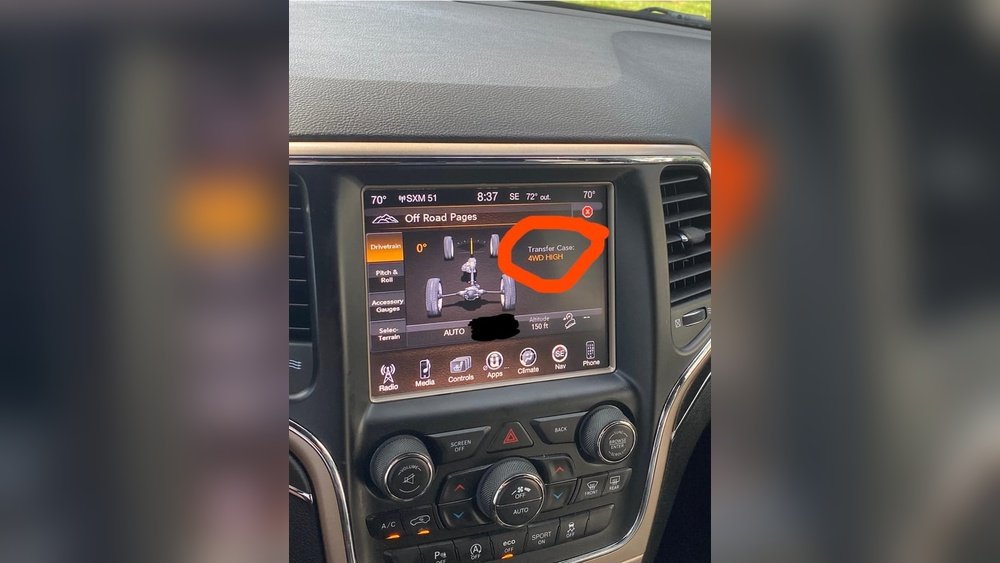
The 2016 Grand Cherokee comes with different 4WD systems, mainly Quadra-Trac I, Quadra-Trac II, and Quadra-Drive II. Each system works a little differently:
- Quadra-Trac I: Full-time 4WD, always engaged, no driver input needed.
- Quadra-Trac II: Full-time 4WD with a low range for tougher conditions.
- Quadra-Drive II: Advanced system with electronic limited slip differentials for better traction.
Most Grand Cherokees use an electronic control switch instead of a manual lever. This makes changing modes easier, but you must know what each setting does.
When Should You Use 4wd?
Use 4WD only when conditions require extra traction. These include:
- Snowy or icy roads
- Mud or sand
- Steep hills or rocky terrain
Using 4WD on dry pavement can damage your drivetrain. Many drivers forget this, leading to costly repairs.
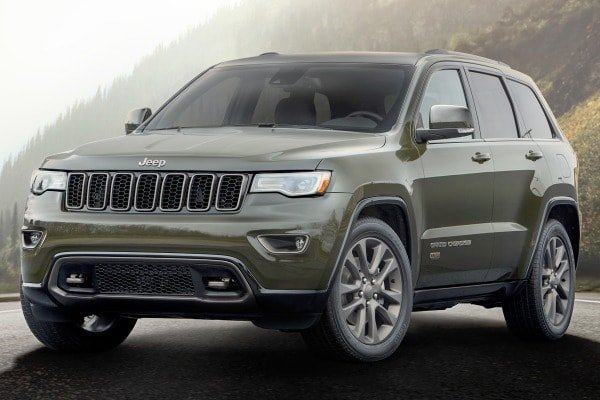
How To Put The 2016 Jeep Grand Cherokee In 4wd
Switching to 4WD is simple if you follow the right steps. Here’s what to do:
- Start the vehicle and keep your foot on the brake.
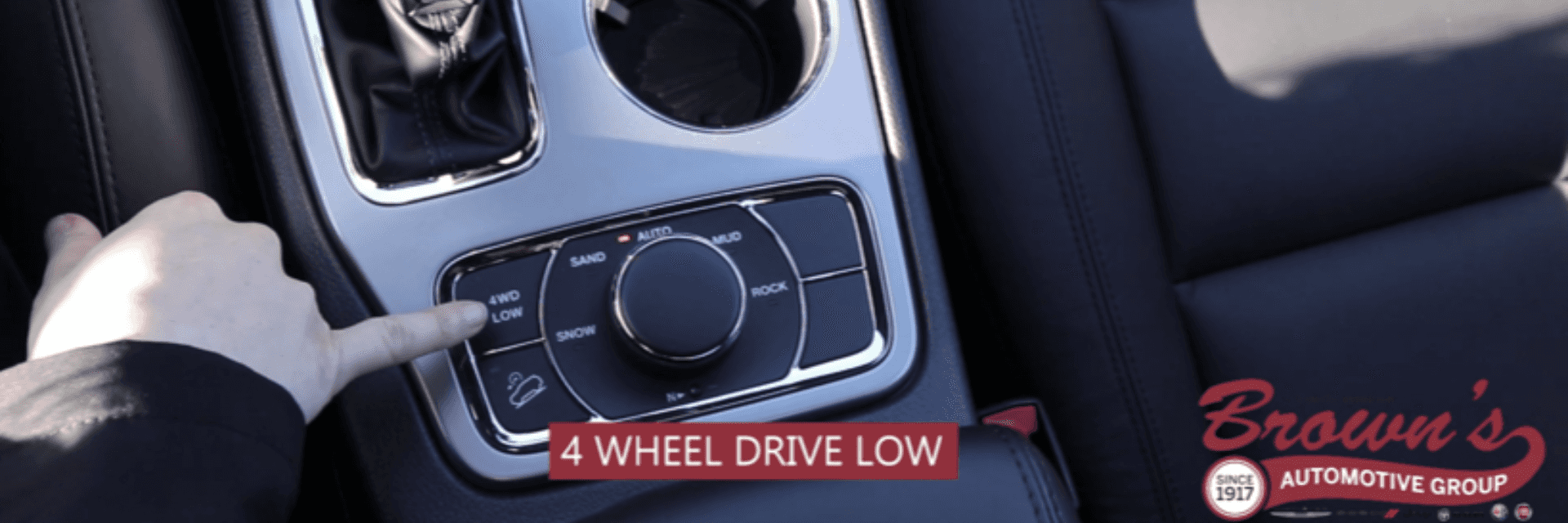
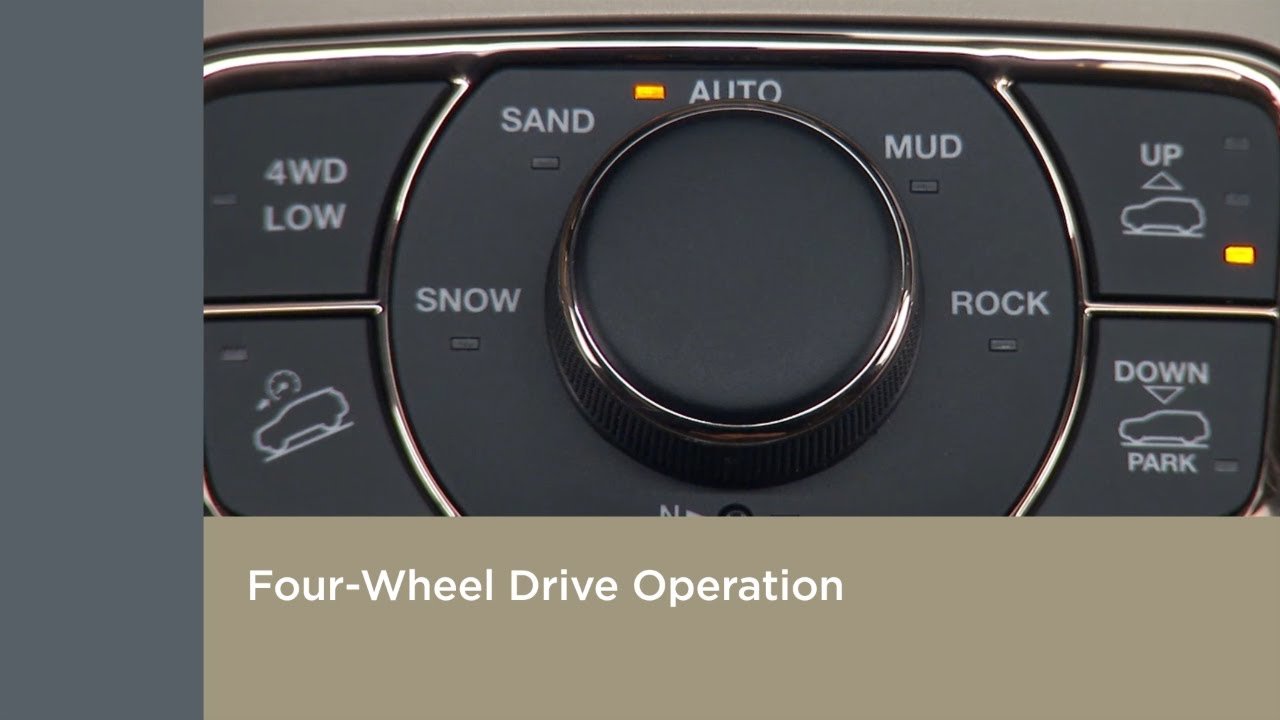
- Locate the Selec-Terrain knob on the center console, usually near the gear shifter.
- Select the appropriate mode by turning the knob. The main modes are:
- Auto: Default mode, suitable for most driving.
- Snow: For slippery roads.
- Sand: For loose surfaces.
- Mud: For muddy paths.
- Rock: For slow, rocky terrain (only available in 4WD Low).
- To engage 4WD Low:
- Stop the vehicle and shift to Neutral (N).
- Press the 4WD Low button (if equipped).
- Wait for the indicator light to confirm 4WD Low is engaged.
- Shift back to Drive (D).
- Drive slowly until you feel the 4WD system engage. You may hear a slight click or feel a change in handling.
Key Differences Between 4wd Auto And 4wd Low
Understanding when to use each setting is important:
| Mode | Best For | How to Activate |
|---|---|---|
| 4WD Auto | Everyday driving, changing road conditions | Select “Auto” on the Selec-Terrain knob |
| 4WD Low | Off-road, deep sand, heavy snow, steep hills | Vehicle in Neutral, press 4WD Low button |
Common Mistakes To Avoid
Many owners make simple errors. Here are a few to watch for:
- Switching to 4WD Low while moving: Always stop and shift to Neutral first.
- Using 4WD on dry roads: This can strain the system.
- Ignoring indicator lights: If the 4WD light blinks or stays on, there may be a problem.
- Forgetting to shift back to 2WD or Auto: Driving too long in 4WD Low can damage your Jeep.
Practical Tips For Beginners
- Practice in a safe area: Try switching between modes in an empty parking lot.
- Read your owner’s manual: It has information specific to your model.
- Listen to your Jeep: Unusual noises or dashboard warnings should not be ignored.
- Don’t force the switch: If the knob doesn’t move easily, check if the vehicle is stopped and in the correct gear.
4wd System Maintenance
Keeping your 4WD system in top shape means regular checks. Here’s what to monitor:
| Component | Check Interval | What to Do |
|---|---|---|
| Transfer Case Fluid | Every 30,000 miles | Check and replace as needed |
| Differential Fluid | Every 30,000 miles | Inspect for leaks, top up or change |
| 4WD System Electronics | Annually | Scan for error codes |
Checking these regularly avoids bigger problems later.
Real-world Example
Imagine you’re driving up a snowy mountain. In “Auto” mode, the Jeep feels safe, but the wheels slip on a steep section.
You stop, shift to Neutral, press the 4WD Low button, and select “Snow. ” The SUV climbs smoothly, showing how the right 4WD mode makes a difference.
Two Insights Beginners Often Miss
First, tire condition is as important as your 4WD setting. Worn tires can make even the best 4WD system useless. Second, 4WD helps with traction but not always with stopping. Keep your speed low and leave plenty of space in slippery conditions.
Frequently Asked Questions
How Do I Know If My Jeep Is In 4wd?
Look for the indicator lights on your dashboard. When 4WD is active, a light will show. In 4WD Low, you may see a special message or icon.
Can I Switch To 4wd While Driving?
You can switch between modes like “Auto,” “Snow,” and “Sand” while driving at low speeds. To engage 4WD Low, you must be stopped and in Neutral.
What Happens If I Use 4wd On Dry Pavement?
Using 4WD on dry pavement causes drivetrain binding and possible damage. Only use 4WD in conditions where wheels can slip.
Does The 2016 Grand Cherokee Have Full-time 4wd?
Some models have full-time 4WD (like Quadra-Trac I), which works automatically. Others require you to select the mode.
Where Can I Find More Details About My 4wd System?
Your owner’s manual is the best source. You can also check the official Jeep website or Jeep Grand Cherokee page for more information.
Activating 4WD in your 2016 Jeep Grand Cherokee is simple once you know the steps. Use the right mode for the conditions, avoid common mistakes, and keep your system maintained.
This way, you’ll enjoy safe and confident driving, on or off the road.


















