A Jeep garage-door opener setup usually uses HomeLink when equipped. A missing handheld remote does not always end the process, but the available path depends on the garage-door opener, its learn button, and whether a wireless keypad is available.
Quick Answer
Start with HomeLink Jeep-specific instructions. HomeLink generic rolling-code guidance uses the learn, smart, or program button on the opener motor.
HomeLink support also describes a wireless-keypad method for some setups.
Confirm HomeLink Is Fitted
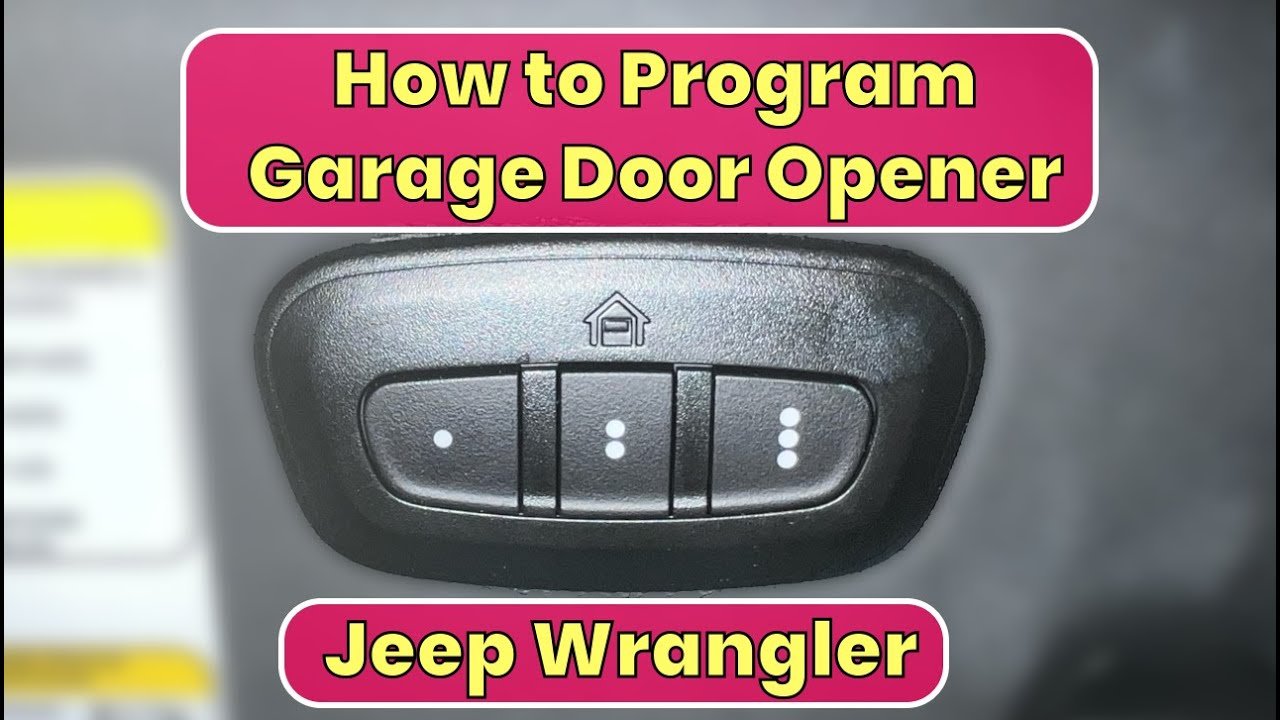
Look for the HomeLink buttons and indicator in the Jeep. A vehicle without the factory system needs a different solution.
HomeLink rolling-code instructions tell owners to locate the learn, smart, or program button on the garage-door motor unit. The shape and color vary by manufacturer.
Check for a Wireless Keypad
HomeLink support describes a keypad programming route for some systems. The keypad may need to be removed from the wall and brought into the vehicle.
Keep the Garage Opening Clear
Programming moves a heavy door. Keep people, pets, and objects away from the path.
Test the Full Cycle
After training, open and close the door from the normal stopping point. A single blink is not a complete test.
Key Details to Check
| Item | What to verify | Why it matters |
|---|---|---|
| Vehicle | HomeLink buttons fitted | Confirms the system exists |
| Opener | Brand and rolling-code type | Determines the instructions |
| Learn button | Motor-unit location | Completes rolling-code setup |
| Keypad | Working wireless keypad when available | May replace the handheld remote in some setups |
| Safety zone | Clear door path | Prevents injury or damage |
Step-by-Step Review
- Park the Jeep outside the garage opening.
- Confirm HomeLink is fitted.
- Open the Jeep-specific HomeLink instructions.
- Identify the opener brand and find the motor-unit learn button.
- Check whether a wireless keypad method is suitable.
- Complete the HomeLink training sequence.
- Test a full open-and-close cycle with the door path clear.
Common Mistakes to Avoid
- Programming while the Jeep blocks the door path.
- Pressing random buttons without reading indicator behavior.
- Clearing every stored HomeLink button by mistake.
- Standing under the door during testing.
- Assuming every opener supports the same no-remote path.
When the Keypad Method Helps
HomeLink support says a wireless keypad may be used in some setups by bringing it into the vehicle and entering the PIN while holding the selected HomeLink button. Follow the brand-specific instructions.
Do Not Guess at the Motor Unit
The learn button location and color vary by brand. Use the opener manual and a stable ladder.
Keep another person nearby when the motor unit is difficult to reach.
Reset Discipline
Avoid clearing other HomeLink buttons unless you intend to erase them. Label which Jeep button controls the garage, gate, or second door.
Keep a Useful Jeep Homelink Programming Without Original Remote Record
Save the model year, VIN, mileage, one clear photo, and the final result related to Jeep HomeLink programming without original remote. Add the manual page, receipt, scan result, or part number when relevant.
For this topic, record vehicle and opener before the Jeep returns to normal use. A focused Jeep HomeLink programming without original remote record gives the next owner or workshop a stronger starting point and prevents the same checks from being repeated without context.
Garage-Door Safety Test
After programming, park outside the door path and test one full opening cycle and one full closing cycle. Watch the door travel, confirm that the Jeep button works from the normal stopping point, and keep the area clear.
When the opener behaves unpredictably, erase only the intended button if needed and return to the opener-specific instructions.
When No-Remote Programming Still Fails
If the learn-button or keypad route does not work, confirm the opener brand, keypad battery, HomeLink indicator pattern, and timing window. Some systems need manufacturer-specific instructions.
Stop repeating random combinations. Return to the HomeLink vehicle page and the opener manual, then contact support when the supported sequence still fails.
Write down the opener brand, the HomeLink button used, and the date the programming succeeded. If the opener is replaced later, the record makes it easier to clear or retrain the correct button without disturbing a gate or second garage door.
Frequently Asked Questions
Can I program HomeLink without the original remote?
Sometimes. Check the Jeep-specific HomeLink instructions, opener learn button, and whether a keypad method is supported.
It is usually on the opener motor unit. Use the opener manual because location and color vary.
Why test a full cycle?
A successful program should open and close the door safely from the normal position.
Final Takeaway
Program Jeep HomeLink without the original remote only through a supported path. Use the opener learn button, check keypad instructions when applicable, and keep the door path clear during every test.