Pairing your phone with a Jeep Wrangler 2016 is more than just convenience—it’s about safety, entertainment, and connectivity. Many drivers want to use hands-free calls, stream music, or get navigation help without distractions. But the process can feel confusing, especially if you’re not used to car tech. This guide walks you through every step, shows the most common mistakes, and gives practical tips for a smooth pairing experience. You’ll also find real examples, data, and answers to popular questions, all in clear, simple English.
Understanding Jeep Wrangler 2016’s Bluetooth Features
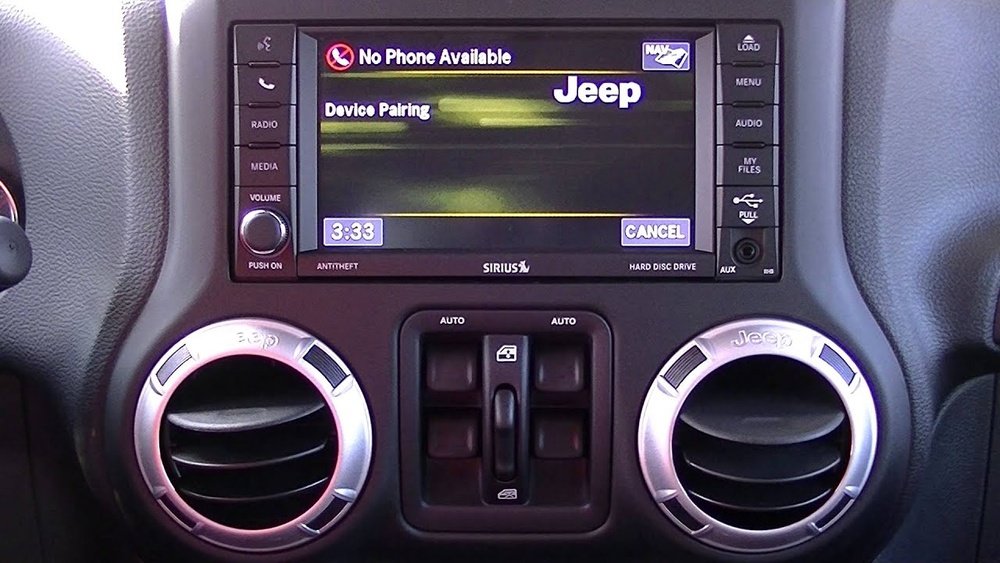
The 2016 Jeep Wrangler is equipped with the Uconnect system, which allows you to connect your phone via Bluetooth. This feature lets you make calls, play music, and use voice commands. The system supports many phone brands, including Apple, Samsung, and Google devices.
Here’s a quick look at the main Bluetooth features:
- Hands-free calling
- Audio streaming
- Voice commands
- Phonebook access
Not all models have the same Uconnect version. Most Sport, Sahara, and Rubicon trims include Bluetooth, but some base models may not.
Always check your owner’s manual or the Uconnect display for Bluetooth options.
| Wrangler Trim | Bluetooth | Uconnect Version |
|---|---|---|
| Sport | Yes | Uconnect 3.0 |
| Sahara | Yes | Uconnect 3.0 |
| Rubicon | Yes | Uconnect 3.0 |
| Base | Optional | Uconnect 2.0 |
Step-by-step Guide To Pairing Your Phone
Pairing your phone takes just a few minutes, but every step matters. Follow these instructions carefully for the best results.
1. Prepare Your Phone
- Turn on your phone’s Bluetooth.
- Make sure it’s visible to other devices.
- Charge your phone, as pairing can drain battery.
2. Start The Jeep Wrangler
- Turn on the ignition, but you don’t need to start the engine.
- Check that the Uconnect display is on.
3. Access Bluetooth On Uconnect
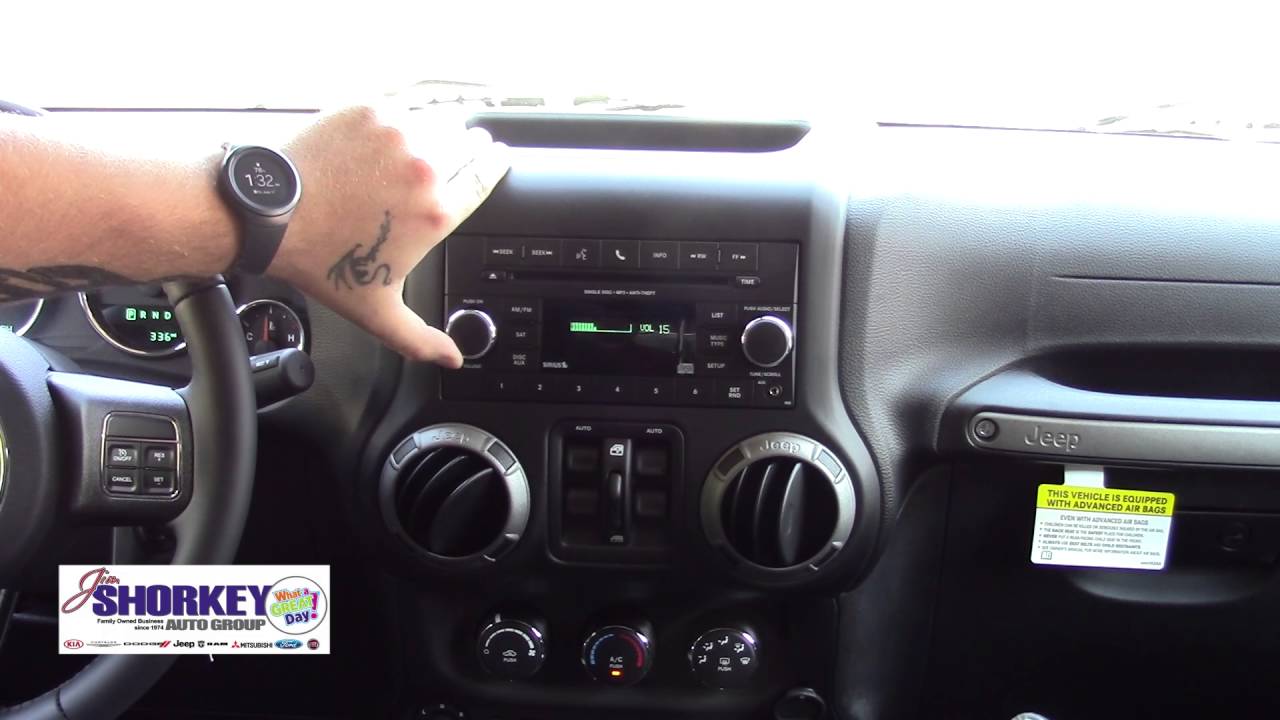
- Press the Phone button on the Uconnect screen or dashboard.
- Select “Pair a Device” or “Add Bluetooth Device” (wording may vary).
4. Search For Jeep Wrangler On Your Phone
- On your phone, go to Bluetooth settings.
- Look for “Uconnect” or “Wrangler” in the device list.
- Tap to connect.
5. Confirm The Pairing Code
- A code appears on both your phone and the Uconnect screen.
- Make sure the codes match, then confirm on both devices.
6. Allow Access To Contacts And Media
- Your phone may ask for permission to share contacts and music.
- Approve these requests if you want hands-free calling and audio streaming.
7. Finish Pairing
- The Uconnect screen will show a success message.
- Your phone is now connected.
If you see error messages or your phone doesn’t connect, try restarting both devices and repeat the steps.
| Step | Action | Common Mistake |
|---|---|---|
| 1 | Enable Bluetooth | Forgetting to turn on Bluetooth |
| 3 | Access Uconnect | Using wrong menu option |
| 5 | Confirm code | Not matching codes |
| 6 | Grant permissions | Denying contacts/media access |
Troubleshooting Pairing Issues
Even if you follow every step, sometimes pairing fails. Here are real solutions for the most common problems:
Device Not Showing Up
- Make sure your phone is visible.
- Check for software updates on your phone and Uconnect.
- Try pairing with another phone to see if the issue is with your device.
Connection Drops
- Move your phone closer to the Uconnect system.
- Remove other Bluetooth devices from your phone (earbuds, smartwatches).
- Turn off Wi-Fi for better signal strength.
Audio Not Working
- Check volume levels on both phone and Jeep.
- Make sure the media output is set to Bluetooth.
- Restart the Uconnect system.
Non-obvious Insight
Many people don’t realize that Bluetooth can interfere with other wireless signals inside the Jeep. If you have several devices connected, disconnect the ones you don’t need. Also, certain phone cases with metal can block Bluetooth signals.
Practical Tips For Better Bluetooth Experience
Pairing is just the start. Here’s how to make your Bluetooth experience smoother and safer:
- Update Uconnect software regularly for bug fixes and new features.
- Remove old paired devices from Uconnect to free up memory.
- Use voice commands for safer driving. Practice simple phrases like “Call John” or “Play music.”
- Turn off Bluetooth when not needed to save battery.
- Restart your phone before long trips for stable connection.
For more technical details on Jeep’s Uconnect system, visit the Jeep official Uconnect page.
| Benefit | How to Achieve |
|---|---|
| Hands-free safety | Use voice commands, keep phone out of reach |
| Better audio | Check media output, adjust equalizer |
| Faster pairing | Remove old devices, restart phone |

What Makes Wrangler Bluetooth Different?
Unlike many cars, the Jeep Wrangler 2016 is built for rugged driving. The Uconnect system is designed to work even in extreme conditions, like dust, vibration, and temperature changes. Some users notice that Bluetooth range is slightly shorter than in sedans, because of the Jeep’s metal body and removable roof.
Another insight: pairing works best when the Jeep is parked. Moving or idling can cause signal drops, especially in busy city areas.
Frequently Asked Questions
How Many Phones Can I Pair With My Jeep Wrangler 2016?
You can pair up to seven devices with the Uconnect system, but only one device can be active at a time.
What Do I Do If My Phone Won’t Connect?
Try restarting both your phone and the Uconnect system. Delete old pairings, update software, and check compatibility. If problems continue, visit a Jeep dealer.
Can I Play Music From My Phone Through Jeep Speakers?
Yes, once paired, you can stream music via Bluetooth. Make sure media output is set to Bluetooth on your phone.
Is Pairing Secure? Can Others Connect Without Permission?
Pairing is protected by a security code. Only devices with matching codes can connect, so random pairing is not possible.
Does Pairing Work With All Phones?
Most modern smartphones, including iPhone and Android, are compatible. Older phones or rare brands may have issues.
Pairing your phone to a Jeep Wrangler 2016 is quick and easy when you follow these steps. With Bluetooth, you unlock safer driving and more fun on the road. Remember to keep your system updated and use these tips for trouble-free connectivity. If you ever get stuck, the Jeep Uconnect site offers extra help. Enjoy your ride and stay connected!



















