Pairing your phone with a Jeep Wrangler can make your driving experience safer and more enjoyable. It lets you make calls hands-free, play music, and use navigation apps on the go. Many drivers find the process confusing, especially with new models or changing technology. This guide will walk you through the steps, highlight common mistakes, and show you how to get the best connection possible. Whether you have an older Wrangler or a newer one with Uconnect, you’ll learn how to connect your phone quickly and easily.
Understanding Jeep Wrangler Bluetooth Systems
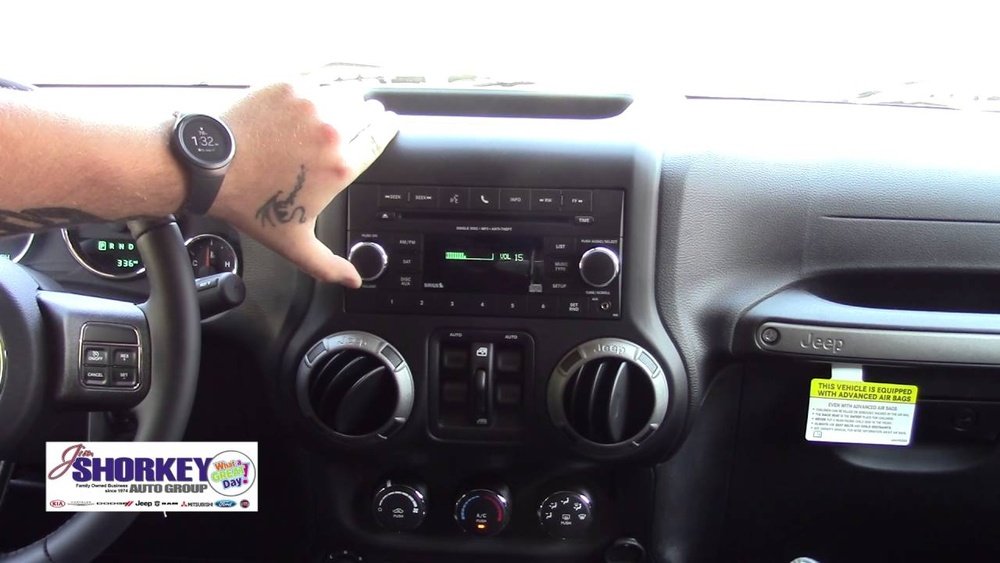
Jeep Wranglers use different infotainment systems depending on the model year. Most recent Wranglers (2018 and newer) use Uconnect, which offers advanced features like voice commands and app integration. Older models may have simpler Bluetooth setups.
Here’s a quick comparison of common Wrangler infotainment systems:
| Model Year | System Name | Bluetooth Features |
|---|---|---|
| 2012–2017 | Basic Media Center | Calls, Music |
| 2018–2024 | Uconnect 4/5 | Calls, Music, Apps, Voice Commands |
Knowing which system you have helps you follow the correct steps. You can usually find the system name on the screen when you start your car.
Step-by-step: Pairing Your Phone With Jeep Wrangler
Pairing your phone takes only a few minutes if you follow the correct process. Here’s how to do it for most Wrangler models:
- Turn on Bluetooth on your phone. Go to Settings > Bluetooth and make sure it’s enabled.
- Start your Jeep and turn on the infotainment system.
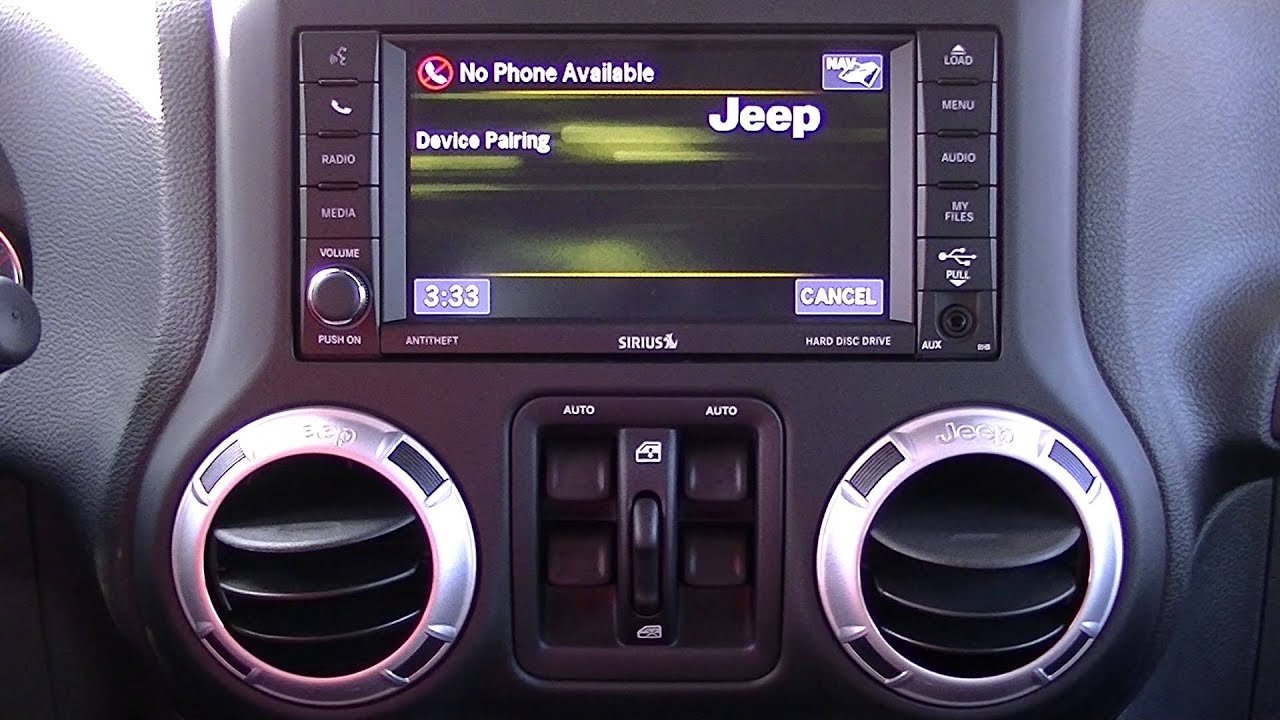
- On the Wrangler’s screen, look for the Phone or Bluetooth menu.
- Select Add Device or Pair New Device.
- On your phone, search for devices. You should see your Wrangler’s system name appear.
- Select it, and you’ll get a confirmation code on both your phone and the car screen.
- Confirm the code matches, then tap Pair or Connect.
- If asked, allow access to contacts and messages.
Some models may require you to enter a PIN. If so, the default is often 0000 or 1234.
Example: Pairing Iphone With Uconnect
- Go to Settings > Bluetooth on your iPhone.
- Start your Wrangler and tap the Phone button on the Uconnect screen.
- Tap Add Device. Uconnect will display a code.
- Select Uconnect on your phone, confirm the code, and allow access.
Example: Pairing Android Phone
- Open Settings > Connected Devices > Bluetooth.
- Start the Jeep, go to the Phone menu.
- Tap Add Device.
- Select the Wrangler’s name from your phone’s list.
- Confirm the code and allow permissions.
Troubleshooting Common Issues
Sometimes pairing does not work as expected. Here are some solutions for common problems:
- Device not found: Restart both your phone and the Jeep’s system. Make sure Bluetooth is enabled.
- Connection fails: Delete old paired devices in the car system and try again.
- Music won’t play: Check if the phone audio option is enabled in Bluetooth settings.
- Calls drop: Move your phone closer to the system or update its software.
Here’s a quick look at common issues and solutions:
| Problem | Possible Cause | Solution |
|---|---|---|
| Device not detected | Bluetooth off or hidden | Enable Bluetooth, make phone visible |
| Pairing fails | Too many devices paired | Remove old devices, retry |
| Audio issues | Wrong audio setting | Enable media audio in settings |
Extra Tips For Best Connection
Many drivers miss these small details that improve Bluetooth performance:
- Update software: Both your phone and Uconnect system may need updates for smooth pairing.
- Keep phone charged: Low battery can cause Bluetooth to disconnect.
- Use the official Jeep app: Some newer Wranglers let you manage pairing and features through the Jeep app.
- Limit paired devices: Too many paired phones can confuse the system; remove unused devices.
A useful insight: Sometimes, pairing works but contacts won’t sync. In this case, check your phone’s Bluetooth settings and allow access to contacts.
Here’s a quick comparison between pairing and using USB:
| Connection Type | Pros | Cons |
|---|---|---|
| Bluetooth | Wireless, hands-free calls, music | May disconnect, lower audio quality |
| USB | Stable connection, charging, better audio | Wired, limited mobility |
Safety And Privacy Considerations
Pairing your phone makes driving safer by reducing distractions. However, you should consider privacy:
- Remove your phone from the system when selling or servicing the vehicle.
- Don’t allow contact sharing if you want to keep your information private.
- Use voice commands to keep your hands on the wheel.
According to a study by the National Highway Traffic Safety Administration, hands-free systems reduce accident risk by up to 20%. Still, always focus on driving.
Frequently Asked Questions
How Many Phones Can I Pair With My Jeep Wrangler?
Most Jeep Wrangler systems allow you to pair up to eight phones, but only one can be active at a time.
Can I Pair My Phone While Driving?
For safety, pairing is only possible when the vehicle is in park. This prevents distractions while driving.
What Should I Do If My Contacts Don’t Sync?
Check Bluetooth settings on your phone and make sure contact sharing is enabled. Restart both devices if needed.
Is Bluetooth Pairing Secure?
Bluetooth pairing uses codes and encryption to protect your data. Avoid pairing with unknown devices and remove your phone before selling the car.
Where Can I Find Official Instructions?
You can find step-by-step guides on the Jeep official site: Jeep Uconnect.
Pairing your phone with a Jeep Wrangler is a simple way to add comfort and safety to your driving. Follow the steps, use the tips, and you’ll enjoy a smooth connection for calls, music, and navigation.
If issues come up, troubleshooting and regular updates will keep your system working well.
Remember, safe driving always comes first.