Pairing your Jeep Gladiator Bluetooth speaker can seem tricky at first, but the process is simple once you know the steps. Whether you’re using the factory-installed portable speaker or an aftermarket model, connecting your device lets you enjoy music, podcasts, or calls while on the road or outdoors. Below, you’ll find a clear guide to pairing, troubleshooting, and getting the best performance from your Gladiator’s Bluetooth speaker.
Understanding Jeep Gladiator Bluetooth Speaker
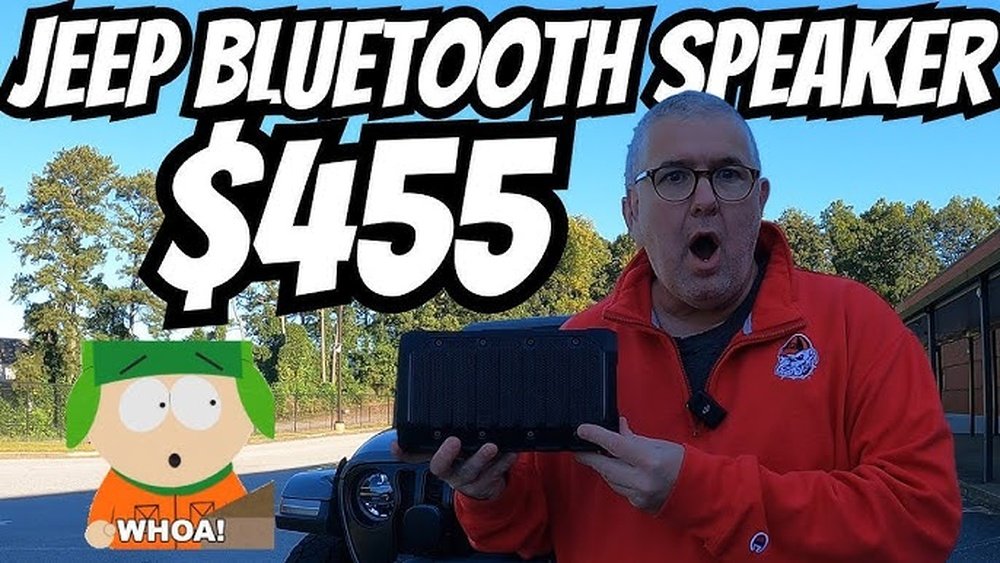
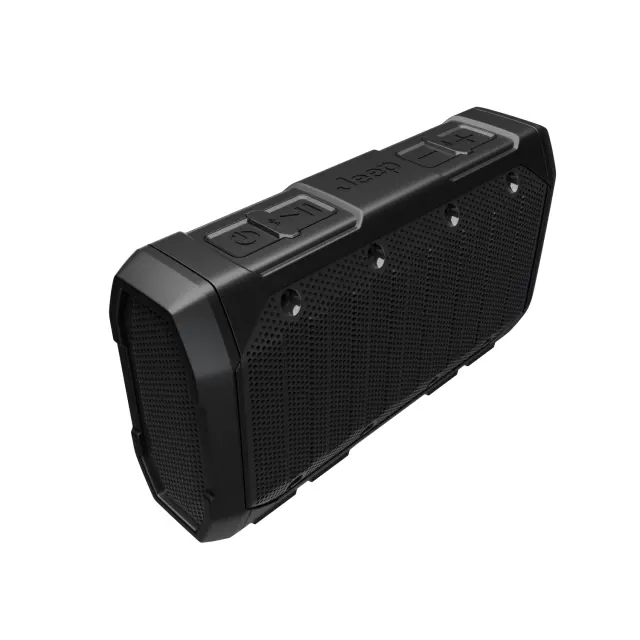
The Jeep Gladiator comes with a unique portable Bluetooth speaker, often called the Alpine Portable Speaker. Unlike standard car speakers, you can remove it from the vehicle and use it anywhere. Its rugged design is built for adventure, with water resistance and long battery life (up to 12 hours per charge). It’s not just a gadget—it’s part of the Gladiator’s appeal for those who love outdoor activities.
The speaker supports Bluetooth 5. 0, which offers fast pairing and a stable connection.
It also includes USB charging and can connect to most smartphones, tablets, and laptops.
| Feature | Jeep Gladiator Bluetooth Speaker | Standard Car Speaker |
|---|---|---|
| Portability | Removable | Fixed |
| Water Resistance | Yes (IP67) | No |
| Battery Life | 12 hours | N/A |
| Bluetooth Version | 5.0 | Varies |
Step-by-step Guide: Pairing Your Jeep Gladiator Bluetooth Speaker
Pairing your Gladiator speaker is straightforward. Follow these steps for a hassle-free connection:
- Charge the Speaker
- Make sure your Bluetooth speaker is fully charged before pairing. Plug it in using the USB cable provided. A charged speaker ensures stable pairing.
- Turn On Bluetooth on Your Device
- On your phone, tablet, or laptop, go to settings and turn on Bluetooth. Make sure your device is discoverable.
- Power On the Jeep Gladiator Speaker
- Press and hold the power button on the speaker until you see a blinking blue light. This means the speaker is in pairing mode.
- Search for Devices
- On your device, search for new Bluetooth devices. The speaker will appear as “Alpine Speaker” or “Jeep Speaker.”
- Select and Pair
- Tap the speaker name to connect. If asked, enter the pairing code (usually “0000” or “1234”).
- Confirm Connection
- The blue light will turn solid when connected. Your device may display “Connected to Alpine Speaker.”
- Play Audio
- Open your music app or make a call. Sound will play through the speaker.
Practical Example
Imagine you’re camping and want to listen to music. With your phone’s Bluetooth on and the speaker powered up, you pair them in seconds.
You can carry the speaker anywhere within 30 feet (10 meters) of your device.
| Step | Time Needed | Common Issues |
|---|---|---|
| Charging | 1 hour (for full charge) | Low battery |
| Pairing | 1-2 minutes | Device not found |
| Playing Audio | Instant | Low volume |
Troubleshooting Common Pairing Problems
Sometimes, pairing doesn’t work the first time. Here are common issues and how to fix them:
- Speaker Not Showing Up
- Make sure the speaker is in pairing mode (blinking blue light).
- Restart your phone’s Bluetooth.
- Connection Drops
- Keep the speaker and device close (under 30 feet).
- Avoid walls or metal objects between them.
- No Sound
- Check your device’s volume and the speaker’s volume.
- Make sure audio is playing through Bluetooth, not the phone’s speaker.
- Pairing Code Error
- Use “0000” or “1234.” If it fails, restart both devices.
- Multiple Devices
- Disconnect other Bluetooth devices from your phone. The Gladiator speaker pairs best when it’s the only device connected.
Non-obvious tip: If you use the speaker with multiple devices, clear the pairing history by holding the Bluetooth button for 10 seconds. This resets the speaker and makes pairing easier.
Maximizing Your Jeep Gladiator Bluetooth Speaker Experience
To get the best sound and performance, follow these extra tips:
- Positioning: Place the speaker on a flat surface for clear sound. Avoid blocking the speaker grill.
- Battery Health: Charge before storage. Don’t leave the speaker uncharged for weeks.
- Outdoor Use: The IP67 rating means it’s water-resistant, but don’t submerge it in water.
- Firmware Updates: Check the Jeep or Alpine website for updates. Updated firmware improves Bluetooth stability.
Another insight: If you notice lag when streaming video audio, try disabling Wi-Fi on your phone. Bluetooth and Wi-Fi sometimes interfere with each other, causing delays.
| Tip | Benefit |
|---|---|
| Flat surface | Clearer sound |
| Regular charging | Longer battery life |
| Firmware update | Better pairing |
| Clear pairing history | Faster connection |

Frequently Asked Questions
How Many Devices Can I Connect To My Jeep Gladiator Bluetooth Speaker?
You can pair the speaker with one device at a time. To switch devices, disconnect the current one and pair the new device.
Clearing the pairing history helps if you have trouble connecting.
Is The Jeep Gladiator Bluetooth Speaker Waterproof?
Yes, it is water-resistant with an IP67 rating. This means it can handle rain and splashes but should not be submerged in water.
What Is The Range Of The Bluetooth Connection?
The Bluetooth range is about 30 feet (10 meters). Walls or metal objects may reduce this range.
Can I Use The Speaker While It’s Charging?
Yes, the speaker works while charging. However, battery performance is best when fully charged and unplugged.
Where Can I Find Firmware Updates For The Jeep Gladiator Bluetooth Speaker?
Visit the official Jeep or Alpine website for updates. Download the firmware and follow instructions for installation. You can also check details at Jeep Gladiator Official.
Connecting your Jeep Gladiator Bluetooth speaker is easy once you know the steps. With proper pairing and a few practical tips, you can enjoy clear sound wherever your adventures take you. Remember to keep your speaker charged, update firmware when needed, and clear pairing history if you switch devices often. Whether you’re on the road or relaxing outdoors, your Gladiator speaker makes every moment more enjoyable.


















