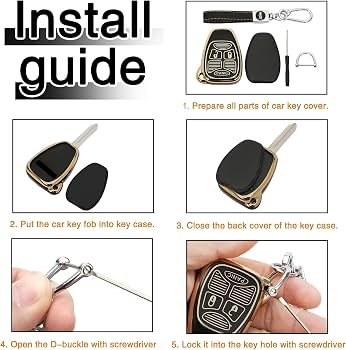
Opening your Jeep key fob may seem simple, but doing it the right way can save you money and prevent damage. Whether you need to replace the battery, clean the contacts, or inspect the inside, knowing the exact steps is important.
Many Jeep owners struggle with key fobs that suddenly stop working or become unreliable. This guide will help you open your Jeep key fob safely, avoid common mistakes, and understand what’s inside.
You’ll also learn how different models compare, what tools to use, and how to put everything back together without trouble.
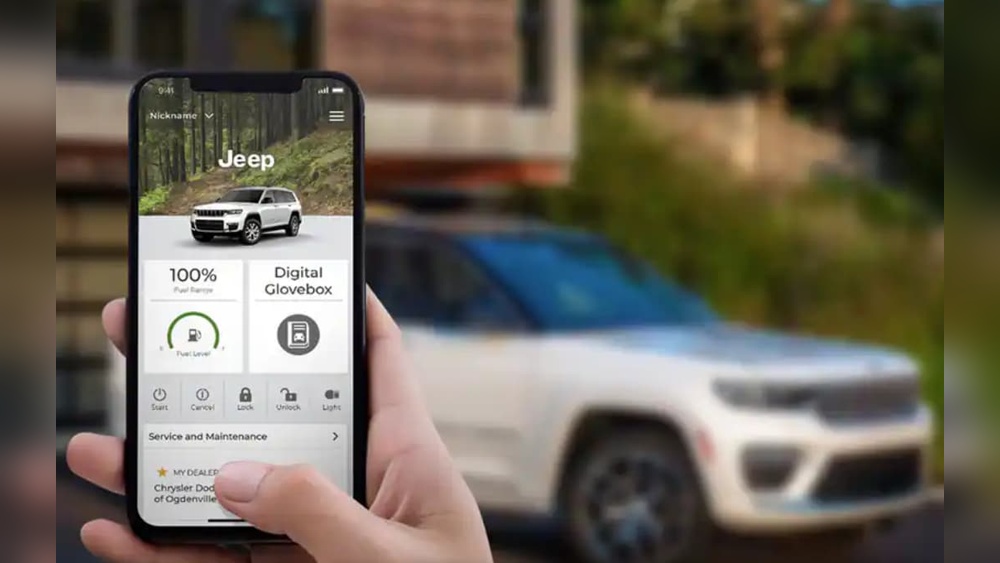
Understanding Jeep Key Fob Types
Jeep key fobs come in several designs. Most modern models use a push-button remote with a hidden emergency key inside. Older models may use simpler, single-piece remotes. Identifying your fob type before opening is essential.
| Jeep Model | Key Fob Type | Battery Type |
|---|---|---|
| Wrangler (2018+) | Push-button with flip key | CR2032 |
| Grand Cherokee (2014+) | Smart remote | CR2032 |
| Compass (2017+) | Standard remote | CR2025 |
| Patriot (2010-2017) | Single-piece remote | CR2032 |
Most Jeep key fobs use coin cell batteries, but size varies. Always check your owner’s manual for exact specifications.
Tools And Preparation
Before opening your key fob, gather these simple tools:
- Small flathead screwdriver
- Soft cloth or towel (to protect surfaces)
- Replacement battery (check battery type)
- Clean hands (avoid static or dirt)
Place your fob on the cloth to prevent scratches. Avoid using metal tools that are too large, as they may damage the plastic housing.

Step-by-step: Opening A Jeep Key Fob
Follow these steps for most Jeep models:
1. Remove The Emergency Key
Look for a small switch or button. Slide or press it to release the hidden mechanical key.
2. Locate The Seam
Find the thin line where the fob halves meet. This is often near the area where the emergency key was.
3. Insert The Screwdriver
Gently insert the flathead screwdriver into the seam. Twist slightly do not force. The fob should begin to open.
4. Separate The Halves
Use your fingers to pull the halves apart. Be careful not to drop or lose the internal components.
5. Remove The Battery
Lift out the old battery. Note its orientation (which side faces up).
6. Inspect And Clean
If you see dirt or corrosion, use a dry cloth to clean. Do not use water or cleaning sprays.
7. Replace The Battery
Put in the new battery, matching the correct orientation.
8. Reassemble The Fob
Align the halves and press them together until you hear a click. Insert the emergency key back.
The process takes only a few minutes. If the fob doesn’t open easily, avoid forcing it some models require gentle prying at multiple points.
Model Differences: Jeep Key Fobs
Some Jeep models have unique fob designs. Here’s a comparison of opening difficulty and battery access:
| Model | Ease of Opening | Risk of Damage | Battery Access |
|---|---|---|---|
| Wrangler (2018+) | Easy | Low | Direct |
| Grand Cherokee (2014+) | Moderate | Medium | Requires careful prying |
| Compass (2017+) | Easy | Low | Direct |
| Patriot (2010-2017) | Difficult | High | Hidden screws |
Older models may have hidden screws or tighter plastic clips. If you feel resistance, check for screws under labels or rubber seals.
Common Mistakes To Avoid
Many beginners make small errors when opening their Jeep key fob. Here are the most frequent mistakes:
- Using too much force: This can crack the plastic or break internal clips.
- Not checking battery orientation: Installing the battery backwards means the fob won’t work.
- Dropping the fob halves: Tiny parts inside can fall out and get lost.
- Skipping cleaning: Dust or corrosion can reduce battery life.
- Using the wrong battery type: Even a small difference (CR2032 vs CR2025) can cause issues.
A non-obvious tip: If your fob has trouble after battery replacement, press all buttons firmly to reset the contacts. Sometimes, cleaning with a dry cotton swab improves performance.
What’s Inside A Jeep Key Fob?
Understanding the internal parts helps you avoid mistakes:
- Battery compartment: Holds the coin cell battery.
- Circuit board: Controls the remote functions.
- Button pads: Rubber pads connect the buttons to the board.
- Emergency key slot: Holds the physical key.
If you accidentally knock loose the circuit board, gently align it before closing the fob. Never touch the board with wet hands.
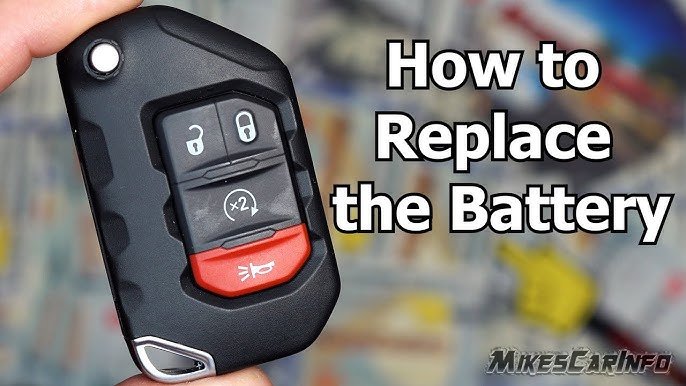
Troubleshooting After Opening
If your Jeep key fob doesn’t work after reassembly:
- Double-check battery orientation.
- Make sure all parts are seated properly.
- Try the emergency key to see if the mechanical lock works.
- Hold the fob near your Jeep and press the unlock button.
If it still fails, try a new battery or visit a dealership. Some advanced fobs require reprogramming after battery change. For more details, see Jeep Official Owners Site.
Frequently Asked Questions
How Often Should I Replace The Battery In My Jeep Key Fob?
Most Jeep key fob batteries last 2–3 years. If you notice weaker signals or need to press buttons multiple times, replace the battery soon.
Can I Open My Jeep Key Fob Without Any Tools?
Some models allow opening with just your hands, but most require a small screwdriver. Always avoid sharp or oversized tools.
What If My Key Fob Stops Working After Battery Replacement?
Check for correct battery orientation and ensure all parts are seated. If problems persist, try another battery or visit a dealer for reprogramming.
Are All Jeep Key Fobs Opened The Same Way?
No. Newer models are easier to open, while older ones may have hidden screws or tighter clips. Always check your manual for model-specific instructions.
Can I Damage My Jeep Key Fob By Opening It?
If you use too much force or the wrong tools, you can crack the housing or break clips. Always work gently and protect your fob on a soft surface.
Opening a Jeep key fob is simple with the right approach. Take your time, use the correct tools, and pay attention to battery orientation.
Knowing your specific fob model helps you avoid mistakes and makes the process smoother. With these steps, your Jeep key fob will be ready for years of reliable use.