If your Jeep Uconnect system is freezing, lagging, or not responding, you’re not alone. Many Jeep owners face problems like unresponsive touchscreens, Bluetooth connection failures, or navigation glitches. When basic troubleshooting fails, a hard reset may be the best fix. This step-by-step guide explains how to hard reset Jeep Uconnect, what to expect, and what you should watch out for. The instructions are clear and practical, even if you’re not a tech expert.
What Is Jeep Uconnect And Why Might You Need A Hard Reset?
Uconnect is Jeep’s infotainment system, controlling your radio, navigation, climate, phone, and more. Over time, like any computer system, it can develop bugs. You may notice:
- The system won’t start
- The screen is stuck on the Jeep logo
- Audio or phone features aren’t working
- Navigation maps won’t load
A hard reset is different from a soft or simple restart. While a soft reset just restarts the system, a hard reset erases system glitches and can bring Uconnect back to its default state.
When Should You Perform A Hard Reset?
You should try a hard reset if:
- The screen is frozen or black
- Uconnect won’t respond to touch or button input
- Bluetooth or Wi-Fi won’t connect after multiple tries
- System updates fail or cause new problems
A hard reset should be a last resort after you’ve tried simpler steps like turning the car off and on or disconnecting your phone.

Steps To Hard Reset Jeep Uconnect
There are a few ways to hard reset Uconnect, depending on the model year and system version. Below are the most common methods.
Always check your owner’s manual for model-specific details.
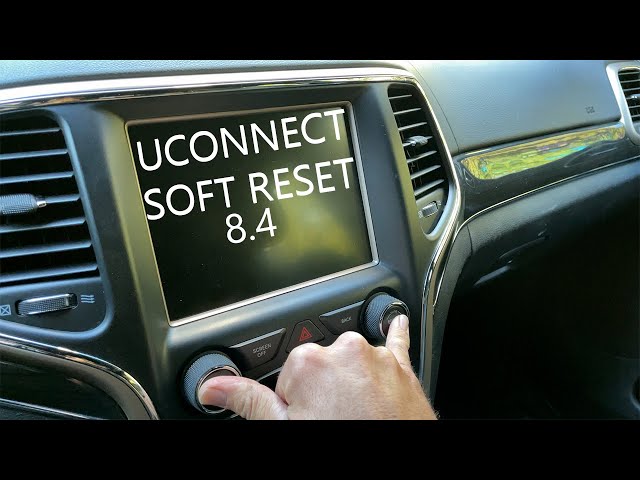
- Turn the ignition ON but do not start the engine.
- Hold down the volume and tuner (browse/scroll) knobs together for about 10–20 seconds.
- The Uconnect screen will go black, then reboot after a few seconds.
This method works for most Jeep models from 2017 and newer.
Method 2: Disconnecting The Car Battery
If the button method doesn’t work, use this method:
- Turn the vehicle OFF and remove the key.
- Open the hood and disconnect the negative battery terminal (black cable). Wait for 5–10 minutes.
- Reconnect the battery, close the hood, and start your Jeep.
- Uconnect should restart and load as new.
Warning: Disconnecting the battery may reset other vehicle settings, like clock or radio presets.
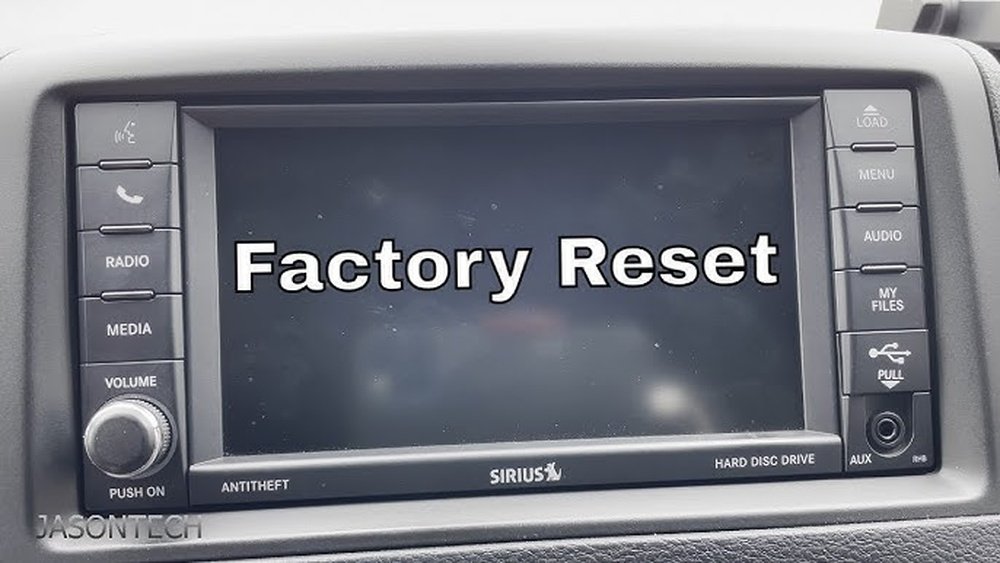
Method 3: Factory Reset From Uconnect Settings
Some Uconnect versions allow a full factory reset through the touchscreen:
- Go to the Settings menu on the Uconnect screen.
- Scroll to System Information or Restore Settings.
- Select Factory Reset or Reset to Default.
- Confirm your choice.
Your system will erase user data and return to factory settings.
Hard Reset Methods Comparison
Here’s a quick comparison of the three main methods:
| Method | Time Required | Data Loss | Difficulty |
|---|---|---|---|
| Button Reboot | 2-3 min | No | Easy |
| Battery Disconnect | 10-15 min | Maybe | Medium |
| Factory Reset | 5-10 min | Yes | Easy |
What To Expect After A Hard Reset
When you restart Uconnect after a hard reset, the system may take longer than usual to boot up. In some cases, you will need to:
- Pair your phone again
- Re-enter navigation destinations
- Reset radio presets
Personal data like contacts or favorites may be lost if you do a factory reset.

Troubleshooting Tips And Common Mistakes
Even after following the steps, some users hit problems. Here’s what to watch for:
- Don’t rush the battery disconnect: Wait at least 5 minutes for the system to fully power down.
- Check for software updates: Sometimes, a hard reset helps, but a software update is the real fix. Visit the official Jeep Uconnect Update page for details.
- Avoid repeated resets: If you need to hard reset often, your Uconnect may need professional service.
- Backup important data: Save your navigation favorites or contacts if possible before a factory reset.
Non-obvious insight: Many users don’t realize that a weak car battery can cause Uconnect glitches. If your system keeps freezing, have your battery tested.
Which Jeep Models Use Uconnect?
Not all Jeeps have the same version of Uconnect. Here’s a quick guide to recent models:
| Jeep Model | Uconnect Version | Year Range |
|---|---|---|
| Wrangler | Uconnect 3, 4, 5 | 2015–2024 |
| Grand Cherokee | Uconnect 4, 5 | 2018–2024 |
| Cherokee | Uconnect 4 | 2017–2022 |
| Compass | Uconnect 4 | 2018–2024 |
If your Jeep has an older Uconnect version, steps may differ slightly.
Is Hard Reset Safe For Uconnect?
A hard reset is generally safe and does not damage your Uconnect system. However, you can lose saved data and settings. If you’re unsure, ask a Jeep technician before trying battery disconnect or factory reset.
Pro tip: If your Jeep is under warranty, document any problems before resetting. Some warranty repairs may require proof of ongoing issues.
Frequently Asked Questions
How Do I Know Which Uconnect Version I Have?
You can check your Uconnect version in the Settings or About section on your Jeep’s touchscreen. The version number is usually listed there.
Will A Hard Reset Delete My Music Or Apps?
If you do a full factory reset, personal data like music, paired phones, and app logins may be erased. Button or battery resets do not usually delete this data.
How Often Should I Hard Reset My Uconnect?
You should not need to hard reset regularly. If glitches are frequent, there may be a deeper issue, such as outdated software or a faulty module.
Can I Reset Uconnect While Driving?
It’s best to reset Uconnect while parked with the vehicle in a safe, stationary position. Some reset methods won’t work unless the car is in Park.
What If My Uconnect Doesn’t Restart After A Hard Reset?
If Uconnect won’t power on, check the car battery and fuses first. If it still fails, contact your Jeep dealer or a certified technician for help.
A hard reset can solve many Uconnect problems quickly and safely. With these steps, you’ll be back on the road with a working infotainment system in no time.
If issues continue, seek help from a certified Jeep professional.


















